1
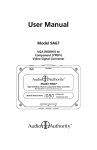
User Manual
Pr
VGA INPUT
(RGBHV)
Pb
12V DC
POWER
Model 9A60A
Y
719-219
VGA to Component Video Converter
Made in the USA
Table Of Contents
1.0 Introduction . . . . . . . . . . . . . . . . . . . . . . . . 3
2.0 Installation . . . . . . . . . . . . . . . . . . . . . . . . . 4
3.0 Troubleshooting. . . . . . . . . . . . . . . . . . . . . . 5
4.0 Specifications . . . . . . . . . . . . . . . . . . . . . . . 5
5.0 Limited Warranty . . . . . . . . . . . . . . . . . . . . . 6
6.0 Regulatory Compliance . . . . . . . . . . . . . . . . . . 7
7.0 Contact Information . . . . . . . . . . . . . . . . . . . . 7
WARNINGS
• Read these instructions before installing or using this product.
• To reduce the risk of fire or electric shock, do not expose this unit to rain or moisture.
• This product must be installed by qualified personnel.
• Do not open the cover—there are no user-serviceable parts inside.
• Do not expose this unit to excessive heat.
• Install only in dry, indoor locations.
• Clean the unit only with a dry or slightly dampened soft cloth.
LIABILITY STATEMENT
Every effort has been made to ensure that this product is free of defects. Audio
Authority cannot be held liable for the use of this hardware or any direct or indirect
consequential damages arising from its use. It is the responsibility of the user of the
hardware to check that it is suitable for his/her requirements and that it is installed
correctly. All rights are reserved. No parts of this manual may be reproduced or
transmitted by any form or means electronic or mechanical, including photocopying,
recording or by any information storage or retrieval system without the written
consent of the publisher.
Audio Authority reserves the right to revise any of its hardware and software following its policy to modify and/or improve its products where necessary or desirable.
Audio Authority and the Double-A Symbol are registered trademarks of Audio
Authority Corp. Copyright June, 2007. All third party trademarks and copyrights are
recognized.
2
1.0 INTRODUCTION
Thank you for purchasing this video converter from Audio Authority. The Model
9A60Ais a transcoder that adapts a VGA-type RGBHV video signal to a YPbPr
Component Video signal for use with High Definition Television (HDTV) monitors. Transcoding is defined as a direct conversion from one signal type to
another. When compatible sources and monitors are configured correctly, the
9A60Apermits HDTV images generated by a set top box or personal computer to
be displayed on an HDTV capable television or monitor.
The 9A60Ais not a format converter, and does not include a scaler or video
processing chip. It passes the horizontal and vertical synchronization timings
and pixel content from the input source to its outputs without modification. For
example, a desired 1080i YPbPr image on your television will require a 1080i
RGBHV signal from your source. Generally, the acceptable NTSC/ATSC broadcast resolutions within the United States are 640x480 60Hz, 1280x720 60Hz
and 1920x1080 60Hz. The underlined numbers are those most often used by
manufacturers to indicate the acceptable input resolutions for a particular video
display. Some combinations of sources and televisions may produce undesired
display artifacts or fail to work at all.
1.2 FEATURES
• High bandwidth circuitry
• Accepts RGB signals including computer VGA and RGBHV
• Output sync is Bi-level sync
• Converts video format, but does not alter resolution or refresh rate
1.3 CHECKING PACKAGE CONTENTS
Before attempting to use the 9A60A, please check the packaging and make
certain the following items are contained in the shipping carton:
• 9A60A video converter
• 12V DC power adapter
• User manual
Note: Please retain the original packing material in case you need to return
the unit. If you find any items are missing, contact Audio Authority immediately.
Have the model number and invoice available for reference when you call.
3
2.0 INSTALLATION
• Connect the 9A60Ato the video source using the supplied VGA cable and
apply power using the included 12 volt power pack.
• Connect the output of the 9A60Ato the YPbPr component video input jacks on
the television or monitor.
• Set up your source equipment to output an appropriate television broadcast
resolution for your region. Common US resolutions are shown below.
Standard
VGA-15
(RGBHV)
Video Cable
VGA
or
RGB
Input
Model
9A60A
Matched Sets of YPbPr
RCA Patch Cords
Y
Pb
Pr
Power
YPbPr Input
Video Display
PC
SDTV (Standard Definition)
640x480 @ 60Hz
interlaced
480p (DVD Resolution)
640x480 @ 60Hz
progressive scan
720p (High Definition)
1280x720 @ 60Hz
progressive scan
1080i (High Definition)
1920x1080i @ 60Hz
interlaced
1080p (High Definition)
1920x1080p @ 60Hz
progressive scan
Be aware that most high definition televisions accepting progressive (noninterlaced) video generally have a maximum vertical refresh rate of 60Hz; avoid
sending higher rates from your PC.
Third party software is available for download if your
video driver does not support the required resolutions. Some sources do not provide for altering the
output resolution; in these cases you should consider
purchasing one of the video scaling products (such as
Model 1366) available from Audio Authority.
Caution: Do not operate the monitor with an
unstable picture; damage to the display equipment
may result.
4
Software Downloads:
PowerStrip (for Windows)
www.entechtaiwan.com
DisplayConfigX (for Mac)
www.3dexpress.de
Note: Audio Authority
is not affiliated with the
software or companies
mentioned above.
3.0 TROUBLESHOOTING
Symptom
Causes and Solutions
No image displayed
Ensure power is applied to all equipment.
Ensure all cables are securely connected.
Ensure source output resolution is a compatible television
broadcast resolution for your region.
I have an image on my
computer monitor, but
not my television
Ensure output is enabled to multiple monitors.
My video card does
not allow appropriate
resolutions for my region
A third party program such as PowerStrip for Microsoft
operating systems or DisplayConfigX for Apple operating
systems.
Ensure source output resolution is a compatible television
broadcast resolution for your region.
Consider upgrading your current video card.
If you encounter difficulty, contact the Audio Authority Technical Service
department via email: [email protected], or call 800-322-8346 or
859-233-4599.
4.0 SPECIFICATIONS
Video Input
Standard RGBHV
Connector
HD-15 VGA connector
RGB Video Inputs
700mV p-p
HV Sync Inputs
5 volt TTL
Video Output
YPbPr component video
Connector
Three gold-plated RCA jacks
Y Video Output
.701G + .212R + .087B
Pb Output
.500B - .384G - .116R
Pr Output
.500R - .445G - .055B
Y Sync Output
300mV negative bilevel, 600nS horizontal
unprocessed vertical
Video Bandwidth
-3dB @ 250MHz
Dimensions
4.55" X 3.30" X 1.25" not including mounting flanges
Included Accessories
6-foot VGA male-to-male cable
12 volt DC power pack
User Manual
5
5.0 LIMITED WARRANTY
Should any consumer product from Audio Authority fail due to defects in materials or workmanship within one year from the date of the original sale to the
end-user, Audio Authority guarantees that we will replace the defective product at
no cost. Freight charges for the replacement unit will be paid by Audio Authority
(ground service only). A copy of the invoice showing the item number and date
of purchase (proof-of-purchase) must be submitted with the defective unit to
constitute a valid in-warranty claim.
Units that fail after the warranty period has expired may be returned to the factory
for repair at a nominal charge, if not damaged beyond the point of repair. All
freight charges for out-of-warranty returns for repair are the responsibility of the
customer. Units returned for repair must have a Return Authorization Number
assigned by the factory.
This is a limited warranty and is not applicable for products which, in our opinion,
have been damaged, altered, abused, misused, or improperly installed. Audio
Authority makes no other warranties either expressed or implied, including limitation warranties as to merchantability or fitness for a particular purpose. Additionally, there are no allowances or credits available for service work or installation
performed in the field by the end user.
5.1 WARRANTY SERVICE PROCEDURES
If you suspect a product defect, contact Audio Authority’s Technical Service
Department at 800-322-8346 or 859-233-4599 for assistance in verifying the
problem. If a defect or potential defect is suspected, a replacement unit will be
shipped immediately on a defect-exchange basis and a Return Authorization
Number will be issued for the return of the defective product. Replacement units
are sent out at the Manufacturer’s Suggested Retail Price which is debited to the
Customer’s Credit Card at the time of shipment. Once we receive the defective
unit back at the factory, it will be evaluated under the conditions of this warranty
and if found to be in-warranty, a full credit will be issued to the Customer’s Credit
Card. Return freight charges for the defective unit are the customer’s responsibility. Please contact our Technical Service Department for complete details
concerning all in and out of warranty service matters.
We appreciate your confidence in our products and services and will always
strive to meet or exceed your needs.
6
6.0 REGULATORY COMPLIANCE
The 9A60A power supply included has been tested for compliance with UL, CE,
and CSA rules and regulations and is RoHS compliant.
7.0 CONTACT INFORMATION
If you have questions or require assistance with this product in areas not covered
by this manual, please contact Audio Authority using the information below.
Audio Authority Technical Service
800-322-8346 M-F 8:30 AM to 5:00 PM, EST
International: 859-233-4599 Fax: 859-233-4510
Send email to: [email protected]
Audio Authority Corporation
2048 Mercer Road
Lexington, Kentucky 40511-1071
USA
7
2048 Mercer Road, Lexington, Kentucky 40511-1071 USA
Phone: 859-233-4599 • Fax: 859-233-4562
Customer Toll-Free USA & Canada: 800-322-8346
www.audioauthority.com
Made in the USA
752-581
3/10