1
4
Finding Your Way around the System
Select a Place To Work
Seating and Posture
Proper seating is one of the primary factors in reducing work
strain. Some people find a backless chair more comfortable than a
conventional chair. Whichever type you choose, refer to the following guidelines to adjust your chair for maximum computing
comfort.
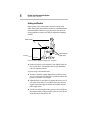
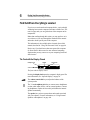
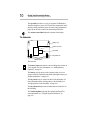
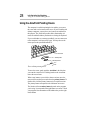
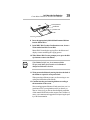
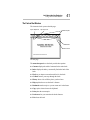
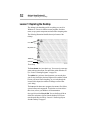
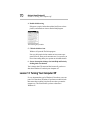
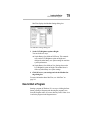
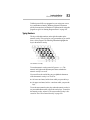
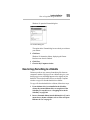
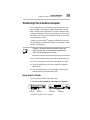
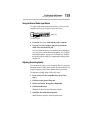
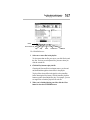
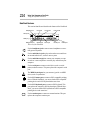
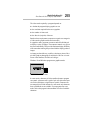
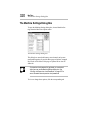
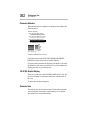
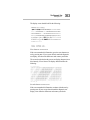
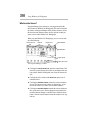
Below eye level
Approximately 90
degree angles
Foot rest
Correct posture and positioning of the computer
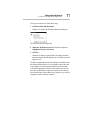
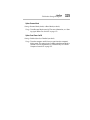
❖ Position your chair so the keyboard is at or slightly below the
level of your elbow. You should be able to type comfortably
with your shoulders relaxed.
If you are using a conventional chair:
❖ Your knees should be slightly higher than your hips. If neces-
sary, use a foot rest to raise the level of your knees and ease the
pressure on the back of your thighs.
❖ Adjust the back of your chair so it supports the lower curve of
your spine. If necessary, use a cushion to provide extra back
support. Lower back support cushions are available at many
office supply stores.
❖ Sit with your back straight so that your knees, hips and elbows
form approximately 90 degree angles when you work. Do not
slump forward or lean back too far.