1
Table of Contents
Introduction to Lynx ...................................................................................................................... 6
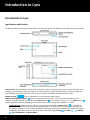
Lynx Buttons and Controls ........................................................................................................................................................ 6
Battery ......................................................................................................................................................................................... 8
Installing the Battery .............................................................................................................................................................. 8
Charging the Battery .............................................................................................................................................................. 8
Home Screen ............................................................................................................................................................................ 10
Listening Modes.................................................................................................................................................................... 12
Satellite Radio ....................................................................................................................................................................... 12
Internet Radio ....................................................................................................................................................................... 12
My Library ............................................................................................................................................................................. 13
Show Finder .......................................................................................................................................................................... 13
Bluetooth Connect................................................................................................................................................................ 14
Settings .................................................................................................................................................................................. 14
Now Playing Screen .................................................................................................................................................................. 15
Status Bar Icons........................................................................................................................................................................ 18
Audio Options ........................................................................................................................................................................... 19
microSD Card (Optional) .......................................................................................................................................................... 19
Installing the SD Card........................................................................................................................................................... 19
Formatting the SD Card ....................................................................................................................................................... 20
Audio File Compatibility ....................................................................................................................................................... 21
Channel Tuning ............................................................................................................................ 22
Now Playing Screen .................................................................................................................................................................. 22
Spectrum Channel Tuning ....................................................................................................................................................... 22
Channel List Tuning .................................................................................................................................................................. 23
Direct Channel Tuning ............................................................................................................................................................. 24
Using the Sort and Filter Options ............................................................................................................................................ 24
Favorite Channels (Presets) ......................................................................................................... 26
Favorite Channels ..................................................................................................................................................................... 26
Saving Favorite Channels ......................................................................................................................................................... 26
Replacing Favorite Channels ................................................................................................................................................... 27
Deleting Favorite Channels ...................................................................................................................................................... 29
Rearranging Favorite Channels ............................................................................................................................................... 30
Tune Start.................................................................................................................................................................................. 31
Tune Scan .................................................................................................................................................................................. 31
Featured Favorites.................................................................................................................................................................... 32
Control Functions......................................................................................................................... 33
Back ........................................................................................................................................................................................... 33
Home ......................................................................................................................................................................................... 34
Now Playing .............................................................................................................................................................................. 34
Pause and Replay (Play/Pause, Fast-Forward, Rewind) ......................................................................................................... 35
Traffic & Weather /Jump .......................................................................................................................................................... 36
Action Panel .............................................................................................................................................................................. 38
2