1
Links to USB-to-Serial Interface Vendors
The webpage links given in this section represent the best available information, at the time these
Notes were written, for those adapter manufacturers whose devices are known to work with ATrack. However, like all information posted on the Internet, the locations of these webpages are
subject to change without notice.
If any link no longer appears to function, and you are unable to find the data you require, then
please contact the A-Train Systems Support webpage at http://www.a-trainsystems.co.uk/support.php, or by e-mail to [email protected], and I will make every
effort to assist.
The same advice applies if you are experiencing any difficulties in using A-Track with a USB-toSerial adapter which uses a chipset from a manufacturer other than those listed below. Although
A-Track ought to work with any adapter which sets up a Virtual Communications Port (VCP) in
your computer, it is, unfortunately, impossible to guarantee that this will always be the case.
Silicon Labs (for NCE USB Interface)
Driver and documentation available from –
http://www.silabs.com/products/mcu/pages/usbtouartbridgevcpdrivers.aspx
Required files are from the ‘Download for Windows XP/Server 2003/Vista/7/8 (v6.6.1)’ section of
the page. The download contains drivers for both 32- and 64-bit systems, but needs to be
‘unzipped’, as explained earlier in these Notes.
Keyspan
Driver and documentation available from –
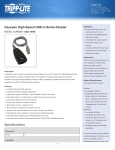
http://www.tripplite.com/en/products/model.cfm?txtModelID=3914
Ensure that you select the files which match the correct version of Windows for your computer –
one version is for Windows XP and Vista, another for Windows 7 and 8.
Prolific (chipset often found in cheaper adapters)
Driver and documentation available from –
http://plugable.com/drivers/prolific/
The required file, PL2303 Prolific DriverInstaller v1.8.19.zip, contains both the driver and
documentation, but needs to be ‘unzipped’, as explained earlier in these Notes.
If you encounter any difficulties with this version of the driver (with older PC systems), you can
visit the Prolific download webpage itself at –
http://www.prolific.com.tw/US/CustomerLogin.aspx
- where you need to log in using ‘GUEST’ as both user name and password, then click the link
labelled ‘PL2303 USB to Serial Drivers’ to access a list of available driver software.
© 2008-2013 JT Chamberlain, A-Train Systems
Page 16 of 17