1
ARIS CycloSearch - User's Manual
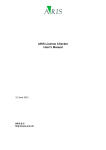
Characteristics' window is shown:
Through the radio buttons the source of the displayed values can be selected. In the name
field the shape file field or calculated value can be selected. The display text is an optional
text field and represents the caption above the column in the Search results table in the
Cyclorama window.
Search results are represented in the Results table in the Cyclorama window (chapter 5.3.2).
These results are sorted according to the criterion set in the 'Sort result on' combobox. One of
the calculated values (except for the index) must be selected here. Most likely this will be the
deviation from the horizontal and/or vertical search angles, but it is also possible to sort the
results on horizontal, vertical or total distance from the horizontal or vertical search lines (that
run through the centers of the search areas), the distance from where the Cyclorama was
taken, or the x, y or coordinate.
5.4.5 Graphics
When clicking in the Cyclorama in the Cyclorama window (chapter 5.3) matching objects are
displayed in the results table. It is also possible to display any of the following features in the
map of the Cyclorama main window (chapter 5.15.2.3):
• The Cyclorama viewing direction. This is a line pointing in the direction to where the
(middle of the) Cyclorama is pointing. When defined this line is always shown when
the Cyclorama window is opened.
• The horizontal search line.
• The horizontal search area.
• The search objects that were found.
Which features are displayed and how these features are displayed is defined in the
'Graphics' page of the Settings window:
ARIS
18