1
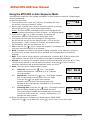
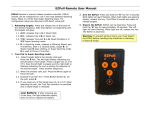
EZPull MTX-8VR User Manual Page 6 Using the MTX-8VR in Auto Sequence Mode Auto Sequence mode the voice release is disabled. In Auto Sequence mode the 5-Stand target menu is preselected by the club’s personnel. 1. From the Main menu, press the [2-B] key. The display will show the number of shooters selection screen. #SHOOTERS ▲▼ 04 2. Use the ▲[3-C] and ▼ [8-H] keys to select the number of shooters then press the Fire [ ] key to accept and continue. Notice: The first shooter must always start on the first stand with the other shooters following the order of stands – no skipping stands! 3. Press the Fire [ ] key to start the game. The display will momentarily show the key functions used in this mode. FIRE ◄ BACK 4. The Display will now show the first target in the sequence. On the left side you will see the Stand number - STD:# and the Queue number - QUE:# number (In 5-Stand, all shooters shoot the first queue, then the second queue, etc.) STD: 1 QUE:1 ▲ MANL ►SKIP 2 5. Fire: Press the Fire [ ] key to release the target(s). The display will now show the next target(s) to be released. 6. Back: If targets are broken or you need to repeat a segment in the sequence, press the ◄ [4-D] key to go back. Note the STD:# and QUE:# to navigate back to the desired segment. 7. Skip: If you need to skip a segment in the sequence, press the ► [5-E] key to skip to the next segment. Note the STD:# and QUE:# to navigate to the desired segment. 8. Manual: If you need to momentarily switch to a fully manual mode, press the ▲ [3-C] key. The MTX-8 will operate in manual mode (see above). Press the [ ] key to return to automatic sequence mode at the last segment where you left it. 9. Pairs: There are three release modes for pairs: 9.1. True Pair: Press the Fire [ ] key - Two targets release simultaneously. Indicated by a “+” between the trap numbers 9.2. Report Pair: Press the Fire [ ] key - First target released. Red LED ON steady reminding you to act on report. Press the fire [ ] key again upon shooters gunshot (report) to throw the second target and advance to the next segment. Indicated by a “>” between the trap numbers. 9.3. Following Pair: Press the Fire [ ] key - First target released. Red LED blinks indicating you should wait the delay. The second target releases automatically after the number of seconds shown under the ~ symbol. Indicated by a “~” between the trap numbers. STD: 2 QUE:3 3+4 STD: 2 QUE:2 3>4 STD: 3 QUE:2 3~4 4 10. When the sequence is complete, the display shows “GAME OVER”. Press the Fire [ ] key to start over or the [ ] key to return to the main menu. EZP_MTX8VR_UserGuide.doc For Version 1.1.0