1
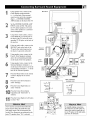
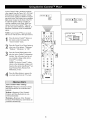
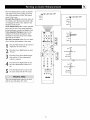
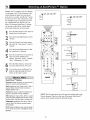
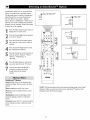
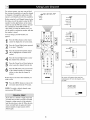
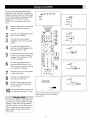
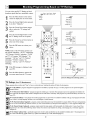
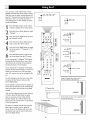
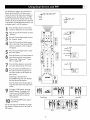
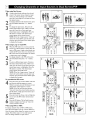
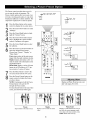
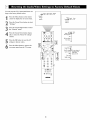
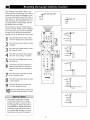
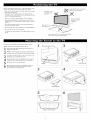
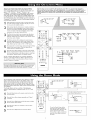
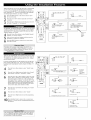
Your television can acquire the current time
from the signal being received. It needs to
know your Time Zone, however, and whether
or not you use Daylight Savings.
Picture
Sound Ieatures Channels
Settings
Demo
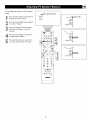
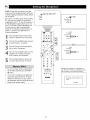
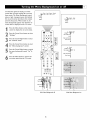
Press the Menu button on the remote
control
to display
the on-screen
TV
General
Source
Install
Demo
Settings_
menu.
Install
Press
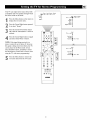
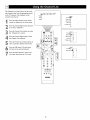
the Cursor Down button to highlight "Seltings."
General Source
Press
the Cursor
Right button
repeatedly
to select
the "General"
menu.
m
1V
¢k
WB
Menu background
Su_
MP
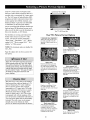
Press
Cursor
edly totheselect
the Down
"Time button
Zone" repeatcontrol.
Du_ screenformat
_reeze_
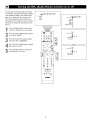
Press the Cursor Right button to enter
the list of available time zones.
General
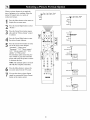
Press the
select
yourCursor
time zone.
Up or Down button to
Reset AVsettings
Press the Cursor Left button, then press
the Cursor Down button to select the
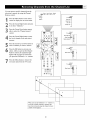
"Daylight Savings" control.
Caption service
0SD
}]me zone
Set6ngs
O_yligfi_
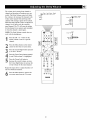
Press the Cursor Right button to toggle
"Daylight Savings" to "Automatic" for
the TV to change to Daylight Savings
Time automatically. Or select "Off."
Set6ngs_f_n
eral
Press the Menu button to remove the
on-screen menu from the TV screen.
]]me
zone
@@@@
ZOOM
PHILIPS
General
Reset RV settings
Captfon service
0SD
Settings
lime zone
D_ylight
Off * Automate
General
Reset RV settings
Captfon service
0SD
Settings
lime zone
D_ylight
62
Auom_tfo* Off