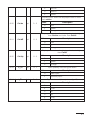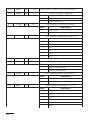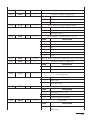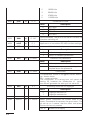
1
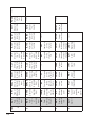
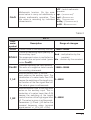
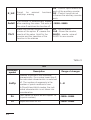
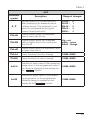
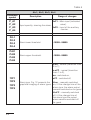
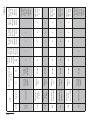
the entry in the matrix, the write of an incorrect code causes the display
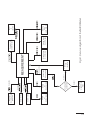
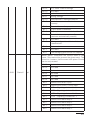
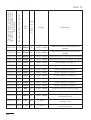
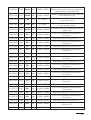
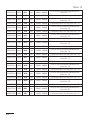
of the ErCod symbol. The matrix of transitions into the programming
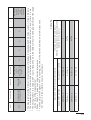
mode is presented on the fig. 9. The selection of the level is made by
means of the
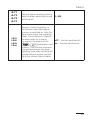
button, however the entry and moving through
the parameters of the chosen level is carried out by means of
and
buttons. Parameter symbols are displayed alternately with
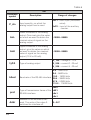
their current values. In order to change the value of the selected parameter, one must use the
button. To resign from the change,
one must use the
button. In order to exit from the selected level, one must chose the - - - - - symbol and press the
button. To
exit from the programming matrix, one must press the
-button
during ca 1 second. Then, the inscription End appears for ca 3 seconds and the meter displays the measured value. In case of leaving
the meter in the parameter programming mode, the automatic abandon of the programming mode parameter (parameter, next the menu)
follows after 30 seconds and the meter displays the measured value.
5.4.1. Value Change Way of the Chosen Parameter
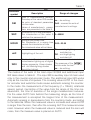
In order to increase the value of the selected parameter, one must
press the
button. A single pressure of the button, causes the
increase of the value of 1. The increase of value when displaying the digit 9 causes the setting of 0 on this digit. The change of the digit follows
after pressing the
button.
In order to accept the set up parameter, one must hold down the
button. Then, the write of the parameter and the display of its symbol
follows alternately with the new value. The pressure of the
button during the change of the parameter value will cause the resignation
of the write.
5.4.2. Changing Floating-Point Values
The change is carried out in two stages (the transition to the next stage
follows after pressing the
button):
1) setting the value from the range -19999...99999, similarly as for integral values;
18