1
Appendix 2- Diagnostic Output Format for HiPR-900 units Firmware Build V2.7_RXXX or earlier
Output format for all HiPR-900 units with firmware build V2.7_RXXX or earlier is man / machinereadable, ASCII, comma-delimited format. Reader program used (or written) must ensure to decode the
“type field” and check for type 0.
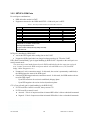
Type 0 outputs contain the following fields:
♦ Source MAC Address (Bridge mode): Hex numbers format [00:01:02:03]
or
Source IP Address (Router mode): Dotted decimal format
[111.222.333.444]
♦ Type of report: Decimal number (3) that identifies the report as a “type 3”.
♦ # of fields: Decimal number indicating number of comma-delimited fields to follow
♦ Thinning value: Number of data packets before a diagnostic message is delivered
♦ Flags: Hexadecimal without a leading “0x)
0 = DC input
1 = PoE input
2 = 5 °C from “Overtemp” alarm (for DC input)1
3 = 5 °C from “Overtemp” alarm (for PoE input)1
♦ Volts: Decimal indications in decivolts when source is DC input (125 for 12.5V)
Decimal indication is a low number (typically 5) when source is PoE
♦ Temperature: Decimal internal unit temperature in Celsius degrees
♦ Packet error rate (or PER): 0 or negative decimal value
⎛ bad ⎞
⎟⎟
⎝ good ⎠
♦ 10 log10 ⎜⎜
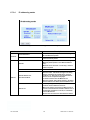
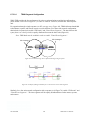
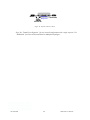
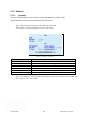
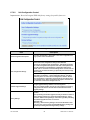
See Figure 36 for details
Thus, -51 is CRC error rate of 10-5.1 (since reset or when net stats were cleared). See Table 10.
♦ Signal RSSI: Decimal level in calibrated dBm
♦ Background RSSI: Decimal level in calibrated dBm
♦ Forward power: Decimal indications in milliwatts
♦ Reverse power: Decimal indications in milliwatts
Output Samples
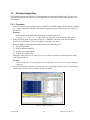
From command window, type telnet nnn.nnn.nnn.nnn 6272 and the unit’s diagnostic output
will display on screen (where nnn.nnn.nnn.nnn is your unit’s address in dot decimal format) (Thinning value must not be zero).
Note:
1
The “overtemp” limit default is 80 °C
001-5099-000
88
HiPR-900 User Manual