1
TRAX Flex HS User’s Manual
Table of Contents
Technical Support
.................................................................. iii
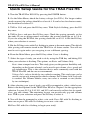
Quick Setup Guide for the TRAX Flex HS.................................................... vi
Chapter 1 – Introduction to the TRAX Flex HS ......................................... 1-1
What is the TRAX Flex HS? ............................................................. 1-2
Before You Do a Count
................................................................ 1-2
Learning About the TRAX Flex HS .................................................. 1-3
Chapter 2 – Operational Features of the TRAX Flex HS .......................... 2-1
How is the TRAX Flex HS Powered? .............................................. 2-2
Using the Keypad
.............................................................. 2-2
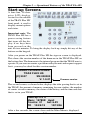
Start-up Screens
................................................................ 2-3
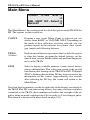
Main Menu
................................................................ 2-4
Utilities Menu
................................................................ 2-5
Defaults
................................................................ 2-5
Clear
................................................................ 2-7
Time/Date
................................................................ 2-7
System
................................................................ 2-7
Test
................................................................ 2-9
Count Menu
.............................................................. 2-11
Tubes
.............................................................. 2-11
Basic
.............................................................. 2-11
Volume Only
.............................................................. 2-11
Tube Layout Selection....................................................... 2-12
Site Code
.............................................................. 2-12
Count Start-up Menu .............................................................. 2-14
STAT
.............................................................. 2-14
GPS
.............................................................. 2-14
Start
.............................................................. 2-15
Basic Data Status Screens.......................................... 2-15
Volume Only Status Screens ...................................... 2-16
Ending a Count
.............................................................. 2-18
Downloading a TRAX Flex HS ............................................... 2-19
Serial Port Download ........................................................ 2-19
USB Port Download.......................................................... 2-21
Chapter 3 – Using the EZ Belt
................................................................ 3-1
What is the EZ Belt?
................................................................ 3-2
Installing the EZ Belt
................................................................ 3-2
Step 1 – Select an Installation Location ..................................... 3-3
Step 2 – Select Layout................................................................ 3-3
Step 3 – Prepare the Installation Equipment .............................. 3-3
Step 4 – Install the EZ Belt ........................................................ 3-4
Step 5 – Check for Accuracy...................................................... 3-4
iv