1
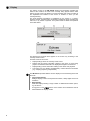
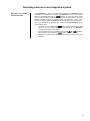
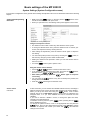
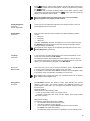
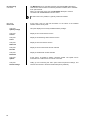
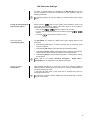
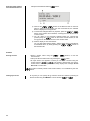
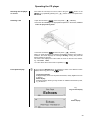
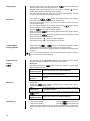
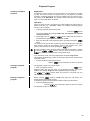
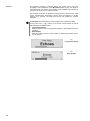
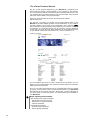
Access to Media Content via the Main Menu (Home Menu) When you call up the Streaming Client by pressing the button of the FM2000, the front panel screen displays a list containing the devices connected to the system, or accessible via the network, together with the Favourites folder, e.g.: Main Menu (Home-Menu) - USB / iPod *1) Internet Radio UPnP-AV Server (Media server) in the local network *2) Favorites the selected USB input is displayed. *1) Only Use a brief press on the button on the remote control or on the front panel to switch between the USB inputs. play back media files that are stored on PC’s or NAS storage devices on *2) To your home network, a UPnP-AV server software must be installed on these devices to make the media content accessible through the network. You can now select a device or a service using the / buttons. The selected list item is shown enlarged, and can be called up by pressing the / button. Selecting and Playing Media Content The content of the device is displayed in the form of a list. The individual list entries are followed either by a folder symbol ( ) or a note symbol ( ). You can now again move to the individual list points using the / buttons, and open them with the / button. If the list entry you open is a folder, the screen displays the contents of the folder: you can now navigate further within the new folder. If the entry is followed by a note symbol, this indicates that the content is playable (pieces of music, playlists, radio station etc.). If you open an entry of this type, its content will be played. lists and music tracks you can see when The according to the machine and the transferred data. you select a device vary When you are navigating through lists you can call up the MP 2000 R letter search function at any time by briefly pressing the button. The screen now displays the message ‘Search _’. While this is on the screen, enter up to five letters or numerals using the remote control handset; the letters assigned to the numeric buttons are printed below the buttons. To obtain a particular letter, press the appropriate button repeatedly until the correct letter appears on the screen. Before entering the next character you have to wait until the cursor is displayed again. After pressing the v button or after a brief delay with no further input the MP 2000 R moves to the first entry in the list which starts with the characters you entered. Alpha-Search (Letter Search Function) If the text searched for is not found the best matching result will be shown. You can abort the search using the –-button. 29