1
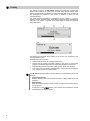
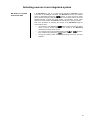
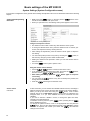
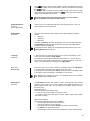
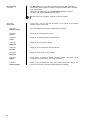
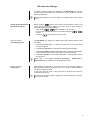
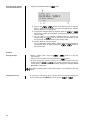
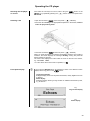
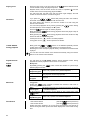
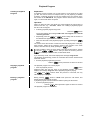
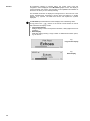
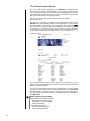
Favourites List Favourites List and Presets In addition to manual tuning and searching, the radio of the MP 2000 R also features a Favourites list and Presets, which provide a fast, convenient method of managing your preferred stations and calling them up at any time. The Favourites list can store up to 60 FM stations and up to 120 DAB stations. You can edit the lists conveniently at any time. It is also possible to store 10 stations under a station number (Preset), and then to call it up directly by entering the station number. Presets are particularly useful if you wish to call up stations when the screen is not in sight (e.g. from an adjacent room), or via the domestic control system. Creating the Favourites list To create a Favourites list, the first step is to select one of the two possible reception modes (VHF or DAB). Once you have called up the Favourites list by pressing the button, you can call up the Favourites menu by pressing the button. The following Select points are available: (Automatic station scan) To create a new Favourites list, select the “Create new Favourites list” menu point and press the button to start the station search. The screen displays “Station scan”, and the MP 2000 R now automatically stores the stations it can receive in the Favourites list. If a Favourites list already exists, this process overwrites it. To search for new stations and add them to the list, select the “Add new stations” menu point and press the button to start the station search. All new stations located are now automatically added to the existing list. When setting up the DAB station list it is advisable to sort them in blocks, otherwise you may experience quite long change-over times when switching stations. Erasing stations from the Favourites list Open the Favourites list by pressing the button. Select the station you wish to erase from the list, hold the red button pressed in for a few seconds: the station is now removed from the Favourites list. After the erasure the tuner automatically switches to the next station in the Favourites list. Sort function The Favourites list can be sorted according to various criteria; these are selected in the menu point 'Sort Favourites by': Frequency Stations are sorted by frequency in ascending order (RDS stations only) *1) Station name Stations are sorted alphabetically by station name Program ID Stations are sorted by station group (RDS stations only) Now use the / buttons to select the desired sort criterion, and confirm your choice by pressing the button. 1) Sorting stations by "frequency" is not possible with DAB stations, as in some cases several stations use the same frequency (channel). In this case the sorting can only be done in blocks. 21