1
Hark Systems, Inc.
Verifier II – October 1998
TECH – Entering TECH at the Enter Operator Password
prompt allows you to perform all functions with the exception
of those provided within the Administration option. You may
not edit passwords, load default parameters, or enable or
disable expanded radio setting responses.
ADMIN – Entering ADMIN at the Enter Operator Password
prompt allows you to access all functions provided within the
Verifier II application. This is the only password that allows
you to edit passwords, load default parameters, and enable or
disable expanded radio setting responses.
•
If you have already changed the default factory passwords,
enter the current system password that is appropriate for your
access level at the Enter Operator Password prompt and press
the ENTER key.
NOTES
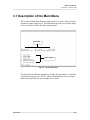
The Main Menu does not vary; all options display whether you
logon as GUEST, TECH, or ADMIN. However, particular
options displayed on the Main Menu are not accessible
depending upon your access level. If you select an option to
which you do not have access, the Main Menu continues to
display and no further processing occurs.
The passwords are case-sensitive. Both the default factory
passwords and your individualized system password must be
entered in the proper case. For example, the default password of
GUEST must be entered in upper case. Also, if the password is a
combination of upper and lower cases, such as RgET02aA, the
password must be entered in exactly that combination of upper
and lower case characters. If entered in any other combination of
upper and lower cases, you are not logged onto the application.
Step 11:
Getting Started
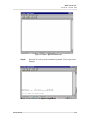
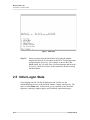
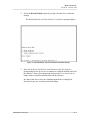
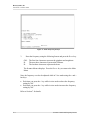
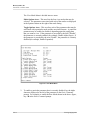
The entered password is verified at this time. If correct, a
Welcome message displays, then the Verifier II Main Menu
displays. The Main Menu provides you with the ability to access
all the Verifier II functions.
II-11