1
CIS 90 - Lesson 11
Job Control
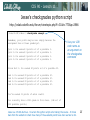
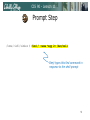
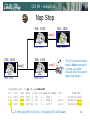
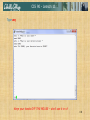
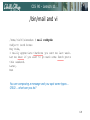
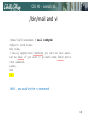
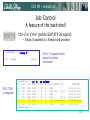
Find out with keystroke combination is configured
to suspend a process
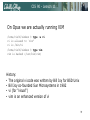
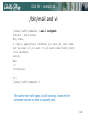
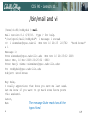
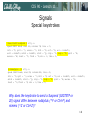
/home/cis90ol/simmsben $ stty -a
speed 38400 baud; rows 24; columns 80; line = 0;
intr = ^C; quit = ^\; erase = ^?; kill = ^U; eof = ^D; eol = <undef>;
eol2 = <undef>; swtch = <undef>; start = ^Q; stop = ^S; susp = ^F; rprnt = ^R;
werase = ^W; lnext = ^V; flush = ^O; min = 1; time = 0;
-parenb -parodd cs8 -hupcl -cstopb cread -clocal -crtscts -cdtrdsr
-ignbrk -brkint -ignpar -parmrk -inpck -istrip -inlcr -igncr icrnl ixon -ixoff
-iuclc -ixany -imaxbel -iutf8
opost -olcuc -ocrnl onlcr -onocr -onlret -ofill -ofdel nl0 cr0 tab0 bs0 vt0 ff0
isig icanon iexten echo echoe echok -echonl -noflsh -xcase -tostop -echoprt
echoctl echoke
/home/cis90ol/simmsben $
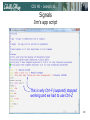
In this case it is Ctrl-F that will be used to suspend a process
How is yours configured?
85