1
PHOTOMOD 5.3
GeoMosaic
Table of Contents
1. About ....................................................................................................................................... 4
2. About program ......................................................................................................................... 4
2.1. Purpose and main definitions .......................................................................................... 4
2.2. Features at a Glance ..................................................................................................... 4
2.3. Input data ...................................................................................................................... 5
2.4. Output data ................................................................................................................... 6
3. Preparation .............................................................................................................................. 6
4. Start of work ............................................................................................................................. 7
5. GUI elements ........................................................................................................................... 7
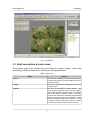
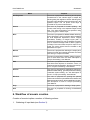
5.1. Brief description of main menu ........................................................................................ 8
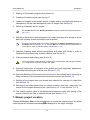
6. Workflow of mosaic creation ...................................................................................................... 9
7. Mosaic project creation ........................................................................................................... 10
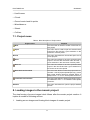
7.1. Project menu ............................................................................................................... 11
8. Loading images in the mosaic project ...................................................................................... 11
8.1. Adding images ............................................................................................................. 12
8.2. Images preview ........................................................................................................... 13
8.3. Setting background color of the images ......................................................................... 15
8.4. Processing of block images .......................................................................................... 18
8.5. The Images list window ................................................................................................ 18
8.6. Images menu .............................................................................................................. 20
9. Cutlines creation ..................................................................................................................... 21
9.1. Requirements of the cutlines creation ............................................................................ 22
9.2. Creating areas without background (useful areas) .......................................................... 22
9.3. Clouds calculation ........................................................................................................ 26
9.4. Automatic cutlines creation ........................................................................................... 29
9.5. Cutlines creation in distributed processing mode ............................................................ 32
9.6. Editing cutlines ............................................................................................................ 33
9.7. Using attributes of the Cutlines layer ............................................................................. 33
9.8. Cutlines menu ............................................................................................................. 36
10. Splitting into sheets ............................................................................................................... 37
10.1. Splitting into sheets by the specified parameters .......................................................... 38
10.2. Creating the single sheet covering all images block ...................................................... 40
10.3. Splitting by images ..................................................................................................... 40
10.4. Creating the single sheet with arbitrary boundaries ....................................................... 41
10.5. Editing sheets ............................................................................................................ 41
10.6. Working with the attributes of the Sheets layer ............................................................. 41
10.7. Saving sheets ............................................................................................................ 44
10.8. Setting output parameters .......................................................................................... 45
10.9. Sheets menu ............................................................................................................. 46
11. Stitching by tie points ............................................................................................................ 47
11.1. Pre-setting ................................................................................................................. 48
11.2. Tie points measurement ............................................................................................. 49
11.3. Editing measurements of points .................................................................................. 53
11.4. Measurement of GCPs ............................................................................................... 54
11.5. Parameters of points measurements ........................................................................... 55
11.6. Information about tie point ........................................................................................... 57
11.7. Attributes of Tie points layer ........................................................................................ 57
11.8. Ties menu .................................................................................................................. 58
11.9. Tie points toolbar ........................................................................................................ 59
12. Using auxiliary data ............................................................................................................... 60
12.1. Misc (Miscellaneous) menu ........................................................................................ 60
13. Mosaic creation .................................................................................................................... 60
13.1. Setup mosaic parameters ........................................................................................... 61
2