1
PHOTOMOD 5.3
GeoMosaic
Images menu
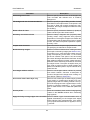
Purpose
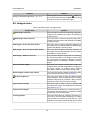
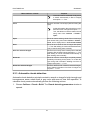
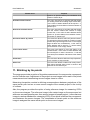
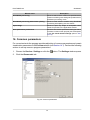
Delete pyramids
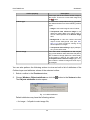
This menu item allows to delete all pyramids, created for loaded images (all pyramids are deleted
from the Pyramid folder during this process)
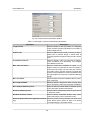
Transparent background color › Auto
Allows to assign images background color automatically (including also different background colors of
different project images) and to set up transparency
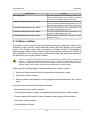
Transparent background color › White
This menu item allows to set the transparency for
the white images background color
Transparent background color › Black
This menu item allows to set the transparency for
the black images background color
Transparent background color › None
Allows to cancel transparency setting for images
background color
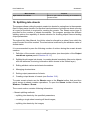
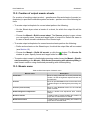
9. Cutlines creation
The stage of cutlines creation (vector polygons defining the images area, which will be
included in output mosaic) follows after the forming the block images of the mosaic
project. The Cutlines vector layer is provided for cutlines creation. Combination of
automatic and manual cutlines creation, with clouds selection, optional use of DEM, as
well as definition of the cutlines type by attributes provide high quality the stitching of
the areas during the output mosaic creation.
There is no need to create cutlines when you process block of images, which boundaries are
docking, i.e. images blocks without overlaps and “gaps”. In order to create mosaics using such
images you should perform the following actions: setup transparency of input background color,
split into sheets, setup mosaics parameters and create output mosaics sheets.
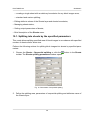
Performing the following steps is recommended for the cutlines creation:
1. [optional] Creating areas without background and areas with clouds.
2. Automatic cutlines creation.
3. Editing cutlines: manual editing of vector polygons and their attributes in the Cutlines
layer.
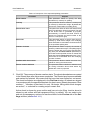
Current section contains the following information:
• Requirements of the cutlines creation;
• Creation/specification of areas on images without background to create cutlines;
• Creation areas with clouds in order to consider them during cutlines creation;
• Automatic cutlines creation;
• Creation/editing cutlines;
21