1
BW/BWS-E serial Indicator user’s manual
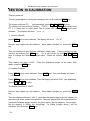
Then the display will show "Load2", apply the reference weight of the full capacity of
the scale just in the center of the platform. The rule is the same as "Load1". then
press the ZERO key.
Then the display will show "Load3", apply the weight of the full capacity, the full
capacity will automatically be achieved. then press the ZERO key.
If the calibration is acceptable the display will return to normal. If an error message
is shown try calibration again as a disturbance may have prevented a successful
calibration.
3. External Calibrate
press TARE until display show P6 Cal, then press ZERO key to enter external
calibrate. The display will show "unLd".
Remove any weight from the platform.
key.
After stable indicator on, press the ZERO
Then the display will show the last calibration weight used. If this is correct you can
continue by pressing the ZERO key. If it is not correct use the M+, MR, TARE
keys to change the calibration weight value. When will correct, press the ZERO
key.
Then display will show "LoAd". Place the calibration weight on the scale. After
stable, press the ZERO key.
Note, only after the linearity calibrate has been completed, then the external calibrate
could be set.
If the problem persists then contact your dealer.
After calibration, it should be checked to verify the calibration and linearity is correct.
If necessary repeat calibration, especially be certain the scale is stable before
accepting any weight.
- 19 -