1
BW/BWS-E serial Indicator user’s manual
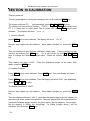
SECTION 10 CALIBRATION
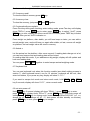
Turn the power off.
Turn the power back on, during the counting from 9 to 0 press the PRINT key.
The display will show "pn " (ask password), press M+, G/N, TARE to enter.
The display will show the first function, "p0chk". , press TARE until display show
P3 Lin, press zero to enter, press Tare to select CAL, press ZERO key to enter
calibrate. The display will show "Nonlin".
1. Normal calibrate
press ZERO key to enter calibrate. The display will show "unLd".
Remove any weight from the platform.
key.
After stable indicator on, press the ZERO
Then the display will show the last calibration weight used. If this is correct you can
continue by pressing the ZERO key. If it is not correct use the M+, MR, TARE
keys to change the calibration weight value. When will correct, press the ZERO
key.
Then display will show "LoAd". Place the calibration weight on the scale. After
stable, press the ZERO key.
2. Linearity Calibrate
Press ZERO key to enter calibrate. Press TARE key. Then the display will show
Liner ".
"
Press ZERO key to enter calibrate. Then the display will show ”PIN”, (ask password),
press G/N, M+ , MR to enter.
The display will show "Load0".
Remove any weight from the platform.
key.
After stable indicator on, press the ZERO
Then the display will show "Load1", apply the reference weight of the full capacity of
the scale just in the center of the platform. The span adjustment will automatically be
achieved.(Calibrate weight request: the front digits if the full capacity. For example,
the full capacity is 300kg, the 30kg/40kg/… to 290kg (integer value) ) will be
accepted. then press the ZERO key.
- 18 -