1
BW/BWS-E serial Indicator user’s manual
Table of Contents
SECTION 1 INTRODUCTION…………………………………………………….………1
SECTION 2 SPECIFICATIONS………………………………………………….…..……2
SECTION 3 INSTALLATION……………………………………………………………….3
3. 1 General installation…………………………………………………………….………3
3. 2 Installation of BW/BWS-E series…………………………………………….3
3. 3 Port connect……………………………………………………………….……………4
3.3.1 Port location……………………………………………………………….…………..4
3.3.2 Load cell port…………………………………………………………….….…………5
3.3.3 RS-232…………………………………………………………………………………5
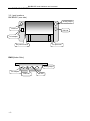
3.3.4 Analog output and check weighing output………………………………………….5
3.3.5 Mercury level bubble…………………………………………………………………6
SECTION 4 KEY DESCRIPTIONS………………………………………….……………7
SECTION 5 DISPLAYS…………………………………………………………………….8
SECTION 6 OPERATION…………………….……………………………….……….…..9
6.1 Zeroing the display…………………………………………………………….……….9
6.2 Taring……………………………………………………………………………....…….9
6.3 Weighing a sample…….………………………………………………….…………….9
6.4 Check-weighing………………………………………………………………………….9
6.4.1 About check weighing……………………………………………..………………….9
6.4.2 Set limit………………………………………………………………..……………10
6.4.3 Set check weighing mode…………………………………………………………10
6.4.4 Note………………………………………………………………………….………..10
6.5 Accumulated total……………………………………………………………………10
6.5.1Note……………………………………………………………………………………10
6.5.2 Accumulate operate………………………………………………………..………10
6.5.3 Memory recall……………………………………………………………..…………11
6.5.4 Memory clear……………………………………………………………..…………11
6.5.5 Automatically accumulate…………………………………………………………..11
6.6 animal …………………………………………………………………………….11
6.7 keyboard lock…………………………………………………………………………..11
6.8 set auto power off ……………………………………………………………………..11
SECTION 7 PARAMETERS………………………………………………………………12
SECTION 8 BATTERY OPERATION…………………………………………..……..…16
SECTION 9 RS-232 OUTPUT…………………………………………………..………..17
9.1 basic information……………………………………………………………….………17
9.2 normal output……………………………………………………………………..……17
9.3 continuously output protocol…………………………………………………….……17
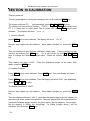
SECTION 10 CALIBRATION……………………………………..……………….……..18
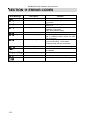
SECTION 11 ERROR CODE…………………………………….………………………20
-I-