1
Over-Riding a Filtered or Blocked Site
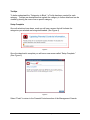
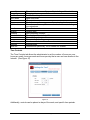
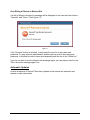
If a site is filtered or blocked, a message will be displayed to the user with two buttons –
“Override” and “Close.” (See Figure 17)
Figure 17
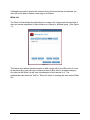
If the “Override” button is selected, it will prompt the user for a user name and
password. If a user who has administrator access enters a correct user name and
password, it will allow this site to open and temporarily add the site to the “White List.”
If you do not want to see the blocked site message again, you can place a check in the
“Don’t show this message again” box.
Automatic Updates
As with all aspects of SecureIT Services, updates to the service are automatic and
require no user intervention.
Parental Controls Module User Guide
Page 18
6/8/2009