1
121
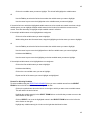
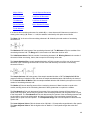
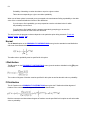
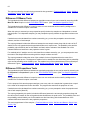
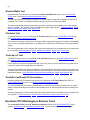
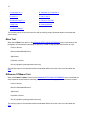
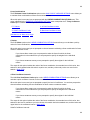
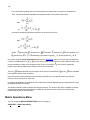
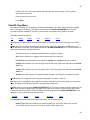
When this option is executed you are prompted to select the variable to be examined and to specify the
number of periods to be averaged. The SIMPLE MOVING AVERAGE OPTIONS menu is then presented.
The output from this option is as explained in Time Series Output. (Wheelwright and Makridakis)
Simple Exponential Smoothing
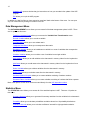
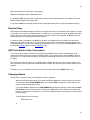
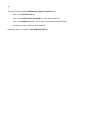
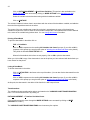
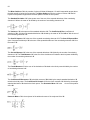
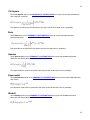
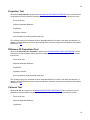
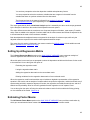
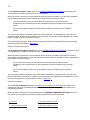
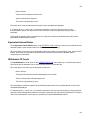
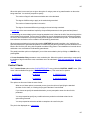
The E. Simple Exponential Smoothing option on the TIME SERIES menu forecasts the next period’s value
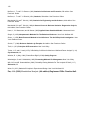
) of the variable to be forecasted (
(
fraction ( ) of the error in this forecast:
) by adjusting the current period’s forecast of this variable by a
.
The fraction
is the smoothing adjustment factor.
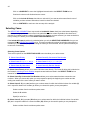
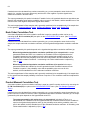
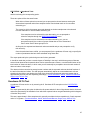
When this option is executed you are prompted to select the variable to be examined and then to specify a
smoothing adjustment factor. The SIMPLE EXPONENTIAL SMOOTHING OPTIONS menu is then presented.
The output from this option is as explained in Time Series Output. (Wheelwright and Makridakis)
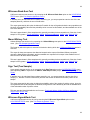
Linear Exponential Smoothing
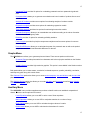
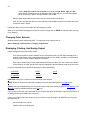
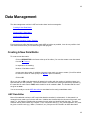
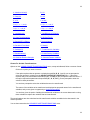
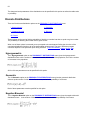
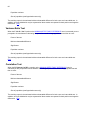
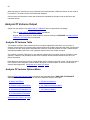
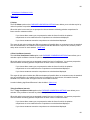
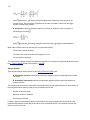
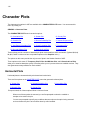
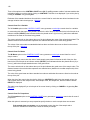
The L. Linear Exponential Smoothing option on the TIME SERIES menu forecasts the next period’s value
(
) of the variable to be forecasted (
) by adding a trend factor (
) to a smoothed value (
):
.
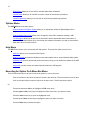
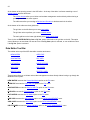
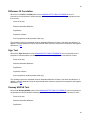
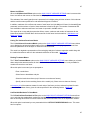
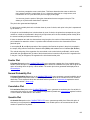
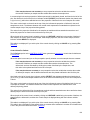
The trend factor and smoothed values are, in turn, given by:
.
.
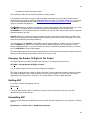
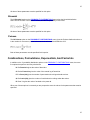
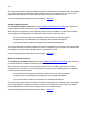
Where
is a smoothing adjustment factor and
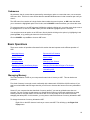
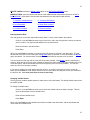
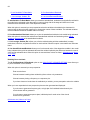
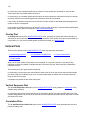
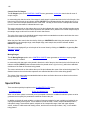
When a forecast is to be made
is a trend adjustment factor.
periods ahead it is given by:
.
Initial values are determined by regression.
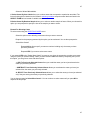
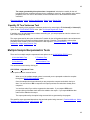
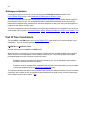
When this option is executed you are prompted to select the variable to be examined and then to specify the
smoothing and trend adjustment factors. (Wheelwright and Makridakis)
The output from this option is as explained Time Series Output, except that the smoothed and trend values
are also presented in the output matrix for this option. (Wheelwright and Makridakis)
121