1
3.4. Using the LEM GUI
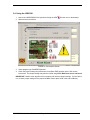
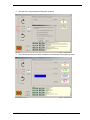
1. Launch the YMCRPR8C25 GUI by double-clicking the LEM
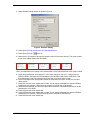
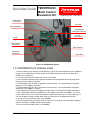
2. Observe screen as follows:
Shortcut Icon on the desktop.
FIGURE 5: GUI Interface Screen
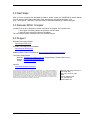
3. Select program type “BackEMF Algorithm”.
4. Check the jumper settings and precautions for the Back EMF algorithm per the GUI screen
instructions. The jumper settings may also be verified using Error! Reference source not found..
IMPORTANT: Neither motor algorithm will run properly with incorrect jumper settings. If motor fails to
run, re-check jumper settings for the proper feedback chosen (also found in the User’s Manual).
YMCRPR8C25 Quick Start Guide, rev. 1.1 Page 6 of 9