1
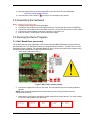
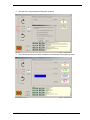
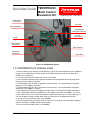
7. Observe the LCD sequence through the splash screens for the demo start-up. The motor is ready
to run when display reaches the last screen.
Renesas
Technlgy
YMCRPR8C
6-Step
Back-EMF
APPL
Carrier
12kHz
C: nnnn
M: 0000
Note: nnnn depends on the setting of the potentiometer, which set the desired motor speed in RPM
however, once the GUI takes control the potentiometer setting and switches are ignored. The LCD
will indicate the slider setting on the GUI as indication of the commanded RPM
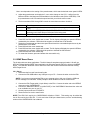
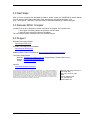
8. Select any speed greater than minimum to start the motor spinning in that direction.
9. Adjust the “slider” and watch the C: nnnn value change on the LCD. It will go from the Minimum
RPM to the Maximum RPM available in the BEMF demo code (500 to 3000 RPM). Move the
slider to the desired speed in RPM.
10. Press the Stop icon
next to the slider to decelerate the motor to a stop, or the “Emergency
to stop the motor immediately.
Stop” button
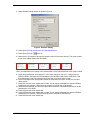
11. Pressing the reset switch on the board will also stop the motor, but will cause the LEM GUI
communication to stop. Exit LEM, restart the debugger with Debug>>
restarting the LEM GUI.
Reset Go before
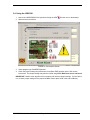
NOTE: The BEMF demo will operate in the same manner as the HALL Demo using SW1, SW2, and
SW3 as noted in section 3.1, table 2 when the GUI is not open and in control of the demo.
YMCRPR8C25 Quick Start Guide, rev. 1.1 Page 8 of 9