1
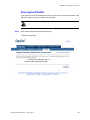
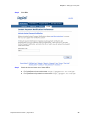
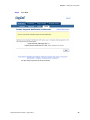
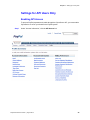
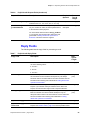
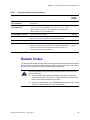
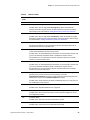
Chapter 2 Setting Up Your System Merchants Using the API The PayPal return fields paypal_return and paypal_cancel_return were optional. They are now required for API users. For information about integrating with CyberSource’s API, see "Requesting Services with the Simple Order API," page 32. Existing merchants—Your PayPal ID and IPN URL are transferred to the new implementation. You only need to configure the PayPal return fields if you have not so already. See "Information from PayPal: Instant Payment Notification (IPN)," page 12. New merchants—You need to call CyberSource Customer Support to provide your PayPal ID and IPN URL. After that, you need to configure the PayPal return fields. Merchants Using the Hosted Order Page Merchants who use the Hosted Order Page cannot use the PayPal return fields. Existing merchants—Your settings are transferred. Customers are now returned to the default Hosted Order Page receipt and decline pages. New merchants—You need to call CyberSource Customer Support to be enabled for the Hosted Order Page. After that, you need to configure your Hosted Order Page settings: a In the Business Center, go to Settings > HOP Settings. b Scroll to the Payment Types subsection. c Check the box for PayPal. You can choose PayPal as sole form of payment or any of the other forms available. d Enter your PayPal login ID. e If you use the Hosted Order Page, leave this field blank. f Complete the other configuration fields as necessary for your Hosted Order Page implementation. You can begin processing PayPal payments with the Hosted Order Page. g Set the payment currencies and payment types. If you customize your order form, use the field paymentOption to indicate the type of payment: card, check, or paypal. You can also set the currencies you want to accept for each payment type. For more information, see the Business Center Hosted Order Page User’s Guide. PayPal Services User Guide | August 2013 30