1
Chapter 3
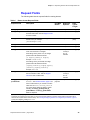
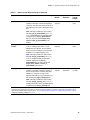
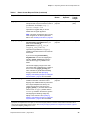
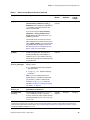
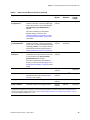
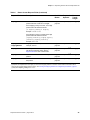
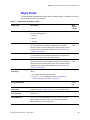
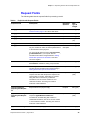
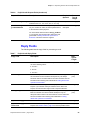
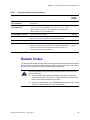
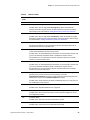
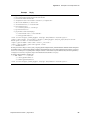
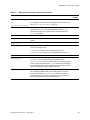
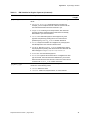
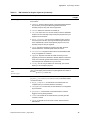
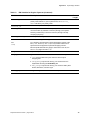
Table 8
Requesting Services with the Simple Order API
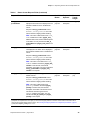
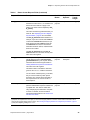
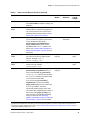
Reason Codes (Continued)
Reason
Code
Description
241
The request ID is invalid.
Possible action: Verify you are using the correct request ID.
250
Error: The request was received, but there was a timeout at the payment processor.
Possible action: To avoid duplicating the transaction, do not resend the request until
you have reviewed the transaction status in the Business Center.
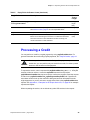
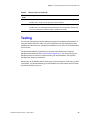
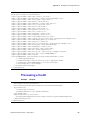
Testing
You can use CyberSource’s regular testing environment for sending test transactions. If
using the Simple Order API, make sure your CyberSource client is configured to send
transactions to the test server. See the documentation for your client for information about
how to do this.
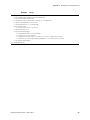
The buttons generated by CyberSource’s test system submit the form to PayPal’s
Sandbox test environment (https://www.sandbox.paypal.com). You need to set up your
Sandbox account as soon as you begin creating your implementation. See PayPal’s
Sandbox User Guide for instructions.
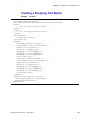
Always log in to the Sandbox before clicking any of your test buttons. Then when you click
a test button, you will automatically go to the Sandbox site, which mimics the live PayPal
site that the customer logs in to.
PayPal Services User Guide | August 2013
53