1
INDTB_02.book Page 146 Friday, April 14, 2006 12:19 PM
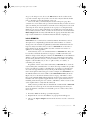
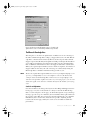
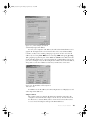
Subnet mask
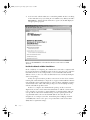
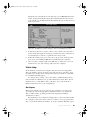
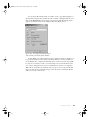
The subnet mask tells the network which number in the numeric address
provides a unique identity for each device on the local network. The
other numbers are the same for all devices. In Figure 13-2, the unique
addresses use the last number (the 0).
Default gateway
The default gateway is the address of the computer or router that connects the local network to the Internet.
If your computer connects to the Internet through a dial-up telephone
connection or directly to a cable or DSL modem, the IP address is assigned
by the ISP’s wide area network (WAN). If the computer is part of a network,
the network hub assigns the IP address. Some ISPs provide a dedicated IP
address to each customer (known as a static IP address), while others automatically assign an address when you connect to the network (dynamic IP
address). When you set up your account, your ISP will advise you about which
IP address to use, or it will show you how to accept an automatic assignment.
The Local Network Hub or Router
If your computer shares its Internet connection with other machines by way
of a local network, the network uses a router—a device that transfers inbound
and outbound data between the local network and the shared Internet connection. The router presents its own IP address to the Internet and manages
the addresses of all the other devices on the local network. The router’s
address is the IP address assigned by the ISP.
The local router uses two sets of addresses: one for the local network and
one for its connection to your ISP. The user guide or other instructions for
your network router should include the local address. (If you don’t have a
user guide for your router, check the manufacturer’s website.) Your ISP will
assign an address for your Internet connection.
The ISP’s Gateway
Your computer is connected to your ISP’s WAN through a telephone line, a
cable TV system, or another wired or wireless link. At the ISP’s control center,
you and the other subscribers on the same WAN connect to the Internet
through yet another router, which connects to the Internet through a gateway.
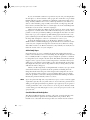
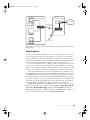
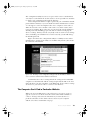
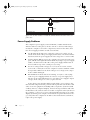
Figure 13-3 shows the flow of data from your computer, through your local
network to your ISP, and on to the Internet. Your ISP should have provided
the address of its gateway to you, along with other configuration information
when you set up your account. If you don’t have the address, call your ISP
and ask for it.
146
C h ap te r 1 3