1
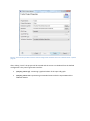
Contact For general information or cooperation suggestions contact either: Achraf Ghabi Alexander Egyed Installation Guide General Information: TraZer runs primarily on windows 64bits. All needed packages must be in that same architecture (windows 64 bits). If you don’t have such an Operating system, you could use other systems but the tool might face some problems with the memory usage Needed packages: • • Eclipse Helios (3.6) Windows 64 bit http://www.eclipse.org/helios/ • Current: eclipse-<pack>-helios-SR2-win32-x86_64.zip • We are using the RCP version for development eclipse-rcp-helios-SR1-win32x86_64.zip Java JDK 1.6 http://www.oracle.com/technetwork/java/javase/downloads/index.html • Current: Java SE 6 Update 27 Eclipse Plug-in Dependencies: To be able to install TraZer, you have to provide following plug-ins in your eclipse installation: • BIRT: org.eclipse.birt • GEF: org.eclipse.gef • Zest: org.eclipse.zest To install a plug-in into eclipse, go to “Help>Install New Software” in the menu. In the wizard, do the following steps: • In the “Work with:” drop-box, select the official update site for “Helios” • Type in the name of the plug-in you want to install. E.g., “Birt” • Select the plug-in packages and click the “next” button • Follow the wizard through the installation and restart your Eclipse