1
•
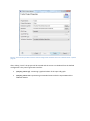
Do the same for all plug-in dependencies above.
Change Eclipse Memory Allocation
Open the eclipse.ini file in the eclipse installation directory and change following values:
--launcher.XXMaxPermSize
512m
-Xms512m
-Xmx2048m
Restart your eclipse
Install TraZer:
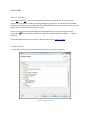
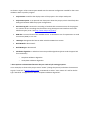
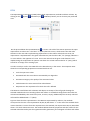
Go to “Help>Install New Software” in the menu. In the wizard, do the following steps:
•
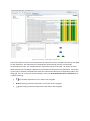
In the “Work with:” put the link of TraZer update Site
http://www.sea.uni-linz.ac.at/tools/TraZer/update/
•
Click add and define a name (e.g. TraZer)
•
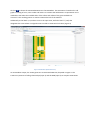
Select TraZer in the features tree and then follow the installation wizard (next, accept the
license)
Link:
http://www.sea.jku.at/tools/
http://www.sea.uni-linz.ac.at/tools/TraZer/chess_input.zip