1
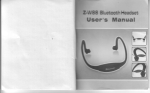
Bluetooth Audio Receiver
:E
cvEc-835
Use
This product can be used with USB Bluetooth adapter,
Bluetooth enabled mobile phone (must support stereo),
and audio transmitter, supports Bluetooth 2.1
A2DP. Output inteface can connect
cable,
or
speakers,
so as to achieve the
transmission. The distance is up
to
+
EDR,
to the headphone
10M.
wireless
Charge:
BTI-005 built-in rechargeable battery. For the first time
to use, we recommend charging the battery completely.
The red light goes on when charging.
Charging time:
The first time
to
charge the battery completely, it
normally takes 2 hours. When fully charged, the red light
goes out. Hold the multifunction button for 4 seconds to
open the headset. See the next page, "Startup and
Shutdown BTI-005" section
Bl
uetooth computer
Working time and Standby time
Complete fully charged battery, connect with headphones,
the working time is 3 hours; connect to the speaker (this
product without the amplifier),working time is 6 hours,
standby time is 140 hours.
Power is Iow
When the headset is turn on and when power is low, the
red LED indicator light flashes,
and
make "beep" sound
three times every 30 seconds,. Follow these steps to
charge the battery.
-2-
Turn on
Press
Press the MFB for 4 seconds until you hear beep sound.
the MFB Ull the blue and red light flash
alte rnately
The blue LED light flashes 3 seconds.
Turn on the mobile Buetooth function according
Turn off
Press the MFB for 4 seconds until you hear beep sound.
The red LED light flashes 3 seconds and then goes out.
th e user manual of mobile
I
Using the mobile to search this unit, then choose
the
["
6.
light of this unit flasir once and hear one
"beep" sounds. That means this pairing is
success ful, then you can listen music by this
Within 1 meter
H
unit.
?
Pairing
1.
\
Put this unit and mobile phone @ether. The best
di stance is within 1 meter
2.
pairing name'BTI-005"
Enter the pass key'0000", then this unit will
connect with mobile, when you see the red
Make sure this unit is turn off.
-3-
BT I -005f
Pairing with BLretooth audio kansmitter)
Let them go into the pairing status (red and blue
light flash alternately).then, they will connect
automatically, Please look at the manual of Bluetoott
ar-dio transmitter for your reference.
4-
BTI-005
( Pairingwith USB Blueilootr
Solving problems
dorgle )
Firstly, Plugging this USB Bluetooth dongle into PC,
then make this unit into pairing status(red and blue
light flash alternately), using PC to search this
unit(BTl-005),When the PC find it, Please enter pass
key (0000)for connection. When this pairing is
successful. Then
turn on music player, you can
listen
music by t his unit.
If you still can not finish connection according
to
the above operation, Please try this way below.
1, Make sure this unit is in power and turn it on
2, Make sure the Bluetooth function of mobile phone
is
turn on. Please read manual of mobile phone for
reference.
Notice:
When this unit is in pairing status, if you can not
finish the connection within 3 minutes, the pairing
status will turn into standby status(blue light
this unit and mobile phone. And there are not any
flash).ifyou have not any Connected and any opration
obstruction between them. If this unit still can not
to this unit for 10 minutes, it will hrm off automatical'
so if you wart to use it again. Please fum it on again.
work. Please charge this unit and take out the battery
-5-
3, Make sure the distance is within 10 meters between
of
mobile phone for charging.
-6-