1
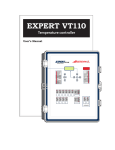
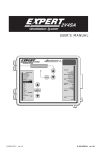
Light Dimmer Controller
SUNDIAL
USER'S MANUAL
M 890-00121
rev. 01
K 895-00300
rev. 00
1. PRECAUTIONS
Although fuses at the input and outputs of the controller
protect its circuits in case of an overload or overvoltage,
we recommend installing an additional protection device
on the controller's supply circuit.
The room temperature where the controller is located
MUST ALWAYS REMAIN BETWEEN 32°F AND 104°F
(0°C TO 40°C).
To avoid exposing the controller to harmful gases or excessive humidity, it is preferable to install it in a corridor.
DO NOT SPRAY WATER ON THE CONTROLLER
FOR CUSTOMER USE
Enter the serial number located on
the side of the controller below
for future reference.
Model number:
Serial number:
2
SUNDIAL . rev.01
SUNDIAL
TABLE OF CONTENTS
Page
1. PRECAUTIONS .................................................... 2
2. FEATURES.......................................................... 4
3. MOUNTING INSTRUCTIONS ................................. 6
3.1 Connection........................................................... 6
4. USER INTERFACE ................................................ 7
4.1 Location of the Controls ........................................ 7
4.2 How to Select & Modify the Parameters ................. 8
4.3 Status Leds' Meaning ............................................ 8
5 USER SETUP ....................................................... 9
5.1
5.2
5.3
5.4
Time & Date ......................................................... 9
Password .............................................................. 9
Installation Options ............................................. 11
Controller Version ............................................... 11
6 LIGHT PROGRAMS .............................................12
6.1 Principle of Operation .......................................... 12
6.2 Settings ............................................................. 15
6.2.1
6.2.2
6.2.3
6.2.4
24 Hour Lights' Settings .......................................... 15
Light Cycles' Common Settings ................................ 16
Light Cycles' Specific Settings ................................. 17
Light Peak Settings ................................................ 18
6.3 Manual/Automatic Mode ..................................... 19
6.4 Current Conditions .............................................. 20
6.5 Alarms ............................................................... 20
7. ANIMAL AGE .....................................................21
8. USING THE MEMORY STICK ................................22
8.1 Load a Configuration into the Controller ................ 22
8.2 Saving a Configuration ........................................ 23
INSTALLATION REPORT ..........................................24
SUNDIAL rev.01
3
2. FEATURES
The SUNDIAL is a light dimmer controller that is used to regulate the light
intensity in livestock buildings. It offers great flexibility in the light intensity adjustment. Many options are provided to assure the light intensity is
always adapted to the animals' needs as they are growing.
MAIN FEATURES:
LCD DISPLAY
An LCD display provides an efficient interface for displaying, monitoring
and adjusting parameter values.
PILOT LIGHTS & LED DISPLAY
Pilot lights indicating the state of outputs and a led display showing the
current light intensity allow the user to monitor the operation of the system
without having to enter the building.
10 LIGHT PROGRAMS
The controller can use up to 10 different light programs based on the
animal age. The light intensity thus always suits the animals' requirements.
6 SUNRISE/ SUNSET CYCLES
Up to 6 cycles can be enabled in each light program to change the light
intensity within the day. The light intensity can gradually increase at the
beginning of a cycle and gradually decrease at the end of a cycle to simulate a sunrise and a sunset.
LIGHT PEAKS
Short and marked increases in the light intensity can be added to stimulate
the animals. When enabled, the peaks are performed regularly according
to a user-defined frequency.
AUTOMATIC / MANUAL MODE
The user can easily switch to a manual mode that permits to adjust the
light intensity to a specific value.
PASSWORD PROTECTION
A password feature is used to restrict access to the controller setup functions.
4
SUNDIAL . rev.01
SUNDIAL
BACKUP BATTERY
A backup battery allows the unit to keep time and settings in case of a power
failure.
OVERLOAD AND OVERVOLTAGE PROTECTION
Resettable fuses are provided at low-voltage inputs and outputs of the controller to protect its circuitry in the case of an overload or overvoltage.
COMPUTER CONTROL
The controller can be connected to a computer, thus making it possible to
centralize the management of information and diversify control strategies.
SUNDIAL rev.01
5
3. MOUNTING INSTRUCTIONS
Open the latch and open the cover. Remove the black caps located on each
of the four mounting holes. Mount the enclosure on the wall using four
screws. Be sure the electrical knockouts are at the bottom of the enclosure in order to prevent water from entering the controller. Insert the
screws in the mounting holes and tighten. Fasten the four black caps
provided with the controller onto the four mounting holes. The enclosure
must be mounted in a location that will allow the cover to be completely
opened right up against the wall.
3.1
CONNECTION
To connect the controller, refer to the wiring diagram enclosed with this
user's manual. Use the electrical knockouts provided at the bottom of the
enclosure. Do not make additional holes in the enclosure, particularly on
the side of the enclosure when using a computer communications module.
!
WARNING
ALL WIRING MUST BE DONE BY AN AUTHORIZED ELECTRICIAN AND
MUST COMPLY WITH APPLICABLE CODES, LAWS AND
REGULATIONS. BE SURE POWER IS OFF BEFORE DOING ANY
WIRING TO AVOID ELECTRICAL SHOCKS AND EQUIPMENT DAMAGE.
ALARM
There are two types of alarms on the market.
One type activates when current is cut off at its
input, whereas the other activates when current
is supplied at its input. For an alarm of the first
type, use the NC terminal as shown on the wiring
diagram. For an alarm of the second type, use
the NO terminal.
6
SUNDIAL . rev.01
NC
C
ALARM
NO
L2/N
L1
SUPPLY
115 / 230VAC
4. USER INTERFACE
4.1
LOCATION OF THE CONTROLS
DIGITAL
DISPLAY
LCD DISPLAY
STATUS LEDS
ARROW KEYS
MENU
SELECT
BUTTONS
LCD Display: The LCD screen gives the current readings and displays the
parameters when you select a function. When the parameters for a given
function cannot all be presented at once on the display, arrows are displayed on the right hand side to indicate that additional parameters can be
displayed using the arrow keys. After 5 minutes of inactivity, the display
returns to the CURRENT CONDITIONS display.
Menu Select buttons: The up and down-arrow keys are used to scroll into
the main menu located on the left side of the controller.
Arrow Keys: The up and down-arrow keys are used to scroll within a
function menu. The right-arrow key is used to select a menu option. The
left-arrow key is used to return to the previous menu display.
Modify Button: The Modify key is used to change a parameter value. Once
the Modify key is pressed, the selected parameter flashes quicker on the
display. Use the up and down-arrow keys to adjust the parameter.
Digital Display: This display shows the current light intensity, as defined by
the light programs.
SUNDIAL rev.01
7
SUNDIAL
4.2
HOW TO SELECT & MODIFY THE PARAMETERS
PARAMETER SELECTION:
Use the arrow keys to navigate within the LCD display in order to
select the desired parameter.
PARAMETER ADJUSTMENT:
A parameter that can be adjusted slowly blinks when it is selected. If a
value does not flash when being selected, it means that the value is a
reading. It thus cannot be changed.
Press the Modify button once to access the edition mode. The parameter
then flashes quickly. It is now possible to modify the parameter’s value.
Use the up and down-arrow keys to set the parameter to the desired
value.
Press the Modify button once again to validate the new value and to
exit from the edition mode.
4.3
STATUS LEDS' MEANING
LED
8
ME AN IN G
24 HOUR LIGHTS
TU R N S O N W H E N A 2 4 H O U R L IG H T P R O G R A M IS A C TIV E .
SUNRISE
TU R N S O N W H E N A S U N R IS E IS IN P R O G R E S S
SUNSET
TU R N S O N W H E N A S U N S E T IS IN P R O G R E S S
LIGHT PEAK
TU R N S O N W H E N A L IG H T P E A K IS E X E C U TE D .
MANUAL MODE
TU R N S O N W H E N TH E C O N TR O L L E R IS IN M A N U A L M O D E .
A U T O M AT I C M O D E
TU R N S O N W H E N TH E C O N TR O L L E R IS IN A U TO M ATIC M O D E .
SUNDIAL .rev.01
5 USER SETUP
5.1
TIME & DATE
Select the following items from
the main menu:
USER SETUP:
- 3. Set Clock
The current mode is displayed.
Press the right-arrow key once.
The year flashes on the display.
Press the Modify button to edit
the value then use the arrow keys
to set the year.
User Setup
3.
Set Clock
Time & Date
Y/M/D
2003/01/01
12:00:00
Press the right-arrow key once again to step to the next item. Proceed
in similar fashion to set the whole time and date.
5.2
PASSWORD
This function allows to identify 2 different user types. It is used to restrict
access to certain parameter settings. The password is made up of three
blocks of two digits, for example: 13 44 21. When a correct password is
entered, the current user is identified.
Installer Password: By default, the INSTALLER PASSWORD is set to
"06-01-00". The installer mode gives full access to all the functions of
the controller. By default, the controller exits from the installer mode
after 15 minutes of inactivity. The installer password can be modified as
explained below.
User Password: The user mode gives access to the basic functions of the
controller. By default this password is set to "01-02-03". Note that some
menus will not be accessible from the user mode. The user password cannot
be modified and is automatically selected after 15 minutes of inactivity.
ENTERING A PASSWORD:
Select the following items from the main menu:
USER SETUP:
- 1. Password
SUNDIAL rev.01
9
SUNDIAL
Press the right-arrow key to enter the password. The first two-digit
number flashes on the display. Press the Modify button once then use
the arrow keys to set the first number.
Press the right-arrow key once. The second two-digit number flashes
on the display. Press the Modify button then use the up and downarrow keys to set the second number. Proceed in similar fashion to
enter the third number. Press the right-arrow key one last time to
validate the whole password.
If the entered password is incorrect, the error message “Wrong
Password” is displayed.
MODIFYING THE INSTALLER PASSWORD:
The installer password must be entered first before being allowed to modify
it. Proceed as explained above to enter the installer password:
(06-01-00 by default).
Note : The password "01-02-03" is reserved for the user mode. Do not use
the same code for the installer password.
Select the following items from the main menu:
USER SETUP:
- 2. Installation
This menu is only available from the installer mode.
Press the down-arrow key in
order to select the first two-digit
code of the installer password.
Press the Modify button then use
the arrow keys to set the
password's first number to the
desired value. Press the Modify
button once again to validate the
first number of the code.
User Setup
2.
Installation
Installation
Nb Program
10
Contrast
100
Time Mode
AM/PM
Installer Password
Code #1
6
Code #2
1
Code #3
0
Press the down-arrow key once.
The password's second number
flashes on the display. Proceed in similar fashion to modify the
password's second and third numbers.
10
SUNDIAL .rev.01
SUNDIAL
5.3
INSTALLATION OPTIONS
The following section describes how to customize the controller for your
particular application. Normally, this setup needs to be done only once.
Select the following items from the main menu:
USER SETUP:
- 2. Installation
This menu is only available from the installer mode (s.5.2).
Set the parameters that suit your application:
-
Number of light programs:
Select the proper number of light
programs. Adjustable from 1 to
10 programs.
Refer to section 6.1 for further
information about these programs.
-
Contrast:
Select the LCD screen's appropriate contrast level. Adjustable
from 10 to 100%.
-
Time Mode:
Select the desired time format
(AM/PM or 24 hours).
5.4
User Setup
2.
Installation
Installation
Nb Program
10
Contrast
100
Time Mode
AM/PM
Installer Password
Code #1
6
Code #2
1
Code #3
0
CONTROLLER VERSION
This menu allows to display information concerning your controller’s version. This piece of information is useful to obtain technical support that is
adapted to your specific controller's version.
Select the following items from
the main menu:
USER SETUP:
- 2. Installation
4. Version
User Setup
4.
Version
SunDial Vx.x
Vx.x
PC.xx
SUNDIAL rev.01
11
6 LIGHT PROGRAMS
6.1
PRINCIPLE OF OPERATION
A program consists of up to 6 cycles that are daily performed to adjust the
light intensity in the house. If no variation in the light intensity is required
for a specific program, the 24 hour light function allows to keep the lights
turned on permanently within this program. A light program is repeated
daily up until another light program replaces it. The user defines the day at
which each program starts based on the the animal age. Up to 10 light
programs can be used.
LIGHT CYCLES:
Each light program can control up to 6 cycles. These cycles are used to
change the light intensity within a daily light program.
CYCLE 1
CYCLE 2
CYCLE 3
CYCLE 4
CYCLE 5
CYCLE 6
LIGHT
INTENSITY
CYCLE 1
Standard
Intensity
Min
sunrise
Start
Time
sunset
Time
Stop
Time
GRAPHIC : Light Cycles
When the cycle's start time is reached, the light intensity gradually increases
over the sunrise delay. The standard light intensity is attained when the
sunrise delay is elapsed. This intensity is maintained until the stop time. It
then decreases over the sunset delay and reaches the minimum intensity
back. The minimum intensity is maintained until the start time of the
following cycle.
24 HOUR LIGHTS:
The lights remain on, at the standard intensity, during the whole program.
12
SUNDIAL . rev.01
SUNDIAL
LIGHT PEAKS:
Light peaks are marked increases in light intensity over a short period
of time. They are generally used to stimulate the animals. When
activated, the light peaks start immediately following the sunrise at
the beginning of the cycle or at the beginning of a 24 hour light program. They are then performed on a regular basis, following a userdefined frequency.
24 Hour Light Program using Peaks:
The first light peak is executed immediately at the beginning of the
24H light program. The light intensity increases from the standard
intensity to reach the peak's intensity over the peak's sunrise delay.
The peak intensity is maintained during the peak's duration delay.
The light intensity then gradually decreases over the peak's sunset
delay. The next peak is performed at the end of the peak cycle.
LIGHT
INTENSITY
Peak
Intensity
Standard
Intensity
Peak Cycle
peak’s sunset
peak’s duration
Program
Starts
peak’s sunrise
Min
TIME
Program
Ends
GRAPHIC : 24 Hour Light Program with Peaks
SUNDIAL rev.01
13
SUNDIAL
Peaks on a Light Cycle:
The first light peak is performed immediately following the cycle's sunrise.
The lights increase from the standard intensity to reach the peak's intensity
over the peak's sunrise delay. The peak intensity is maintained over the
peak's duration delay then decreases back to the standard intensity over the
peak's sunset. The next peak is performed at the end of the peak cycle.
LIGHT PROGRAM
CYCLE 1
LIGHT
INTENSITY
CYCLE 2
CYCLE 3
CYCLE 4
CYCLE 5
CYCLE 6
CYCLE 1
Peak
Intensity
Standard
Intensity
Peak Cycle
sunset
peak’s
duration
peak’s
sunset
sunrise
Start
Time
peak’s
sunrise
Min
TIME
Stop
Time
GRAPHIC : 1 Light Cycle Using Peaks
In order to be performed,
the whole peak cycle
must be completed before the light cycle's stop
time, otherwise the peak
is not executed. The
following graphic illustrates this situation.
14
SUNDIAL .rev.01
LIGHT
INTENSITY
Peak
Intensity
Standard
Intensity
peak cycle
peak cycle
incomplete
peak cycle :
the peak is
not executed
Min
Start
Time
Stop
Time
LIGHT CYCLE
Time
SUNDIAL
6.2
SETTINGS
6.2.1 24 Hour Lights' Settings
This section shows how to set the parameters of a 24H light program, i.e a
program in which the lights stay on permanently at the same intensity.
Select the following items from the main menu:
LIGHT PROGRAMS:
- Select the desired light program
- 1. Settings
The following parameters can be accessed by all user types but
can only be modified from the installer mode (s. 5.2).
Set the parameters that suit your application.
(Refer to the sec. 6.1 to get further information on these parameters)
-
Day:
This is the day at which the selected
program starts. Adjustable from 0 to
450 days. Note that the previous light
program is automatically disabled
when a new program starts.
1.
Light Settings
Program 1
Light Program X
1.
Settings
Program X Settings
Day
1
Lights on 24h?
Yes
Std Intensity
80
Use spikes?
Yes
Peak Cycle
0:15
Peak Duration
1
Peak Intensity
100
Peak Sunrise
2
Peak Sunset
2
-
Lights on 24 Hours:
Select "Yes" to enable the 24h light
function. This will disable the light
cycles within the selected program.
-
Standard Intensity:
Standard light intensity when the
lights 24H light option is used.
Adjustable from 0 (Off) to 100%.
-
Use Spikes ?
Select "Yes" to enable the light peaks within the selected program.
Refer to section 6.2.4 to adjust the peaks' parameters.
SUNDIAL rev.01
15
SUNDIAL
6.2.2 Light Cycles' Common Settings
The following parameters are common to all light cycles within a program.
Select the following items from the main menu:
LIGHT PROGRAMS:
- Select the desired light program
- 1. Settings
The following parameters can be accessed by all user types but
can only be modified from the installer mode (s. 5.2).
Set the parameters that suit your application. Note that templates are
available at the end of this manual to help the planning of light cycles.
(Refer to the sec. 6.1 to get further information on these parameters)
-
Day:
This is the day at which the
selected program starts. Adjustable from 0 to 450 days. Note
that the previous light program
is automatically disabled when
a new program starts.
1.
Light Settings
Program 1
Light Program X
1.
Settings
Program X Settings
Day
1
Lights on 24h?
No
Min Intensity
20
Sunrise
2
Sunset
2
Nb of cycles
6
-
Lights on 24 Hours:
Select "No" to disable the 24h
light function. This will enable
the light cycles within the
selected program.
-
Minimum Intensity:
Light intensity that is used when no cycle is active. Adjustable from 0
(Off) to 100%.
-
Sunrise:
When a cycle starts, the light intensity increases from its minimum to its
standard intensity over this period of time. Adjustable from 0 to 60 min.
16
SUNDIAL .rev.01
SUNDIAL
-
Sunset:
When the cycle’s stop time is reached, the light intensity gradually
decreases from its standard intensity to its minimum intensity over this
period of time. Adjustable from 0 to 60 minutes.
-
Number of Cycles:
Set the required number of cycles within the selected light program.
Adjustable from 1 to 6 cycles.
6.2.3 Light Cycles' Specific Settings
The following parameters must be set separately for every light cycle.
Select the following items from the main menu:
LIGHT PROGRAMS:
- Select the desired light program
- Y. Select the proper light cycle
The "Lights on 24h" option must be disabled on the selected program in order to access the light cycles' menu (s. 6.2.1).
Set the parameters that suit your application.
(Refer to the sec. 6.1 to get further information on these parameters)
The following parameters can be accessed by all user types but
can only be modified from the installer mode (s. 5.2).
- Start Time:
Time at which the selected
cycle starts. Make sure the
cycles do not overlap each
other.
- Stop Time:
Time at which the light intensity starts decreasing
(the sunset begins).
- Standard Intensity:
This is the regular light intensity that is used within
the cycles. Adjustable from
X.
Y.
Light Settings
Program X
Light Program X
Cycle Y
Program X Cycle Y
Start Time
12:00A
Stop Time
12:00A
Std Intensity
100
Use spikes?
Yes
Peak Cycle
0:15
Peak Duration
1
Peak Intensity
100
Peak Sunrise
2
Peak Sunset
2
SUNDIAL rev.01
17
SUNDIAL
0 to 100% and must be set to a higher intensity than the minimum
intensity value.
- Use Spikes ?
Select "Yes" to activate light peaks within the selected program. Refer
to next section to set the light peaks' parameters.
6.2.4 Light Peak Settings
24H LIGHTS USING PEAKS
If a program uses the "24h light
program", the light peak menus are
located directly in the Program
Settings menu as follows:
Select the following items from
the main menu:
LIGHT PROGRAMS:
- Select the desired
light program
- 1. Settings
LIGHT CYCLES USING PEAKS
If a program uses light cycles, the
light peaks options are located in
each cycle's menu as follows:
Select the following items from
the main menu:
LIGHT PROGRAMS:
- Select the desired
light program
- Y. Select the
proper cycle
18
SUNDIAL .rev.01
X.
Light Settings
Program X
Light Program X
1.
Settings
Program X Settings
Day
1
Lights on 24h?
Yes
Std Intensity
80
Use spikes?
Yes
Peak Cycle
0:15
Peak Duration
1
Peak Intensity
100
Peak Sunrise
2
Peak Sunset
2
X.
Light Settings
Program X
Light Program X
y.
Cycle y
Program X Cycle y
Start Time
12:00A
Stop Time
12:00A
Std Intensity
100
Use spikes?
Yes
Peak Cycle
0:15
Peak Duration
1
Peak Intensity
100
Peak Sunrise
2
Peak Sunset
2
SUNDIAL
The following parameters can be accessed by all user types but
can only be modified from the installer mode (s. 5.2).
Set the parameters that suit your application.
(Refer to the sec. 6.1 to get further information on these parameters)
-
Use Spikes ?:
Select "Yes" to activate the light peaks.
-
Peak Cycle:
Time that is required to perform a whole light peak cycle. The peaks’
cycle time must be even or greater than: peak duration + peak sunrise
+ peak sunset. Refer to the previous graphic.
-
Peak's Duration:
Delay during which the peak’s intensity is maintained.
Adjustable from 1 to 59 minutes.
-
Peak's Intensity:
Light intensity of a peak. Adjustable from 0 to 100% .It must be set to
a greater value than the standard light intensity.
-
Peak's Sunrise / Sunset:
Rising and decreasing time of a light peak. Adjustable from 0 to 60
minutes.
6.3
MANUAL/AUTOMATIC MODE
The manual mode can be enable at any time to manually change the light
intensity in the house.
Note that the red LED display at the top right corner indicates
the light intensity as measured by the current program. It does
not indicate the manual mode's light intensity.
SUNDIAL rev.01
19
SUNDIAL
Select the following item from the main menu:
MANUAL MODE
The following information is displayed:
Manual Mode
Automatic mode
Auto
Status: The automatic mode's On/
Intensity
Off status is displayed and cannot
Manual
be modified. This status is related
Intensity
to the manual mode status, i.e. if
the manual mode is activated the
automatic mode is automatically disabled and vice versa.
On
0
Off
0
Intensity: Current light intensity of the ongoing light program. This
value is displayed as a reading and cannot be modified.
Manual Mode
Status: Select "On" to enable the manual mode. Set to "Off" to go
back to the automatic mode.
Intensity: Select the desired light intensity. Adjustable from 0 to 100%.
6.4
CURRENT CONDITIONS
This menu gives a quick view of the actual lighitng conditions. This menu is
automatically selected after 5 minutes of inactivity.
Select the following item from the main menu:
CURRENT CONDITIONS
The following information is displayed:
Ongoing light program ; Current
animal age (in days) e & current light
intensity (%).
6.5
Current Conditions
Light Program
3
Animal Age
6
Intensity
0
ALARMS
An alarm situation occurs when power to the SUNDIAL fails. In this case,
the alarm relay is activated. When the alarm relay is activated, the normally
open contact (
) closes.
20
SUNDIAL .rev.01
7. ANIMAL AGE
The light programs' activation is based on the animal age. Set it to the
appropriate value as follows:
Select the following items from the main menu:
ANIMAL AGE
The following information is displayed:
Start Flock?
The animal age automatically
goes back to 1 day when a new
flock starts.
Animal Age
Start Flock?
Animal Age
No
Off
Animal Age
Set the current animal age to
the proper value. Adjustable
from 0 to 450 days. Select
"Off" to stop the light
programs.
SUNDIAL rev.01
21
8. USING THE MEMORY STICK
8.1 LOAD A CONFIGURATION
INTO THE CONTROLLER
Loading a Configuration from the
Memory stick to the Controller:
1- Insert the memory stick in the J9
connector, at the top left corner of the
board, with the components FACING
DOWN.
J9
2- Simultaneously press the MENU SELECT
up and down-arrow keys
during a 5 second delay. The following
message is displayed: “ MemStick to
Control, Press
MemStick to Control
Press
to start
to start”.
3- Simultaneously press the ADJUSTMENT up and down-arrow keys
. The configuration starts to load. Wait until it is completely
loaded.
4- Once the configuration has reached 100%, press the MENU SELECT
up and down-arrow keys
simultaneously to exit this menu.
5- The new configuration is now loaded. Remove the memory stick from
the connector.
22
SUNDIAL . rev.01
8.2
SAVING A CONFIGURATION
Saving a Configuration from the Controller to
the Memory Stick:
1- Insert the memory stick in the J9 connector,
at the top left corner of the board, with the
components FACING DOWN.
2- Simultaneously press the MENU SELECT up
J9
during a 5
and down-arrow keys
second delay. The following message is displayed : “MemStick to Control, Press
to start”.
3 - Press the up-arrow key once. The following message is displayed: “
Control to MemStick, Press
to start”.
4- Simultaneously press the ADJUSTMENT up and down-arrow keys
. The configuration starts to save.
Control to MemStick
Press
to start
Wait until it is completely saved.
5- Once the configuration has reached 100%, press the MENU SELECT
up and down-arrow keys
once again to exit this menu.
6- The new configuration is now saved on the configuration module.
Remove the memory stick from the connector.
SUNDIAL rev.01
23
INSTALLATION REPORT
PRODUCT:
___________________________________
SERIAL #:
___________________________________
DATE:
___________________________________
CLIENT
Name:
___________________________________
Address:
___________________________________
___________________________________
___________________________________
City:
___________________________________
Tel.:
___________________________________
Fax:
___________________________________
E-mail:
___________________________________
INSTALLER
Name:
___________________________________
Address:
___________________________________
___________________________________
___________________________________
City:
___________________________________
Tel.:
___________________________________
Fax:
___________________________________
E-mail:
___________________________________
%
Minimum
intensity
%
Standard
intensity
INTENSITY
Sunrise: ___min
START
sunrise
%
Yes
No
Use Peaks ?
Standard
intensity
24 HOURS
LIGHTS
ENABLED
Minimum
intensity
%
Standard
intensity
INTENSITY
Sunrise: ___min
STOP
START
sunrise
Yes
No
STOP
sunset
%
___min
CYCLE 1
Use Peaks ?
Sunset:
24 HOUR LIGHTS = DISABLED
Yes
No
sunset
%
___min
CYCLE 1
Use Peaks ?
Sunset:
24 HOUR LIGHTS = DISABLED
PROGRAM 2: starts at day _____
Yes
No
Use Peaks ?
Standard
intensity
24 HOURS
LIGHTS
ENABLED
PROGRAM 1: starts at day _____
START
sunrise
Yes
No
STOP
STOP
sunset
%
Yes
No
sunset
CYCLE 2
Use Peaks ?
START
sunrise
%
CYCLE 2
Use Peaks ?
START
sunrise
Yes
No
STOP
STOP
sunset
%
Yes
No
sunset
CYCLE 3
Use Peaks ?
START
sunrise
%
CYCLE 3
Use Peaks ?
START
sunrise
Yes
No
STOP
STOP
sunset
%
Yes
No
sunset
CYCLE 4
Use Peaks ?
START
sunrise
%
CYCLE 4
Use Peaks ?
START
sunrise
Yes
No
STOP
STOP
sunset
%
Yes
No
sunset
CYCLE 5
Use Peaks ?
START
sunrise
%
CYCLE 5
Use Peaks ?
START
sunrise
Yes
No
STOP
STOP
sunset
%
Yes
No
sunset
CYCLE 6
Use Peaks ?
START
sunrise
%
CYCLE 6
Use Peaks ?
TIME
TIME
%
Minimum
intensity
%
Standard
intensity
INTENSITY
Sunrise: ___min
START
sunrise
%
Yes
No
Use Peaks ?
Standard
intensity
24 HOURS
LIGHTS
ENABLED
Minimum
intensity
%
Standard
intensity
INTENSITY
Sunrise: ___min
STOP
START
sunrise
Yes
No
STOP
sunset
%
___min
CYCLE 1
Use Peaks ?
Sunset:
24 HOUR LIGHTS = DISABLED
Yes
No
sunset
%
___min
CYCLE 1
Use Peaks ?
Sunset:
24 HOUR LIGHTS = DISABLED
PROGRAM 4: starts at day _____
Yes
No
Use Peaks ?
Standard
intensity
24 HOURS
LIGHTS
ENABLED
PROGRAM 3: starts at day _____
START
sunrise
Yes
No
STOP
STOP
sunset
%
Yes
No
sunset
CYCLE 2
Use Peaks ?
START
sunrise
%
CYCLE 2
Use Peaks ?
START
sunrise
Yes
No
STOP
STOP
sunset
%
Yes
No
sunset
CYCLE 3
Use Peaks ?
START
sunrise
%
CYCLE 3
Use Peaks ?
START
sunrise
Yes
No
STOP
STOP
sunset
%
Yes
No
sunset
CYCLE 4
Use Peaks ?
START
sunrise
%
CYCLE 4
Use Peaks ?
START
sunrise
Yes
No
STOP
STOP
sunset
%
Yes
No
sunset
CYCLE 5
Use Peaks ?
START
sunrise
%
CYCLE 5
Use Peaks ?
START
sunrise
Yes
No
STOP
STOP
sunset
%
Yes
No
sunset
CYCLE 6
Use Peaks ?
START
sunrise
%
CYCLE 6
Use Peaks ?
TIME
TIME
%
Minimum
intensity
%
Standard
intensity
INTENSITY
Sunrise: ___min
START
sunrise
%
Yes
No
Use Peaks ?
Standard
intensity
24 HOURS
LIGHTS
ENABLED
Minimum
intensity
%
Standard
intensity
INTENSITY
Sunrise: ___min
STOP
START
sunrise
Yes
No
STOP
sunset
%
___min
CYCLE 1
Use Peaks ?
Sunset:
24 HOUR LIGHTS = DISABLED
Yes
No
sunset
%
___min
CYCLE 1
Use Peaks ?
Sunset:
24 HOUR LIGHTS = DISABLED
PROGRAM 6: starts at day _____
Yes
No
Use Peaks ?
Standard
intensity
24 HOURS
LIGHTS
ENABLED
PROGRAM 5: starts at day _____
START
sunrise
Yes
No
STOP
STOP
sunset
%
Yes
No
sunset
CYCLE 2
Use Peaks ?
START
sunrise
%
CYCLE 2
Use Peaks ?
START
sunrise
Yes
No
STOP
STOP
sunset
%
Yes
No
sunset
CYCLE 3
Use Peaks ?
START
sunrise
%
CYCLE 3
Use Peaks ?
START
sunrise
Yes
No
STOP
STOP
sunset
%
Yes
No
sunset
CYCLE 4
Use Peaks ?
START
sunrise
%
CYCLE 4
Use Peaks ?
START
sunrise
Yes
No
STOP
STOP
sunset
%
Yes
No
sunset
CYCLE 5
Use Peaks ?
START
sunrise
%
CYCLE 5
Use Peaks ?
START
sunrise
Yes
No
STOP
STOP
sunset
%
Yes
No
sunset
CYCLE 6
Use Peaks ?
START
sunrise
%
CYCLE 6
Use Peaks ?
TIME
TIME
%
Minimum
intensity
%
Standard
intensity
INTENSITY
Sunrise: ___min
START
sunrise
%
Yes
No
Use Peaks ?
Standard
intensity
24 HOURS
LIGHTS
ENABLED
Minimum
intensity
%
Standard
intensity
INTENSITY
Sunrise: ___min
STOP
START
sunrise
Yes
No
STOP
sunset
%
___min
CYCLE 1
Use Peaks ?
Sunset:
24 HOUR LIGHTS = DISABLED
Yes
No
sunset
%
___min
CYCLE 1
Use Peaks ?
Sunset:
24 HOUR LIGHTS = DISABLED
PROGRAM 8: starts at day _____
Yes
No
Use Peaks ?
Standard
intensity
24 HOURS
LIGHTS
ENABLED
PROGRAM 7: starts at day _____
START
sunrise
Yes
No
STOP
STOP
sunset
%
Yes
No
sunset
CYCLE 2
Use Peaks ?
START
sunrise
%
CYCLE 2
Use Peaks ?
START
sunrise
Yes
No
STOP
STOP
sunset
%
Yes
No
sunset
CYCLE 3
Use Peaks ?
START
sunrise
%
CYCLE 3
Use Peaks ?
START
sunrise
Yes
No
STOP
STOP
sunset
%
Yes
No
sunset
CYCLE 4
Use Peaks ?
START
sunrise
%
CYCLE 4
Use Peaks ?
START
sunrise
Yes
No
STOP
STOP
sunset
%
Yes
No
sunset
CYCLE 5
Use Peaks ?
START
sunrise
%
CYCLE 5
Use Peaks ?
START
sunrise
Yes
No
STOP
STOP
sunset
%
Yes
No
sunset
CYCLE 6
Use Peaks ?
START
sunrise
%
CYCLE 6
Use Peaks ?
TIME
TIME
%
Minimum
intensity
%
Standard
intensity
INTENSITY
Sunrise: ___min
START
sunrise
Yes
No
STOP
sunset
%
___min
CYCLE 1
Use Peaks ?
Sunset:
24 HOUR LIGHTS = DISABLED
%
Yes
No
Use Peaks ?
Standard
intensity
24 HOURS
LIGHTS
ENABLED
Minimum
intensity
%
Standard
intensity
INTENSITY
Sunrise: ___min
START
sunrise
Yes
No
STOP
sunset
%
___min
CYCLE 1
Use Peaks ?
Sunset:
24 HOUR LIGHTS = DISABLED
PROGRAM 10: starts at day _____
Yes
No
Use Peaks ?
Standard
intensity
24 HOURS
LIGHTS
ENABLED
PROGRAM 9: starts at day _____
START
sunrise
Yes
No
STOP
STOP
sunset
%
Yes
No
sunset
CYCLE 2
Use Peaks ?
START
sunrise
%
CYCLE 2
Use Peaks ?
START
sunrise
Yes
No
STOP
STOP
sunset
%
Yes
No
sunset
CYCLE 3
Use Peaks ?
START
sunrise
%
CYCLE 3
Use Peaks ?
START
sunrise
Yes
No
STOP
STOP
sunset
%
Yes
No
sunset
CYCLE 4
Use Peaks ?
START
sunrise
%
CYCLE 4
Use Peaks ?
START
sunrise
Yes
No
STOP
STOP
sunset
%
Yes
No
sunset
CYCLE 5
Use Peaks ?
START
sunrise
%
CYCLE 5
Use Peaks ?
START
sunrise
Yes
No
STOP
STOP
sunset
%
Yes
No
sunset
CYCLE 6
Use Peaks ?
START
sunrise
%
CYCLE 6
Use Peaks ?
TIME
TIME