1
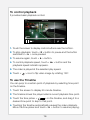
To control playback
It provides basic playback control.
Back
SRD-1640
1. Touch the screen to display control buttons near the bottom.
2. To stop playback, touch < > button to pause and the button
switches to < + > once paused.
3. To resume again, touch < + > button.
4. To control playback speed, touch < ) > button and the
playback speed indicator appears.
5. The video is played at the selected play speed.
6. Touch <
> icon to flip video image by rotating 180°.
To use the Timeline
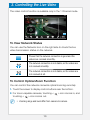
You can jump to a certain point of playback by selecting time point
on the timeline.
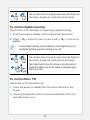
1. Touch the screen to display 60-minute timeline.
2. The timeline shows the played video’s current playback time point.
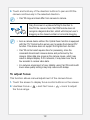
3. Touch the time picker <
> on the timeline, and drag it to a
desired time point to skip to that point.
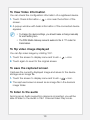
4. Touching the timeline automatically pauses the video playback.
Move the time picker and touch < + > button to resume playing.
16