1
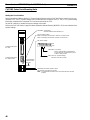
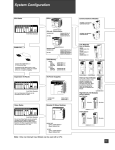
System Configuration Using a C200H Host Interface Unit
1-6
Section 1-6
System Configuration Using a C200H Host Interface Unit
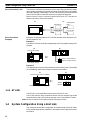
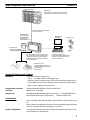
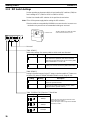
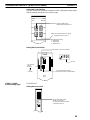
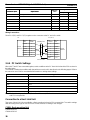
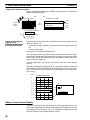
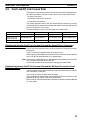
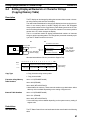
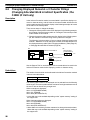
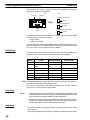
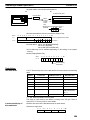
This section shows the basic configuration of a system using a C200H Host Interface Unit. Refer to the individual equipment manuals for information on the
equipment used in the system.
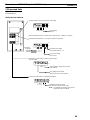
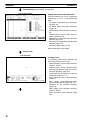
OMRON PC:
Controls the PT as required while controlling
machines and monitoring the production line.
I/O connecting
cable
IBM PC/AT or
compatible
Support Tool
NT600M-LB122
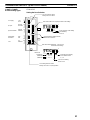
C200H Host Interface Unit
PT:
Provides display functions for monitoring
the production line and supporting the operating environment. It notifies the PC
when switches are turned ON or OFF and
of numerical inputs.
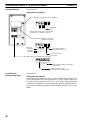
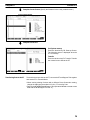
Computer (Support Tool):
Can be connected to the PT when required to transfer prepared PT
screens and settings.
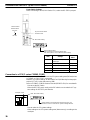
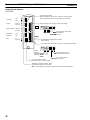
Expanded I/O Unit
The NT612G and NT610C can be
connected to Expanded I/O Unit.
10/02 terminal
32/16 terminal
System Equipment and Software
OMRON PC
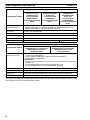
C200H, C200HS, C20H, C28H, C40H, and C60H PCs can be directly connected to the PT via an I/O connecting cable.
Programmable Terminals
NT20M, NT2000M, NT600M, NT612G, and NT610C.
Computer
IBM PC/AT or compatible.
Support Tool
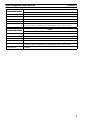
NT20M/NT2000M/NT600M Support Tool Version 4.j (NT20M-ZASAT-EV4).
NT610C/NT612G Support Tool Version 3.j (NT610G-ZA3AT-EV3).
Connections
System Configuration
12
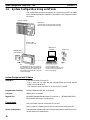
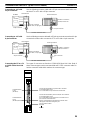
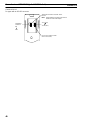
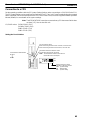
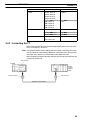
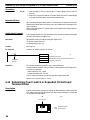
Use an I/O connecting cable to connect the PT to the PC.
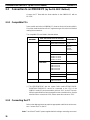
Refer to Section 4 Installing the C200H I/F Unit and Connecting to the PC for
details on connecting the PT to the PC.
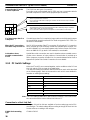
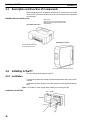
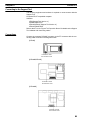
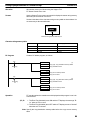
The equipment and parts required to configure the system to use the Direct Connection function are shown below.