1
Determining a Number Input to the PT
Section 6-12
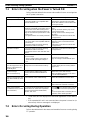
2. Use the Support Tool to create a number setting screen and allocate a numeral table to the PC memory area.
3. Create a PC program to read the PT content upgrade memory table when
the PT Status Number Setting Strobe Flag in the PT Status Notify Area turns
ON 1. The contents of the PT content upgrade memory table are handled as
3-digit BCD (binary coded decimal) values.
4. Read the words allocated to the numeral table allocated at step 3.
Important Points
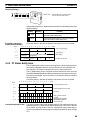
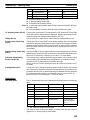
The Number Setting Strobe Flag turns OFF (0) when the PC has been notified.
Therefore, always read the PT content upgrade memory table when this flag
turns ON (1).
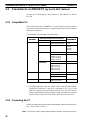
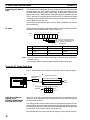
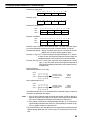
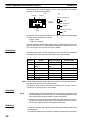
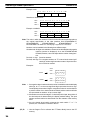
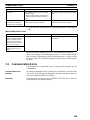
Numbers input to the PT are stored in the words allocated to the numeral table as
BCD (binary coded decimal) values. The most-significant digit is treated differently for positive and negative values. Consider these restrictions when creating
the PC program to read the contents of the allocated words.
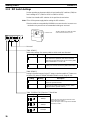
Application Example
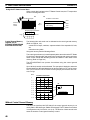
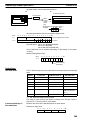
This example reads the contents of the numeral table input from the PT
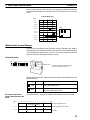
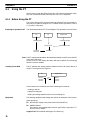
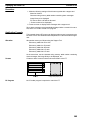
Allocate the memory as follows using the Support Tool:
Allocation
PT Status Notify Area: 0110
Numeral table entry number 3: 0003 (words: 1)
Numeral table entry number 4: 0004 (words: 1)
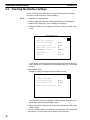
Create a number setting screen with the Support Tool to input values into
memory tables numbers 3 and 4 and transfer it to the PT. Numbers should be
input as 4 digits.
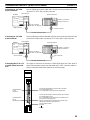
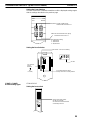
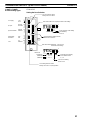
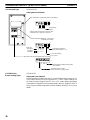
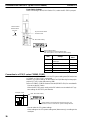
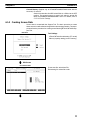
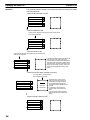
Screens
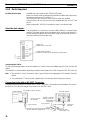
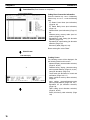
Numeral table entry number 3 (4-digit input)
Line 1
Qty.
800 units
Defect limit
30 units
1
2
3
4
5
6
7
8
9
0
CLR +/−
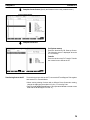
Numeral table entry number 4 (4-digit input)
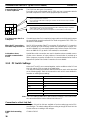
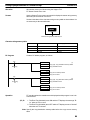
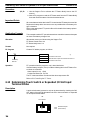
PC Program
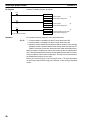
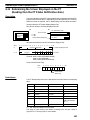
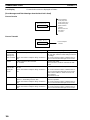
Create a PC ladder program, as follows:
(1)
11211
@MOV (21)
111
DM0105
Number Setting
Strobe Flag
Operation
Content upgrade memory table notification word
Word to store the numeral table entry number.
PT operation when the number setting screen is displayed and the program is
run as described below.
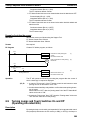
When the Number Setting Strobe Flag (Bit: 11211) turns ON (1) the contents of
word 111 are transferred to 0105. The number of the numeral table with upgraded contents is stored in word 0105.
111