1
SECTION 6
PT Operation
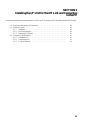
This section describes how to use the PT with the Direct Connection and the NT link. This section also describes the settings of
support tools only in relation to allocated bits and allocated words. Refer to the manuals of support tools or the PT for other
settings or displays of support tools.
6-1
6-2
6-3
6-4
6-5
6-6
6-7
6-8
6-9
6-10
6-11
6-12
6-13
6-14
6-15
6-16
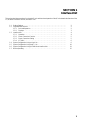
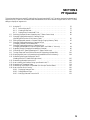
Using the PT . . . . . . . . . . . . . . . . . . . . . . . . . . . . . . . . . . . . . . . . . . . . . . . . . . . . . . . . . . . .
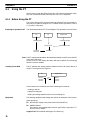
6-1-1 Before Using the PT . . . . . . . . . . . . . . . . . . . . . . . . . . . . . . . . . . . . . . . . . . . . . . .
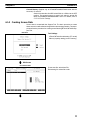
6-1-2 Creating Screen Data . . . . . . . . . . . . . . . . . . . . . . . . . . . . . . . . . . . . . . . . . . . . . .
6-1-3 Setting Direct Connection/NT link . . . . . . . . . . . . . . . . . . . . . . . . . . . . . . . . . . . .
Switching Displayed Screens (Operating the PT Status Control Area) . . . . . . . . . . . . . . .
Changing Displayed Numerals or Character Strings
(Operating Bit Allocation of Bit Memory Table) . . . . . . . . . . . . . . . . . . . . . . . . . . . . . . . .
Editing Displayed Numerals or Character Strings (Copying Memory Table) . . . . . . . . . .
Changing Displayed Numerals or Character Strings
(Changing Contents of Allocated Words) . . . . . . . . . . . . . . . . . . . . . . . . . . . . . . . . . . . . . .
Changing Displayed Numerals or Character Strings
(Changing Allocated Word in Indirect Specification / the C200H I/F Unit only) . . . . . . .
Upgrading Graphs (Changing Allocated Word Contents) . . . . . . . . . . . . . . . . . . . . . . . . .
Controlling the PT Status (Operating the PT Status Control Area) . . . . . . . . . . . . . . . . . .
Turning Lamps and Touch Switches On and Off (Operating Allocated Bits) . . . . . . . . . .
Displaying the Alarm List (Operating the Allocated Bits of the Bit Memory) . . . . . . . . . .
Determining the Screen Displayed on the PT
(Reading from the PT Status Notification Area) . . . . . . . . . . . . . . . . . . . . . . . . . . . . . . . .
Determining a Number Input to the PT . . . . . . . . . . . . . . . . . . . . . . . . . . . . . . . . . . . . . . .
How to Identify the Character-String Input Stored in the PT . . . . . . . . . . . . . . . . . . . . . . .
Determining PT Operating Status . . . . . . . . . . . . . . . . . . . . . . . . . . . . . . . . . . . . . . . . . . . .
Determining Touch Switch or Expanded I/O Unit Input Terminal Status . . . . . . . . . . . . .
How to Use the Clock Function . . . . . . . . . . . . . . . . . . . . . . . . . . . . . . . . . . . . . . . . . . . . .
6-16-1 Displaying Date and Time . . . . . . . . . . . . . . . . . . . . . . . . . . . . . . . . . . . . . . . . . .
6-16-2 Setting Date and Time . . . . . . . . . . . . . . . . . . . . . . . . . . . . . . . . . . . . . . . . . . . . .
6-16-3 Notifying Date and Time to the PC . . . . . . . . . . . . . . . . . . . . . . . . . . . . . . . . . . .
76
76
77
80
82
85
87
90
94
96
97
101
104
107
108
112
114
116
120
120
120
123
75