1
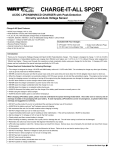
LEKTRON 45W CHARGER USER’S GUIDE
Lithium battery charging
Lithium battery balance charging, continued....
4) Press the TYPE button to view the Charge Current
screen. The current charge current will be displayed.
1S
2S
3S
4S
V
A
mAh
Time
2.00
5) Press the INCREASE or DECREASE buttons to select the desired charge current.
•Charge Current values range from 0.1 to 4.5 amps.
The charger will automatically determine the correct number of cells in the
Lithium battery, but you must correctly choose the charge current for the
type and capacity of the battery being charged. For more information, refer to
the Battery Charge Current Values section on page 6 or check with your Lithium
battery’s manufacturer.
6) Press and hold the START button until the charging
process begins. An audible double-tone will sound
and CHA - will be displayed, followed by charging
process information.
1S
2S
3S
4S
CHa -
V
A
mAh
Time
Viewing Charging Process Information:
During the charging process, the LCD screen will automatically scroll through
different screens that show various data about the current charging process,
including the current voltage of the battery, the current charge rate, the current
charged capacity in mAh and the current elapsed charge time.
1S
2S
3S
4S
1250
V
A
mAh
Time
1S
2S
3S
4S
4.2
V
A
mAh
Time
If you’re balance charging a 2 to 4S battery, press the DISPLAY button to view
the current voltage of each cell. The LCD screen will automatically scroll through
each cell, showing its current voltage, then show the total voltage. Press the
DISPLAY button a second time to return to the previous screen.
7) When the charging process is complete, a series
of audible tones will sound and the LCD screen will
read FULL.
1S
2S
3S
4S
V
A
mAh
Time
full
After the charging process is complete, press the DISPLAY button to cycle
through the various data about the completed charging process or press
the DECREASE or STOP buttons to return to the main screen.
Pressing the STOP button at any time to terminate the charging process.
END will be displayed on the LCD screen.
13