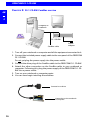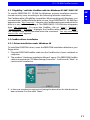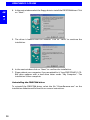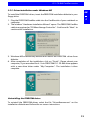
1
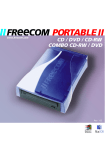
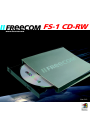
Installing the CD Recording Software C HAPTER 3: Installing the CD Recording Software GB After installing the cable driver software, your FREECOM FS-1 CD-RW drive is now able to read CD-ROMs. 3 To record a blank CD, you must first install the CD Recording software (refer to the mastering or the packet writing procedure). We recommend using the software which has been provided with your drive. The installation guide for the software is supplied with the CD. After installation, the drive is fully operational. Note: If you wish to use other software, please find out from the supplier whether his products support the FREECOM FS-1 CD-RW . 3.1 Special Instructions before writing a CD You should realize that writing CDs is principally a sensitive data transmission procedure which can be disrupted by even the smallest mechanical disturbance. Never clean the CD-R/CD-RW with a commercially available CD-ROM cleaning set. This can damage the drive. Recordable and Rewritable CDs (blanks) are more sensitive than commercially available CDs. Use only a solvent-free, non-abrasive marker when writing on a CD. Do not stick any conventional labels on the CD-Rs/CD-RWs, since the adhesive can attack the medium. Special labels for CD-R/CD-RW media are available in retail computer stores. Never remove a label from a CD-R/CD-RW media otherwise you will damage the protective layer and make the CD-R/CD-RW unusable. The drive recognizes the medium as soon as it is placed into the drive. CD-R/ CD-RW media are compatible with the vast majority of CD-ROM drives and CD audio players and work in most DVD-ROM drives. Recommendation: For optimal results, use FREECOM blank CDs. 17