1
GPRS DTU User Manual V1.3
www.tcp232.net
Content
GPRS Data Transmit Unit (USR-GPRS232-700)......................................................................... 1
1. Product Description.........................................................................................................................3
1.1. Instruction.............................................................................................................................. 3
1.2. Features................................................................................................................................. 3
1.3. Parameters............................................................................................................................4
2. Install.................................................................................................................................................. 5
2.1. Packing list............................................................................................................................ 5
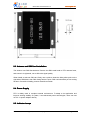
2.2. Size and Diagram................................................................................................................ 5
2.3. Antenna and SIM Card Installation.................................................................................. 6
2.4. Power Supply........................................................................................................................6
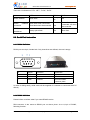
2.5. Indicator Lamps....................................................................................................................6
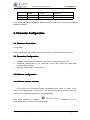
2.6. Serial Port Instruction..........................................................................................................7
2.6.1 RS232 Definition........................................................................................................7
2.6.2 RS485 definition........................................................................................................ 7
3. Parameter Configuration................................................................................................................8
3.1. Hardware Connection......................................................................................................... 8
3.2. Parameter Configuration.................................................................................................... 8
3.3 Software configuration......................................................................................................... 8
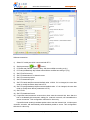
3.3.1 Software interface introduce................................................................................... 8
3.3.2 Software operation..................................................................................................10
3.4 AT Command Configuration............................................................................................. 10
3.5 Message Configuration......................................................................................................11
4. Public IP Instructions.....................................................................................................................11
5. Application Environment Testing................................................................................................ 14
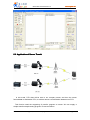
5.1 Application of Public Server..............................................................................................14
5.2. Application of Router Transit........................................................................................... 18
5.3. Application of Server Transit........................................................................................... 22
6. AT Command..................................................................................................................................23
6.1. Set Key Parameter............................................................................................................ 23
6.2. Configure DTU business Packet....................................................................................24
6.3. Set TCP/IP.......................................................................................................................... 25
6.5 Setting Example.................................................................................................................. 27
7. FAQ...................................................................................................................................................28
8. Contact.............................................................................................................................................30
Jinan USR IOT Technology Co., Ltd.
page 2 of 30
[email protected]