1
E84 Analysis Application User Manual
Version 2.8
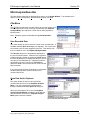
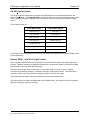
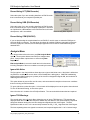
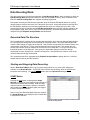
Record Using LPT (E84 Recorder)
Select this option if you are recording data from an E84 Recorder
that is connected to your computer’s parallel port.
Record Using USB (E84 Recorder)
Select this option if you are recording data from an E84 Recorder
that is connected to one of your computer’s USB ports. Note that
as of publication, USB hardware in the E84 Recorder is still under
development, and is unavailable.
Record Using Menu Options
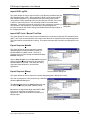
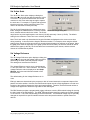
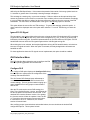
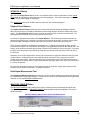
Record Using COM (E84 DLD)
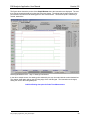
If you are downloading the recorded data from an E84 DLD, use this menu to select the COM port to
which the DLD is connected. The drop down list shows all available COM port supported by Windows.
Once the COM port is selected, the E8 4Analysis Application can record live mode data through the
attached DLD.
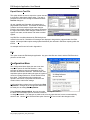
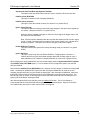
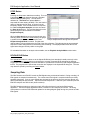
Analysis Menu
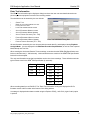
The Analysis Menu allows the user to set E84 Analysis Mode
options. These options dictate how E84 Error Analysis takes
place. Analysis Menu options have no affect during Data
Acquisition.
E84 Analysis Mode is covered in detail later in this document,
including examples of the error conditions covered by this menu.
Analysis Menu Options
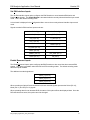
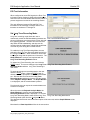
Ignore Idle Noise
The first option in the Analysis Menu allows the user to ignore Idle Noise errors. Idle Noise is defined as
any E84 Error condition that occurs when no E84 Handshake is taking place. Valid E84 handshaking
begins with the AMHS turning one (or both) of the Load Port Assignment Signals ON, and ends with all
AMHS signals turned OFF.
This option allows the user to filter out idle noise, and concentrate his analysis on those error conditions
that occur during an E84 Handshake.
To ignore Idle Noise, select this option. A check mark will be displayed next to the option when selected.
To turn off Idle Noise filtering, un-check the option.
Note: Idle noise is in violation of the E84 Specification. The cause should be determined and repaired.
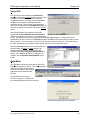
Ignore TD0 Warnings
The second option in the Analysis Menu allows the user to ignore TD0 Warnings. TD0 warnings are
displayed when the recorded data shows the AMHS does not adhere to the recommended, but optional
delay timer between turning the Load Port Assignment Signals and the VALID signal. The E84
Specification calls out a 0.1 to 0.2 second delay between the CS_0 / CS_1 signal and the VALID signal.
The time separating these two signals is measured, and compared against the 0.1 to 0.2 second range
E84_Analysis_Application_User_Manual.wpd
11