1
E84 Analysis Application User Manual
Version 2.8
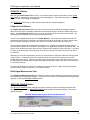
Enter Test Information
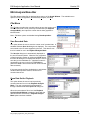
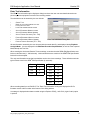
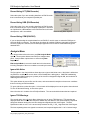
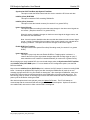
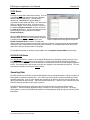
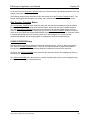
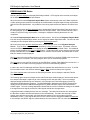
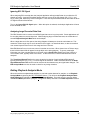
The Enter Test Information option displays a dialog box where the user can enter details about the two
pieces of process equipment involved in the recording session.
Test details that can be entered by the user include:
•
•
•
•
GRAPH TITLE
NAME OF THE USER RUNNING THE TEST
LOCATION OF THE TEST
LOAD PORT NUMBER BEING TESTED
•
•
•
ACTIVE EQUIPMENT MANUFACTURER
ACTIVE EQUIPMENT MODEL NUMBER
ACTIVE TIMEOUT SETTINGS (TA1 - TA3)
•
•
•
PASSIVE EQUIPMENT MANUFACTURER
PASSIVE EQUIPMENT MODEL NUMBER
PASSIVE TIMEOUT SETTINGS (TP1 - TP6)
Enter Test Information Dialog Box
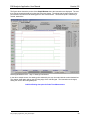
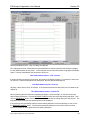
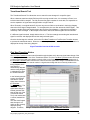
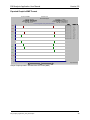
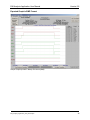
All test information entered by the user is stored with the saved data file, and displayed during Playback
Analysis Mode. It is also displayed in the E84 Data Recorder Graph Window, as well as in the exported
Meta, Bitmap and Text files.
When entering the Active and Passive Timeout settings, remember that the SEMI® E84 Specification sets
limits on valid timeouts (1 - 999 seconds). Values entered that are outside of the SEMI® E84 Specification
limits will not be accepted.
The only test information items that have defaults are the nine timeout settings. These defaults match the
typical values noted in the SEMI® E84 Specification (in seconds):
Timer
Default
Timer
Default
TA1
2
TP1
2
TA2
2
TP2
2
TA3
2
TP3
60
TP4
60
TP5
2
TP6
1
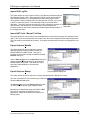
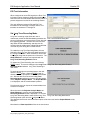
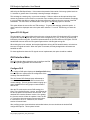
When recording data from an E84 DLD, The “Enter Test Information” dialog also displays the DLD’s
firmware version and ID number at the bottom of the dialog window.
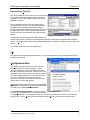
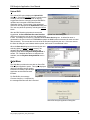
A message is displayed when data recorded using the Replace RSVD_1 with Pin 6 (Light Curtain) option
is opened.
E84_Analysis_Application_User_Manual.wpd
9