1
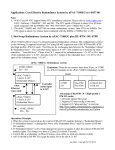
 Hardware Configuration 1. View of the USB-87Pn Power Module CPU Module 87Pn Power CPU Power Auto Configuring Dip Switch High Profile i-87K I/O Slots System ready Auto Configuration Enable/Disable Slot 0 Slot 1 Slot 2 Slot 3 Power connector USB port Slots LED indicators 2. Wire the 87Pn to power and PC Power Supply +10~+30 VDC GND +Vs USB-87P4 To USB port +Vs GND PC (COM X) USB Connector Cable (CA-USB18) p. 2 To USB port