1
SharpSchool User Manual
III.
Chapter 12: LMS (Administrator Manual)
Creating Departments
Before creating Online Classes within Organizations,, it is important to create the specific
departments for courses. This department list will be available to teachers as
a they create
online classrooms.
Note: Only server administrators
dministrators have permissions to create departments. It is
recommended that ability
ility to create departments be restricted.
-
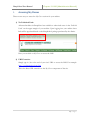
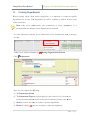
To create Departments,, click on System Administration in the Administration menu in the grey
tool bar
-
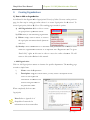
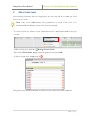
Under General Administration click on
-
Click
Manage Organization Structure
Departments
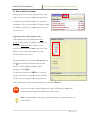
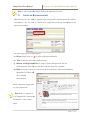
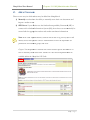
Here you can complete the following:
a) The Department Name
b) The Department Type:: the typical option for this section is Class;; however, for
Professional Development classes at the school or district you may select Business.
Business
c) Search: you have the ability to search for specific departments
d) Delete: by clicking
you have the ability to delete the department.
11 | P a g e