1
SharpSchool User Manual
Chapter 12: LMS (Administrator Manual)
About Online Classrooms
SharpSchool’s
’s Learning Management System (L
(LMS) is an intuitive
application that allows educational institutions the freedom to
conduct instructional courses online. This online classroom
environment is designed to standalone as aan entirely virtual
classroom, or be used in conjunction with traditional classroom
instruction.
About this Guide
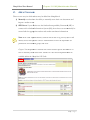
This user guide offers administrators with an introduction into SharpSchool’s Online
Learning Management System (LMS), also known as My Classes.
-
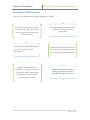
The first section of this guide
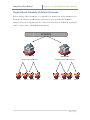
guide, “Vital Information” and “Organizational
Organizational Hierarchy of
Online Classrooms” provide administrators with an overview of the LMS’s
S’s terminology
and organizational structure.
-
From the second section onwards, this guide provides instructions on how to set up
user permissions as well as highlights specific topics pertaining to the configuration
and maintenance of the LMS.
Who Should Use this Guide
The contents of this guide are written to be readable by users of all technical backgrounds.
Primarily, this guide will be used by administrators, department
rtment coordinators, principals and
curriculum coordinators at schools and districts
districts.
If youu have been given a training site, it is a good idea to practice the steps covered in this
guide before working on your real site. This eliminates the risk of you accidentally deleting
important content or ruining anything on your real site.
Accessing your Website
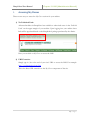
In order to use My Classes,, you must first log into your website. The login page to your
school or district site will contain fields for the username and password. The location of the
login button will vary according to your website’s design; howe
however,
ver, login buttons are typically
available on the upper left corner of your website.
3|Page