1
User Manual for EC-C202 - Matrix Maker
Page 4
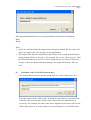
“HEllo” if the Caps Lock is off. However, it will display “heLLO” if the Caps Lock is on.
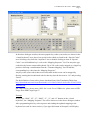
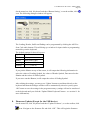
If you want to delete “O” in the above “Mapping Sequence” list, you can right click the
“O” item. A popup menu with two options will appear. Selecting the “Delete” option will
delete the “O” item. Selecting the “Clear All” will remove all the items in the “Mapping
Sequence” list.
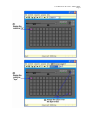
If you want to add “S” before “H” in the above “Mapping Sequence” list, click the “H”
item in the list first, then press “S” in the “virtual keyboard” picture. If you want to
append the codes at the end of the list, please make sure to select an empty mapping
position in the list.
Caution:
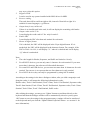
1. Please pay special attention when using the Shift, Alt, and Ctrl keys as they have two
states: down and up. For example, if you press the left Shift key once in the “virtual
keyboard” area, you will only get a down code which will keep the key in a down
state. If you were to keep this programming and press that key in an application, it
would behave as if the left Shift key was down continuously. Again please pay special
attention to the function of these keys and their respective up/down codes to get the
functions you desire.
2. For PS2 interface, if <Pause> code is assigned, no other codes can be appended. On
the other hand, if other code is assigned, the <Pause> code cannot be appended.
3. For USB interface, the following codes cannot be assigned with other codes:
<Wake>, <Sleep>, <Power>, <Vol Up>, <Vol Down>, <Media Select>, <Mail>,
<Calculator>, <My Computer>, <WWW Search>. On the other hand, if other code is
assigned, the above codes cannot be appended.
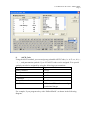
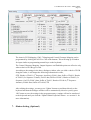
Depending on the version of the software, you can change the virtual keyboard layout by
selecting the country you like as shown below.