1
AGPS-Shape Pro
You are taken to the
working screen and
the program is ready.
Working screen
explained:
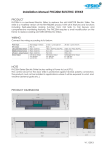
These notes show a
side view with a
profile generated
(process described
later). There is also an
example top view on the
far left.
Pass Menu:
On the keyboard
press P or touch
Menu - Pass Menu –
OK
SVY Pass,
Survey Pass done at a constant
offset from the ground.
LAY Pass,
Needs previous RIP or SVY Pass.
TOPO Mode,
Just record like AGPS-Topo .
PTL Pass, Previous-Topo-Lay, no SVY passes.
RESTART the Current Pass, or start a new one.
Modify Minimum-Slope and Restart Pass ...
Erase the last PTL target point.
Edit Previous-TOPO File (..FBG file) for PTL
Switch Previous-TOPO Surface for PTL
Area Calc. Between Plan and Ground ...
Auto Balance this Line's Area ...
Auto Balance ALL Unbalanced Lines ...
Write Current Plan to ".PLN" File
Manipulate Old Passes from the ".PLN" File
3D View of ".PLN" File using Surfer8(tm)
Volume Calculation of ".PLN" File w. Surfer7/8(tm)
Prepare files for AGPS-Dirt
Listed on the left are
all the options
available.
Area Calc. Between Plan and Ground ...
Auto Balance this Line's Area ...
Restore this line from the ".PLN" File
Remove Balance Info for this line.
Delete this line from the ".PLN" File
---- On All Passes : ---Auto Balance ALL Unbalanced Lines ...
Remove Balance Info if worse than ...
Quit this Menu.
Page 6 of 14
Revision: 6/3/2009