1
A66P1 Manual
A66P1
Installation and Programming Manual
This Manual describes the A66P1 Communications Adapter for the Altivar 66 Variable Frequency Drive, its uses
and set up.
Effective: 18 April 2002
Niobrara Research and Development Corporation
P. O. Box 3418 Joplin, MO 64803
Telephone: (800) 235-6723 or (417) 624-8918
Facsimile: (417) 624-8920
Internet: http://www.niobrara.com
Altivar is a trademark of Square D.
P1 is a trademark of Landis and Staefa, Inc.
Modbus Plus is a trademark of Schneider Automation.
Subject to change without notice.
Niobrara Research and Development Corporation 1998. All Rights Reserved.
2
A66P1 Manual
Contents
CONTENTS.................................................................................................................3
1
INTRODUCTION ...................................................................................................5
2
INSTALLATION ....................................................................................................7
Serial Link Control .......................................................................................... 8
Fault Management ........................................................................................... 9
3
OPERATION .......................................................................................................11
4
TROUBLESHOOTING ........................................................................................15
A66 card not responding ............................................................................... 15
Inconsistent communication.......................................................................... 15
A66P1 Manual
3
1
Introduction
The A66P1 communications adapter card connects an Altivar 66 variable frequency drive
controller (see Figure 1 below) to a P1 multidrop network. It will allow the P1 field cabinet
or other bus master to adjust drive operational parameters, command, control, and monitor
drive operation, and diagnose drive fault conditions.
The A66P1 is a Type 3 PCMCIA card with an attached 3 meter cable terminated with a 15pin D-Sub connector. The A66P1 is designed to operate in the PCMCIA slot of an I/O
extension module (VW3A66201T or VW3A66202T) or communication carrier module
VW3A66205 (not the drive’s main PCMCIA slot), and requires drive firmware revision 3.2
or later.
NOTE: This manual is not intended to be used as a guide for drive operations. It is written
to explain connection of the A66P1 to the P1 network, and to describe the mapping of the
drive parameters into the P1 points list. For information on drive operation, refer to
Instruction Bulletin VD0C06S304B (Altivar 66 User’s Manual).
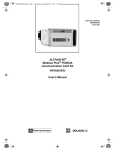
Figure 1: Altivar 66 variable frequency drive.
A66P1 Manual
5
2
Installation
Refer to Section 1 of Instruction Bulletin VD0C06S308 for installation instructions for the
A66P1 communication card in the Altivar 66 drive controller. Please note the following
additions/modifications to the Square D installation instructions:
•
For the A66P1 communications card to operate correctly, the drive into which it is
installed must have revision 3.2 or later firmware. This may be viewed on the Drive
Identification menu page, for example “ATV66U41N4, CT, V3.2”
•
In the drive’s communications setup (menu 11), set Protocol to Modbus+ and Address to
the desired P1 LAN address. Set the Timeout to a value appropriate for the system’s scan
rate. When the drive is under Serial Link Control, this timeout value will determine how
long the drive will run without receiving communications from the P1 bus master before
shutting down. The Peer Cop and Global Data parameters are not used and should be set
to NO and zero respectively. When the card is recognized by the drive, the drive’s
Comm. State menu (menu 12) will reflect the selected address and show a constantly
changing token counter.
•
The adapter supports the P1 serial protocol at 4800 bits per second, 8 data bits,1 start bit,
1 stop bit, and no parity. These settings cannot be changed in the field.
The A66P1 PCMCIA card has an attached cable which terminates in a 15-pin D-Subminiature
male plug. LAN Connection to this plug is as shown in Figure 2 on page 8. Connection to
this plug may be made using Phoenix Contact part number FLKM-D 15 SUB/B, or by
building a cable to make the following connections:
A66P1 Manual
7
8
15
7
14
6
Shield
P1P1+
13
5
12
4
11
3
10
2
9
1
Figure 2: Connection of P1 LAN to A66P1 DB-15 connector.
Because the motor leads from a variable frequency drive transmit a lot of electrical noise, it is
important to keep the network wiring as isolated as possible from the motor leads and any
other high current wiring. If the VFD is mounted in a shielding enclosure, a minimum of
network wiring should be inside the enclosure, with the remainder of the wiring done in a
separately grounded enclosure.
Serial Link Control
The default configuration for the A66P1 communication card as described above will cause
the drive to enter “SLC” or “Serial Link Control” when the PCMCIA card is initialized by the
P1 host device. This means that the drive expects to get its operational parameters (run speed,
direction, etc.) from the communications link.
In situations where it is not desirable to have the drive commanded over the serial network,
the card can be configured to not automatically put the drive into SLC mode upon
initialization. In order to disable the drive’s automatically entering SLC mode on
initialization, the configuration parameter “PEERCOP…” in the drive’s Communications
Setup menu (Menu 11) should be set to “YES”. When this is done, the drive will prompt for
further information: “Num. Registers” should always be set to 1 for use with this
communications card. “Command Node” may be set to one of several values, to select
different SLC startup behaviors. See Table 1 below for configurations available via the
“Command Node” parameter.
Table 1: Configurations available through “Command Node” parameter
COMMAND
NODE
1
33
8
SLC on
Initialization
NO
YES
A66P1 Manual
Fault Management
When the Altivar 66 drive is operating in Serial Link Control (SLC) mode, the timeout value
set in Menu 11 controls how long the drive will continue to run after losing communications
from the N2 master. When the timeout expires without receiving a message from the master,
the drive will go into fault mode and stop the motor.
In order to enable fault recovery over the N2 network, set Auto-Restart in Menu 7.4 (Fault
Management) to YES. In the Auto-Restart submenu, set Restarts and Delay time as
appropriate for the system. If Auto-Restart is set to NO, the fault must be recovered at the
drive control panel. With Auto-Restart set to YES, the drive will exit fault mode, and resume
normal operations after the drive is re-initialized via the N2 network, and after Delay time has
expired.
A66P1 Manual
9
3
Operation
The essential command and monitoring parameters of the Altivar 66 drive controller are
mapped into the Point list according to the P1 protocol (See Table 2 through Table 4, on
pages 12 through 14). The inputs may be monitored for Changes Of Value (COVs), as
provided by the P1 protocol.
The A66P1 card has two LED indicators. The green indicator will flash as P1
communications packets are received. The red indicator will flash if a packet or command is
in error or otherwise not recognized by the card. If the last message sent to the card has an
error, the red light may stay on until a new, good, packet is received. Errors which will light
the red LED include: CRC error, inter-character timeout error, attempt to read, write, or
characterize an unsupported or illegal point, an attempt to characterize a point before the
characterize LLCTR command has been processed, or an illegal P1 opcode.
A66P1 Manual
11
Table 2: A66P1 Point List
Point
Number
Descriptor
Register
Address
Factory Default
(SI Units)
Engr. Units
(SI Units)
Slope
(SI Units)
Intercept
(SI Units)
On Text
Off Text
01
CTLR ADDRESS
N/A
--
--
1
0
--
--
02
APPLICATION
N/A
2705
--
1
0
--
--
{03}
FREQ OUTPUT
2041
--
HZ
0.0302
-494.7968
--
--
{04}
CMD FREQ OUT
2021
0
HZ
0.0302
-494.7968
--
--
{05}
SPEED
2060
--
RPM
2
-32768
--
--
{06}
CURRENT
2042
--
A
.1
0
--
--
{07}
TORQUE
2045
--
PCT
.1
0
--
--
{08}
POWER
2052
--
kW
.1
0
--
--
{09}
DRIVE TEMP
2057
--
PCT
1
0
--
--
{12}
RUN TIME
2058
--
HRS
1
0
--
--
{13}
DC BUS VOLT
2055
--
VOLT
1
0
--
--
{14}
OUTPUT VOLT
2053
--
VOLT
1
0
--
--
{15}
LINE VOLT
2054
--
VOLT
1
0
--
--
{16}
MOTOR TEMP
2056
--
PCT
1
0
--
--
{17}
STATUS 1
2047
--
--
1
0
--
--
{18}
STATUS 2
2048
--
--
1
0
--
--
{19}
STATUS 3
2049
--
--
1
0
--
--
20
OVRD TIME
N/A
0
HRS
1
0
--
--
{21}
FWD.REV
2040,9
FWD
--
1
0
REV
FWD
{22}
CMD FWD.REV
2031,1
FWD
--
1
0
REV
FWD
{23}
STOP.RUN
2040,8
STOP
--
1
0
RUN
STOP
{24}
CMD STP.STRT
2020,5
STOP
--
1
0
START
STOP
OFF
--
1
0
ON
OFF
OFF
--
1
0
ON
OFF
{25}
CMD DC BRAKE 2020,6
{26}
ORIENT STOP
2020,7
{27}
FREEWHEEL
2020,8
OFF
--
1
0
ON
OFF
{28}
FAST STOP
2020,9
OFF
--
1
0
ON
OFF
{29}
DAY.NIGHT
N/A
DAY
--
1
0
NIGHT
DAY
{30}
CURR LIM STG
2024
150
PCT
.1
0
--
--
{31}
ACCEL TIME 1
2002
3.0
SEC
.1
0
--
--
{32}
DECEL TIME 1
2003
3.0
SEC
.1
0
--
--
{33}
ACCEL TIME 2
2004
5.0
SEC
.1
0
--
--
{34}
DECEL TIME 2
2005
5.0
SEC
.1
0
--
--
NOTES:
1.
Points not listed are not used in this application.
2.
A single value in a column means that the value is the same in English units and in SI units.
3.
Point numbers that appear in brackets {} may be unbundled at the field panel.
12
A66P1 Manual
Table 3: A66P1 Point List (continued)
Point
Number
Descriptor
Register Factory Default Engr. Units
Address
(SI Units)
(SI Units)
Slope
(SI Units)
Intercept
(SI Units)
On Text
Off Text
{35}
I LIMIT CMD
2031,0
OFF
--
1
0
ON
OFF
{36}
TORQ LIM ON
2031,3
OFF
--
1
0
ON
OFF
{37}
TORQUE LIMIT
2025
200
PCT
1
0
--
--
{38}
REGEN TORQUE
2026
200
PCT
1
0
--
--
{39}
VOLT REDUCE
2028
100
PCT
1
0
--
--
{40}
RELAY OUT 1
2043,11
OFF
--
1
0
ON
OFF
{41}
RELAY OUT 2
2043,12
OFF
--
1
0
ON
OFF
{42}
RELAY OUT 3
2043,13
OFF
--
1
0
ON
OFF
{43}
RELAY OUT 4
2043,14
OFF
--
1
0
ON
OFF
{44}
LO1 CMD
2022,1
OFF
--
1
0
ON
OFF
{45}
LO2 CMD
2022,2
OFF
--
1
0
ON
OFF
{46}
RELAY 2 CMD
2022,6
OFF
--
1
0
ON
OFF
{47}
RELAY 3 CMD
2022,7
OFF
--
1
0
ON
OFF
{48}
RELAY 4 CMD
2022,8
OFF
--
1
0
ON
OFF
{49}
IO STATE
2043,0
--
--
1
0
--
--
{50}
ANALOG OUT 1
2023
0
PCT
0.02442
0
--
--
{51}
ANALOG OUT 2
2029
0
PCT
0.02442
0
--
--
{52}
ANALOG OUT 3
2030
0
PCT
0.02442
0
--
--
{53}
ANALOG IN 1
2044
0
PCT
1
0
--
--
{54}
ANALOG IN 2
2063
0
PCT
1
0
--
--
{55}
ANALOG IN 3
2064
0
PCT
1
0
--
--
{56}
ANALOG IN 4
2065
0
PCT
1
0
--
--
{74}
CMD OVER LNK
2020,1
--
--
1
0
YES
NO
{75}
REF OVER LNK
2020,2
--
--
1
0
YES
NO
{76}
SLC TIMEOUT
2020,4
--
--
1
0
ON
NTO
{77}
COMMAND
2040,0
--
--
1
0
LOCAL
SLC
{78}
READY
2040,1
--
--
1
0
READY
NO
{79}
FAULT
2040,2
--
--
1
0
FAULT
OK
{80}
RESET
2040,3
--
--
1
0
AUTH
NO
{81}
BRAKE RELAY
2040,4
--
--
1
0
ON
OFF
{82}
FORCED LOCAL
2040,5
--
--
1
0
ON
OFF
{83}
TIME OUT
2040,6
--
--
1
0
OK
FAULT
NOTES:
1.
Points not listed are not used in this application.
2.
A single value in a column means that the value is the same in English units and in SI units.
3.
Point numbers that appear in brackets {} may be unbundled at the field panel.
A66P1 Manual
13
Table 4: A66P1 Point List (continued)
Point
Number
Descriptor
Register
Address
Factory Default
(SI Units)
Engr. Units
(SI Units)
Slope
(SI Units)
Intercept
(SI Units)
On Text
Off Text
{84}
RESETTABLE
2040,7
--
--
1
0
YES
NO
{85}
DC INJECTION
2040,10
--
--
1
0
ON
OFF
{86}
STEADY STATE
2040,11
--
--
1
0
YES
NO
{87}
THERMAL OVLD
2040,12
--
--
1
0
FAULT
OK
{88}
CURRENT LIM
2040,14
--
--
1
0
LIMIT
NO
{89}
PHASE LOSS
2040,15
--
--
1
0
FAULT
OK
{90}
FAULT NUM
2050
0
--
1
0
--
--
{91}
FAULT 1
2142
0
--
1
0
--
--
{92}
FAULT 2
2144
0
--
1
0
--
--
{93}
FAULT 3
2146
0
--
1
0
--
--
{94}
FAULT 4
2148
0
--
1
0
--
--
{95}
FAULT 5
2150
0
--
1
0
--
--
{96}
FAULT 6
2152
0
--
1
0
--
--
{97}
FAULT 7
2154
0
--
1
0
--
--
{98}
FAULT 8
2156
0
--
1
0
--
--
99
ERROR STATUS
N/A
0
--
1
0
--
--
NOTES:
1.
Points not listed are not used in this application.
2.
A single value in a column means that the value is the same in English units and in SI units.
3.
Point numbers that appear in brackets {} may be unbundled at the field panel.
14
A66P1 Manual
4
Troubleshooting
A66 card not responding
In most cases, this indicates faulty network wiring. With the drive powered and the A66 card
connected to an active network, the LED indicators on the top of the card provide some
information. If the GREEN LED flashes, it indicates that the card is seeing network traffic.
If the RED LED flashes, it indicates the previously received message is in error. If the RED
LED flashes on every message, it could mean the network wires could be switched (A for B,
or + for -).
If the card is wired correctly but fails to communicate, double-check the Communication
Setup in Menu 11. The A66P1 should have a unique network address. See the installation
and configuration information on page 7.
Inconsistent communication
If communications can be established with the A66 card but the communication is
inconsistent, network noise could be causing messages to be lost on the network. In this case,
the RED LED on the top of the A66 card will be flashing occasionally indicating an
incomplete message or one with a failed checksum.
The card does keep a running count of messages received with checksum errors. This statistic
is reported on Menu 12 of the Altivar Drive, under “Token Good: X ms”. X will be an
integer counter of the number of messages the card has received with checksum errors. This
counter counts up to 65535 and stops. The counter may be reset by cycling power on the
drive.
When checksum errors on the network are interfering with communications, the network
wiring must be evaluated for noise immunity.
The network wiring should be as isolated as possible from the inherently noisy motor leads
from the VFD. Where Faraday (grounded metal) shielding cannot be between the motor leads
and the network wiring, keep the wires as physically separate as possible. In as short a run as
possible, get the network wiring into its own grounded metal enclosure, or out of the metal
A66P1 Manual
15
enclosure containing the motor leads. All network wiring should be run through shielded
conduit to avoid electromagnetic interference.
16
A66P1 Manual