1
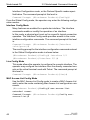
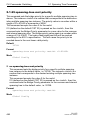
Reference Manual
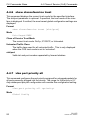
Command Line Interface
Industrial ETHERNET (Gigabit) Switch
RS20/RS30/RS40, MS20/MS30, OCTOPUS, PowerMICE,
RSR20/RSR30, MACH 100, MACH 1000, MACH 4000
L2P Rel. 8.0
CLI L2P
Release 8.0 05/2013
Technical Support
[email protected]
The naming of copyrighted trademarks in this manual, even when not specially indicated, should
not be taken to mean that these names may be considered as free in the sense of the trademark
and tradename protection law and hence that they may be freely used by anyone.
© 2013 Hirschmann Automation and Control GmbH
Manuals and software are protected by copyright. All rights reserved. The copying, reproduction,
translation, conversion into any electronic medium or machine scannable form is not permitted,
either in whole or in part. An exception is the preparation of a backup copy of the software for
your own use. For devices with embedded software, the end-user license agreement on the enclosed CD applies
The performance features described here are binding only if they have been expressly
guaranteed in the contract. This publication has been created by Hirschmann Automation and
Control GmbH according to the best of our knowledge. Hirschmann reserves the right to change
the contents of this manual without prior notice. Hirschmann can give no guarantee in respect
of the correctness or accuracy of the details in this publication.
Hirschmann can accept no responsibility for damages, resulting from the use of the network
components or the associated operating software. In addition, we refer to the conditions of use
specified in the license contract.
Printed in Germany 4/26/13
Hirschmann Automation and Control GmbH
Stuttgarter Str. 45-51
72654 Neckartenzlingen
Germany
Tel.: +49 1805 141538
05-05/2013
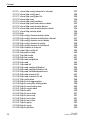
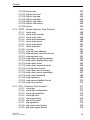
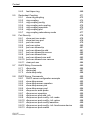
Content
Content
About this Manual
Maintenace
21
22
1
Command Structure
23
1.1
Format
1.1.1
1.1.2
1.1.3
1.1.4
1.1.5
1.1.6
1.1.7
1.1.8
24
25
25
25
27
28
29
30
32
Command
Parameters
Values
Conventions
Annotations
Special keys
Special characters in scripts
Secrets in scripts
2
Quick Start up
35
2.1
Quick Starting the Switch
36
2.2
System Info and System Setup
37
3
Mode-based CLI
43
3.1
Mode-based Topology
44
3.2
Mode-based Command Hierarchy
45
3.3
Flow of Operation
47
3.4
“No” Form of a Command
3.4.1 Support for “No” Form
3.4.2 Behavior of Command Help ("?")
49
49
49
4
CLI Commands: Base
51
4.1
System Information and Statistics
4.1.1 show
4.1.2 show address-conflict
4.1.3 show arp switch
4.1.4 show bridge address-learning
4.1.5 show bridge address-relearn-detect
52
52
52
53
53
54
CLI L2P
Release 8.0 05/2013
3
Content
4.1.6
4.1.7
4.1.8
4.1.9
4.1.10
4.1.11
4.1.12
4.1.13
4.1.14
4.1.15
4.1.16
4.1.17
4.1.18
4.1.19
4.1.20
4.1.21
4.1.22
4.1.23
4.1.24
4.1.25
4.1.26
4.1.27
show bridge aging-time
show bridge duplex-mismatch-detect
show bridge fast-link-detection
show bridge framesize
show bridge vlan-learning
bridge framesize
show config-watchdog
show device-status
show authentication
show eventlog
show interface
show interface ethernet
show interface switchport
show interface utilization
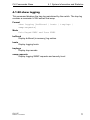
show logging
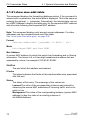
show mac-addr-table
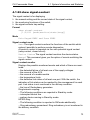
show signal-contact
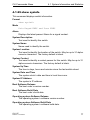
show slot
show running-config
show sysinfo
show temperature
utilization alarm-threshold
54
55
55
55
56
56
57
57
58
59
60
62
69
70
71
72
73
75
76
77
80
80
4.2
Debug Commands
4.2.1 debug tcpdump help
4.2.2 debug tcpdump start cpu
4.2.3 debug tcpdump start cpu filter
4.2.4 debug tcpdump stop
4.2.5 debug tcpdump filter show
4.2.6 debug tcpdump filter list
4.2.7 debug tcpdump filter delete
81
81
81
82
82
83
83
84
4.3
Management VLAN Commands
4.3.1 network mgmt_vlan
85
85
4.4
Class of Service (CoS) Commands
4.4.1 classofservice dot1p-mapping
4.4.2 classofservice ip-dscp-mapping
4.4.3 classofservice trust
4.4.4 show classofservice dot1p-mapping
4.4.5 show classofservice ip-dscp-mapping
4.4.6 show classofservice trust
86
87
88
89
90
91
92
4
CLI L2P
Release 8.0 05/2013
Content
4.4.7
4.4.8
4.4.9
4.4.10
4.4.11
vlan port priority all
vlan priority
dvlan-tunnel ethertype
mode dvlan-tunnel
show dvlan-tunnel
92
93
94
95
96
4.5
Link Aggregation(802.3ad) Commands
4.5.1 link-aggregation staticcapability
4.5.2 show link-aggregation brief
97
97
98
4.6
Management Commands
4.6.1 telnet
4.6.2 transport input telnet
4.6.3 transport output telnet
4.6.4 session-limit
4.6.5 session-timeout
4.6.6 bridge address-learning
4.6.7 bridge address-relearn detect operation
4.6.8 bridge address-relearn detect threshold
4.6.9 bridge aging-time
4.6.10 bridge fast-link-detection
4.6.11 bridge duplex-mismatch-detect operation
4.6.12 bridge vlan-learning
4.6.13 digital-input
4.6.14 digital-output
4.6.15 show digital-input
4.6.16 show digital-input config
4.6.17 show digital-input all
4.6.18 show digital-input <slot/input>
4.6.19 show digital-output
4.6.20 show digital-output config
4.6.21 show digital-output all
4.6.22 show digital-output <slot/output>
4.6.23 ethernet-ip
4.6.24 iec61850-mms
4.6.25 show iec61850-mms
4.6.26 network javascriptmode
4.6.27 network mgmt-access add
4.6.28 network mgmt-access delete
4.6.29 network mgmt-access modify
4.6.30 network mgmt-access operation
4.6.31 network mgmt-access status
CLI L2P
Release 8.0 05/2013
99
99
100
101
102
103
103
104
104
105
106
106
107
107
109
112
113
114
115
116
117
118
119
120
121
122
123
124
124
125
126
126
5
Content
4.6.32
4.6.33
4.6.34
4.6.35
4.6.36
4.6.37
4.6.38
4.6.39
4.6.40
4.6.41
4.6.42
4.6.43
4.6.44
4.6.45
4.6.46
4.6.47
4.6.48
4.6.49
4.6.50
4.6.51
4.6.52
4.6.53
4.6.54
4.6.55
4.6.56
4.6.57
4.6.58
4.6.59
4.6.60
4.6.61
4.6.62
4.6.63
4.6.64
4.6.65
4.6.66
4.6.67
4.6.68
4.6.69
4.6.70
4.6.71
4.6.72
6
network parms
network protocol
network priority
profinetio
serial timeout
set prompt
show ethernet-ip
show network
show network mgmt-access
show profinetio
show serial
show snmp-access
show snmpcommunity
show snmptrap
show telnet
show telnetcon
show trapflags
snmp-access global
snmp-access version
snmp-access version v3-encryption
snmp-server
snmp-server community
snmp-server contact
snmp-server community ipaddr
snmp-server community ipmask
snmp-server community mode
snmp-server community ro
snmp-server community rw
snmp-server location
snmp-server sysname
snmp-server enable traps
snmp-server enable traps chassis
snmp-server enable traps l2redundancy
snmp-server enable traps linkmode
snmp-server enable traps multiusers
snmp-server enable traps port-sec
snmp-server enable traps stpmode
snmptrap
snmptrap ipaddr
snmptrap mode
snmptrap snmpversion
127
127
128
129
130
130
131
131
133
134
134
135
136
137
138
139
140
141
142
143
144
145
146
147
148
149
150
150
150
151
151
152
153
154
155
156
157
158
159
160
161
CLI L2P
Release 8.0 05/2013
Content
4.6.73 telnetcon maxsessions
4.6.74 telnetcon timeout
162
163
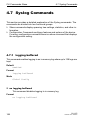
4.7
Syslog Commands
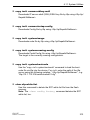
4.7.1 logging buffered
4.7.2 logging buffered wrap
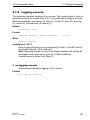
4.7.3 logging cli-command
4.7.4 logging console
4.7.5 logging host
4.7.6 logging host reconfigure
4.7.7 logging host remove
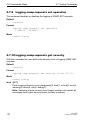
4.7.8 logging snmp-requests get operation
4.7.9 logging snmp-requests set operation
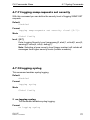
4.7.10 logging snmp-requests get severity
4.7.11 logging snmp-requests set severity
4.7.12 logging syslog
4.7.13 logging syslog port
164
164
165
166
167
168
169
169
169
170
170
171
171
172
4.8
Scripting Commands
4.8.1 script apply
4.8.2 script delete
4.8.3 script list
4.8.4 script show
4.8.5 script validate
173
173
174
174
175
175
4.9
Device Configuration Commands
4.9.1 addport
4.9.2 adminmode
4.9.3 auto-disable reason
4.9.4 auto-disable timer
4.9.5 auto-negotiate
4.9.6 auto-negotiate all
4.9.7 cable-crossing
4.9.8 media-module
4.9.9 deleteport
4.9.10 deleteport all
4.9.11 dip-switch operation
4.9.12 macfilter
4.9.13 macfilter adddest
4.9.14 macfilter adddest all
4.9.15 mac notification (Global Config)
4.9.16 mac notification (Interface Config)
177
177
178
179
180
181
182
183
184
185
185
186
187
188
189
190
191
CLI L2P
Release 8.0 05/2013
7
Content
4.9.17
4.9.18
4.9.19
4.9.20
4.9.21
4.9.22
4.9.23
4.9.24
4.9.25
4.9.26
4.9.27
4.9.28
4.9.29
4.9.30
4.9.31
4.9.32
4.9.33
4.9.34
4.9.35
4.9.36
4.9.37
4.9.38
4.9.39
4.9.40
4.9.41
4.9.42
4.9.43
4.9.44
4.9.45
4.9.46
4.9.47
4.9.48
4.9.49
4.9.50
4.9.51
4.9.52
4.9.53
4.9.54
4.9.55
4.9.56
4.9.57
8
monitor session <session-id>
monitor session <session-id> mode
monitor session <session-id> source/destination
link-aggregation
link-aggregation adminmode
link-aggregation linktrap
link-aggregation name
rmon-alarm add
rmon-alarm delete
rmon-alarm enable
rmon-alarm disable
rmon-alarm modify mib-variable
rmon-alarm modify thresholds
rmon-alarm modify interval
rmon-alarm modify sample-type
rmon-alarm modify startup-alarm
rmon-alarm modify rising-event
rmon-alarm modify falling-event
set garp timer join
set garp timer leave
set garp timer leaveall
set gmrp adminmode
set gmrp interfacemode
set gmrp interfacemode
set gmrp forward-all-groups
set gmrp forward-unknown
set igmp
set igmp
set igmp aging-time-unknown
set igmp automatic-mode
set igmp forward-all
set igmp forward-unknown
set igmp static-query-port
set igmp groupmembershipinterval
set igmp interfacemode
set igmp lookup-interval-unknown
set igmp lookup-resp-time-unknown
set igmp maxresponse
set igmp querier max-response-time
set igmp querier protocol-version
set igmp querier status
192
194
195
196
197
198
199
199
200
200
201
201
202
202
203
203
204
204
205
206
207
208
209
210
211
212
213
214
214
215
216
217
218
219
220
220
221
222
223
223
224
CLI L2P
Release 8.0 05/2013
Content
4.9.58
4.9.59
4.9.60
4.9.61
4.9.62
4.9.63
4.9.64
4.9.65
4.9.66
4.9.67
4.9.68
4.9.69
4.9.70
4.9.71
4.9.72
4.9.73
4.9.74
4.9.75
4.9.76
4.9.77
4.9.78
4.9.79
4.9.80
4.9.81
4.9.82
4.9.83
4.9.84
4.9.85
4.9.86
4.9.87
4.9.88
4.9.89
4.9.90
4.9.91
4.9.92
4.9.93
4.9.94
4.9.95
4.9.96
4.9.97
4.9.98
CLI L2P
Release 8.0 05/2013
set igmp querier tx-interval
set igmp query-ports-to-filter
set pre-login-banner text
selftest ramtest
selftest reboot-on-hdxerror
selftest reboot-on-error
show auto-disable brief
show auto-disable reasons
show dip-switch
show garp
show gmrp configuration
show igmpsnooping
show mac-filter-table gmrp
show mac-filter-table igmpsnooping
show mac-filter-table multicast
show mac-filter-table static
show mac-filter-table staticfiltering
show mac-filter-table stats
show mac notification
show monitor session
show port
show link-aggregation
show rmon-alarm
show selftest
show storm-control
show storm-control limiters port
show vlan
show vlan brief
show vlan port
show voice vlan
show voice vlan interface
shutdown
shutdown all
snmp trap link-status
snmp trap link-status all
spanning-tree bpdumigrationcheck
speed
storm-control broadcast
storm-control egress-limiting
storm-control ingress-limiting
storm-control ingress-mode
224
225
226
226
227
228
229
230
231
232
232
233
235
236
237
238
239
240
240
242
243
244
245
246
247
248
248
251
251
253
254
255
256
257
258
259
260
261
261
262
262
9
Content
4.9.99
4.9.100
4.9.101
4.9.102
4.9.103
4.9.104
4.9.105
4.9.106
4.9.107
4.9.108
4.9.109
4.9.110
4.9.111
4.9.112
4.9.113
4.9.114
4.9.115
4.9.116
4.9.117
4.9.118
4.9.119
4.9.120
4.9.121
4.9.122
4.9.123
4.9.124
storm-control broadcast (port-related)
storm-control egress-limit
storm-control ingress-limit
storm-control ingress-mode
storm-control flowcontrol
storm-control flowcontrol per port
vlan
vlan0-transparent-mode
vlan acceptframe
vlan database
vlan ingressfilter
vlan name
vlan participation
vlan participation all
vlan port acceptframe all
vlan port ingressfilter all
vlan port pvid all
vlan port tagging all
vlan pvid
vlan tagging
voice vlan (Global Config Mode)
voice vlan <id>
voice vlan dot1p
voice vlan none
voice vlan untagged
voice vlan auth
263
263
264
264
265
266
267
268
269
270
271
272
273
274
275
276
277
278
279
280
281
282
283
283
284
284
4.10 User Account Management Commands
4.10.1 disconnect
4.10.2 show loginsession
4.10.3 show users
4.10.4 users defaultlogin
4.10.5 users login <user>
4.10.6 users access
4.10.7 users name
4.10.8 users passwd
4.10.9 users snmpv3 accessmode
4.10.10 users snmpv3 authentication
4.10.11 users snmpv3 encryption
285
285
286
287
288
289
290
291
292
293
294
295
4.11 System Utilities
4.11.1 address-conflict
296
296
10
CLI L2P
Release 8.0 05/2013
Content
4.11.2
4.11.3
4.11.4
4.11.5
4.11.6
4.11.7
4.11.8
4.11.9
4.11.10
4.11.11
4.11.12
4.11.13
4.11.14
4.11.15
4.11.16
4.11.17
4.11.18
4.11.19
4.11.20
4.11.21
4.11.22
4.11.23
4.11.24
4.11.25
4.11.26
4.11.27
4.11.28
4.11.29
4.11.30
4.11.31
4.11.32
boot skip-aca-on-boot
show boot skip-aca-on-boot
cablestatus
clear eventlog
traceroute
clear arp-table-switch
clear config
clear config factory
clear counters
clear hiper-ring
clear igmpsnooping
clear mac-addr-table
clear pass
clear link-aggregation
clear signal-contact
clear traplog
clear ring-coupling
clear vlan
config-watchdog
copy
device-status connection-error
device-status monitor
logout
ping
signal-contact connection-error
signal-contact
temperature
reboot
show reboot
reload
show reload
4.12 LLDP - Link Layer Discovery Protocol
4.12.1 show lldp
4.12.2 show lldp config
4.12.3 show lldp config chassis
4.12.4 show lldp config chassis admin-state
4.12.5 show lldp config chassis notification-interval
4.12.6 show lldp config chassis re-init-delay
4.12.7 show lldp config chassis tx-delay
4.12.8 show lldp config chassis tx-hold-mult
CLI L2P
Release 8.0 05/2013
297
297
298
298
299
299
300
300
300
301
301
302
302
303
303
304
304
304
305
305
314
315
316
316
317
317
319
320
321
322
323
324
324
324
325
325
325
326
326
326
11
Content
4.12.9
4.12.10
4.12.11
4.12.12
4.12.13
4.12.14
4.12.15
4.12.16
4.12.17
4.12.18
4.12.19
4.12.20
4.12.21
4.12.22
4.12.23
4.12.24
4.12.25
4.12.26
4.12.27
4.12.28
4.12.29
4.12.30
4.12.31
4.12.32
4.12.33
4.12.34
4.12.35
4.12.36
4.12.37
4.12.38
4.12.39
4.12.40
4.12.41
4.12.42
4.12.43
4.12.44
4.12.45
4.12.46
4.12.47
4.12.48
4.12.49
12
show lldp config chassis tx-interval
show lldp config port
show lldp config port tlv
show lldp med
show lldp med interface
show lldp med local-device detail
show lldp med remote-device
show lldp med remote-device detail
show lldp remote-data
lldp
lldp config chassis admin-state
lldp config chassis notification-interval
lldp config chassis re-init-delay
lldp config chassis tx-delay
lldp config chassis tx-hold-mult
lldp chassis tx-interval
clear lldp config all
lldp admin-state
lldp fdb-mode
lldp hm-mode
lldp max-neighbors
lldp med
lldp med all
lldp med confignotification
lldp med confignotification all
lldp med faststartrepeatcount
lldp med transmit-tlv
lldp med transmit-tlv all
lldp notification
lldp tlv link-aggregation
lldp tlv mac-phy-config-state
lldp tlv max-frame-size
lldp tlv mgmt-addr
lldp tlv pnio
lldp tlv pnio-alias
lldp tlv pnio-mrp
lldp tlv port-desc
lldp tlv port-vlan
lldp tlv gmrp
lldp tlv igmp
lldp tlv portsec
327
328
329
330
331
332
333
334
334
336
337
337
338
338
339
339
340
340
341
341
342
343
344
344
345
346
347
348
349
349
349
350
350
350
351
351
351
352
352
352
353
CLI L2P
Release 8.0 05/2013
Content
4.12.50
4.12.51
4.12.52
4.12.53
4.12.54
4.12.55
4.12.56
lldp tlv ptp
lldp tlv protocol
lldp tlv sys-cap
lldp tlv sys-desc
lldp tlv sys-name
lldp tlv vlan-name
name
353
353
354
354
354
355
355
4.13 SNTP - Simple Network Time Protocol
4.13.1 show sntp
4.13.2 show sntp anycast
4.13.3 show sntp client
4.13.4 show sntp operation
4.13.5 show sntp server
4.13.6 show sntp status
4.13.7 show sntp time
4.13.8 no sntp
4.13.9 sntp anycast address
4.13.10 sntp anycast transmit-interval
4.13.11 sntp anycast vlan
4.13.12 sntp client accept-broadcast
4.13.13 sntp client disable-after-sync
4.13.14 sntp client offset
4.13.15 sntp client request-interval
4.13.16 no sntp client server
4.13.17 sntp client server primary
4.13.18 sntp client server secondary
4.13.19 sntp client threshold
4.13.20 sntp operation
4.13.21 sntp server disable-if-local
4.13.22 sntp time system
356
356
358
358
359
360
360
361
361
362
362
363
363
364
364
365
365
366
367
368
369
370
370
4.14 PTP - Precision Time Protocol
4.14.1 show ptp
4.14.2 show ptp configuration
4.14.3 show ptp operation
4.14.4 show ptp port
4.14.5 show ptp status
4.14.6 ptp clock-mode
4.14.7 ptp operation
4.14.8 ptp sync-lower-bound
4.14.9 ptp sync-upper-bound
371
371
374
374
375
376
377
378
378
379
CLI L2P
Release 8.0 05/2013
13
Content
4.14.10
4.14.11
4.14.12
4.14.13
4.14.14
4.14.15
4.14.16
4.14.17
4.14.18
4.14.19
4.14.20
4.14.21
4.14.22
4.14.23
4.14.24
4.14.25
4.14.26
4.14.27
4.14.28
4.14.29
4.14.30
4.14.31
4.14.32
4.14.33
4.14.34
4.14.35
4.14.36
4.14.37
4.14.38
4.14.39
4.14.40
4.14.41
4.14.42
4.14.43
4.14.44
4.14.45
ptp v1 preferred-master
ptp v1 re-initialize
ptp v1 subdomain-name
ptp v1 sync-interval
ptp v2bc priority1
ptp v2bc priority2
ptp v2bc domain
ptp v2bc utc-offset
ptp v2bc utc-offset-valid
ptp v2bc vlan
ptp v2bc vlan-priority
ptp v1 burst
ptp v1 operation
ptp v2bc operation
ptp v2bc announce-interval
ptp v2bc announce-timeout
ptp v2bc sync-interval
ptp v2bc delay-mechanism
ptp v2bc pdelay-interval
ptp v2bc network-protocol
ptp v2bc v1-compatibility-mode
ptp v2bc asymmetry
ptp v2tc asymmetry
ptp v2tc delay-mechanism
ptp v2tc management
ptp v2tc multi-domain-mode
ptp v2tc network-protocol
ptp v2tc operation
ptp v2tc pdelay-interval
ptp v2tc primary-domain
ptp v2tc profile
ptp v2tc syntonization
ptp v2tc vlan
ptp v2tc power-tlv-check
ptp v2tc vlan-priority
ptp v2tc sync-local-clock
4.15 PoE - Power over Ethernet
4.15.1 show inlinepower
4.15.2 show inlinepower port
4.15.3 inlinepower (Global Config)
14
379
380
380
381
382
382
383
383
383
384
384
385
385
386
386
387
387
387
388
388
388
389
389
389
390
390
391
391
392
392
393
393
394
394
395
395
396
396
396
397
CLI L2P
Release 8.0 05/2013
Content
4.15.4 inlinepower (Interface Config)
4.15.5 clear inlinepower
4.16 PoE+ - Power over Ethernet Plus
4.16.1 show inlinepower slot
4.16.2 inlinepower budget slot
4.16.3 inlinepower threshold slot
4.16.4 inlinepower trap slot
398
398
399
399
400
401
401
4.17 Port monitor
402
4.17.1 show port-monitor
403
4.17.2 show port-monitor <slot/port>
404
4.17.3 show port-monitor brief
405
4.17.4 show port-monitor crc-fragment
406
4.17.5 show port-monitor link-flap
406
4.17.6 port-monitor (Global Config)
407
4.17.7 port-monitor (Interface Config)
407
4.17.8 port-monitor action
408
4.17.9 port-monitor condition overload-detection polling-interval
(Global Config) 409
4.17.10 port-monitor condition overload-detection (Interface Config)
409
4.17.11 show port-monitor overload-detection
411
4.17.12 port-monitor condition link-flap (Global Config)
412
4.17.13 port-monitor condition link-flap (Interface Config)
412
4.17.14 port-monitor condition crc-fragment (Global Config)
413
4.17.15 port-monitor condition crc-fragment (Interface Config)
413
5
CLI Commands: Switching
415
5.1
Spanning Tree Commands
5.1.1 show spanning-tree
5.1.2 show spanning-tree interface
5.1.3 show spanning-tree mst detailed
5.1.4 show spanning-tree mst port detailed
5.1.5 show spanning-tree mst port summary
5.1.6 show spanning-tree mst summary
5.1.7 show spanning-tree summary
5.1.8 show spanning-tree vlan
5.1.9 spanning-tree
5.1.10 spanning-tree auto-edgeport
5.1.11 spanning-tree bpduguard
417
417
420
421
422
425
426
427
428
429
430
431
CLI L2P
Release 8.0 05/2013
15
Content
5.1.12
5.1.13
5.1.14
5.1.15
5.1.16
5.1.17
5.1.18
5.1.19
5.1.20
5.1.21
5.1.22
5.1.23
5.1.24
5.1.25
5.1.26
5.1.27
5.1.28
5.1.29
5.1.30
5.1.31
spanning-tree configuration name
spanning-tree configuration revision
spanning-tree edgeport
spanning-tree forceversion
spanning-tree forward-time
spanning-tree guard loop
spanning-tree guard none
spanning-tree guard root
spanning-tree hello-time
spanning-tree hold-count
spanning-tree max-age
spanning-tree max-hops
spanning-tree mst
spanning-tree mst priority
spanning-tree mst vlan
spanning-tree mst instance
spanning-tree port mode
spanning-tree port mode all
spanning-tree stp-mrp-mode
spanning-tree tcnguard
432
433
434
435
436
437
438
439
440
441
442
443
444
446
447
448
449
450
451
452
show mrp
show mrp current-domain
mrp current-domain
mrp delete-domain
mrp new-domain
arc
show arc
453
453
454
455
457
457
458
459
5.3
HIPER-Ring
5.3.1 show hiper-ring
5.3.2 hiper-ring
5.3.3 hiper-ring mode
5.3.4 hiper-ring port primary
5.3.5 hiper-ring port secondary
5.3.6 hiper-ring recovery-delay
461
462
463
463
464
464
465
5.4
Fast-HIPER-Ring
466
5.4.1 show fast-hiper-ring (MACH1000, RSR20/RSR30)
467
5.4.2 show fast-hiper-ring current-id (MACH1000, RSR20/RSR30)
468
5.2
16
MRP
5.2.1
5.2.2
5.2.3
5.2.4
5.2.5
5.2.6
5.2.7
CLI L2P
Release 8.0 05/2013
Content
5.4.3
fast-hiper-ring
469
5.5
Redundant Coupling
5.5.1 show ring-coupling
5.5.2 ring-coupling
5.5.3 ring-coupling config
5.5.4 ring-coupling net-coupling
5.5.5 ring-coupling operation
5.5.6 ring-coupling port
5.5.7 ring-coupling redundancy-mode
471
472
474
475
476
476
477
477
5.6
Port Security
5.6.1 show port-sec mode
5.6.2 show port-sec port
5.6.3 port-sec mode
5.6.4 port-sec action
5.6.5 port-sec allowed-ip
5.6.6 port-sec allowed-ip add
5.6.7 port-sec allowed-ip remove
5.6.8 port-sec allowed-mac
5.6.9 port-sec allowed-mac add
5.6.10 port-sec allowed-mac remove
5.6.11 clear port-sec
478
478
478
479
480
481
481
482
482
483
483
484
5.7
DHCP Relay Commands
5.7.1 dhcp-relay
5.7.2 dhcp-relay
5.7.3 show dhcp-relay
485
486
487
488
5.8
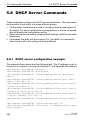
DHCP Server Commands
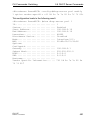
5.8.1 DHCP server configuration example
5.8.2 show dhcp-server
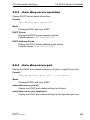
5.8.3 show dhcp-server operation
5.8.4 show dhcp-server port
5.8.5 show dhcp-server pool
5.8.6 dhcp-server addr-probe
5.8.7 dhcp-server operation
5.8.8 dhcp-server pool add <id>
5.8.9 dhcp-server pool modify <id> mode
5.8.10 dhcp-server pool modify <id> option
5.8.11 dhcp-server pool modify leasetime
5.8.12 dhcp-server pool modify <id> hirschmann-device
5.8.13 dhcp-server pool enable
490
490
492
493
493
494
494
495
495
496
498
499
499
500
CLI L2P
Release 8.0 05/2013
17
Content
5.8.14 dhcp-server pool disable
5.8.15 dhcp-server pool delete
500
500
5.9
Sub-Ring Commands
5.9.1 show sub-ring
5.9.2 sub-ring <id> mode
5.9.3 sub-ring <id> operation
5.9.4 sub-ring <id> protocol
5.9.5 sub-ring <id> port
5.9.6 sub-ring <id> ring-name
5.9.7 sub-ring <id> vlan
5.9.8 sub-ring <id> mrp-domainID
5.9.9 sub-ring delete-ring
5.9.10 sub-ring new-ring
501
501
503
504
504
505
505
506
507
508
508
6
CLI Commands: Security
509
6.1
Security Commands
6.1.1 authentication login
6.1.2 authorization network radius
6.1.3 clear dot1x statistics
6.1.4 clear radius statistics
6.1.5 dot1x defaultlogin
6.1.6 dot1x dynamic-vlan enable
6.1.7 dot1x guest-vlan
6.1.8 dot1x initialize
6.1.9 dot1x login
6.1.10 dot1x mac-auth-bypass
6.1.11 dot1x max-req
6.1.12 dot1x max-users
6.1.13 dot1x port-control
6.1.14 dot1x port-control all
6.1.15 dot1x re-authenticate
6.1.16 dot1x re-authentication
6.1.17 dot1x safe-vlan
6.1.18 dot1x system-auth-control
6.1.19 dot1x timeout
6.1.20 dot1x timeout guest-vlan-period
6.1.21 dot1x unauthenticated-vlan
6.1.22 dot1x user
6.1.23 ip ssh protocol
6.1.24 radius accounting mode
511
511
513
513
514
514
515
516
517
517
518
519
520
521
522
523
523
524
525
525
527
528
529
530
531
18
CLI L2P
Release 8.0 05/2013
Content
6.1.25
6.1.26
6.1.27
6.1.28
6.1.29
6.1.30
6.1.31
6.1.32
6.1.33
6.1.34
6.1.35
6.1.36
6.1.37
6.1.38
6.1.39
6.1.40
6.1.41
radius server host
radius server key
radius server msgauth
radius server primary
radius server retransmit
radius server timeout
show radius accounting
show authentication
show authentication users
show dot1x
show dot1x users
show dot1x clients
show ip ssh
show radius
show radius statistics
show users authentication
users login
531
533
533
534
535
536
536
539
540
540
545
546
547
548
549
551
552
6.2
HTTP Commands
6.2.1 ip http secure-port
6.2.2 ip http secure-protocol
6.2.3 ip http server
6.2.4 show ip http
6.2.5 ip https server
6.2.6 ip https port
6.2.7 ip https certgen
6.2.8 show ip https
553
553
554
555
556
557
558
558
559
7
Appendix- VLAN Example
561
7.1
SOLUTION 1
563
7.2
SOLUTION 2
565
8
Glossary
567
9
Index
583
10
Further support
591
CLI L2P
Release 8.0 05/2013
19
Content
20
CLI L2P
Release 8.0 05/2013
About this Manual
About this Manual
The “GUI” reference manual contains detailed information on using the
graphical user interface (web-based interface) to operate the individual functions of the device.
The "Command Line Interface" reference manual contains detailed information on using the Command Line Interface to operate the individual functions
of the device.
The "Installation" user manual contains a device description, safety instructions, a description of the display, and the other information that you need to
install the device.
The "Basic Configuration" user manual contains the information you need to
start operating the device. It takes you step by step from the first startup operation through to the basic settings for operation in your environment.
The "Redundancy Configuration" user manual contains the information you
need to select a suitable redundancy procedure and configure that procedure.
The "Industry Protocols" user manual describes how the device is connected
by means of a communication protocol commonly used in the industry, such
as EtherNet/IP or PROFINET IO.
The HiVision Network Management Software provides you with additional
options for smooth configuration and monitoring:
D Simultaneous configuration of multiple devices
D Graphic interface with network layout
D Auto-topology recognition
D Event log
D Event handling
D Client/server structure
D Browser interface
D ActiveX control for SCADA integration
D SNMP/OPC gateway.
CLI L2P
Release 8.0 05/2013
21
About this Manual
Maintenace
Hirschmann are continually working on improving and developing their software. You should regularly check whether there is a new version of the software that provides you with additional benefits. You will find software
information and downloads on the product pages of the Hirschmann website.
22
CLI L2P
Release 8.0 05/2013
Command Structure
1 Command Structure
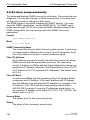
The Command Line Interface (CLI) syntax, conventions and terminology are
described in this section. Each CLI command is illustrated using the structure
outlined below.
CLI L2P
Release 8.0 05/2013
23
Command Structure
1.1 Format
1.1 Format
Commands are followed by values, parameters, or both.
U Example 1
network parms <ipaddr> <netmask> [gateway]
D network parms
is the command name.
D <ipaddr> <netmask>
are the required values for the command.
D [gateway]
is the optional value for the command.
U Example 2
snmp-server location <loc>
D snmp-server location
is the command name.
D <loc>
is the required parameter for the command.
U Example 3
clear vlan
D clear vlan
is the command name.
24
CLI L2P
Release 8.0 05/2013
Command Structure
1.1 Format
1.1.1 Command
The text in courier font is to be typed exactly as shown.
1.1.2 Parameters
Parameters are order dependent.
Parameters may be mandatory values, optional values, choices, or a combination.
D <parameter>. The <> angle brackets indicate that a mandatory parameter is to be entered in place of the brackets and text inside them.
D [parameter]. The [] square brackets indicate that an optional parameter may be entered in place of the brackets and text inside them.
D choice1 | choice2. The | indicates that only one of the parameters
should be entered.
D The {} curly braces indicate that a parameter must be chosen from the list
of choices.
1.1.3 Values
macaddr
The MAC address format is six hexadecimal numbers separated by colons, for
example 00:06:29:32:81:40.
areaid
Area IDs may be entered in dotted-decimal
notation (for example, 0.0.0.1). An area ID
of 0.0.0.0 is reserved for the backbone.
Area IDs have the same form as IP
addresses, but are distinct from IP
addresses. The IP network address of the
CLI L2P
Release 8.0 05/2013
25
Command Structure
1.1 Format
sub-netted network may be used for the
area ID.
slot/port
Valid slot and port number separated by
forward slashes. For example, 1/1 represents slot number 1 and port number 1.
logical slot/port
Logical slot and port number. This is applicable in the case of a link-aggregation
(LAG) and vlan router interfaces (9/x). The
operator can use the logical slot/port to
configure the link-aggregation.
26
CLI L2P
Release 8.0 05/2013
Command Structure
1.1 Format
1.1.4 Conventions
Network addresses are used to define a link to a remote host, workstation or
network. Network addresses are shown using the following syntax:
Address Type
ipaddr
macaddr
Format
192.168.11.110
A7:C9:89:DD:A9:B3
Range
0.0.0.0 to 255.255.255.255 (decimal)
hexadecimal digit pairs
Table 1: Network Address Syntax
Double quotation marks such as "System Name with Spaces" set off user defined strings. If the operator wishes to use spaces as part of a name parameter then it must be enclosed in double quotation marks.
Empty strings (““) are not valid user defined strings.
Command completion finishes spelling the command when enough letters of
a command are typed to uniquely identify the command word. The command
may be executed by typing <enter> (command abbreviation) or the command word may be completed by typing the <tab> or <space bar> (command
completion).
The value 'Err' designates that the requested value was not internally accessible.
The value of '-----' designates that the value is unknown.
CLI L2P
Release 8.0 05/2013
27
Command Structure
1.1 Format
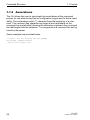
1.1.5 Annotations
The CLI allows the user to type single-line annotations at the command
prompt for use when writing test or configuration scripts and for better readability. The exclamation point (‘!’) character flags the beginning of a comment. The comment flag character can begin a word anywhere on the
command line and all input following this character is ignored. Any command
line that begins with the character ‘!’ is recognized as a comment line and ignored by the parser.
Some examples are provided below:
! Script file for setting the CLI prompt
set prompt example-switch
! End of the script file
28
CLI L2P
Release 8.0 05/2013
Command Structure
1.1 Format
1.1.6 Special keys
The following list of special keys may be helpful to enter command lines.
BS
delete previous character
Ctrl-A
Ctrl-E
go to beginning of line
go to end of line
Ctrl-F
Ctrl-B
go forward one character
go backward one character
Ctrl-D
delete current character
Ctrl-H
display command history or retrieve a command
Ctrl-U, X
Ctrl-K
delete to beginning of line
delete to end of line
Ctrl-W
delete previous word
Ctrl-T
transpose previous character
Ctrl-P
go to previous line in history buffer
Ctrl-R
rewrites or pastes the line
Ctrl-N
go to next line in history buffer
Ctrl-Y
print last deleted character
Ctrl-Q
Ctrl-S
enables serial flow
disables serial flow
Ctrl-Z
return to root command prompt
Tab, <SPACE> command-line completion
Exit
go to next lower command prompt
?
list choices
CLI L2P
Release 8.0 05/2013
29
Command Structure
1.1 Format
1.1.7 Special characters in scripts
Some of the configuration parameters are strings that can contain special
characters. When the switch creates a script from the running configuration
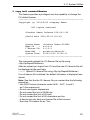
(by use of the command #show running-config <scriptname.cli>), these special characters are written to the script with a so-called escape character preceding them. This ensures that when applying the script, these characters
are regarded as a normal part of the configuration parameter, not having the
special meaning they usually have.
Character (plain)
!
"
'
?
\
Meaning, when entered in the CLI
Begin of a comment, ! and the rest of the line will be ignored
Begin or end of a string that may contain space characters
Begin or end of a string that may contain space characters
Shows possible command keywords or parameters
The backslash is used as an escape character to mask characters that
normally have a special meaning
Tab. 2: Special characters
Character (escaped)
\!
\"
\'
\?
\\
Meaning, when entered in the CLI
! becomes part of the string
" becomes part of the string
' becomes part of the string
? becomes part of the string
\ becomes part of the string
Tab. 3: Special characters escaped
30
CLI L2P
Release 8.0 05/2013
Command Structure
1.1 Format
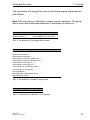
The commands with strings that may contain these special characters are
listed below.
Note: Not every string is allowed to contain special characters. The string
that is output with the escape characters (if necessary) is shown as "...".
Command
!System Description "..."
!System Version "..."
Note
"At the beginning of the script
"At the beginning of the script
Tab. 4: Commands in Privileged Exec mode
Command
snmp-server location "..."
snmp-server contact "..."
snmp-server community "..."
snmp-server community ipaddr <ip> "..."
snmp-server community ipmask <ip> "..."
snmp-server community ro "..."
snmp-server community rw "..."
no snmp-server community mode "..."
no snmp-server community "..."
link-aggregation "..."
spanning-tree configuration name "..."
ptp subdomain-name "..."
Note
Tab. 5: Commands in Global Config mode
Command
name "..."
Note
Tab. 6: Commands in Interface Config mode
CLI L2P
Release 8.0 05/2013
31
Command Structure
1.1 Format
Command
Note
vlan name <n> "..."
Tab. 7: Commands in VLAN Database mode
When a device creates a script, a human-readable header is included that
lists the special characters and the escape characters:
!Parameter string escape handling \, 1
!Characters to be preceded with escape char (\): \, !, ", ', ?
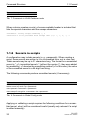
1.1.8 Secrets in scripts
A configuration may include secrets (e. g., passwords). When creating a
script, these secrets are written to it in a scrambled form, not in clear text.
These secrets may be up to 31 characters long. The format for a scrambled
secret is: ":v1:<scrambled secret>:" (without the quotes ("), they were added
for readability). v1 denotes the scrambling method (v1 in this case), the value
of the scrambled secret is a 64-digit hex string.
The following commands produce scrambled secrets (if necessary):
Command
radius server key acct <ip> <password>
radius server key auth <ip> <password>
users passwd <username> <password>
users snmpv3 encryption <username> des <password>
Note
Tab. 8: Commands in Global Config mode
Applying or validating a script requires the following conditions for a scrambled secret, else it will be considered invalid (usually only relevant if a script
is edited manually):
32
CLI L2P
Release 8.0 05/2013
Command Structure
1.1 Format
D string must not be longer than 64 hex digits
D string must only contain the digits 0-9 and the characters A-F (or a-f)
D string length must be even
CLI L2P
Release 8.0 05/2013
33
Command Structure
34
1.1 Format
CLI L2P
Release 8.0 05/2013
Quick Start up
2 Quick Start up
The CLI Quick Start up details procedures to quickly become acquainted with
the software.
CLI L2P
Release 8.0 05/2013
35
Quick Start up
2.1 Quick Starting the Switch
2.1 Quick Starting the Switch
D Read the device Installation Guide for the connectivity procedure. In-band
connectivity allows access to the software locally or from a remote workstation. The device must be configured with IP information (IP address,
subnet mask, and default gateway).
D Turn the Power on.
D Allow the device to load the software until the login prompt appears. The
device‘s initial state is called the default mode.
D When the prompt asks for operator login, execute the following steps:
D Type the word admin in the login area. Since a number of the Quick
Setup commands require administrator account rights, we recommend logging into an administrator account. Press the enter key.
D Enter the state on delivery password private.
D Press the enter key
D The CLI User EXEC prompt will be displayed.
User EXEC prompt:
(Hirschmann Product) >
D Use “enable” to switch to the Privileged EXEC mode from User EXEC.
Privileged EXEC prompt:
(Hirschmann Product) #
D Use “configure” to switch to the Global Config mode from Privileged
EXEC.
Global Config prompt:
(Hirschmann Product) (Config)#
D Use “exit” to return to the previous mode.
36
CLI L2P
Release 8.0 05/2013
Quick Start up
2.2 System Info and System Setup
2.2 System Info and System
Setup
This chapter informs you about:
D
D
D
D
D
Quick Start up Software Version Information
Quick Start up Physical Port Data
Quick Start up User Account Management
Quick Start up IP Address
Quick Start up Uploading from Switch to Out-of-Band PC
Only XMODEM)
D Quick Start up Downloading from Out-of-Band PC to Switch
(Only XMODEM)
D Quick Start up Downloading from TFTP Server
D Quick Start up Factory Defaults
CLI L2P
Release 8.0 05/2013
37
Quick Start up
2.2 System Info and System Setup
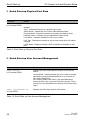
U Quick Start up Physical Port Data
Command
show port all
Details
Displays the Ports
(in Privileged EXEC)
slot/port
Type - Indicates if the port is a special type of port
Admin Mode - Selects the Port Control Administration State
Physical Mode - Selects the desired port speed and duplex mode
Physical Status - Indicates the port speed and duplex mode
Link Status - Indicates whether the link is up or down
Link Trap - Determines whether or not to send a trap when link status
changes
LACP Mode - Displays whether LACP is enabled or disabled on this
port.
Table 9: Quick Start up Physical Port Data
U Quick Start up User Account Management
Command
show users
(in Privileged EXEC)
Details
Displays all of the users that are allowed to access the
switch
Access Mode - Shows whether the user is able to change
parameters on the switch(Read/Write) or is only able to
view them (Read Only).
As a factory default, the ‘admin’ user has Read/Write
access and the ‘user’ user has Read Only access. There
can only be one Read/Write user and up to five Read Only
users.
show loginsession
Displays all of the login session information
(in User EXEC)
Table 10: Quick Start up User Account Management
38
CLI L2P
Release 8.0 05/2013
Quick Start up
Command
users passwd <username>
(in Global Config)
2.2 System Info and System Setup
Details
Allows the user to set passwords or change passwords
needed to login
A prompt will appear after the command is entered
requesting the users old password. In the absence of an
old password leave the area blank. The operator must
press enter to execute the command.
The system then prompts the user for a new password
then a prompt to confirm the new password. If the new
password and the confirmed password match a message
will be displayed.
User password should not be more than eight characters in
length.
Make sure, that the passwords of the users differ from
each other. If two or more users try to choose the same
password, the CLI will display an error message.
copy system:runningconfig
nvram:startup-config
This will save passwords and all other changes to the
device.
If you do not save the configuration by doing this command, all configurations will be lost when a power cycle is
performed on the switch or when the switch is reset.
logout
Logs the user out of the switch
(in Privileged EXEC)
(in User EXEC and Privileged
EXEC)
Table 10: Quick Start up User Account Management
CLI L2P
Release 8.0 05/2013
39
Quick Start up
2.2 System Info and System Setup
U Quick Start up IP Address
To view the network parametes the operator can access the device by the
following three methods.
D Simple Network Management Protocol - SNMP
D Telnet
D Web Browser
Note: After configuring the network parameters it is advisable to execute the
command ‘copy system:running-config nvram:startup-config’
to ensure that the configurations are not lost.
Command
show network
Details
Displays the Network Configurations
(in User EXEC)
IP Address - IP Address of the switch
Default IP is 0.0.0.0
Subnet Mask - IP Subnet Mask for the switch
Default is 0.0.0.0
Default Gateway - The default Gateway for this switch
Default value is 0.0.0.0
Burned in MAC Address - The Burned in MAC Address used for inband connectivity
Network Configurations Protocol (BOOTP/DHCP) - Indicates which
network protocol is being used
Default is DHCP
Network Configurations Protocol HiDiscovery - Indicates the status of
the HiDiscovery protocol.
Default is read-write
Management VLAN Id - Specifies VLAN id
Web Mode - Indicates whether HTTP/Web is enabled.
JavaScript Mode - Indicates whether java mode is enabled.
When the user accesses the switch’s graphical user interface (web
interface) and JavaScript Mode is enabled, the switch’s web server
will deliver a HTML page that contains JavaScript. Some browsers do
not support JavaScript. In this case, a HTML page without JavaScript
is necessary. In this case, set JavaScript Mode to disabled.
Default: enabled.
network parms
<ipaddr> <netmask> [gateway]
Sets the IP Address, subnet mask and gateway of the router. The IP
Address and the gateway must be on the same subnet.
(in Privileged EXEC)
IP Address range from 0.0.0.0 to 255.255.255.255
Table 11: Quick Start up IP Address
40
CLI L2P
Release 8.0 05/2013
Quick Start up
Command
2.2 System Info and System Setup
Details
Subnet Mask range from 0.0.0.0 to 255.255.255.255
Gateway Address range from 0.0.0.0 to 255.255.255.255
Table 11: Quick Start up IP Address
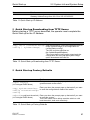
U Quick Start up Downloading from TFTP Server
Before starting a TFTP server download, the operator must complete the
Quick Start up for the IP Address.
Command
copy <url> {nvram:startupconfig | system:image}
Details
Sets the destination (download) datatype to be an
image (system:image) or a configuration file
(nvram:startup-config).
The URL must be specified as:
tftp://ipAddr/filepath/fileName.
The nvram:startup-config option downloads the
configuration file using tftp and system:image
option downloads the code file.
Table 12: Quick Start up Downloading from TFTP Server
U Quick Start up Factory Defaults
Command
clear config
(in Privileged EXEC Mode)
copy system:runningconfig nvram:startupconfig
reboot (or cold boot the switch)
(in Privileged EXEC Mode)
Details
Enter yes when the prompt pops up to clear all the configurations made to the switch.
Enter yes when the prompt pops up that asks if you want
to save the configurations made to the switch.
Enter yes when the prompt pops up that asks if you want
to reset the system.
This is the users choice either reset the switch or cold
boot the switch, both work effectively.
Table 13: Quick Start up Factory Defaults
CLI L2P
Release 8.0 05/2013
41
Quick Start up
42
2.2 System Info and System Setup
CLI L2P
Release 8.0 05/2013
Mode-based CLI
3 Mode-based CLI
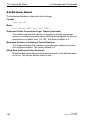
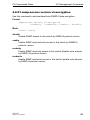
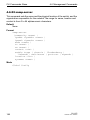
The CLI groups all the commands in appropriate modes according to the nature of the command. A sample of the CLI command modes are described
below. Each of the command modes support specific software commands.
D
D
D
D
D
D
User Exec Mode
Privileged Exec Mode
Global Config Mode
Vlan Mode
Interface Config Mode
Line Config Mode
The Command Mode table captures the command modes, the prompts visible in that mode and the exit method from that mode.
Command Mode
User Exec Mode
Access Method
This is the first level of
access. Perform basic
tasks and list system
information
Privileged Exec From the User Exec
Mode
Mode, enter the
enable command
VLAN Mode
From the Privileged
User Exec mode, enter
the vlan database
command
Global Config
From the Privileged
Mode
Exec mode, enter the
configure command
Interface Config From the Global ConMode
figuration mode, enter
the interface
<slot/port> command
Line Config Mode From the Global Configuration mode, enter
the lineconfig
command
Prompt
(Hirschmann
Product)>
Exit or Access Next Mode
Enter Logout command
(Hirschmann
Product)#
To exit to the User Exec
mode, enter exit or press
Ctrl-Z.
To exit to the Privileged
Exec mode, enter the exit
command, or press Ctrl-Z to
switch to User Exec mode.
To exit to the Privileged
Exec mode, enter the exit
command, or press Ctrl-Z to
switch to user exec mode.
To exit to the Global Config
mode enter exit. To return to
user EXEC mode enter ctrlZ.
(Hirschmann
Product)
(Vlan) #
(Hirschmann
Product)
(Config)#
(Hirschmann
Product)
(Interface"if number")#
(Hirschmann
Product)
(line) #
To exit to the Global Config
mode enter exit. To return to
User Exec mode enter ctrlZ.
Table 14: Command Mode
CLI L2P
Release 8.0 05/2013
43
Mode-based CLI
3.1 Mode-based Topology
3.1 Mode-based Topology
The CLI tree is built on a mode concept where the commands are available
according to the interface. Some of the modes are depicted in the following
figure.
ROOT
The User Exec commands
are also accessible in the
Privileged Exec mode.
User Exec
Enable
Privileged Exec
VLAN
Global Config
Interface Config
Line Config
Fig. 1:
44
Mode-based CLI
CLI L2P
Release 8.0 05/2013
Mode-based CLI
3.2 Mode-based Command Hierarchy
3.2 Mode-based Command
Hierarchy
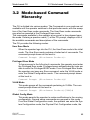
The CLI is divided into various modes. The Commands in one mode are not
available until the operator switches to that particular mode, with the exception of the User Exec mode commands. The User Exec mode commands
may also be executed in the Privileged Exec mode.
The commands available to the operator at any point in time depend upon
the mode. Entering a question mark (?) at the CLI prompt, displays a list of
the available commands and descriptions of the commands.
The CLI provides the following modes:
User Exec Mode
When the operator logs into the CLI, the User Exec mode is the initial
mode. The User Exec mode contains a limited set of commands. The
command prompt shown at this level is:
Command Prompt: (Hirschmann Product)>
Privileged Exec Mode
To have access to the full suite of commands, the operator must enter
the Privileged Exec mode. Privileged users authenticated by login are
able to enter the Privileged EXEC mode. From Privileged Exec mode,
the operator can issue any Exec command, enter the VLAN mode or
enter the Global Configuration mode . The command prompt shown
at this level is:
Command Prompt: (Hirschmann Product)#
VLAN Mode
This mode groups all the commands pertaining to VLANs. The command prompt shown at this level is:
Command Prompt: (Hirschmann Product)(VLAN)#
Global Config Mode
This mode permits the operator to make modifications to the running
configuration. General setup commands are grouped in this mode.
From the Global Configuration mode, the operator can enter the System Configuration mode, the Physical Port Configuration mode, the
CLI L2P
Release 8.0 05/2013
45
Mode-based CLI
3.2 Mode-based Command Hierarchy
Interface Configuration mode, or the Protocol Specific modes specified below. The command prompt at this level is:
Command Prompt: (Hirschmann Product)(Config)#
From the Global Config mode, the operator may enter the following configuration modes:
Interface Config Mode
Many features are enabled for a particular interface. The Interface
commands enable or modify the operation of an interface.
In this mode, a physical port is set up for a specific logical connection
operation. The Interface Config mode provides access to the router
interface configuration commands. The command prompt at this level
is:
Command Prompt: (Hirschmann Product)(Interface
<slot/port>)#
The resulting prompt for the interface configuration command entered
in the Global Configuration mode is shown below:
(Hirschmann Product)(Config)# interface 2/1
(Hirschmann Product)(Interface 2/1)#
Line Config Mode
This mode allows the operator to configure the console interface. The
operator may configure the interface from the directly connected console or the virtual terminal used with Telnet. The command prompt at
this level is:
Command Prompt: (Hirschmann Product)(Line)#
MAC Access-List Config Mode
Use the MAC Access-List Config mode to create a MAC Access-List
and to enter the mode containing Mac Access-List configuration commands.
(Hirschmann Product)(Config)# mac-access-list
extended <name>
Command Prompt: (Hirschmann Product)(Config macaccess-list)#
46
CLI L2P
Release 8.0 05/2013
Mode-based CLI
3.3 Flow of Operation
3.3 Flow of Operation
This section captures the flow of operation for the CLI:
D The operator logs into the CLI session and enters the User Exec mode.
In the User Exec mode the (Hirschmann Product)(exec)> prompt is
displayed on the screen.
The parsing process is initiated whenever the operator types a command and
presses <ENTER>. The command tree is searched for the command of interest. If the command is not found, the output message indicates where the
offending entry begins. For instance, command node A has the command
"show spanning-tree" but the operator attempts to execute the command "show arpp brief" then the output message would be
(Hirschmann Product)(exec)> show sspanning-tree^.
(Hirschmann Product)%Invalid input detected at '^' marker. If the operator has given an invalid input parameter in the command, then
the message conveys to the operator an invalid input was detected. The layout of the output is depicted below:
(Hirschmann Product)(exec) #show sspanning-tree
^
(Hirschmann Product)Invalid input detected at '^' marker.
Fig. 2:
Syntax Error Message
After all the mandatory parameters are entered, any additional parameters
entered are treated as optional parameters. If any of the parameters are not
recognized a syntax error message will be displayed.
D After the command is successfully parsed and validated, the control of
execution goes to the corresponding CLI callback function.
CLI L2P
Release 8.0 05/2013
47
Mode-based CLI
3.3 Flow of Operation
D For mandatory parameters, the command tree extends till the mandatory
parameters make the leaf of the branch. The callback function is only invoked when all the mandatory parameters are provided. For optional parameters, the command tree extends till the mandatory parameters and
the optional parameters make the leaf of the branch. However, the call
back function is associated with the node where the mandatory parameters are fetched. The call back function then takes care of the optional parameters.
D Once the control has reached the callback function, the callback function
has complete information about the parameters entered by the operator.
48
CLI L2P
Release 8.0 05/2013
Mode-based CLI
3.4 “No” Form of a Command
3.4 “No” Form of a Command
“No” is a specific form of an existing command and does not represent a new
or distinct command. Only the configuration commands are available in the
“no” form. The behavior and the support details of the “no” form is captured
as part of the mapping sheets.
3.4.1 Support for “No” Form
Almost every configuration command has a “no” form. In general, use the no
form to reverse the action of a command or reset a value back to the default.
For example, the no shutdown interface configuration command reverses the shutdown of an interface. Use the command without the keyword
”no“ to re-enable a disabled feature or to enable a feature that is disabled by
default.
3.4.2 Behavior of Command Help ("?")
The “no” form is treated as a specific form of an existing command and does
not represent a new or distinct command. However, the behavior of the “?”
and help text differ for the “no” form (the help message shows only options
that apply to the “no” form).
D The help message is the same for all forms of the command. The help
string may be augmented with details about the “no” form behavior.
D For the (no interface?) and (no inte?) cases of the “?”, the options
displayed are identical to the case when the “no” token is not specified as
in (interface) and (inte?).
CLI L2P
Release 8.0 05/2013
49
Mode-based CLI
50
3.4 “No” Form of a Command
CLI L2P
Release 8.0 05/2013
CLI Commands: Base
4 CLI Commands: Base
This chapter provides detailed explanation of the Switching commands. The
commands are divided into five functional groups:
D Show commands display switch settings, statistics, and other information.
D Configuration commands configure features and options of the switch.
For every configuration command, there is a show command that displays
the configuration setting.
D Copy commands transfer or save configuration and informational files to
and from the switch.
D Clear commands clear
- some
(e.g. the ”clear arp-table-switch” command which clears the agent´s
ARP table) or
- all
(e.g. the ”clear config” command which resets the whole
configuration to the factory defaults
This chapter includes the following configuration types:
D
D
D
D
D
D
D
D
D
D
System information and statistics commands
Management commands
Device configuration commands
User account management commands
Security commands
System utilities
Link Layer Discovery Protocol Commands
Simple Network Time Protocol Commands
Precision Time Protocol Commands
Power over Ethernet Commands
CLI L2P
Release 8.0 05/2013
51
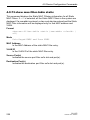
CLI Commands: Base
4.1 System Information and Statistics
4.1 System Information and
Statistics
4.1.1 show
This command displays the interface's configuration.
Format
show [all]
Mode
Interface Config
all
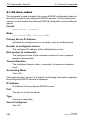
Show all the running configuration parameters on this interface.
The configuration parameters will be displayed even if their value is
the default value.
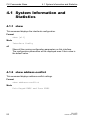
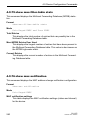
4.1.2 show address-conflict
This command displays address-conflict settings.
Format
show address-conflict
Mode
Privileged EXEC and User EXEC
52
CLI L2P
Release 8.0 05/2013
CLI Commands: Base
4.1 System Information and Statistics
4.1.3 show arp switch
This command displays the Address Resolution Protocol cache of the switch.
Format
show arp switch
Mode
Privileged EXEC and User EXEC
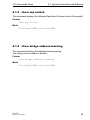
4.1.4 show bridge address-learning
This command displays the address-learning setting.
The setting can be enable or disable.
Format
show bridge address-learning
Mode
Privileged EXEC and User EXEC
CLI L2P
Release 8.0 05/2013
53
CLI Commands: Base
4.1 System Information and Statistics
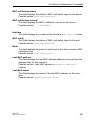
4.1.5 show bridge address-relearn-detect
This command displays the Bridge Address Relearn Detection setting and
the Bridge Address Relearn Threshold.
Format
show bridge address-relearn-detect
Mode
Privileged EXEC and User EXEC
Bridge Address Relearn Detection
Setting can be enable or disable.
Bridge Address Relearn Threshold
The threshold can be 1 to 1024.
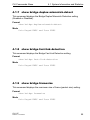
4.1.6 show bridge aging-time
This command displays the timeout for address aging.
Format
show bridge aging-time
Mode
Privileged EXEC and User EXEC
54
CLI L2P
Release 8.0 05/2013
CLI Commands: Base
4.1 System Information and Statistics
4.1.7 show bridge duplex-mismatch-detect
This command displays the Bridge Duplex Mismatch Detection setting
(Enabled or Disabled).
Format
show bridge duplex-mismatch-detect
Mode
Privileged EXEC and User EXEC
4.1.8 show bridge fast-link-detection
This command displays the Bridge Fast Link Detection setting.
Format
show bridge fast-link-detection
Mode
Privileged EXEC and User EXEC
4.1.9 show bridge framesize
This command displays the maximum size of frame (packet size) setting.
Format
show bridge framesize
Mode
Privileged EXEC and User EXEC
CLI L2P
Release 8.0 05/2013
55
CLI Commands: Base
4.1 System Information and Statistics
4.1.10 show bridge vlan-learning
This command displays the bridge vlan-learning mode.
Format
show bridge vlan-learning
Mode
Privileged EXEC and User EXEC
4.1.11 bridge framesize
Activation of long frames. Configure 1522 or 16321) or 90222) as maximum
size of frame (packet size).
Default
1522
Format
bridge framesize { 1522 | 16321) | 90222) }
Mode
Global Config
bridge framesize 1522
Configure 1522 as maximum size of frame (packet size).
bridge framesize 1632 1)
Configure 1632 1) as maximum size of frame (packet size).
bridge framesize 9022 1)
Configure 9022 2) as maximum size of frame (packet size,
jumbo frames).
1)
On MACH4000, MACH100, MACH1000 and PowerMICE: 1552
2) Available for the MACH104 and MACH1040 devices.
56
CLI L2P
Release 8.0 05/2013
CLI Commands: Base
4.1 System Information and Statistics
4.1.12 show config-watchdog
Activating the watchdog enables you to return automatically to the last
configuration after a set time period has elapsed. This gives you back your
access to the Switch.
Format
show config-watchdog
Mode
Privileged EXEC and User EXEC
4.1.13 show device-status
The signal device status is for displaying
D the monitoring functions of the switch,
D the device status trap setting.
Format
show device-status
[monitor|state|trap]
Mode
Privileged EXEC and User EXEC
Device status monitor
Displays the possible monitored events and which of them are
monitored:
– the detected failure of at least one of the supply voltages.
– the removal of the ACA
CLI L2P
Release 8.0 05/2013
57
CLI Commands: Base
4.1 System Information and Statistics
– the removal of a media module
– the temperature limits
– the defective link status of at least one port. With the switch, the
indication of link status can be masked by the management for each
port. Link status is not monitored in the delivery condition.
– the loss of Redundancy guarantee.
Ring/network coupling:
– The following conditions are reported in Stand-by mode:
– interrupted control line
– partner device running in Stand-by mode.
HIPER-Ring:
– The following condition is reported in RM mode additionally:
– Ring redundancy guaranteed. Ring redundancy is not monitored in
the delivery condition.
Device status state
Error The current device status is error.
No Error The current device status is no error.
Device status trap
enabled A trap is sent if the device status changes.
disabled No trap is sent if the device status changes.
4.1.14 show authentication
This command displays users assigned to authentication login lists.
Format
show authentication [users <listname>]
Mode
Privileged EXEC and User EXEC
58
CLI L2P
Release 8.0 05/2013
CLI Commands: Base
4.1 System Information and Statistics
4.1.15 show eventlog
This command displays the event log, which contains error messages from
the system. The event log is not cleared on a system reset.
Format
show eventlog
Mode
Privileged EXEC and User EXEC
File
The file in which the event originated.
Line
The line number of the event
Task Id
The task ID of the event.
Code
The event code.
Time
The time this event occurred.
Note: Event log information is retained across a switch reset.
CLI L2P
Release 8.0 05/2013
59
CLI Commands: Base
4.1 System Information and Statistics
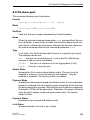
4.1.16 show interface
This command displays a summary of statistics for a specific port or a count
of all CPU traffic based upon the argument.
Format
show interface {<slot/port> |
ethernet{<slot/port>|switchport} |
switchport}
Mode
Privileged EXEC and User EXEC
The display parameters, when the argument is ' <slot/port>', is as follows :
Packets Received Without Error
The total number of packets (including broadcast packets and multicast packets) received by the processor.
Packets Received With Error
The number of inbound packets that contained errors preventing
them from being deliverable to a higher-layer protocol.
Broadcast Packets Received
The total number of packets received that were directed to the broadcast address. Note that this does not include multicast packets.
Packets Transmitted Without Error
The total number of packets transmitted out of the interface.
Transmit Packets Errors
The number of outbound packets that could not be transmitted
because of errors.
Collisions Frames
The best estimate of the total number of collisions on this Ethernet
segment.
Time Since Counters Last Cleared
The elapsed time, in days, hours, minutes, and seconds since the statistics for this port were last cleared.
The display parameters, when the argument is 'switchport', is as follows :
60
CLI L2P
Release 8.0 05/2013
CLI Commands: Base
4.1 System Information and Statistics
Packets Received Without Error
The total number of packets (including broadcast packets and multicast packets) received by the processor.
Broadcast Packets Received
The total number of packets received that were directed to the broadcast address. Note that this does not include multicast packets.
Packets Received With Error
The number of inbound packets that contained errors preventing
them from being deliverable to a higher-layer protocol.
Packets Transmitted Without Error
The total number of packets transmitted out of the interface.
Broadcast Packets Transmitted
The total number of packets that higher-level protocols requested to
be transmitted to the Broadcast address, including those that were
discarded or not sent.
Transmit Packet Errors
The number of outbound packets that could not be transmitted
because of errors.
Address Entries Currently In Use
The total number of Forwarding Database Address Table entries now
active on the switch, including learned and static entries.
VLAN Entries Currently In Use
The number of VLAN entries presently occupying the VLAN table.
Time Since Counters Last Cleared
The elapsed time, in days, hours, minutes, and seconds since the statistics for this switch were last cleared.
CLI L2P
Release 8.0 05/2013
61
CLI Commands: Base
4.1 System Information and Statistics
4.1.17 show interface ethernet
This command displays detailed statistics for a specific port or for all CPU
traffic based upon the argument.
Format
show interface ethernet {<slot/port> | switchport}
Mode
Privileged EXEC and User EXEC
The display parameters, when the argument is '<slot/port>', are as follows :
Packets Received
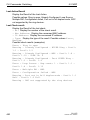
Octets Received - The total number of octets of data (including those
in bad packets) received on the network (excluding framing bits but
including Frame Check Sequence (FCS) octets). This object can be
used as a reasonable estimate of ethernet utilization. If greater precision is desired, the etherStatsPkts and etherStatsOctets objects
should be sampled before and after a common interval. ----- The
result of this equation is the value Utilization which is the percent utilization of the ethernet segment on a scale of 0 to 100 percent.
Packets Received < 64 Octets - The total number of packets (including bad packets) received that were < 64 octets in length (excluding
framing bits but including FCS octets).
Packets Received 64 Octets - The total number of packets (including bad packets) received that were 64 octets in length (excluding
framing bits but including FCS octets).
Packets Received 65-127 Octets - The total number of packets
(including bad packets) received that were between 65 and 127
octets in length inclusive (excluding framing bits but including FCS
octets).
Packets Received 128-255 Octets - The total number of packets
(including bad packets) received that were between 128 and 255
octets in length inclusive (excluding framing bits but including FCS
octets).
Packets Received 256-511 Octets - The total number of packets
(including bad packets) received that were between 256 and 511
octets in length inclusive (excluding framing bits but including FCS
octets).
Packets Received 512-1023 Octets - The total number of packets
(including bad packets) received that were between 512 and 1023
62
CLI L2P
Release 8.0 05/2013
CLI Commands: Base
4.1 System Information and Statistics
octets in length inclusive (excluding framing bits but including FCS
octets).
Packets Received 1024-1518 Octets - The total number of packets
(including bad packets) received that were between 1024 and 1518
octets in length inclusive (excluding framing bits but including FCS
octets).
Packets Received 1519-1522 Octets - The total number of packets
(including bad packets) received that were between 1519 and 1522
octets in length inclusive (excluding framing bits but including FCS
octets).
Packets Received > 1522 Octets - The total number of packets
received that were longer than 1522 octets (excluding framing bits,
but including FCS octets) and were otherwise well formed.
Packets Received Successfully
Total - The total number of packets received that were without errors.
Unicast Packets Received - The number of subnetwork-unicast
packets delivered to a higher-layer protocol.
Multicast Packets Received - The total number of good packets
received that were directed to a multicast address. Note that this
number does not include packets directed to the broadcast address.
Broadcast Packets Received - The total number of good packets
received that were directed to the broadcast address. Note that this
does not include multicast packets.
Packets Received with MAC Errors
Total - The total number of inbound packets that contained errors preventing them from being deliverable to a higher-layer protocol.
Jabbers Received - The total number of packets received that were
longer than 1518 octets (excluding framing bits, but including FCS
octets), and had either a bad Frame Check Sequence (FCS) with an
integral number of octets (FCS Error) or a bad FCS with a non-integral number of octets (Alignment Error). Note that this definition of
jabber is different than the definition in IEEE-802.3 section 8.2.1.5
(10BASE5) and section 10.3.1.4 (10BASE2). These documents
define jabber as the condition where any packet exceeds 20 ms. The
allowed range to detect jabber is between 20 ms and 150 ms.
Fragments/Undersize Received - The total number of packets
received that were less than 64 octets in length (excluding framing
bits but including FCS octets).
CLI L2P
Release 8.0 05/2013
63
CLI Commands: Base
4.1 System Information and Statistics
Alignment Errors - The total number of packets received that had a
length (excluding framing bits, but including FCS octets) of between
64 and 1518 octets, inclusive, but had a bad Frame Check Sequence
(FCS) with a non-integral number of octets.
Rx FCS Errors - The total number of packets received that had a
length (excluding framing bits, but including FCS octets) of between
64 and 1518 octets, inclusive, but had a bad Frame Check Sequence
(FCS) with an integral number of octets
Overruns - The total number of frames discarded as this port was
overloaded with incoming packets, and could not keep up with the
inflow.
Received Packets not forwarded
Total - A count of valid frames received which were discarded (i.e. filtered) by the forwarding process.
Local Traffic Frames - The total number of frames dropped in the
forwarding process because the destination address was located off
of this port.
802.3x Pause Frames Received - A count of MAC Control frames
received on this interface with an opcode indicating the PAUSE operation. This counter does not increment when the interface is operating
in half-duplex mode.
Unacceptable Frame Type - The number of frames discarded from
this port due to being an unacceptable frame type.
VLAN Membership Mismatch - The number of frames discarded on
this port due to ingress filtering.
VLAN Viable Discards - The number of frames discarded on this
port when a lookup on a particular VLAN occurs while that entry in the
VLAN table is being modified, or if the VLAN has not been configured.
Multicast Tree Viable Discards - The number of frames discarded
when a lookup in the multicast tree for a VLAN occurs while that tree
is being modified.
Reserved Address Discards - The number of frames discarded that
are destined to an IEEE 802.1 reserved address and are not supported by the system.
Broadcast Storm Recovery - The number of frames discarded that
are destined for FF:FF:FF:FF:FF:FF when Broadcast Storm Recovery
is enabled.
CFI Discards - The number of frames discarded that have CFI bit set
and the addresses in RIF are in non-canonical format.
64
CLI L2P
Release 8.0 05/2013
CLI Commands: Base
4.1 System Information and Statistics
Upstream Threshold - The number of frames discarded due to lack
of cell descriptors available for that packet's priority level.
Packets Transmitted Octets
Total Bytes - The total number of octets of data (including those in
bad packets) transmitted into the network (excluding framing bits but
including FCS octets). This object can be used as a reasonable estimate of ethernet utilization. If greater precision is desired, the etherStatsPkts and etherStatsOctets objects should be sampled before
and after a common interval. ----Packets Transmitted 64 Octets - The total number of packets
(including bad packets) transmitted that were 64 octets in length
(excluding framing bits but including FCS octets).
Packets Transmitted 65-127 Octets - The total number of packets
(including bad packets) transmitted that were between 65 and 127
octets in length inclusive (excluding framing bits but including FCS
octets).
Packets Transmitted 128-255 Octets - The total number of packets
(including bad packets) transmitted that were between 128 and 255
octets in length inclusive (excluding framing bits but including FCS
octets).
Packets Transmitted 256-511 Octets - The total number of packets
(including bad packets) transmitted that were between 256 and 511
octets in length inclusive (excluding framing bits but including FCS
octets).
Packets Transmitted 512-1023 Octets - The total number of packets
(including bad packets) transmitted that were between 512 and 1023
octets in length inclusive (excluding framing bits but including FCS
octets).
Packets Transmitted 1024-1518 Octets - The total number of packets (including bad packets) transmitted that were between 1024 and
1518 octets in length inclusive (excluding framing bits but including
FCS octets).
Packets Transmitted 1519-1522 Octets - The total number of packets (including bad packets) transmitted that were between 1519 and
1522 octets in length inclusive (excluding framing bits but including
FCS octets).
Max Info - The maximum size of the Info (non-MAC) field that this
port will receive or transmit.
CLI L2P
Release 8.0 05/2013
65
CLI Commands: Base
4.1 System Information and Statistics
Packets Transmitted Successfully
Total - The number of frames that have been transmitted by this port
to its segment.
Unicast Packets Transmitted - The total number of packets that
higher-level protocols requested be transmitted to a subnetwork-unicast address, including those that were discarded or not sent.
Multicast Packets Transmitted - The total number of packets that
higher-level protocols requested be transmitted to a Multicast
address, including those that were discarded or not sent.
Broadcast Packets Transmitted - The total number of packets that
higher-level protocols requested be transmitted to the Broadcast
address, including those that were discarded or not sent.
Transmit Errors
Total Errors - The sum of Single, Multiple, and Excessive Collisions.
Tx FCS Errors - The total number of packets transmitted that had a
length (excluding framing bits, but including FCS octets) of between
64 and 1518 octets, inclusive, but had a bad Frame Check Sequence
(FCS) with an integral number of octets
Oversized - The total number of frames that exceeded the max permitted frame size. This counter has a max increment rate of 815
counts per sec. at 10 Mb/s.
Underrun Errors - The total number of frames discarded because
the transmit FIFO buffer became empty during frame transmission.
Transmit Discards
Total Discards - The sum of single collision frames discarded, multiple collision frames discarded, and excessive frames discarded.
Single Collision Frames - A count of the number of successfully
transmitted frames on a particular interface for which transmission is
inhibited by exactly one collision.
Multiple Collision Frames - A count of the number of successfully
transmitted frames on a particular interface for which transmission is
inhibited by more than one collision.
Excessive Collisions - A count of frames for which transmission on
a particular interface is discontinued due to excessive collisions.
Port Membership - The number of frames discarded on egress for
this port due to egress filtering being enabled.
VLAN Viable Discards - The number of frames discarded on this
port when a lookup on a particular VLAN occurs while that entry in the
VLAN table is being modified, or if the VLAN has not been configured.
66
CLI L2P
Release 8.0 05/2013
CLI Commands: Base
4.1 System Information and Statistics
Protocol Statistics
BPDUs received - The count of BPDUs (Bridge Protocol Data Units)
received in the spanning tree layer.
BPDUs Transmitted - The count of BPDUs (Bridge Protocol Data
Units) transmitted from the spanning tree layer.
802.3x Pause Frames Received - A count of MAC Control frames
received on this interface with an opcode indicating the PAUSE operation. This counter does not increment when the interface is operating
in half-duplex mode.
GVRP PDU's Received - The count of GVRP PDU's received in the
GARP layer.
GMRP PDU's received - The count of GMRP PDU's received in the
GARP layer.
GMRP PDU's Transmitted - The count of GMRP PDU's transmitted
from the GARP layer.
GMRP Failed Registrations - The number of times attempted
GMRP registrations could not be completed.
STP BPDUs Transmitted - Spanning Tree Protocol Bridge Protocol
Data Units sent
STP BPDUs Received - Spanning Tree Protocol Bridge Protocol
Data Units received
RST BPDUs Transmitted - Rapid Spanning Tree Protocol Bridge
Protocol Data Units sent
RSTP BPDUs Received - Rapid Spanning Tree Protocol Bridge Protocol Data Units received
MSTP BPDUs Transmitted - Multiple Spanning Tree Protocol Bridge
Protocol Data Units sent
MSTP BPDUs Received - Multiple Spanning Tree Protocol Bridge
Protocol Data Units received
Dot1x Statistics
EAPOL Frames Received- The number of valid EAPOL frames of
any type that have been received by this authenticator.
EAPOL Frames Transmitted - The number of EAPOL frames of any
type that have been transmitted by this authenticator.
Time Since Counters Last Cleared
The elapsed time, in days, hours, minutes, and seconds since the statistics for this port were last cleared.
CLI L2P
Release 8.0 05/2013
67
CLI Commands: Base
4.1 System Information and Statistics
The display parameters, when the argument is ‘switchport, are as follows :
Octets Received - The total number of octets of data received by the
processor (excluding framing bits but including FCS octets).
Total Packets Received Without Error- The total number of packets
(including broadcast packets and multicast packets) received by the
processor.
Unicast Packets Received - The number of subnetwork-unicast
packets delivered to a higher-layer protocol.
Multicast Packets Received - The total number of packets received
that were directed to a multicast address. Note that this number does
not include packets directed to the broadcast address.
Broadcast Packets Received - The total number of packets
received that were directed to the broadcast address. Note that this
does not include multicast packets.
Receive Packets Discarded - The number of inbound packets which
were chosen to be discarded even though no errors had been
detected to prevent their being deliverable to a higher-layer protocol.
A possible reason for discarding a packet could be to free up buffer
space.
Octets Transmitted - The total number of octets transmitted out of
the interface, including framing characters.
Packets Transmitted without Errors - The total number of packets
transmitted out of the interface.
Unicast Packets Transmitted - The total number of packets that
higher-level protocols requested be transmitted to a subnetwork-unicast address, including those that were discarded or not sent.
Multicast Packets Transmitted - The total number of packets that
higher-level protocols requested be transmitted to a Multicast
address, including those that were discarded or not sent.
Broadcast Packets Transmitted - The total number of packets that
higher-level protocols requested be transmitted to the Broadcast
address, including those that were discarded or not sent.
Transmit Packets Discarded - The number of outbound packets
which were chosen to be discarded even though no errors had been
detected to prevent their being deliverable to a higher-layer protocol.
A possible reason for discarding a packet could be to free up buffer
space.
Most Address Entries Ever Used - The highest number of Forwarding Database Address Table entries that have been learned by this
switch since the most recent reboot.
68
CLI L2P
Release 8.0 05/2013
CLI Commands: Base
4.1 System Information and Statistics
Address Entries in Use - The number of Learned and static entries
in the Forwarding Database Address Table for this switch.
Maximum VLAN Entries - The maximum number of Virtual LANs
(VLANs) allowed on this switch.
Most VLAN Entries Ever Used - The largest number of VLANs that
have been active on this switch since the last reboot.
Static VLAN Entries - The number of presently active VLAN entries
on this switch that have been created statically.
Dynamic VLAN Entries - The number of presently active VLAN
entries on this switch that have been created by GVRP registration.
VLAN Deletes - The number of VLANs on this switch that have been
created and then deleted since the last reboot.
Time Since Counters Last Cleared
The elapsed time, in days, hours, minutes, and seconds, since the
statistics for this switch were last cleared.
4.1.18 show interface switchport
This command displays data concerning the internal port to the management
agent.
Format
show interface switchport
Mode
Privileged EXEC and User EXEC
CLI L2P
Release 8.0 05/2013
69
CLI Commands: Base
4.1 System Information and Statistics
4.1.19 show interface utilization
This command displays the utilization statistics for the entire device.
Format
show interface utilization
Mode
Global Config
Interface
Display port number in <slot/port> notation.
Utilization
Display the utilization on this port.
Possible values: 0..100.00%
Lower threshold
Display the lower threshold setting for the utilization statistics on this
port.
Possible values: 0..100.00%
Upper threshold
Display the upper threshold setting for the utilization statistics on this
port.
Possible values: 0..100.00%
Alarm condition
Display the alarm condition setting for the utilization statistics on this
port.
Possible values: true, false
70
CLI L2P
Release 8.0 05/2013
CLI Commands: Base
4.1 System Information and Statistics
4.1.20 show logging
This command displays the trap log maintained by the switch. The trap log
contains a maximum of 256 entries that wrap.
Format
show logging [buffered | hosts | traplogs |
snmp-requests]
Mode
Privileged EXEC and User EXEC
buffered
Display buffered (in-memory) log entries.
hosts
Display logging hosts.
traplogs
Display trap records.
snmp-requests
Display logging SNMP requests and severity level.
CLI L2P
Release 8.0 05/2013
71
CLI Commands: Base
4.1 System Information and Statistics
4.1.21 show mac-addr-table
This command displays the forwarding database entries. If the command is
entered with no parameter, the entire table is displayed. This is the same as
entering the optional all parameter. Alternatively, the administrator can enter a MAC Address to display the table entry for the requested MAC address
and all entries following the requested MAC address.
Note: This command displays only learned unicast addresses. For other
addresses use the command show mac-filter-table.
See “show mac-filter-table gmrp” on page 235.
Format
show mac-addr-table [<macaddr> <1-4042> | all]
Mode
Privileged EXEC and User EXEC
Mac Address
A unicast MAC address for which the switch has forwarding and or filtering
information. The format is 6 or 8 two-digit hexadecimal numbers that are
separated by colons, for example 01:23:45:67:89:AB.
Slot/Port
The port which this address was learned.
if Index
This object indicates the ifIndex of the interface table entry associated
with this port.
Status
The status of this entry. The meanings of the values are:
Learned The value of the corresponding instance was learned by
observing the source MAC addresses of incoming traffic, and is currently in use.
Management The value of the corresponding instance (system MAC
address) is also the value of an existing instance of
dot1dStaticAddress.
72
CLI L2P
Release 8.0 05/2013
CLI Commands: Base
4.1 System Information and Statistics
4.1.22 show signal-contact
The signal contact is for displaying
D the manual setting and the current state of the signal contact,
D the monitoring functions of the switch,
D the signal-contacts trap setting.
Format
show signal-contact
[1|2|all [mode|monitor|state|trap]]
Mode
Privileged EXEC and User EXEC
Signal contact mode
Auto The signal contact monitors the functions of the switch which
makes it possible to perform remote diagnostics.
A break in contact is reported via the zero-potential signal contact
(relay contact, closed circuit).
Device Status The signal contact monitors the device-status.
Manual This command gives you the option of remote switching the
signal contact.
Signal contact monitor
Displays the possible monitored events and which of them are monitored:
– the detected failure of at least one of the supply voltages.
– the removal of the ACA
– the removal of a media module
– the temperature limits
– the defective link status of at least one port. With the switch, the
indication of link status can be masked by the management for each
port. Link status is not monitored in the delivery condition.
– the loss of Redundancy guarantee.
Ring/network coupling:
– The following conditions are reported in Stand-by mode:
– interrupted control line
– partner device running in Stand-by mode.
HIPER-Ring:
– The following condition is reported in RM mode additionally:
– Ring redundancy guaranteed. Ring redundancy is not monitored in
the delivery condition.
CLI L2P
Release 8.0 05/2013
73
CLI Commands: Base
4.1 System Information and Statistics
Signal contact manual setting
closed The signal contact´s manual setting is closed.
open The signal contact´s manual setting is open.
Signal contact operating state
closed The signal contact is currently closed.
open The signal contact is currently open.
Signal contact trap
enabled A trap is sent if the signal contact state changes.
disabled No trap is sent if the signal contact state changes.
Note: To show the signal contact´s port related settings, use the command
show port {<slot/port> | all} (see “show port” on page 243).
74
CLI L2P
Release 8.0 05/2013
CLI Commands: Base
4.1 System Information and Statistics
4.1.23 show slot
This command is used to display information about slot(s).
For [slot] enter the slot ID.
Format
show slot [slot]
Mode
Privileged EXEC, Global Config
Slot
Display the number of the media module slot.
Status
Full The media module slot is equipped with a module.
Empty The media module slot is not equipped.
Admin State
Note: This feature is available for MS20/MS30, PowerMICE,
MACH102 and MACH4000 devices.
Enable The media module slot is logically enabled.
Disable The media module slot is logically disabled.
Configured Card Model ID
Display the type of the media module.
Card Description
Display the type of the media module.
Product Code
Display the type of the media module.
Pluggable
Yes The module is pluggable.
No The module is not pluggable.
CLI L2P
Release 8.0 05/2013
75
CLI Commands: Base
4.1 System Information and Statistics
4.1.24 show running-config
This command is used to display the current setting of different protocol
packages supported on the switch. This command displays only those
parameters, the values of which differ from default value. The output is
displayed in the script format, which can be used to configure another switch
with the same configuration.
Format
show running-config [all | <scriptname>]
Mode
Privileged EXEC
all
Show all the running configuration on the switch. All configuration
parameters will be output even if their value is the default value.
<scriptname>
Script file name for writing active configuration.
Note: Make sure that the file extension is .cli, that the file name does
not exceed 16 characters, does not start with a dot (.) and does not
contain a directory.
76
CLI L2P
Release 8.0 05/2013
CLI Commands: Base
4.1 System Information and Statistics
4.1.25 show sysinfo
This command displays switch information.
Format
show sysinfo
Mode
Privileged EXEC and User EXEC
Alarm
Displays the latest present Alarm for a signal contact.
System Description
Text used to identify this switch.
System Name
Name used to identify the switch.
System Location
Text used to identify the location of the switch. May be up to 31 alphanumeric characters. The factory default is blank.
System Contact
Text used to identify a contact person for this switch. May be up to 31
alpha-numeric characters. The factory default is blank.
System UpTime
The time in days, hours and minutes since the last switch reboot.
System Date and Time
The system clock´s date and time in local time zone.
System IP Address
The system´s IP address.
Boot Software Release
The boot code´s version number.
Boot Software Build Date
The boot code´s build date.
Operating system Software Release
The operating system´s software version number.
Operating system Software Build Date
The operating system´s software build date.
CLI L2P
Release 8.0 05/2013
77
CLI Commands: Base
4.1 System Information and Statistics
Running Software Release
The operating system´s software version number.
Running Software Build Date
The operating system´s software build date.
Stored Software Release
The stored operating system´s software version number.
Stored Software Build Date
The stored operating system´s software build date.
Backup Software Release
The backup operating system´s software version number.
Backup Software Build Date
The backup operating system´s software build date.
Backplane Hardware Revision
The hardware´s revision number.
Backplane Hardware Description
The hardware´s device description.
Serial Number (Backplane)
The hardware´s serial number.
Base MAC Address (Backplane)
The hardware´s base MAC address.
Number of MAC Addresses (Backplane)
The number of hardware MAC addresses.
Configuration state
The state of the actual configuration.
Configuration signature
The signature (watermark) of the stored configuration. The signature
changes each time the configuration is saved.
Auto Config Adapter, State
The Auto Configuration Adapter's state.
Auto Config Adapter, Serial Number
The Auto Configuration Adapter's serial number (if present and
operative).
78
CLI L2P
Release 8.0 05/2013
CLI Commands: Base
4.1 System Information and Statistics
Fan Status
The status of the MACH4000 fan.
Power Supply Information
The status of the power supplies.
Media Module Information
The description of each media module
– Description: media module type,
– Serial Number of the media modul (if available),
SFP Information:
– SFP Part ID: SFP type (if available),
– SFP Serial No. of the SFP module (if available),
– SFP Supported: yes/no,
– SFP Temperature (°C, F),
– SFP Tx Pwr, SFP transmit power (dBm / mW),
– SFP Rx Pwr, SFP receive power (dBm / mW),
– SFP Rx Pwr State: ok/warning/alarm.
CPU Utilization
The utilization of the central processing unit.
Average CPU Utilization
The average utilization of the central processing unit.
Flashdisk
Free memory on flashdisk (in Kbytes).
CLI L2P
Release 8.0 05/2013
79
CLI Commands: Base
4.1 System Information and Statistics
4.1.26 show temperature
Note: The command is available for RS20/RS30/RS40, MS20/MS30,
RSR20/RSR30, MACH100, MACH1000, PowerMICE, MACH4000 and
OCTOPUS devices.
This command displays the lower and upper temperature limit for sending a
trap.
Format
show temperature
Mode
Privileged EXEC and User EXEC
4.1.27 utilization alarm-threshold
Use this command to add the alarm threshold value for monitoring bandwidth
utilization of the interface.
Format
utilization alarm-threshold
{lower <0..10000> | upper <0..10000>}
Mode
Interface Config
lower
Enter lower utilization alarm threshold in the range of 0..10000
where 10000 represents 100%.
upper
Enter upper utilization alarm threshold in the range of 0..10000
where 10000 represents 100%.
80
CLI L2P
Release 8.0 05/2013
CLI Commands: Base
4.2 Debug Commands
4.2 Debug Commands
4.2.1 debug tcpdump help
Run diagnostics commands. With the TCP dump you run a packet
analyzer for capturing network traffic.
This command displays the supported options and expressions for the
tcpdump command.
Format
debug tcpdump help
Mode
Privileged EXEC
4.2.2 debug tcpdump start cpu
Run diagnostics commands. With the TCP dump you run a packet
analyzer for capturing network traffic.
This command starts a capture on the CPU interface with the options and
expressions in the <command> parameter.
Without the <command> parameter this command starts a capture on the
CPU interface using default options and no explicit filtering.
Format
debug tcpdump start cpu <command>
Mode
Privileged EXEC
CLI L2P
Release 8.0 05/2013
81
CLI Commands: Base
4.2 Debug Commands
4.2.3 debug tcpdump start cpu filter
Run diagnostics commands. With the TCP dump you run a packet
analyzer for capturing network traffic.
This command starts a capture on the CPU interface with the options and
expressions in the filter file.
Format
debug tcpdump start cpu filter <capturefilter>
Mode
Privileged EXEC
4.2.4 debug tcpdump stop
Run diagnostics commands. With the TCP dump you run a packet
analyzer for capturing network traffic.
This command stops a running capture on the CPU interface.
Format
debug tcpdump stop
Mode
Privileged EXEC
82
CLI L2P
Release 8.0 05/2013
CLI Commands: Base
4.2 Debug Commands
4.2.5 debug tcpdump filter show
Run diagnostics commands. With the TCP dump you run a packet
analyzer for capturing network traffic.
This command shows a saved filter file stored in flash memory.
Format
debug tcpdump filter show <capturefilter>
Mode
Privileged EXEC
4.2.6 debug tcpdump filter list
Run diagnostics commands. With the TCP dump you run a packet
analyzer for capturing network traffic.
This command lists all saved filter files stored in flash memory.
Format
debug tcpdump filter list
Mode
Privileged EXEC
CLI L2P
Release 8.0 05/2013
83
CLI Commands: Base
4.2 Debug Commands
4.2.7 debug tcpdump filter delete
Run diagnostics commands. With the TCP dump you run a packet
analyzer for capturing network traffic.
This command removes a saved filter file from the flash memory.
Format
debug tcpdump filter delete <capturefilter>
Mode
Privileged EXEC
84
CLI L2P
Release 8.0 05/2013
CLI Commands: Base
4.3 Management VLAN Commands
4.3 Management VLAN Commands
4.3.1 network mgmt_vlan
This command configures the Management VLAN ID. If you enter the VLAN
ID “0” , the agent can be accessed by all VLANs.
Default
1
Format
network mgmt_vlan <0-4042>
Mode
Privileged EXEC
CLI L2P
Release 8.0 05/2013
85
CLI Commands: Base
4.4 Class of Service (CoS) Commands
4.4 Class of Service (CoS)
Commands
This chapter provides a detailed explanation of the QoS CoS commands.
The following commands are available.
The commands are divided into these different groups:
D Configuration Commands are used to configure features and options of
the switch. For every configuration command there is a show command
that will display the configuration setting.
D Show commands are used to display device settings, statistics and other
information.
Note: The 'Interface Config' mode only affects a single interface, whereas the
'Global Config' mode is applied to all interfaces.
86
CLI L2P
Release 8.0 05/2013
CLI Commands: Base
4.4 Class of Service (CoS) Commands
4.4.1 classofservice dot1p-mapping
This command maps an 802.1p priority to an internal traffic class for a device
when in ‘Global Config’ mode. The number of available traffic classes may
vary with the platform. Userpriority and trafficclass can both be the range
from 0-7. The command is only available on platforms that support priority to
traffic class mapping on a ‘per-port’ basis, and the number of available traffic
classes may vary with the platform.
Format
classofservice dot1p-mapping
<userpriority> <trafficclass>
Mode
Global Config or Interface Config
userpriority
Enter the 802.1p priority (0-7).
trafficclass
Enter the traffic class to map the 802.1p priority (0-3).
U no classofservice dot1p-mapping
This command restores the default mapping of the 802.1p priority to an
internal traffic class.
Format
no classofservice dot1p-mapping
Modes
Global Config or Interface Config
CLI L2P
Release 8.0 05/2013
87
CLI Commands: Base
4.4 Class of Service (CoS) Commands
4.4.2 classofservice ip-dscp-mapping
This command maps an IP DSCP value to an internal traffic class.
The <ipdscp> value is specified as either an integer from 0 to 63, or
symbolically through one of the following keywords: af11, af12, af13, af21,
af22, af23, af31, af32, af33, af41, af42, af43, be, cs0, cs1, cs2, cs3, cs4, cs5,
cs6, cs7, ef.
Format
classofservice ip-dscp-mapping
<ipdscp> <trafficclass>
Mode
Global Config
ipdscp
Enter the IP DSCP value in the range of 0 to 63 or an IP DSCP
keyword (af11, af12, af13, af21, af22, af23, af31, af32, af33, af41,
af42, af43, be, cs0, cs1, cs2, cs3, cs4, cs5, cs6, cs7, ef).
trafficclass
Enter the traffic class to map the 802.1p priority (0-3).
U no classofservice ip-dscp-mapping
This command restores the default mapping of the IP DSCP value to an
internal traffic class.
Format
no classofservice dot1p-mapping
Modes
Global Config
88
CLI L2P
Release 8.0 05/2013
CLI Commands: Base
4.4 Class of Service (CoS) Commands
4.4.3 classofservice trust
This command sets the class of service trust mode of an interface. The mode
can be set to trust one of the Dot1p (802.1p) or IP DSCP packet markings.
Note: In trust ip-dscp mode the switch modifies the vlan priority for outgoing frames according to
– the DSCP mapping and VLAN mapping table
(PowerMICE, MACH1000, MACH4000)
– the a fix mapping table
(see Reference Manual „GUI Graphical User Interface“ (Web-based
Interface) for further details).
Format
classofservice trust dot1p | ip-dscp
Mode
Global Config or
Interface Config (PowerMICE, MACH1000, MACH4000)
U no classofservice trust
This command sets the interface mode to untrusted, i.e. the packet priority marking is ignored and the default port priority is used instead.
Format
no classofservice trust
Modes
Global Config or
Interface Config (PowerMICE, MACH1000, MACH4000)
CLI L2P
Release 8.0 05/2013
89
CLI Commands: Base
4.4 Class of Service (CoS) Commands
4.4.4 show classofservice dot1p-mapping
This command displays the current 802.1p priority mapping to internal traffic
classes for a specific interface. The slot/port parameter is required on
platforms that support priority to traffic class mapping on a ‘per-port’ basis.
Platforms that support priority to traffic class mapping on a per-port basis:
Format
show classofservice dot1p-mapping
Platforms that do not support priority to traffic class mapping on a per-port
basis:
Format
show classofservice dot1p-mapping
Mode
Privileged EXEC and User EXEC
90
CLI L2P
Release 8.0 05/2013
CLI Commands: Base
4.4 Class of Service (CoS) Commands
4.4.5 show classofservice ip-dscp-mapping
This command displays the current IP DSCP mapping to internal traffic classes for the global configuration settings.
Format
show classofservice ip-dscp-mapping [<slot/port>]
Mode
Privileged EXEC
The following information is repeated for each user priority.
IP DSCP
The IP DSCP value.
Traffic Class
The traffic class internal queue identifier to which the IP DSCP value
is mapped.
slot/port
Valid slot and port number separated by forward slashes.
CLI L2P
Release 8.0 05/2013
91
CLI Commands: Base
4.4 Class of Service (CoS) Commands
4.4.6 show classofservice trust
This command displays the current trust mode for the specified interface.
The slot/port parameter is optional. If specified, the trust mode of the interface is displayed. If omitted, the most recent global configuration settings are
displayed.
Format
show classofservice trust [slot/port]
Mode
Privileged EXEC
Class of Service Trust Mode
The current trust mode: Dot1p, IP DSCP, or Untrusted.
Untrusted Traffic Class
The traffic class used for all untrusted traffic. This is only displayed
when the COS trust mode is set to 'untrusted'.
slot/port
Valid slot and port number separated by forward slashes.
4.4.7 vlan port priority all
This command configures the port priority assigned for untagged packets for
all ports presently plugged into the device. The range for the priority is 0-7.
Any subsequent per port configuration will override this configuration setting.
Format
vlan port priority all <priority>
Mode
Global Config
92
CLI L2P
Release 8.0 05/2013
CLI Commands: Base
4.4 Class of Service (CoS) Commands
4.4.8 vlan priority
This command configures the default 802.1p port priority assigned for untagged packets for a specific interface. The range for the priority is 0-7
Default
0
Format
vlan priority <priority>
Mode
Interface Config
CLI L2P
Release 8.0 05/2013
93
CLI Commands: Base
4.4 Class of Service (CoS) Commands
4.4.9 dvlan-tunnel ethertype
Note: This command is available for the RS20/RS30/RS40, RSB20, MS20/
MS30, RSR20/RSR30, MACH100, MACH104, MACH1000, MACH1040,
MACH4002-24G/48G (XG), OCTOPUS, OS20/OS30 devices.
This command configures the ethertype for all core ports. The ethertype may
have the values of 802.1q, vMAN or custom. The configured ethertype is
used for VLAN classification on all ports which are configured as core ports.
Default
802.1Q
Format
dvlan-tunnel ethertype
{802.1Q | vman | custom <0-65535>}
Mode
Global Config
802.1Q
Configure the etherType as 0x8100.
custom
Custom configure the etherType for the DVlan tunnel.
Range for the optional value of the custom ethertype: 0 to 65535.
vman
Configure the etherType as 0x88A8.
94
CLI L2P
Release 8.0 05/2013
CLI Commands: Base
4.4 Class of Service (CoS) Commands
4.4.10 mode dvlan-tunnel
Note: This command is available for the RS20/RS30/RS40, RSB20, MS20/
MS30, RSR20/RSR30, MACH100, MACH104, MACH1000, MACH1040,
MACH4002-24G/48G (XG), OCTOPUS, OS20/OS30 devices.
Use this command to configure the port either as core port or access port.
Default
Disabled
Format
mode dvlan-tunnel {access | core}
Mode
Interface Config
access
Configure this port as a customer port.
core
Configure this port as a provider network port.
U no mode dvlan-tunnel
Use this command to configure the port as normal switch port and to
disable the DVLAN tunneling.
Default
Disabled
Format
no mode dvlan-tunnel
Mode
Interface Config
CLI L2P
Release 8.0 05/2013
95
CLI Commands: Base
4.4 Class of Service (CoS) Commands
4.4.11 show dvlan-tunnel
Note: This command is available for the RS20/RS30/RS40, RSB20, MS20/
MS30, RSR20/RSR30, MACH100, MACH104, MACH1000, MACH1040,
MACH4002-24G/48G (XG), OCTOPUS, OS20/OS30 devices.
Use this command to display the DVLAN-Tunnel mode and used ether-type
for the specified interface(s).
Format
show dvlan-tunnel [interface {slot/port} | all]
Modes
Privileged EXEC
User EXEC
<slot/port>
Enter an interface in slot/port format.
all
Enter 'all' for all interfaces.
Interface
Display the number of the interface (slot/port).
Possible values (example): 1/1, 1/2, 2/1, 2/2, 2/3.
Mode
Display the DVLAN-Tunnel mode.
Possible values: normal, ....
EtherType
Display the used ether-type.
Possible values: 802.1Q, vman, custom.
96
CLI L2P
Release 8.0 05/2013
CLI Commands: Base
4.5 Link Aggregation(802.3ad) Commands
4.5 Link Aggregation(802.3ad)
Commands
4.5.1 link-aggregation staticcapability
This command enables the support of link-aggregations (static LAGs) on the
device. By default, the static capability for all link-aggregations is disabled.
Default
disabled
Format
link-aggregation staticcapability
Mode
Global Config
U no link-aggregation staticcapability
This command disables the support of static link-aggregations (LAGs) on
the device.
Default
disabled
Format
no link-aggregation staticcapability
Mode
Global Config
CLI L2P
Release 8.0 05/2013
97
CLI Commands: Base
4.5 Link Aggregation(802.3ad) Commands
4.5.2 show link-aggregation brief
This command displays the static capability of all link-aggregations (LAGs)
on the device as well as a summary of individual link-aggregations.
Format
show link-aggregation brief
Mode
Privileged EXEC and User EXEC
Static Capability
This field displays whether or not the device has static capability
enabled.
For each link-aggregation the following information is displayed:
Name
This field displays the name of the link-aggregation.
Link State
This field indicates whether the link is up or down.
Mbr Ports
This field lists the ports that are members of this link-aggregation, in
<slot/port> notation.
Max. num. of LAGs
Displays the maximum number of concurrently configured link aggregations on this device.
Slot no. for LAGs
Displays the slot number for all configured link aggregations on this
device.
98
CLI L2P
Release 8.0 05/2013
CLI Commands: Base
4.6 Management Commands
4.6 Management Commands
These commands manage the switch and show current management
settings.
4.6.1 telnet
This command establishes a new outbound telnet connection to a remote
host. The host value must be a valid IP address. Valid values for port should
be a valid decimal integer in the range of 0 to 65535, where the default value
is 23. If [debug] is used, the current telnet options enabled is displayed. The
optional line parameter sets the outbound telnet operational mode as
‘linemode’, where by default, the operational mode is ‘character mode’. The
echo option enables local echo and only takes effect when the local switch is
accessed via the serial connection (V.24).
Format
telnet <host> <port> [debug] [line] [echo]
Mode
Privileged EXEC and User EXEC
CLI L2P
Release 8.0 05/2013
99
CLI Commands: Base
4.6 Management Commands
4.6.2 transport input telnet
This command regulates new telnet sessions. If sessions are enabled, new
telnet sessions can be established until there are no more sessions
available. If sessions are disabled, no new telnet sessions are established.
An established session remains active until the session is ended or an
abnormal network error ends the session.
Default
enabled
Format
transport input telnet
Mode
Line Config
U no transport input telnet
This command disables telnet sessions. If sessions are disabled, no new
telnet sessions are established.
Format
no transport input telnet
Mode
Line Config
100
CLI L2P
Release 8.0 05/2013
CLI Commands: Base
4.6 Management Commands
4.6.3 transport output telnet
This command regulates new outbound telnet connections. If enabled, new
outbound telnet sessions can be established until it reaches the maximum
number of simultaneous outbound telnet sessions allowed.
If disabled, no new outbound telnet session can be established. An
established session remains active until the session is ended or an abnormal
network error ends it.
Default
enabled
Format
transport output telnet
Mode
Line Config
U no transport output telnet
This command disables new outbound telnet connections. If disabled, no
new outbound telnet connection can be established.
Format
no transport output telnet
Mode
Line Config
CLI L2P
Release 8.0 05/2013
101
CLI Commands: Base
4.6 Management Commands
4.6.4 session-limit
This command specifies the maximum number of simultaneous outbound
telnet sessions. A value of 0 indicates that no outbound telnet session can be
established.
Default
4
Format
session-limit <0-5>
Mode
Line Config
U no session-limit
This command sets the maximum number of simultaneous outbound telnet sessions to the default value.
Format
no session-limit
Mode
Line Config
102
CLI L2P
Release 8.0 05/2013
CLI Commands: Base
4.6 Management Commands
4.6.5 session-timeout
This command sets the telnet session timeout value.The timeout value unit
of time is minutes.
Default
5
Format
session-timeout <1-160>
Mode
Line Config
U no session-timeout
This command sets the telnet session timeout value to the default. The
timeout value unit of time is minutes.
Format
no session-timeout
Mode
Line Config
4.6.6 bridge address-learning
To enable you to observe the data at all the ports, the Switch allows you to
disable the learning of addresses. When the learning of addresses is disabled, the Switch transfers all the data from all ports to all ports. The default
value is enable.
Format
bridge address-learning {disable|enable}
Mode
Global Config
CLI L2P
Release 8.0 05/2013
103
CLI Commands: Base
4.6 Management Commands
4.6.7 bridge address-relearn detect operation
This command enables or disables Bridge Address Relearn Detection.
The default value is disable.
Default
Disabled
Format
bridge address-relearn detect operation
{disable|enable}
Mode
Global Config
4.6.8 bridge address-relearn detect threshold
This command defines the value of relearned addresses to signal address
relearn threshold exceeded.
The default relearn threshold is 1. Possible values to configure threshold
count are 1 to 1024.
Default
1
Format
bridge address-relearn-detect threshold <value>
Mode
Global Config
value
1 to 1024
104
CLI L2P
Release 8.0 05/2013
CLI Commands: Base
4.6 Management Commands
4.6.9 bridge aging-time
This command configures the forwarding database address aging timeout in
seconds.
Default
30
Format
bridge aging-time <10-630>
Mode
Global Config
Seconds
The <seconds> parameter must be within the range of 10 to 630 seconds.
U no bridge aging-time
This command sets the forwarding database address aging timeout to
30 seconds.
Format
no bridge aging-time
Mode
Global Config
CLI L2P
Release 8.0 05/2013
105
CLI Commands: Base
4.6 Management Commands
4.6.10 bridge fast-link-detection
This command enables or disables the Bridge Fast Link Detection.
Default
Enabled
Format
bridge fast-link-detection {disable|enable}
Mode
Global Config
4.6.11 bridge duplex-mismatch-detect operation
This command enables or disables Bridge Duplex Mismatch Detection.
Reasons for Duplex Mismatch can be:
- A local port is configured to fix full-duplex.
- A port is configured to auto-negotiation and has negotiated HalfDuplexMode.
Duplex Mismatch can be excluded, when the local port is configured to autonegotiation and duplex mode is negotiated to full-duplex.
Note: If counters and configuration settings indicate a Duplex Mismatch, the
reason can also be a bad cable and/or EMI.
Default
Enabled
Format
bridge duplex-mismatch-detect operation
{disable|enable}
Mode
Global Config
106
CLI L2P
Release 8.0 05/2013
CLI Commands: Base
4.6 Management Commands
4.6.12 bridge vlan-learning
With ”independent” you set the Shared VLAN Learning mode to Independent. The switch will treat equal MAC source addresses from different VLANs
as separate addresses.
With ”shared” you set the Shared VLAN Learning mode to Shared. The
switch will treat equal MAC source addresses from different VLANs as the
same adress.
Format
bridge vlan-learning {independent|shared}
Mode
Global Config
4.6.13 digital-input
This command configures the MICE IO-Module digital inputs.
Format
digital-input
admin-state {enable | disable}
refresh-interval <refresh-interval>
log-event {all | <slot/input>} {enable|disable}
snmp-trap {all | <slot/input>} {enable|disable}
Mode
Global Config
admin-state
This command enables or disables the polling task for digital inputs of
the MICE IO-Module. When disabled, no event logging or SNMP
traps will work. Default: disable.
disable Disable the IO-Module digital inputs admin state.
enable Enable the IO-Module digital inputs admin state.
CLI L2P
Release 8.0 05/2013
107
CLI Commands: Base
4.6 Management Commands
refresh-interval
This command configures the digital inputs refresh interval. Each
input configured for event logging or SNMP traps is polled with this
interval.
<refresh-interval> The refresh interval is in the range of 1..10
seconds. Default: 1.
log-event
This command enables or disables the event logging of input status
changes for one or all digital inputs. Default: disable.
The input state will be checked according to the interval set with IO<refresh-interval>.
all Configure the IO-Module event logging for all digital inputs.
<slot/input> Configure the IO-Module event logging for a single
digital input.
disable Disable event logging for digital input status changes.
enable Enable event logging for digital input status changes.
snmp-trap
This command enables or disables the sending of SNMP traps in
case of input status changes for one or all digital inputs. Default:
disable.
The trap will be sent to all SNMP trap receivers configured with
snmptrap.
The input state will be checked according to the interval set with IO<refresh-interval>.
all Configure the IO-Module SNMP trap for all digital inputs.
<slot/input> Configure the IO-Module SNMP trap for a single
digital input.
disable Disable SNMP traps for digital input status changes.
enable Enable SNMP traps for digital input status changes.
108
CLI L2P
Release 8.0 05/2013
CLI Commands: Base
4.6 Management Commands
4.6.14 digital-output
This command configures the IO-Module digital outputs.
Format
digital-output
admin-state {enable | disable}
refresh-interval <refresh-interval>
retry-count <refresh-interval>
log-event {all | <slot/output>} {enable|disable}
snmp-trap {all | <slot/output>} {enable|disable}
mirror all | <slot>/<output> {disable |
from <IPaddress> <slot>/<input>}
Mode
Global Config
admin-state
This command enables or disables the polling task for digital outputs
of the MICE IO-Module. When disabled, no event logging or SNMP
traps will work. Default: disable.
disable Disable the IO-Module digital outputs admin state.
enable Enable the IO-Module digital outputs admin state.
refresh-interval
This command configures the IO-Module digital outputs refresh
interval. Each output configured for input mirroring is refreshed (input
is polled) with this interval.
<refresh-interval> The refresh interval is in the range of 1..10
seconds. Default: 1.
retry-count
This command configures the number of retry counts for setting digital outputs of the MICE IO-Module. Each output configured for input
mirroring is set to the default value (low) when after the number of
configured retries no SNMP get request was answered.
<refresh-interval> The refresh interval is in the range of 1..10
seconds. Default: 1.
log-event
This command enables or disables the event logging of output status
changes for one or all digital outputs. Default: disable.
The output state will be checked according to the interval set with IO-
CLI L2P
Release 8.0 05/2013
109
CLI Commands: Base
4.6 Management Commands
<refresh-interval>.
Configure the IO-Module event logging for one or all digital outputs.
all Configure the IO-Module event logging for all digital outputs.
<slot/output> Configure the IO-Module event logging for a
single digital output.
disable Disable event logging for digital output status changes.
enable Enable event logging for digital output status changes.
snmp-trap
This command enables or disables the sending of SNMP traps in
case of output status changes for one or all digital outputs. Default:
disable.
The trap will be sent to all SNMP trap receivers configured with
snmptrap.
The output state will be checked according to the interval set with IO<refresh-interval>.
all Configure the IO-Module SNMP trap for all digital outputs.
<slot/output> Configure the IO-Module SNMP trap for a single
digital output.
disable Disable SNMP traps for digital output status changes.
enable Enable SNMP traps for digital output status changes.
110
CLI L2P
Release 8.0 05/2013
CLI Commands: Base
4.6 Management Commands
mirror
Configure the IO-Module mirroring for one or all digital outputs.
This command determines the input mirrored to the currently selected
output.
To disable mirroring, the following commands are equivalent:
digital-output mirror 1/2 disable
digital-output mirror 1/2 from 0.0.0.0 1/1
<all>: Configure the IO-Module mirroring for all digital outputs.
<slot/output>: Configure the IO-Module mirroring for a single
digital output. The <slot> value determines the IO-module slot
number on the device with the selected IP address.
disable: Disable the IO-Module mirroring for a single digital
output.
from: Enable the IO-Module mirroring for a single digital output from
<IP-address> <slot/input>
<IPaddress>: The IP address value detemines the IP address
used for reading the input value. Use IP address 127.0.0.1 or the system IP address to mirror inputs from a local IO module. When IP
address is 0.0.0.0 no input is mirrored to the output (the output value
is set to 'low'). Default: 0.0.0.0.
<slot/input>: The <input> value determines the input number on
this device. Default: 1/1.
CLI L2P
Release 8.0 05/2013
111
CLI Commands: Base
4.6 Management Commands
4.6.15 show digital-input
This command shows the input value or configuration from all available
digital inputs of the MICE I/O Module.
Format
show digital-input
Mode
Global Config
Digital Input System Information:
Admin State
Show the IO-Module digital inputs Admin State.
Possible values: Disabled, Enabled.
Refresh Interval [s]
Show the IO-Module digital inputs Refresh Interval in seconds.
Value range: 1-10.
Digital Input Information:
Input
Show numbers of the IO-Module digital input.
Possible values (example): 1/1, 1/2, 1/3, 1/4,
3/1, 3/2, 3/3, 3/4
Value
Show the value of the IO-Module digital inputs.
Possible values: Not available, High, Low.
Log-Event
Show if Event logging is enabled or disabled for the IO-Module digital
inputs.
Possible values: Disabled, Enabled.
SNMP-trap
Show if SNMP traps are enabled or disabled for the IO-Module digital
inputs.
Possible values: Disabled, Enabled.
112
CLI L2P
Release 8.0 05/2013
CLI Commands: Base
4.6 Management Commands
4.6.16 show digital-input config
This command shows the IO-Module digital inputs global configuration.
Format
show digital-input config
Mode
Global Config
Digital Input System Information:
Admin State
Show the IO-Module digital inputs Admin State.
Possible values: Disabled, Enabled.
Refresh Interval [s]
Show the IO-Module digital inputs Refresh Interval in seconds.
Value range: 1-10.
CLI L2P
Release 8.0 05/2013
113
CLI Commands: Base
4.6 Management Commands
4.6.17 show digital-input all
This command shows the IO-Module value or configuration for all inputs.
Format
show digital-input all {all | config | value}
Mode
Global Config
all
Show the IO-Module configuration and value for all inputs
config
Show the IO-Module configuration for all inputs.
value
Show the IO-Module value for all inputs.
Digital Input Information:
Input
Show numbers of the IO-Module digital input.
Possible values (example): 1/1, 1/2, 1/3, 1/4,
3/1, 3/2, 3/3, 3/4
Value
Show the value of the IO-Module digital inputs.
Possible values: Not available, High, Low.
Log-Event
Show if Event logging is enabled or disabled for the IO-Module digital
inputs. Possible values: Disabled, Enabled.
SNMP-trap
Show if SNMP traps are enabled or disabled for the IO-Module digital
inputs. Possible values: Disabled, Enabled.
114
CLI L2P
Release 8.0 05/2013
CLI Commands: Base
4.6 Management Commands
4.6.18 show digital-input <slot/input>
This command shows the IO-Module value or configuration for a single input.
Format
show digital-input <slot/input>
{all | config | value}
Mode
Global Config
all
Show the IO-Module configuration and value for one input.
config
Show the IO-Module configuration for one input.
value
Show the IO-Module value for one input.
Digital Input <slot/input> Value
Show the value of the IO-Module digital input.
Possible values: Not available, High, Low.
Digital Input <slot/input> Log-Event
Show if Event logging is enabled or disabled for the IO-Module digital
input. Possible values: Disabled, Enabled.
Digital Input <slot/input> SNMP-trap
Show if SNMP traps are enabled or disabled for the IO-Module digital
input. Possible values: Disabled, Enabled.
CLI L2P
Release 8.0 05/2013
115
CLI Commands: Base
4.6 Management Commands
4.6.19 show digital-output
This command shows the output value or configuration from all available
digital outputs of the MICE I/O Module.
Format
show digital-output
Mode
Global Config
Digital output System Information:
Admin State
Show the IO-Module digital outputs Admin State.
Possible values: Disabled, Enabled.
Refresh Interval [s]
Show the IO-Module digital outputs Refresh Interval in seconds.
Value range: 1-10.
Retry Count
Show the value of the IO-Module digital outputs Retry count.
Value range: 1-10.
Digital output Information:
Output
Show numbers of the IO-Module digital output.
Possible values (example): 1/1, 1/2, 1/3, 1/4,
3/1, 3/2, 3/3, 3/4
Value
Show the value of the IO-Module digital outputs.
Possible values: Not available, High, Low.
Log-Event
Show if Event logging is enabled or disabled for the IO-Module digital
outputs.
Possible values: Disabled, Enabled.
SNMP-trap
Show if SNMP traps are enabled or disabled for the IO-Module digital
outputs.
Possible values: Disabled, Enabled.
116
CLI L2P
Release 8.0 05/2013
CLI Commands: Base
4.6 Management Commands
Mirror from IP
Show the IP address used for reading the input value.
Possible values: None, a.b.c.d (valid IP address).
Input
Show the input number of the device used for reading the input value.
Possible values (example): 1/1, 1/2, 1/3, 1/4,
3/1, 3/2, 3/3, 3/4
4.6.20 show digital-output config
This command shows the IO-Module digital outputs global configuration.
Format
show digital-output config
Mode
Global Config
Digital output System Information:
Admin State
Show the IO-Module digital outputs Admin State.
Possible values: Disabled, Enabled.
Refresh Interval [s]
Show the IO-Module digital outputs Refresh Interval in seconds.
Value range: 1-10.
Retry Count
Show the value of the IO-Module digital outputs Retry count.
Value range: 1-10.
CLI L2P
Release 8.0 05/2013
117
CLI Commands: Base
4.6 Management Commands
4.6.21 show digital-output all
This command shows the IO-Module value or configuration for all outputs.
Format
show digital-output all {all | config | value}
Mode
Global Config
all
Show the IO-Module configuration and value for all outputs
config
Show the IO-Module configuration for all outputs.
value
Show the IO-Module value for all outputs.
Digital output Information:
output
Show numbers of the IO-Module digital output.
Possible values (example): 1/1, 1/2, 1/3, 1/4,
3/1, 3/2, 3/3, 3/4
Value
Show the value of the IO-Module digital outputs.
Possible values: Not available, High, Low.
Log-Event
Show if Event logging is enabled or disabled for the IO-Module digital
outputs. Possible values: Disabled, Enabled.
SNMP-trap
Show if SNMP traps are enabled or disabled for the IO-Module digital
outputs. Possible values: Disabled, Enabled.
Mirror from IP
Show the IP address used for reading the input value.
Possible values: None, a.b.c.d (valid IP address).
Input
Show the input number of the device used for reading the input value.
Possible values (example): 1/1, 1/2, 1/3, 1/4,
3/1, 3/2, 3/3, 3/4
118
CLI L2P
Release 8.0 05/2013
CLI Commands: Base
4.6 Management Commands
4.6.22 show digital-output <slot/output>
This command shows the IO-Module value or configuration for a single output.
Format
show digital-output <slot/output>
{all | config | value}
Mode
Global Config
all
Show the IO-Module configuration and value for one output.
config
Show the IO-Module configuration for one output.
value
Show the IO-Module value for one output.
Digital output <slot/output> Value
Show the value of the IO-Module digital output.
Possible values: Not available, High, Low, Invalid.
Digital output <slot/output> Log-Event
Show if Event logging is enabled or disabled for the IO-Module digital
output. Possible values: Disabled, Enabled.
Digital output <slot/output> SNMP-trap
Show if SNMP traps are enabled or disabled for the IO-Module digital
output. Possible values: Disabled, Enabled.
Digital Output <slot/output> Mirror from IP
Show the IP address used for reading the input value.
Possible values: Not configured, a.b.c.d (valid IP address).
CLI L2P
Release 8.0 05/2013
119
CLI Commands: Base
4.6 Management Commands
4.6.23 ethernet-ip
This command controls the EtherNet/IP function on the switch.
Detailed information you can find in the User Manual Industrial Protocols.
Default
depends on the order code (standard = disable)
Format
ethernet-ip admin-state {enable | disable}
Mode
Global Config
Admin-state
disable: Disables the EtherNet/IP function on this device.
Note: The relevant MIB objects are still accessible.
enable: Enables the EtherNet/IP function on this device.
120
CLI L2P
Release 8.0 05/2013
CLI Commands: Base
4.6 Management Commands
4.6.24 iec61850-mms
Note: This command is available for the RSR20/RSR30 and MACH1000
devices.
This command is used to configure the IEC61850 MMS server functionality
on this device.
Default
disable
Format
iec61850-mms { admin-state {enable | disable} |
write-access {enable | disable} }
Mode
Global Config
Admin-state
Disable: Disables the IEC61850 MMS Server functionality on
this device. This is the default.
Note: The relevant MIB objects are still accessible.
Enable: Enables the IEC61850 MMS Server functionality on this
device.
Write-access
Disable: Disables the write-access of the IEC61850 MMS Server
on this device.This is the default.
Enable: Enables the write-access of the IEC61850 MMS Server on
this device.
Note: Write-Access via the IEC61850 MMS Server will be non
authenticated. This could be a possible security risk.
CLI L2P
Release 8.0 05/2013
121
CLI Commands: Base
4.6 Management Commands
4.6.25 show iec61850-mms
Note: This command is available for the RSR20/RSR30 and MACH1000
devices.
This command is used to show the IEC61850 MMS server settings on this
device.
Default
disable
Format
show iec61850-mms
Mode
Global Config
IEC61850 MMS Server Admin State
Display the IEC61850 MMS Server Admin State.
Possible values: Enable, Disable
IEC61850 MMS Server Write-Access State
Show the IEC61850 MMS Server Write-Access State.
Possible values: Enable, Disable
122
CLI L2P
Release 8.0 05/2013
CLI Commands: Base
4.6 Management Commands
4.6.26 network javascriptmode
When the user accesses the switch’s graphical user interface (web-based interface), the switch’s web server will deliver a HTML page that contains
JavaScript.
Default
enabled
Format
network javascriptmode
Mode
Privileged EXEC
U no network javascriptmode
When the user accesses the switch’s graphical user interface (webbased interface), the switch’s web server will deliver a HTML page that
contains no JavaScript.
Format
no network javascriptmode
Mode
Privileged EXEC
CLI L2P
Release 8.0 05/2013
123
CLI Commands: Base
4.6 Management Commands
4.6.27 network mgmt-access add
This command is used to configure the restricted management access
feature (RMA).
It creates a new empty entry at the <index> (if you enter the command with
parameter <index>) or at the next free index (if you enter the command
without parameter <index>).
Format
network mgmt-access add [index]
Mode
Global Config
[index]
Index of the entry in the range 1..16.
4.6.28 network mgmt-access delete
This command is used to configure the restricted management access
feature (RMA).
It deletes an existing entry with <index>.
Format
network mgmt-access delete <index>
Mode
Global Config
<index>
Index of the entry in the range 1..16.
124
CLI L2P
Release 8.0 05/2013
CLI Commands: Base
4.6 Management Commands
4.6.29 network mgmt-access modify
This command is used to configure the restricted management access
feature (RMA).
The command modifies an existing rule with <index> to change IP address,
net mask and allowed services.
Format
network mgmt-access modify <index>
{ ip <address> |
mask <netmask> |
http {enable | disable} |
snmp {enable | disable} |
telnet {enable | disable} |
ssh {enable |disable } }
Mode
Global Config
<index>
Index of the entry in the range 1..16.
<ip>
Configure IP address which should have access to management
<mask>
Configure network mask to allow a subnet for management access.
<http>
Configure if HTTP is allowed to have management access.
<snmp>
Configure if SNMP is allowed to have management access.
<telnet>
Configure if TELNET is allowed to have management access.
<ssh>
Configure if SSH is allowed to have management access.
enable
Allow the service to have management access.
disable
Do not allow the service to have management access.
CLI L2P
Release 8.0 05/2013
125
CLI Commands: Base
4.6 Management Commands
4.6.30 network mgmt-access operation
This command is used to configure the restricted management access
feature (RMA).
It enables or disables the service to have management
access. The default value is disable.
Format
network mgmt-access operation {disable|enable}
Mode
Global Config
enable
Enable the restricted management access function globally.
disable
Disable the restricted management access function globally.
4.6.31 network mgmt-access status
This command is used to configure the restricted management access
feature (RMA).
It activates/deactivates an existing rule with <index>.
Format
network mgmt-access status <index>
{enable | disable}
Mode
Global Config
<index>
Index of the entry in the range 1..16.
enable
Allow the service to have management access.
disable
Do not allow the service to have management access.
126
CLI L2P
Release 8.0 05/2013
CLI Commands: Base
4.6 Management Commands
4.6.32 network parms
This command sets the IP Address, subnet mask and gateway of the router.
The IP Address and the gateway must be on the same subnet.
Format
network parms <ipaddr> <netmask> [gateway]
Mode
Privileged EXEC
4.6.33 network protocol
This command specifies the network configuration protocol to be used.
If you modify this value, change is effective immediately after you saved your
changes.
The parameter bootp indicates that the switch periodically sends requests
to a Bootstrap Protocol (BootP) server or a DHCP server until a response is
received.
none indicates that the switch should be manually configured with IP information.
Independently of the BootP and DHCP settings, HiDiscovery can be
configured as an additional protocol.
Default
DHCP
Format
network protocol {none | bootp | dhcp | hidiscovery
{off | read-only | read-write}}
Mode
Privileged EXEC
CLI L2P
Release 8.0 05/2013
127
CLI Commands: Base
4.6 Management Commands
4.6.34 network priority
This command configures the VLAN priority or the IP DSCP value for outgoing management packets. The <ipdscp> is specified as either an integer
from 0-63, or symbolically through one of the following keywords:
af11,af12,af13,af21,af22,af23,af31,af32,af33,af41,af42,af43,be,cs0, cs1,
cs2,cs3,cs4,cs5,cs6,cs7,ef.
Default
0 for both values
Format
network priority {dot1p-vlan <0-7> |
ip-dscp <ipdscp> }
Mode
Privileged EXEC
U no network priority
This command sets the VLAN priority or the IP DSCP value for outgoing
management packets to default which means VLAN priority 0 or
IP DSCP value 0 (Best effort).
Format
no network priority {dot1p-vlan | ip-dscp }
Mode
Privileged EXEC
128
CLI L2P
Release 8.0 05/2013
CLI Commands: Base
4.6 Management Commands
4.6.35 profinetio
This command controls the PROFINET IO function on the switch.
Detailed information you can find in the User Manual Industrial Protocols.
Default
depends on the order code (standard = disable)
Format
profinetio admin-state {enable | disable}
Mode
Global Config
Admin-state
disable Disables the PROFINET IO function on this device.
Note: The relevant MIB objects are still accessible.
enable Enables the PROFINET IO function on this device.
CLI L2P
Release 8.0 05/2013
129
CLI Commands: Base
4.6 Management Commands
4.6.36 serial timeout
This command specifies the maximum connect time (in minutes) without
console activity. A value of 0 indicates that a console can be connected indefinitely. The time range is 0 to 160.
Default
5
Format
serial timeout <0-160>
Mode
Line Config
U no serial timeout
This command sets the maximum connect time without console activity
(in minutes) back to the default value.
Format
no serial timeout
Mode
Line Config
4.6.37 set prompt
This command changes the name of the prompt. The length of name may be
up to 64 alphanumeric characters.
Format
set prompt <prompt string>
Mode
Privileged EXEC
130
CLI L2P
Release 8.0 05/2013
CLI Commands: Base
4.6 Management Commands
4.6.38 show ethernet-ip
This command displays the admin state of the EtherNet/IP function.
Format
show ethernet-ip
Mode
Privileged EXEC and User EXEC
4.6.39 show network
This command displays configuration settings associated with the switch's
network interface. The network interface is the logical interface used for inband connectivity with the switch via any of the switch's front panel ports.
The configuration parameters associated with the switch's network interface
do not affect the configuration of the front panel ports through which traffic is
switched or routed.
Format
show network
Mode
Privileged EXEC and User EXEC
System IP Address
The IP address of the interface. The factory default value is 0.0.0.0
Subnet Mask
The IP subnet mask for this interface. The factory default value is
0.0.0.0
Default Gateway
The default gateway for this IP interface. The factory default value is
0.0.0.0
Burned In MAC Address
The burned in MAC address used for in-band connectivity.
CLI L2P
Release 8.0 05/2013
131
CLI Commands: Base
4.6 Management Commands
Network Configuration Protocol (BootP/DHCP)
Indicates which network protocol is being used. The options are
bootp | dhcp | none.
DHCP Client ID (same as SNMP System Name)
Displays the DHCP Client ID.
Network Configuration Protocol HiDiscovery
Indicates in which way the HiDiscovery protocol is being used. The
options are off | read-only | read-write.
Management VLAN ID
Specifies the management VLAN ID.
Management VLAN Priority
Specifies the management VLAN Priority.
Management VLAN IP-DSCP Value
Specifies the management VLAN IP-DSCP value.
Java Script Mode
Specifies if the Switch will use Java Script to start the Management
Applet. The factory default is enabled.
132
CLI L2P
Release 8.0 05/2013
CLI Commands: Base
4.6 Management Commands
4.6.40 show network mgmt-access
This command displays the operating status and entries for restricted
management access (RMA).
Format
show network mgmt-access
Mode
Privileged EXEC and User EXEC
Operation
Indicates whether the opeartion for RMA is enabled or not.
The options are Enabled | Disabled.
ID
Index of the entry for restricted management access (1 to max. 16).
IP Address
The IP address which should have access to management.
The factory default value is 0.0.0.0.
Netmask
The network mask to allow a subnet for management access.
The factory default value is 0.0.0.0.
HTTP
Indicates whether HTTP is allowed to have management access or
not. The options are Yes | No.
SNMP
Indicates whether SNMP is allowed to have management access or
not. The options are Yes | No.
TELNET
Indicates whether TELNETis allowed to have management access or
not. The options are Yes | No.
SSH
Indicates whether SSH is allowed to have management access or
not. The options are Yes | No.
Active
Indicates whether the feature is active or not. The options are
[x] | [ ].
CLI L2P
Release 8.0 05/2013
133
CLI Commands: Base
4.6 Management Commands
4.6.41 show profinetio
This command displays the admin state of the PROFINET IO function.
Format
show profinetio
Mode
Privileged EXEC and User EXEC
4.6.42 show serial
This command displays serial communication settings for the switch.
Format
show serial
Mode
Privileged EXEC and User EXEC
Serial Port Login Timeout (minutes)
Specifies the time, in minutes, of inactivity on a Serial port connection,
after which the Switch will close the connection. Any numeric value
between 0 and 160 is allowed, the factory default is 5. A value of 0
disables the timeout.
134
CLI L2P
Release 8.0 05/2013
CLI Commands: Base
4.6 Management Commands
4.6.43 show snmp-access
This command displays SNMP access information related to global and
SNMP version settings. SNMPv3 is always enabled.
Format
show snmp-access
Mode
Privileged EXEC
CLI L2P
Release 8.0 05/2013
135
CLI Commands: Base
4.6 Management Commands
4.6.44 show snmpcommunity
This command displays SNMP community information. Six communities are
supported. You can add, change, or delete communities. The switch does
not have to be reset for changes to take effect.
The SNMP agent of the switch complies with SNMP Version 1 (for more
about the SNMP specification, see the SNMP RFCs). The SNMP agent
sends traps through TCP/IP to an external SNMP manager based on the
SNMP configuration (the trap receiver and other SNMP community
parameters).
Format
show snmpcommunity
Mode
Privileged EXEC
SNMP Community Name
The community string to which this entry grants access. A valid entry
is a case-sensitive alphanumeric string of up to 32 characters. Each
row of this table must contain a unique community name.
Client IP Address An IP address (or portion thereof) from which this device will accept
SNMP packets with the associated community. The requesting
entity's IP address is ANDed with the Subnet Mask before being compared to the IP Address. Note that if the Subnet Mask is set to 0.0.0.0,
an IP Address of 0.0.0.0 matches all IP addresses. The default value
is 0.0.0.0
Client IP Mask A mask to be ANDed with the requesting entity's IP address before
comparison with IP Address. If the result matches with IP Address
then the address is an authenticated IP address. For example, if the
IP Address = 9.47.128.0 and the corresponding Subnet Mask =
255.255.255.0 a range of incoming IP addresses would match, i.e.
the incoming IP Address could equal 9.47.128.0 - 9.47.128.255. The
default value is 0.0.0.0
Access Mode
The access level for this community string.
Status
The status of this community access entry.
136
CLI L2P
Release 8.0 05/2013
CLI Commands: Base
4.6 Management Commands
4.6.45 show snmptrap
This command displays SNMP trap receivers. Trap messages are sent
across a network to an SNMP Network Manager. These messages alert the
manager to events occurring within the switch or on the network. Six trap receivers are simultaneously supported.
Format
show snmptrap
Mode
Privileged EXEC
SNMP Trap Name
The community string of the SNMP trap packet sent to the trap manager. This may be up to 32 alphanumeric characters. This string is
case sensitive.
IP Address
The IP address to receive SNMP traps from this device. Enter four
numbers between 0 and 255 separated by periods.
Status
A pull down menu that indicates the receiver's status (enabled or disabled) and allows the administrator/user to perform actions on this
user entry:
Enable - send traps to the receiver
Disable - do not send traps to the receiver.
Delete - remove the table entry.
CLI L2P
Release 8.0 05/2013
137
CLI Commands: Base
4.6 Management Commands
4.6.46 show telnet
This command displays outbound telnet settings.
Format
show telnet
Mode
Privileged EXEC and User EXEC
Outbound Telnet Connection Login Timeout (minutes)
This object indicates the number of minutes a remote connection
session is allowed to remain inactive before being logged off. May be
specified as a number from 1 to 160. The factory default is 5.
Maximum Number of Outbound Telnet Sessions
This object indicates the number of simultaneous outbound connection sessions allowed. The factory default is 5.
Allow New Outbound Telnet Sessions
Indicates that new outbound telnet sessions will not be allowed when
set to no. The factory default value is yes.
138
CLI L2P
Release 8.0 05/2013
CLI Commands: Base
4.6 Management Commands
4.6.47 show telnetcon
This command displays inbound telnet settings.
Format
show telnetcon
Mode
Privileged EXEC and User EXEC
Telnet Connection Login Timeout (minutes)
This object indicates the number of minutes a remote connection session is allowed to remain inactive before being logged off. May be
specified as a number from 1 to 160. The factory default is 4.
Maximum Number of Remote Telnet Sessions
This object indicates the number of simultaneous remote connection
sessions allowed. The factory default is 2 (4 for version L2P).
Allow New Telnet Sessions
Indicates that new telnet sessions will not be allowed when set to no.
The factory default value is yes.
CLI L2P
Release 8.0 05/2013
139
CLI Commands: Base
4.6 Management Commands
4.6.48 show trapflags
This command displays trap conditions. Configure which traps the switch
should generate by enabling or disabling the trap condition. If a trap condition
is enabled and the condition is detected, the switch's SNMP agent sends the
trap to all enabled trap receivers. The switch does not have to be reset to implement the changes. Cold and warm start traps are always generated and
cannot be disabled.
Format
show trapflags
Mode
Privileged EXEC and User EXEC
Authentication Flag
May be enabled or disabled. The factory default is enabled. Indicates
whether authentication failure traps will be sent.
Chassis
Indicates whether traps that are related to the chassis functionality of
the switch will be sent. These functions include the signal contacts,
the ACA, temperature limits exceeded, changes in the module map,
addition or removal of SFP modules, status of power supply has
changed and the LLDP and SNTP features. May be enabled or disabled.
Default: enabled.
Layer 2 Redundancy
Indicates whether traps that are related to the layer 2 redundancy
features of the switch will be sent. The HiPER-Ring and the
Redundant Coupling will tell you with these traps when the main line
has become inoperative or returned. May be enabled or disabled.
Default: enabled.
Link Up/Down Flag
May be enabled or disabled. The factory default is enabled. Indicates
whether link status traps will be sent.
Multiple Users Flag
May be enabled or disabled. The factory default is enabled. Indicates
whether a trap will be sent when the same user ID is logged into the
switch more than once at the same time (either via telnet or serial
port).
140
CLI L2P
Release 8.0 05/2013
CLI Commands: Base
4.6 Management Commands
Port Security (MAC, IP and 802.1X)
Enable/disable sending port security event traps (for MAC/IP port
security as well as for 802.1X).
Spanning Tree Flag
May be enabled or disabled. The factory default is enabled. Indicates
whether spanning tree traps will be sent.
4.6.49 snmp-access global
This command configures the global SNMP access setting (for all SNMP
versions).
Format
snmp-access global {disable|enable|read-only}
Mode
Global Config
disable
Disable SNMP access to this switch, regardless of the SNMP version
used.
enable
Enable SNMP read and write access to this switch, regardless of the
SNMP version used.
read-only
Enable SNMP read-only access to this switch (disable write access),
regardless of the SNMP version used.
CLI L2P
Release 8.0 05/2013
141
CLI Commands: Base
4.6 Management Commands
4.6.50 snmp-access version
This command configures the SNMP version specific access mode for
SNMPv1 and SNMPv2.
Format
snmp-access version {all|v1|v2} {disable|enable}
Mode
Global Config
all
Enable or disable SNMP access by all protocol versions (v1 and v2).
v1
Enable or disable SNMP access by v1.
v2
Enable or disable SNMP access by v2.
142
CLI L2P
Release 8.0 05/2013
CLI Commands: Base
4.6 Management Commands
4.6.51 snmp-access version v3-encryption
Use this command to activate/deactivate SNMPv3 data encryption.
Format
snmp-access version v3-encryption
{readonly | readwrite} {enable | disable}
Mode
Global Config
disable
Disable SNMP access to this switch by SNMPv3 protocol version.
enable
Enable SNMP read and write access to this switch by SNMPv3
protocol version.
readonly
Enable SNMP read-only access to this switch (disable write access)
by SNMPv33 protocol version.
readwrite
Enable SNMP read-write access to this switch (enable write access)
by SNMPv3 protocol version.
CLI L2P
Release 8.0 05/2013
143
CLI Commands: Base
4.6 Management Commands
4.6.52 snmp-server
This command sets the name and the physical location of the switch, and the
organization responsible for the network.The range for name, location and
contact is from 0 to 64 alphanumeric characters.
Default
None
Format
snmp-server
{community <name> |
ipaddr <ipaddr> <name> |
ipmask <ipmask> <name> |
mode <name> |
ro <name> |
rw <name> |
contact <con> |
enable traps { chassis | l2redundancy |
linkmode | multiusers | port-sec | stpmode }
location <loc> |
sysname <name> }
Mode
Global Config
144
CLI L2P
Release 8.0 05/2013
CLI Commands: Base
4.6 Management Commands
4.6.53 snmp-server community
This command adds a new SNMP community name. A community name is
a name associated with the switch and with a set of SNMP managers that
manage it with a specified privileged level. The length of name can be up to
32 case-sensitive characters.
Note: Community names in the SNMP community table must be unique.
When making multiple entries using the same community name, the first
entry is kept and processed and all duplicate entries are ignored.
Default
Two default community names: Public and Private. You can replace
these default community names with unique identifiers for each community. The default values for the remaining four community names
are blank.
Format
snmp-server community <name>
Mode
Global Config
U no snmp-server community
This command removes this community name from the table. The name
is the community name to be deleted.
Format
no snmp-server community <name>
Mode
Global Config
CLI L2P
Release 8.0 05/2013
145
CLI Commands: Base
4.6 Management Commands
4.6.54 snmp-server contact
This command adds a new SNMP server contact.
Format
snmp-server contact <con>
Mode
Global Config
con
Enter system contact up to 63 characters in length.
If the name contains spaces, enclose it in quotation marks (").
U no snmp-server contact
This command removes this SNMP server contact from the table.
<con> is the SNMP server contact to be deleted.
Format
no snmp-server contact <con>
Mode
Global Config
146
CLI L2P
Release 8.0 05/2013
CLI Commands: Base
4.6 Management Commands
4.6.55 snmp-server community ipaddr
This command sets a client IP address for an SNMP community. The address is the associated community SNMP packet sending address and is
used along with the client IP mask value to denote a range of IP addresses
from which SNMP clients may use that community to access the device. A
value of 0.0.0.0 allows access from any IP address. Otherwise, this value is
ANDed with the mask to determine the range of allowed client IP addresses.
The name is the applicable community name.
Default
0.0.0.0
Format
snmp-server community ipaddr <ipaddr> <name>
Mode
Global Config
U no snmp-server community ipaddr
This command sets a client IP address for an SNMP community to
0.0.0.0. The name is the applicable community name.
Format
no snmp-server community ipaddr <name>
Mode
Global Config
CLI L2P
Release 8.0 05/2013
147
CLI Commands: Base
4.6 Management Commands
4.6.56 snmp-server community ipmask
This command sets a client IP mask for an SNMP community. The address
is the associated community SNMP packet sending address and is used
along with the client IP address value to denote a range of IP addresses from
which SNMP clients may use that community to access the device. A value
of 255.255.255.255 will allow access from only one station, and will use that
machine's IP address for the client IP Address. A value of 0.0.0.0 will allow
access from any IP address. The name is the applicable community name.
Default
0.0.0.0
Format
snmp-server community ipmask <ipmask> <name>
Mode
Global Config
U no snmp-server community ipmask
This command sets a client IP mask for an SNMP community to 0.0.0.0.
The name is the applicable community name. The community name may
be up to 32 alphanumeric characters.
Format
no snmp-server community ipmask <name>
Mode
Global Config
148
CLI L2P
Release 8.0 05/2013
CLI Commands: Base
4.6 Management Commands
4.6.57 snmp-server community mode
This command activates an SNMP community. If a community is enabled, an
SNMP manager associated with this community manages the switch according to its access right. If the community is disabled, no SNMP requests using
this community are accepted. In this case the SNMP manager associated
with this community cannot manage the switch until the Status is changed
back to Enable.
Default
The default private and public communities are enabled by default.
The four undefined communities are disabled by default.
Format
snmp-server community mode <name>
Mode
Global Config
U no snmp-server community mode
This command deactivates an SNMP community. If the community is
disabled, no SNMP requests using this community are accepted. In this
case the SNMP manager associated with this community cannot
manage the switch until the Status is changed back to Enable.
Format
no snmp-server community mode <name>
Mode
Global Config
CLI L2P
Release 8.0 05/2013
149
CLI Commands: Base
4.6 Management Commands
4.6.58 snmp-server community ro
This command restricts access to switch information. The access mode is
read-only (also called public).
Format
snmp-server community ro <name>
Mode
Global Config
4.6.59 snmp-server community rw
This command restricts access to switch information. The access mode is
read/write (also called private).
Format
snmp-server community rw <name>
Mode
Global Config
4.6.60 snmp-server location
This command configures the system location.
Format
snmp-server location <system location>
Mode
Global Config
150
CLI L2P
Release 8.0 05/2013
CLI Commands: Base
4.6 Management Commands
4.6.61 snmp-server sysname
This command configures the system name.
Format
snmp-server sysname <system name>
Mode
Global Config
4.6.62 snmp-server enable traps
This command enables the Authentication Trap Flag.
Default
enabled
Format
snmp-server enable traps
Mode
Global Config
U no snmp-server enable traps
This command disables the Authentication Trap Flag.
Format
no snmp-server enable traps
Mode
Global Config
CLI L2P
Release 8.0 05/2013
151
CLI Commands: Base
4.6 Management Commands
4.6.63 snmp-server enable traps chassis
Configures whether traps that are related to the chassis functionality of the
switch will be sent. These functions include the signal contacts, the ACA,
temperature limits exceeded, changes in the module map, addition or
removal of SFP modules, status of power supply has changed and the LLDP
and SNTP features. May be enabled or disabled.
Default: enabled.
Default
enabled
Format
snmp-server enable traps chassis
Mode
Global Config
U no snmp-server enable traps chassis
This command disables chassis traps for the entire switch.
Format
no snmp-server enable traps chassis
Mode
Global Config
152
CLI L2P
Release 8.0 05/2013
CLI Commands: Base
4.6 Management Commands
4.6.64 snmp-server enable traps l2redundancy
Indicates whether traps that are related to the layer 2 redundancy features of
the switch will be sent. The HiPER-Ring and the Redundant Coupling will tell
you with these traps when the main line has become inoperative or returned.
May be enabled or disabled.
Default: enabled.
Default
enabled
Format
snmp-server enable traps l2redundancy
Mode
Global Config
U no snmp-server enable traps l2redundancy
This command disables layer 2 redundancy traps for the entire switch.
Format
no snmp-server enable traps l2redundancy
Mode
Global Config
CLI L2P
Release 8.0 05/2013
153
CLI Commands: Base
4.6 Management Commands
4.6.65 snmp-server enable traps linkmode
This command enables Link Up/Down traps for the entire switch. When enabled, link traps are sent only if the Link Trap flag setting associated with the
port is enabled (see ‘snmp trap link-status’ command).
Default
enabled
Format
snmp-server enable traps linkmode
Mode
Global Config
U no snmp-server enable traps linkmode
This command disables Link Up/Down traps for the entire switch.
Format
no snmp-server enable traps linkmode
Mode
Global Config
154
CLI L2P
Release 8.0 05/2013
CLI Commands: Base
4.6 Management Commands
4.6.66 snmp-server enable traps multiusers
This command enables Multiple User traps. When the traps are enabled, a
Multiple User Trap is sent when a user logs in to the terminal interface (EIA
232 (serial port) or telnet) and there is an existing terminal interface session.
Default
enabled
Format
snmp-server enable traps multiusers
Mode
Global Config
U no snmp-server enable traps multiusers
This command disables Multiple User traps.
Format
no snmp-server enable traps multiusers
Mode
Global Config
CLI L2P
Release 8.0 05/2013
155
CLI Commands: Base
4.6 Management Commands
4.6.67 snmp-server enable traps port-sec
This command enables port security traps. When the traps are enabled, a
Port Security Trap is sent if a port security event occurs
(applies to MAC/IP Port Security as well as to 802.1X Port Security).
Default
enabled
Format
snmp-server enable traps port-sec
Mode
Global Config
U no snmp-server enable traps port-sec
This command disables Port Security traps.
Format
no snmp-server enable traps port-sec
Mode
Global Config
156
CLI L2P
Release 8.0 05/2013
CLI Commands: Base
4.6 Management Commands
4.6.68 snmp-server enable traps stpmode
This command enables the sending of new root traps and topology change
notification traps.
Default
enabled
Format
snmp-server enable traps stpmode
Mode
Global Config
U no snmp-server enable traps stpmode
This command disables the sending of new root traps and topology
change notification traps.
Format
no snmp-server enable traps stpmode
Mode
Global Config
CLI L2P
Release 8.0 05/2013
157
CLI Commands: Base
4.6 Management Commands
4.6.69 snmptrap
This command adds an SNMP trap name. The maximum length of name is
32 case-sensitive alphanumeric characters.
Default
The default name for the six undefined community names is Delete.
Format
snmptrap <name> <ipaddr> [snmpversion snmpv1]
Mode
Global Config
U no snmptrap
This command deletes trap receivers for a community.
Format
no snmptrap <name> <ipaddr>
Mode
Global Config
158
CLI L2P
Release 8.0 05/2013
CLI Commands: Base
4.6 Management Commands
4.6.70 snmptrap ipaddr
This command assigns an IP address to a specified community name. The
maximum length of name is 32 case-sensitive alphanumeric characters.
Note: IP addresses in the SNMP trap receiver table must be unique. If you
make multiple entries using the same IP address, the first entry is retained
and processed. All duplicate entries are ignored.
Format
snmptrap ipaddr <name> <ipaddr> <ipaddrnew>
Mode
Global Config
ipaddr
Enter the old IP Address.
ipaddrnew
Enter the new IP Address.
CLI L2P
Release 8.0 05/2013
159
CLI Commands: Base
4.6 Management Commands
4.6.71 snmptrap mode
This command activates or deactivates an SNMP trap. Enabled trap receivers are active (able to receive traps). Disabled trap receivers are inactive (not
able to receive traps).
Format
snmptrap mode <name> <ipaddr>
Mode
Global Config
U no snmptrap mode
This command deactivates an SNMP trap. Disabled trap receivers are
inactive (not able to receive traps).
Format
no snmptrap mode <name> <ipaddr>
Mode
Global Config
160
CLI L2P
Release 8.0 05/2013
CLI Commands: Base
4.6 Management Commands
4.6.72 snmptrap snmpversion
This command configures SNMP trap version for a specified community.
Format
snmptrap snmpversion <name> <ipAddr>
{snmpv1 | snmpv2}
Mode
Global Config
name
Enter the community name.
ipAaddr
Enter the IP Address.
snmpv1
Use SNMP v1 to send traps.
snmpv2
Use SNMP v2 to send traps.
CLI L2P
Release 8.0 05/2013
161
CLI Commands: Base
4.6 Management Commands
4.6.73 telnetcon maxsessions
Configure the number of remote telnet connections allowed.
Default
5
Format
telnetcon maxsessions <0-5>
Mode
Privileged EXEC
U no telnetcon maxsessions
This command sets the maximum number of telnet connection sessions
that can be established to the default value.
Format
no telnetcon maxsessions
Mode
Privileged EXEC
162
CLI L2P
Release 8.0 05/2013
CLI Commands: Base
4.6 Management Commands
4.6.74 telnetcon timeout
This command sets the telnet connection session timeout value, in minutes.
A session is active as long as the session has not been idle for the value set.
The time is a decimal value from 1 to 160.
Default
5
Format
telnetcon timeout <1-160>
Mode
Privileged EXEC
U no telnetcon timeout
This command sets the telnet connection session timeout value to the
default.
Changing the timeout value for active sessions does not become effective until the session is reaccessed. Also, any keystroke activates the
new timeout duration.
Format
no telnetcon timeout
Mode
Privileged EXEC
CLI L2P
Release 8.0 05/2013
163
CLI Commands: Base
4.7 Syslog Commands
4.7 Syslog Commands
This section provides a detailed explanation of the Syslog commands. The
commands are divided into two functional groups:
D Show commands display spanning tree settings, statistics, and other information.
D Configuration Commands configure features and options of the device.
For every configuration command there is a show command that displays
the configuration setting.
4.7.1 logging buffered
This command enables logging to an in-memory log where up to 128 logs are
kept.
Default
enabled
Format
logging buffered
Mode
Global Config
U no logging buffered
This command disables logging to in-memory log.
Format
no logging buffered
164
CLI L2P
Release 8.0 05/2013
CLI Commands: Base
4.7 Syslog Commands
4.7.2 logging buffered wrap
This command enables wrapping of in-memory logging when full capacity
reached. Otherwise when full capacity is reached, logging stops.
Default
wrap
Format
logging buffered wrap
Mode
Privileged EXEC
U no logging buffered wrap
This command disables wrapping of in-memory logging and
configures logging to stop when capacity is full.
Format
no logging buffered wrap
CLI L2P
Release 8.0 05/2013
165
CLI Commands: Base
4.7 Syslog Commands
4.7.3 logging cli-command
This command enables the CLI command Logging feature. The Command
Logging component enables the switch software to log all Command Line
Interface (CLI) commands issued on the system.
Default
disabled
Format
logging cli-command
Mode
Global Config
U no logging cli-command
This command disables the CLI command Logging feature.
Format
no logging cli-command
166
CLI L2P
Release 8.0 05/2013
CLI Commands: Base
4.7 Syslog Commands
4.7.4 logging console
This command enables logging to the console. The <severitylevel> value is
specified as either an integer from 0 to 7 or symbolically through one of the
following keywords: emergency (0), alert (1), critical (2), error (3), warning
(4), notice (5), informational (6), debug (7).
Default
disabled; alert
Format
logging console [severitylevel] | <[0-7]>
Mode
Global Config
severitylevel | [0-7]
Enter Logging Severity Level (emergency|0, alert|1, critical|2, error|3,
warning|4, notice|5, info|6, debug|7).
Note: Selecting a lower severity level (larger number) will include all
messages from higher severity levels (smaller numbers).
Possible severity levels: see Table 15
U no logging console
This command disables logging to the console.
Format
no logging console
CLI L2P
Release 8.0 05/2013
167
CLI Commands: Base
4.7 Syslog Commands
4.7.5 logging host
This command enables logging to a host where up to eight hosts can be
configured.
Default
Port - 514; Level - Critical;
Format
logging host <hostaddress>
[<port> [<severitylevel>]]
Mode
Global Config
Severity number
0
Severity name
emergency
1
2
3
4
5
6
7
alert
critical
error
warning
notice
info
debug
Meaning
Minimum severity to be logged is 0. This is the
highest level and will result in all other messages of
lower levels not being logged.
Minimum severity to be logged is 1.
Minimum severity to be logged is 2.
Minimum severity to be logged is 3.
Minimum severity to be logged is 4.
Minimum severity to be logged is 5.
Minimum severity to be logged is 6.
Minimum severity to be logged is 7. This is the lowest
level and will result in messages of all levels being
logged.
Tab. 15: Possible severity levels
168
CLI L2P
Release 8.0 05/2013
CLI Commands: Base
4.7 Syslog Commands
4.7.6 logging host reconfigure
The Logging Host Index for which to change the IP Address.
Format
logging host reconfigure <hostindex> <hostaddress>
Mode
Global Config
4.7.7 logging host remove
The Logging Host Index to be removed.
Format
logging host remove <hostindex>
Mode
Global Config
4.7.8 logging snmp-requests get operation
This command enables or disables the logging of SNMP GET requests.
Default
Disabled
Format
logging snmp-requests get operation
{ enable | disable }
Mode
Global Config
CLI L2P
Release 8.0 05/2013
169
CLI Commands: Base
4.7 Syslog Commands
4.7.9 logging snmp-requests set operation
This command enables or disables the logging of SNMP SET requests.
Default
Disabled
Format
logging snmp-requests set operation
{ enable | disable }
Mode
Global Config
4.7.10 logging snmp-requests get severity
With this command you can define the severity level of logging SNMP GET
requests.
Default
Disabled
Format
logging snmp-requests get severity <level|[0-7]>
Mode
Global Config
level | [0-7]
Enter Logging Severity Level (emergency|0, alert|1, critical|2, error|3,
warning|4, notice|5, info|6, debug|7).
Note: Selecting a lower severity level (larger number) will include all
messages from higher severity levels (smaller numbers).
170
CLI L2P
Release 8.0 05/2013
CLI Commands: Base
4.7 Syslog Commands
4.7.11 logging snmp-requests set severity
With this command you can define the severity level of logging SNMP SET
requests.
Default
Disabled
Format
logging snmp-requests set severity <level|[0-7]>
Mode
Global Config
level | [0-7]
Enter Logging Severity Level (emergency|0, alert|1, critical|2, error|3,
warning|4, notice|5, info|6, debug|7).
Note: Selecting a lower severity level (larger number) will include all
messages from higher severity levels (smaller numbers).
4.7.12 logging syslog
This command enables syslog logging.
Default
disabled
Format
logging syslog
Mode
Global Config
U no logging syslog
This command disables syslog logging.
Format
no logging syslog
CLI L2P
Release 8.0 05/2013
171
CLI Commands: Base
4.7 Syslog Commands
4.7.13 logging syslog port
Enter the port number of the syslog server.
Default
514
Format
logging syslog port <portid>
Mode
Global Config
172
CLI L2P
Release 8.0 05/2013
CLI Commands: Base
4.8 Scripting Commands
4.8 Scripting Commands
Configuration Scripting allows the user to generate text-formatted script files
representing the current configuration. These configuration script files can be
uploaded to a PC and edited, downloaded to the system and applied to the
system. Configuration scripts can be applied to one or more switches with no/
minor modifications.
Use the show running-config command to capture the running configuration
into a script. Use the copy command to transfer the configuration script to and
from the switch.
Scripts are intended to be used on systems with default configuration but
users are not prevented from applying scripts on systems with non-default
configurations.
Note:
D The file extension must be “.cli”.
D A maximum of ten scripts are allowed on the switch.
D The combined size of all script files on the switch shall not exceed
1024 KB.
4.8.1 script apply
This command applies the commands in the script to the switch. We recommend that the system have default configurations but users are not prevented from applying scripts on systems with non-default configurations. The
<scriptname> parameter is the name of the script to apply.
Format
script apply <scriptname>
Mode
Privileged EXEC
CLI L2P
Release 8.0 05/2013
173
CLI Commands: Base
4.8 Scripting Commands
4.8.2 script delete
This command deletes a specified script where the <scriptname> parameter
is the name of the script to be deleted. The ‘all’ option deletes all the scripts
present on the switch.
Format
script delete {<scriptname> | all}
Mode
Privileged EXEC
4.8.3 script list
This command lists all scripts present on the switch as well as the remaining
available space.
Format
script list [aca]
Mode
Privileged EXEC
Configuration Script
Name of the script.
Without the optional ACA parameter: Listing of the scripts in the
switch´s flash memory.
With the optional ACA parameter: Listing of the scripts on the external
ACA 21-USB.
Size
Size of the script.
174
CLI L2P
Release 8.0 05/2013
CLI Commands: Base
4.8 Scripting Commands
4.8.4 script show
This command displays the contents of a script file. The parameter <scriptname> is the name of the script file.
Format
script show <scriptname>
Mode
Privileged EXEC
The format of display is
Line <no>: <Line contents>
4.8.5 script validate
This command validates a script file by parsing each line in the script file
where <scriptname> is the name of the script to validate.The validate option
is intended to be used as a tool for script development.
Validation identifies potential problems. It may or may not identify all problems with a given script on any given device.
Format
script validate <scriptname>
Mode
Privileged EXEC
CLI L2P
Release 8.0 05/2013
175
CLI Commands: Base
176
4.8 Scripting Commands
CLI L2P
Release 8.0 05/2013
4.9 Device Configuration Commands
4.9
Device Configuration
Commands
4.9.1 addport
This command adds one port to the Link Aggregation (LAG). The given interface is a logical slot and port number of a configured Link Aggregation.
Note: Before adding a port to a Link Aggregation, set the physical mode of
the port. See ‘speed’ command.
Format
addport <logical slot/port>
Mode
Interface Config
CLI L2P
Release 8.0 05/2013
177
4.9 Device Configuration Commands
4.9.2 adminmode
This command enables the whole Link Aggregation as one single port.
Note: Before adding a port to a Link Aggregation, set the physical mode of
the port. See ‘speed’ command.
Format
adminmode
Mode
Interface Config
U no adminmode
This command disables the whole Link Aggregation as one single port.
Format
no adminmode
Mode
Interface Config
178
CLI L2P
Release 8.0 05/2013
4.9 Device Configuration Commands
4.9.3 auto-disable reason
This command enables the port disabling on this device by reason.
Default
Disabled
Format
auto-disable reason
{link-flap | crc-error | overload-detection}
Mode
Global Config
link-flap
Enable the port disabling on this device by link flap.
crc-error
Enable the port disabling on this device by CRC error.
overload-detection
Enable the port disabling on this device by overload detection.
U no auto-disable reason
This command disables the port disabling on this device by reason.
Default
Disabled
Format
no auto-disable reason
{link-flap | crc-error | overload-detection}
Mode
Global Config
link-flap
Disable the port disabling on this device by link flap.
crc-error
Disable the port disabling on this device by CRC error.
overload-detection
Disable the port disabling on this device by overload detection.
CLI L2P
Release 8.0 05/2013
179
4.9 Device Configuration Commands
4.9.4 auto-disable timer
This command defines the time after which a deactivated port is activated
again.
Default
0
Format
auto-disable timer {0 | 30..2147483}
Mode
Interface Config
{0 | 30..2147483}
Timer value in seconds after a deactivated port is activated again.
Possible values:
0 The value 0 disables the timer.
30..2147483.
180
CLI L2P
Release 8.0 05/2013
4.9 Device Configuration Commands
4.9.5 auto-negotiate
This command enables automatic negotiation on a port. The default value is
enable.
Format
auto-negotiate
Mode
Interface Config
U no auto-negotiate
This command disables automatic negotiation on a port.
Format
no auto-negotiate
Mode
Interface Config
CLI L2P
Release 8.0 05/2013
181
4.9 Device Configuration Commands
4.9.6 auto-negotiate all
This command enables automatic negotiation on all ports.
The default value is enable.
Format
auto-negotiate all
Mode
Global Config
U no auto-negotiate all
This command disables automatic negotiation on all ports.
Format
no auto-negotiate all
Mode
Global Config
182
CLI L2P
Release 8.0 05/2013
4.9 Device Configuration Commands
4.9.7 cable-crossing
Note: This function is available for the RS20/RS30/RS40, MS20/MS30,
RSR20/RSR30, MACH1000, PowerMICE and OCTOPUS devices.
Use this command to enable or disable the cable crossing function.
Note: The cable-crossing settings become effective for a certain port, if
auto-negotiate is disabled for this port.
The cable-crossing settings are irrelevant for a certain port, if
auto-negotiate is enabled for this port.
Format
cable-crossing {enable|disable}
Mode
Interface Config
cable-crossing enable
The device swaps the port output and port input of the TP port.
cable-crossing disable
The device does not swap the port output and port input of the TP
port.
CLI L2P
Release 8.0 05/2013
183
4.9 Device Configuration Commands
4.9.8 media-module
Use this command to logically configure media modules.
Default
media-module enable all
Format
media-module { remove <1-7> |
enable { <1-7> | all } |
disable { <1-7> | all } }
Mode
Global Config
remove
Logically remove a media-module that has already been physically
removed.
<1-7>
Enter the number of a media module that has already been physically
removed but is logically still present in the configuration.
enable
Enable a media-module slot.
<1-7>
Enter the number of the media module to be enabled.
all
Enable all media modules on the device.
disable
Disable a media-module slot.
<1-7>
Enter the number of the media module to be disabled.
all
Disable all media modules on the device.
184
CLI L2P
Release 8.0 05/2013
4.9 Device Configuration Commands
4.9.9 deleteport
This command deletes the port from the link-aggregation (LAG). The interface is a logical slot and port number of a configured link aggregation.
Note: This command has to be issued in the member port's interface config
mode.
Format
deleteport <logical slot/port>
Mode
Interface Config
4.9.10 deleteport all
This command deletes all configured ports from the link-aggregation (LAG).
The interface is a logical slot and port number of a configured linkaggregation.
Format
deleteport <logical slot/port> all
Mode
Global Config
CLI L2P
Release 8.0 05/2013
185
4.9 Device Configuration Commands
4.9.11 dip-switch operation
Note: This command is available for the MICE, PowerMICE and RS20/
RS30/RS40 devices.
Use this command to enable/disable the DIP switch configuration.
Default
disabled
Format
dip-switch operation { enable | disable }
Mode
Global Config
enable
Enable the DIP switch configuration.
disable
Disable the DIP switch configuration.
The device ignores DIP switch settings.
186
CLI L2P
Release 8.0 05/2013
4.9 Device Configuration Commands
4.9.12 macfilter
This command adds a static MAC filter entry for the MAC address <macaddr> on the VLAN <vlanid>. The <macaddr> parameter must be specified as
a 6-byte hexadecimal number in the format of b1:b2:b3:b4:b5:b6.
The restricted MAC Addresses are: 00:00:00:00:00:00, 01:80:C2:00:00:00 to
01:80:C2:00:00:0F, 01:80:C2:00:00:20 to 01:80:C2:00:00:21, and
FF:FF:FF:FF:FF:FF.
The <vlanid> parameter must identify a valid VLAN (1 to 4042) .
Up to 100 static MAC filters may be created.
Format
macfilter <macaddr> <vlanid>
Mode
Global Config
U no macfilter
This command removes all filtering restrictions and the static MAC filter
entry for the MAC address <macaddr> on the VLAN <vlanid>. The
<macaddr> parameter must be specified as a 6-byte hexadecimal number in the format of b1:b2:b3:b4:b5:b6.
The <vlanid> parameter must identify a valid VLAN (1 to 4042).
Format
no macfilter <macaddr> <vlanid>
Mode
Global Config
CLI L2P
Release 8.0 05/2013
187
4.9 Device Configuration Commands
4.9.13 macfilter adddest
This command adds the interface to the destination filter set for the MAC filter
with the given <macaddr> and VLAN of <vlanid>. The <macaddr> parameter
must be specified as a 6-byte hexadecimal number in the format of
b1:b2:b3:b4:b5:b6.
The <vlanid> parameter must identify a valid VLAN (1-4042).
Format
macfilter adddest <macaddr> <vlanid>
Mode
Interface Config
U no macfilter adddest
This command removes a port from the destination filter set for the MAC
filter with the given <macaddr> and VLAN of <vlanid>. The <macaddr>
parameter must be specified as a 6-byte hexadecimal number in the format of b1:b2:b3:b4:b5:b6.
The <vlanid> parameter must identify a valid VLAN (1-4042).
Format
no macfilter adddest <macaddr> <vlanid>
Mode
Interface Config
188
CLI L2P
Release 8.0 05/2013
4.9 Device Configuration Commands
4.9.14 macfilter adddest all
This command adds all interfaces to the destination filter set for the MAC filter
with the given <macaddr> and VLAN of <vlanid>. The <macaddr> parameter
must be specified as a 6-byte hexadecimal number in the format of
b1:b2:b3:b4:b5:b6.
The <vlanid> parameter must identify a valid VLAN (1 to 4042).
Format
macfilter adddest {all | <macaddr> <vlanid>}
Mode
Global Config
U no macfilter adddest all
This command removes all ports from the destination filter set for the
MAC filter with the given <macaddr> and VLAN of <vlanid>. The
<macaddr> parameter must be specified as a 6-byte hexadecimal number in the format of b1:b2:b3:b4:b5:b6.
The <vlanid> parameter must identify a valid VLAN (1 to 4042).
Format
no macfilter adddest [all | <macaddr> <vlanid>}
Mode
Global Config
CLI L2P
Release 8.0 05/2013
189
4.9 Device Configuration Commands
4.9.15 mac notification (Global Config)
Use this command to change the settings for MAC address change notification globally on the device. This command enables the sending of MAC notification traps or sets the MAC notification interval in seconds.
Format
mac notification {operation |
interval <0..2147483647> }
Mode
Global Config
operation
Enable sending of MAC notification traps.
interval
Set the MAC notification interval.
<0..2147483647>
MAC notification interval in seconds.
U no mac notification operation
This command disables sending of MAC notification traps globally.
Format
no mac notification operation
Mode
Global Config
190
CLI L2P
Release 8.0 05/2013
4.9 Device Configuration Commands
4.9.16 mac notification (Interface Config)
Use this command to change the settings for MAC address change notification for one port. This command enables MAC notification for this port or sets
the mode for which action the device sends a MAC notification.
Format
mac notification {operation |
mode { add | remove | all } }
Mode
Interface Config
operation
Enable sending of MAC notification traps.
mode
Set the mode for which action the device sends a MAC notification.
add
The device sends MAC notification traps when entries are added to
the FDB.
remove
The device sends MAC notification traps when entries are removed
from the FDB.
all
The device sends MAC notification traps when entries are changed in
the FDB.
U no mac notification operation
This command disables sending of MAC notification traps for this port.
Format
no mac notification operation
Mode
Interface Config
CLI L2P
Release 8.0 05/2013
191
4.9 Device Configuration Commands
4.9.17 monitor session <session-id>
This command configures a probe port and a monitored port for monitor session (port monitoring). The first slot/port is the source monitored port and the
second slot/port is the destination probe port. If this command is executed
while port monitoring is enabled, it will have the effect of changing the probe
and monitored port values.
Format
monitor session <session-id>
[ mode |
source interface <slot/port>
[direction { rx | tx | tx/rx } ] |
destination interface <slot/port> ]
Mode
Global Config
session-id
Session number (currently, session number 1 is supported).
mode
Enable/Disable port mirroring session.
Note: does not affect the source or destination interfaces.
source interface <slot/port>
Configure the source interface (in slot/port notation).
direction
Configure the direction of the interface.´
rx
Configure the direction of the interface as rx (receive).
tx
Configure the direction of the interface as tx (transmit).
rx/tx
Configure the direction of the interface as rx/tx (receive and transmit).
destination interface <slot/port>
Configure the probe interface (in slot/port notation).
192
CLI L2P
Release 8.0 05/2013
4.9 Device Configuration Commands
U no monitor session <session-id>
This command removes the monitor session (port monitoring) designation from both the source probe port and the destination monitored port
and removes the probe port from all VLANs. The port must be manually
re-added to any desired VLANs.
Format
no monitor session <session-id> [mode]
Mode
Global Config
session-id
Session number (currently, session number 1 is supported).
CLI L2P
Release 8.0 05/2013
193
4.9 Device Configuration Commands
4.9.18 monitor session <session-id> mode
This command configures the monitor session (port monitoring) mode to enable. The probe and monitored ports must be configured before monitor session (port monitoring) can be enabled. If enabled, the probe port will monitor
all traffic received and transmitted on the physical monitored port. It is not
necessary to disable port monitoring before modifying the probe and monitored ports.
Default
disabled
Format
monitor session <session-id> mode
Mode
Global Config
session-id
Session number (currently, session number 1 is supported).
U no monitor session <session-id> mode
This command sets the monitor session (port monitoring) mode to
disable.
Format
no monitor session <session-id> mode
Mode
Global Config
session-id
Session number (currently, session number 1 is supported).
194
CLI L2P
Release 8.0 05/2013
4.9 Device Configuration Commands
4.9.19 monitor session <session-id> source/
destination
This command allows you to configure and activate the port mirroring function of the switch. Port mirroring is when the data traffic of a source port is
copied to a specified destination port. The data traffic at the source port is not
influenced by port mirroring. A management tool connected at the specified
port, e.g., an RMON probe, can thus monitor the data traffic of the source
port.
This command can be called multiple times with different ports to add more
than one source port to the session.
It is possible to add/remove ports to/from an active session.
Note:
- The device supports a maximum of one session.
- The maximum number of source ports is 8.
- Ports configured as mirror source or destination ports have to be physical
ports.
Note: In active port mirroring, the specified destination port is used solely for
observation purposes.
Default
none
Format
monitor session <session-id> {source | destination}
interface <slot/port>
Mode
Global Config
session-id
Session number (currently, session number 1 is supported).
CLI L2P
Release 8.0 05/2013
195
4.9 Device Configuration Commands
U no monitor session <session-id> source/destination
This command resets the monitor session (port monitoring) source/destination. The port will be removed from port mirroring
Format
no monitor session <session-id> {source | destination} interface
Mode
Global Config
session-id
Session number (currently, session number 1 is supported).
4.9.20 link-aggregation
This command configures a new Link Aggregation (LAG) and generates a
logical slot/port number for the Link Aggregation. Display this number using
the “show link-aggregation”.
Note: Before including a port in a Link Aggregation, set the port physical
mode. See ‘speed’ command.
Format
link-aggregation <name>
Mode
Global Config
196
CLI L2P
Release 8.0 05/2013
4.9 Device Configuration Commands
4.9.21 link-aggregation adminmode
This command enables a Link Aggregation (LAG). The interface is a logical
slot/port for a configured Link Aggregation. The option all sets every configured Link Aggregation with the same administrative mode setting.
Format
link-aggregation adminmode all
Mode
Global Config
U no link-aggregation adminmode
This command disables a Link Aggregation (LAG). The interface is a logical slot/port for a configured Link Aggregation. The option all sets
every configured Link Aggregation with the same administrative mode
setting.
Format
no link-aggregation adminmode all
Mode
Global Config
CLI L2P
Release 8.0 05/2013
197
4.9 Device Configuration Commands
4.9.22 link-aggregation linktrap
This command enables link trap notifications for the link-aggregation (LAG).
The interface is a logical slot/port for a configured link-aggregation. The option all sets every configured link-aggregation with the same administrative
mode setting.
Default
enabled
Format
link-aggregation linktrap {<logical slot/port> |
all}
Mode
Global Config
U no link-aggregation linktrap
This command disables link trap notifications for the link-aggregation
(LAG). The interface is a logical unit, slot and port slot and port for a configured link-aggregation. The option all sets every configured linkaggregation with the same administrative mode setting.
Format
no link-aggregation linktrap {<logical slot/port> |
all]
Mode
GlobalConfig
198
CLI L2P
Release 8.0 05/2013
4.9 Device Configuration Commands
4.9.23 link-aggregation name
This command defines a name for the link-aggregation (LAG). The interface
is a logical slot/port for a configured link-aggregation, and name is an alphanumeric string up to 15 characters. This command is used to modify the
name that was associated with the link-aggregation when it was created.
Format
link-aggregation name {<logical slot/port> | all |
<name>}
Mode
Global Config
4.9.24 rmon-alarm add
This command adds an RMON alarm.
Format
rmon-alarm add <index>
[<mib-variable>
<rising-threshold>
<falling-threshold>]
Mode
Global Config
index
Enter the index of the RMON alarm.
mib-variable
Enter the MIB variable.
rising-threshold
Enter the rising threshold for the RMON alarm.
falling-threshold
Enter the falling threshold for the RMON alarm.
CLI L2P
Release 8.0 05/2013
199
4.9 Device Configuration Commands
4.9.25 rmon-alarm delete
This command deletes an RMON alarm.
Format
rmon-alarm delete <index>
Mode
Global Config
index
Enter the index of the RMON alarm.
4.9.26 rmon-alarm enable
This command enables an RMON alarm.
Format
rmon-alarm enable <index>
Mode
Global Config
index
Enter the index of the RMON alarm.
200
CLI L2P
Release 8.0 05/2013
4.9 Device Configuration Commands
4.9.27 rmon-alarm disable
This command disables an RMON alarm.
Format
rmon-alarm disable <index>
Mode
Global Config
index
Enter the index of the RMON alarm.
4.9.28 rmon-alarm modify mib-variable
This command modifies the mib-variable of an RMON alarm.
Format
rmon-alarm modify <index> mib-variable <mib-variable>
Mode
Global Config
index
Enter the index of the RMON alarm.
mib-variable
Enter the MIB variable.
CLI L2P
Release 8.0 05/2013
201
4.9 Device Configuration Commands
4.9.29 rmon-alarm modify thresholds
This command modifies the thresholds of an RMON alarm.
Format
rmon-alarm modify <index> thresholds
<rising-threshold>
<falling-threshold>
Mode
Global Config
index
Enter the index of the RMON alarm.
rising-threshold
Enter the rising threshold for the RMON alarm.
falling-threshold
Enter the falling threshold for the RMON alarm.
4.9.30 rmon-alarm modify interval
This command modifies the interval of an RMON alarm.
Format
rmon-alarm modify <index> interval <interval>
Mode
Global Config
index
Enter the index of the RMON alarm.
interval
Enter the interval for the RMON alarm.
202
CLI L2P
Release 8.0 05/2013
4.9 Device Configuration Commands
4.9.31 rmon-alarm modify sample-type
This command modifies the sample-type of an RMON alarm.
Format
rmon-alarm modify <index> sample-type {absolute|delta}
Mode
Global Config
index
Enter the index of the RMON alarm.
absolute
Sample-type for RMON alarm is absolute.
delta
Sample-type for RMON alarm is delta.
4.9.32 rmon-alarm modify startup-alarm
This command modifies the startup-alarm of an RMON alarm.
Format
rmon-alarm modify <index> startup-alarm
{rising | falling | risingorfalling}
Mode
Global Config
index
Enter the index of the RMON alarm.
rising
Start-up alarm if the value is rising.
falling
Start-up alarm if the value is falling.
risingorfalling
Start-up alarm if the value is rising or falling.
CLI L2P
Release 8.0 05/2013
203
4.9 Device Configuration Commands
4.9.33 rmon-alarm modify rising-event
This command modifies the rising-event of an RMON alarm.
Format
rmon-alarm modify <index> rising-event
<rising-event-index>
Mode
Global Config
index
Enter the index of the RMON alarm.
rising-event-index
Enter the index for the rising event for the RMON
alarm.
4.9.34 rmon-alarm modify falling-event
This command modifies the falling-event of an RMON alarm.
Format
rmon-alarm modify <index> falling-event
<falling-event-index>
Mode
Global Config
index
Enter the index of the RMON alarm.
falling-event-index
Enter the index for the falling event for the RMON
alarm.
204
CLI L2P
Release 8.0 05/2013
4.9 Device Configuration Commands
4.9.35 set garp timer join
This command sets the GVRP join time per port and per GARP. Join time is
the interval between the transmission of GARP Protocol Data Units (PDUs)
registering (or re-registering) membership for a VLAN or multicast group.
This command has an effect only when GVRP is enabled. The time is from
10 to 100 (centiseconds). The value 20 centiseconds is 0.2 seconds.
Default
20
Format
set garp timer join <10-100>
Mode
Global Config
Interface Config
U no set garp timer join
This command sets the GVRP join time per port and per GARP to 20
centiseconds (0.2 seconds). This command has an effect only when
GVRP is enabled.
Format
no set garp-timer join
Mode
Global Config
Interface Config
CLI L2P
Release 8.0 05/2013
205
4.9 Device Configuration Commands
4.9.36 set garp timer leave
This command sets the GVRP leave time per port. Leave time is the time to
wait after receiving an unregister request for a VLAN or a multicast group before deleting the VLAN entry. This can be considered a buffer time for another station to assert registration for the same attribute in order to maintain
uninterrupted service.time is 20 to 600 (centiseconds). The value 60 centiseconds is 0.6 seconds.
Note: This command has an effect only when GVRP is enabled.
Default
60
Format
set garp timer leave <20-600>
Mode
Global Config
Interface Config
U no set garp timer leave
TThis command sets the GVRP leave time per port to 60 centiseconds
(0.6 seconds).
Note: This command has an effect only when GVRP is enabled.
Format
no set garp timer leave
Mode
Global Config
Interface Config
206
CLI L2P
Release 8.0 05/2013
4.9 Device Configuration Commands
4.9.37 set garp timer leaveall
This command sets how frequently Leave All PDUs are generated per port. A
Leave All PDU indicates that all registrations will be unregistered. Participants
would need to rejoin in order to maintain registration. The value applies per
port and per GARP participation. The time may range from 200 to 6000 (centiseconds). The value 1000 centiseconds is 10 seconds.
Note: This command has an effect only when GVRP is enabled.
Default
1000
Format
set garp timer leaveall <200-6000>
Mode
Global Config
Interface Config
U no set garp timer leaveall
This command sets how frequently Leave All PDUs are generated per
port to 1000 centiseconds (10 seconds).
Note: This command has an effect only when GVRP is enabled.
Format
no set garp timer leaveall
Mode
Global Config
Interface Config
CLI L2P
Release 8.0 05/2013
207
4.9 Device Configuration Commands
4.9.38 set gmrp adminmode
This command enables GARP Multicast Registration Protocol (GMRP) on
the system. The default value is disable.
Format
set gmrp adminmode
Mode
Privileged EXEC and Global Config
U no set gmrp adminmode
This command disables GARP Multicast Registration Protocol (GMRP)
on the system.
Format
no set gmrp adminmode
Mode
Privileged EXEC and Global Config
208
CLI L2P
Release 8.0 05/2013
4.9 Device Configuration Commands
4.9.39 set gmrp interfacemode
This command enables GARP Multicast Registration Protocol on a selected
interface. If an interface which has GARP enabled is enlisted as a member
of a Link Aggregation (LAG), GARP functionality will be disabled on that interface. GARP functionality will subsequently be re-enabled if Link Aggregation (LAG) membership is removed from an interface that has GARP
enabled.
Default
enabled
Format
set gmrp interfacemode
Mode
Interface Config
U no set gmrp interfacemode
This command disables GARP Multicast Registration Protocol on a
selected interface. If an interface which has GARP enabled is enlisted as
a member of a Link Aggregation (LAG), GARP functionality will be disabled on that interface. GARP functionality will subsequently be reenabled if Link Aggregation (LAG) membership is removed from an interface that has GARP enabled.
Format
no set gmrp interfacemode
Mode
Interface Config
CLI L2P
Release 8.0 05/2013
209
4.9 Device Configuration Commands
4.9.40 set gmrp interfacemode
This command enables GARP Multicast Registration Protocol on all interfaces. If an interface which has GARP enabled is enabled for routing or is enlisted as a member of a link-aggregation (LAG), GARP functionality will be
disabled on that interface. GARP functionality will subsequently be re-enabled if routing is disabled and link-aggregation (LAG) membership is removed from an interface that has GARP enabled.
Default
disabled
Format
set gmrp interfacemode
Mode
Global Config
U no set gmrp interfacemode
This command disables GARP Multicast Registration Protocol on a
selected interface.
Format
no set gmrp interfacemode
Mode
Global Config
210
CLI L2P
Release 8.0 05/2013
4.9 Device Configuration Commands
4.9.41 set gmrp forward-all-groups
This command enables the GMRP Multicast Registration Protocol feature
'Forward All Groups' for all ports.
Default
disabled
Format
set gmrp forward-all-groups
Mode
Interface Config
Global Config
U no set gmrp forward-all-groups
This command disables the GMRP Multicast Registration Protocol feature 'Forward All Groups' for all ports.
Format
no set gmrp forward-all-groups
Mode
Interface Config
Global Config
CLI L2P
Release 8.0 05/2013
211
4.9 Device Configuration Commands
4.9.42 set gmrp forward-unknown
Note: This command is available for the devices of the MS20/MS30, RS20/
RS30/RS40, MACH102, MACH104, MACH1000, MACH1040, OCTOPUS,
RSR20/RSR30 family.
Use this command to configure if the device should forward unknown GMRP
multicast packets. The setting can be discard or flood. The default is flood.
Default
flood
Format
set gmrp forward-unknown {discard | flood}
Mode
Global Config
discard
The device discards unknown GMRP multicast packets.
flood
The device floods unknown GMRP multicast packets.
U no set gmrp forward-unknown
This command disables the GMRP Multicast Registration Protocol
feature 'Forward Unknown' for all ports.
Format
no set gmrp forward-unknown
Mode
Global Config
212
CLI L2P
Release 8.0 05/2013
4.9 Device Configuration Commands
4.9.43 set igmp
This command enables IGMP Snooping on the system. The default value is
disable.
Note: The IGMP snooping application supports the following:
D Global configuration or per interface configuration.
D Validation of the IP header checksum (as well as the IGMP header checksum) and discarding of the frame upon checksum error.
D Maintenance of the forwarding table entries based on the MAC address
versus the IP address.
D Flooding of unregistered multicast data packets to all ports in the VLAN.
Format
set igmp
Mode
Global Config
U no set igmp
This command disables IGMP Snooping on the system.
Format
no set igmp
Mode
Global Config
CLI L2P
Release 8.0 05/2013
213
4.9 Device Configuration Commands
4.9.44 set igmp
This command enables IGMP Snooping on a selected interface.
Default
enabled
Format
set igmp
Mode
Interface Config
U no set igmp
This command disables IGMP Snooping on a selected interface.
Format
no set igmp
Mode
Interface Config
4.9.45 set igmp aging-time-unknown
This command configures the IGMP Snooping aging time for unknown
multicast frames (unit: seconds, min.: 3, max.: 3,600, default: 260).
Format
set igmp aging-time-unknown <3-3600>
Mode
Global Config
214
CLI L2P
Release 8.0 05/2013
4.9 Device Configuration Commands
4.9.46 set igmp automatic-mode
If enabled, this port is allowed to be set as static query port automatically, if
the LLDP protocol has found a switch or router connected to this port. Use
the command's normal form to enable the feature, the 'no' form to disable it.
Default
disabled
Format
set igmp automatic-mode
Mode
Interface Config
CLI L2P
Release 8.0 05/2013
215
4.9 Device Configuration Commands
4.9.47 set igmp forward-all
This command activates the forwarding of multicast frames to this interface
even if the given interface has not received any reports by hosts. N. B.: this
applies only to frames that have been learned via IGMP Snooping. The purpose is that an interface (e. g. a HIPER Ring's ring port) may need to forward
all such frames even if no reports have been received on it. This enables faster recovery from ring interruptions for multicast frames.
Default
disabled
Format
set igmp forward-all
Mode
Interface Config
U no set igmp forward-all
This command disables the forwarding of all multicast frames learned via
IGMP Snooping on a selected interface.
Format
no set igmp forward-all
Mode
Interface Config
216
CLI L2P
Release 8.0 05/2013
4.9 Device Configuration Commands
4.9.48 set igmp forward-unknown
Note: This command is available for MS20/MS30.
This command defines how to handle unknown multicast frames.
Format
set igmp forward-unknown
{ discard | flood | query-ports}
Mode
Global Config
discard
Unknown multicast frames will be discarded.
flood
Unknown multicast frames will be flooded.
query-ports
Unknown multicast frames will be forwarded only to query ports.
CLI L2P
Release 8.0 05/2013
217
4.9 Device Configuration Commands
4.9.49 set igmp static-query-port
This command activates the forwarding of IGMP membership report frames
to this interface even if the given interface has not received any queries. The
purpose is that a port may need to forward such frames even if no queries
have been received on it (e. g., if a router is connected to the interface that
sends no queries).
Default
disabled
Format
set igmp static-query-port
Mode
Interface Config
U no set igmp
This command disables the unconditional forwarding of IGMP membership report frames to this interface.
Format
no set igmp static-query-port
Mode
Interface Config
218
CLI L2P
Release 8.0 05/2013
4.9 Device Configuration Commands
4.9.50 set igmp groupmembershipinterval
This command sets the IGMP Group Membership Interval time on the system. The Group Membership Interval time is the amount of time in seconds
that a switch will wait for a report from a particular group on a particular interface before deleting the interface from the entry. This value must be greater
than the IGMP Maximum Response time value. The range is 3 to
3,600 seconds.
Default
260
Format
set igmp groupmembershipinterval <3-3600>
Mode
Global Config
U no set igmp groupmembershipinterval
This command sets the IGMP Group Membership Interval time on the
system to 260 seconds.
Format
no set igmp groupmembershipinterval
Mode
Global Config
CLI L2P
Release 8.0 05/2013
219
4.9 Device Configuration Commands
4.9.51 set igmp interfacemode
This command enables IGMP Snooping on all interfaces. If an interface
which has IGMP Snooping enabled is enabled for port-based routing or is enlisted as a member of a link-aggregation (LAG), IGMP Snooping functionality
will be disabled on that interface. IGMP Snooping functionality will subsequently be re-enabled if routing is disabled or link-aggregation (LAG) membership is removed from an interface that has IGMP Snooping enabled.
Format
set igmp interfacemode
Mode
Global Config
U no set igmp interfacemode
This command disables IGMP Snooping on all interfaces.
Format
no set igmp interfacemode
Mode
Global Config
4.9.52 set igmp lookup-interval-unknown
This command configures the IGMP Snooping lookup response time for
unknown multicast frames (unit: seconds, min.: 2, max.: 3,599, default: 125).
Format
set igmp lookup-interval-unknown <2-3599>
Mode
Global Config
<2-3599>
Enter the IGMP Snooping lookup response time for unknown multicast frames (unit: seconds, min.: 2, max.: 3,599, default: 125).
220
CLI L2P
Release 8.0 05/2013
4.9 Device Configuration Commands
4.9.53 set igmp lookup-resp-time-unknown
This command configures the IGMP Snooping lookup interval for unknown
multicast frames (unit: seconds, min.: 1, max.: 3,598, default: 10).
Format
set igmp lookup-resp-time-unknown <1-3598>
Mode
Global Config
<2-3598>
Enter the IGMP Snooping lookup interval for unknown multicast
frames (unit: seconds, min.: 1, max.: 3,598, default: 10).
CLI L2P
Release 8.0 05/2013
221
4.9 Device Configuration Commands
4.9.54 set igmp maxresponse
This command sets the IGMP Maximum Response time on the system. The
Maximum Response time is the amount of time in seconds that a switch will
wait after sending a query in response to a received leave message, before
deleting the multicast group received in the leave message. If the switch receives a report in response to the query within the maxresponse time, then
the multicast group is not deleted. This value must be less than the IGMP
Query Interval time value. The range is 1 to 3,598 seconds.
Default
10
Format
set igmp maxresponse <1-3598>
Mode
Global Config
Note: the IGMP Querier's max. response time was also set. It is always the
same value as the IGMP Snooping max. response time.
U no set igmp maxresponse
This command sets the IGMP Maximum Response time on the system to
10 seconds.
Format
no set igmp maxresponse
Mode
Global Config
222
CLI L2P
Release 8.0 05/2013
4.9 Device Configuration Commands
4.9.55 set igmp querier max-response-time
Configure the IGMP Snooping Querier's maximum response time. The range
is 1 to 3,598 seconds. The default value is 10 seconds.
Default
10
Format
set igmp querier max-response-time <1-3598>
Mode
Global Config
Note: The IGMP Snooping max. response time was also set. It is always the
same value as the IGMP Querier´s max. response time.
4.9.56 set igmp querier protocol-version
Configure the IGMP Snooping Querier's protocol version (1, 2 or 3).
Default
2
Format
set igmp querier protocol-version {1 | 2 | 3}
Mode
Global Config
CLI L2P
Release 8.0 05/2013
223
4.9 Device Configuration Commands
4.9.57 set igmp querier status
Configure the IGMP Snooping Querier's administrative status
(enable or disable).
Default
disable
Format
set igmp querier status {enable | disable}
Mode
Global Config
4.9.58 set igmp querier tx-interval
Configure the IGMP Snooping Querier's transmit interval. The range is 2 to
3,599 seconds.
Default
125
Format
set igmp querier tx-interval <2-3599>
Mode
Global Config
224
CLI L2P
Release 8.0 05/2013
4.9 Device Configuration Commands
4.9.59 set igmp query-ports-to-filter
This command enables or disables the addition of query ports to multicast filter portmasks. The setting can be enable or disable.
Default
Disable
Format
set igmp query-ports-to-filter {enable | disable}
Mode
Global Config
enable
Addition of query ports to multicast filter portmasks.
disable
No addition of query ports to multicast filter portmasks.
CLI L2P
Release 8.0 05/2013
225
4.9 Device Configuration Commands
4.9.60 set pre-login-banner text
Use this command to set the text for the pre-login banner. The device
displays this banner additionally before login in the CLI and before login in
the graphical user interface.
Default
Empty string
Format
set pre-login-banner text <text>
Mode
Privileged Exec
text
Enter the text for the pre-login banner.
Possible values: Max. 255 characters in the range ASCII code 0x20
(space character, “ ”) to ASCII code 0x7E (tilde, “~”), except ASCII
code 0x25 (percent sign, "%").
Use “\\n” for new line and ” \\t” for tab.
4.9.61 selftest ramtest
Enable or disable the RAM test for a cold start of the device.
Deactivating the RAM test reduces the booting time for a cold start of the device.
Default: enabled.
Format
selftest ramtest {disable|enable}
Mode
Global Config
selftest ramtest disable
Disable the ramtest.
selftest ramtest enable
Enable the ramtest. This is the default.
226
CLI L2P
Release 8.0 05/2013
4.9 Device Configuration Commands
4.9.62 selftest reboot-on-hdxerror
Enable or disable a restart when the device detects a half duplex mismatch
error. Default: enabled.
Format
selftest reboot-on-hdxerror {disable|enable}
Mode
Global Config
selftest reboot-on-hdxerror disable
Disable the reboot-on-hdxerror function.
selftest reboot-on-hdxerror enable
Enable the reboot-on-hdxerror function. This is the default.
CLI L2P
Release 8.0 05/2013
227
4.9 Device Configuration Commands
4.9.63 selftest reboot-on-error
Enable or disable a restart due to an undefined software or hardware state.
Default: disabled.
Format
selftest reboot-on-error
{disable|enable|seriousOnly}
Mode
Global Config
selftest reboot-on-error disable
Disable the reboot-on-error function. This is the default.
selftest reboot-on-error enable
Enable the reboot-on-error function.
selftest reboot-on-error seriousOnly
The device will only reboot on errors considered to be critical.
Note: Duplex mismatch errors are considered to be non-critical. In case of a
detected duplex mismatch error, the device will not reboot. Reset the device
to restore ports to an usable state.
228
CLI L2P
Release 8.0 05/2013
4.9 Device Configuration Commands
4.9.64 show auto-disable brief
Use this command to display the Auto Disable summary.
Format
show auto-disable brief
Mode
Global Config
Intf
Display the number of the interface in slot/port format.
Error reason
Display the error reason for auto-disable.
Possible values: no error, link-flap, crc-error, overload-detection.
Component name
Display the name of the component for auto-disable.
Remaining time(sec.)
Display the remaining time in seconds for auto-disable.
Possible values: 0 | 30..2147483.
Auto-Disable time(sec.)
Display the time for auto-disable in seconds.
Possible values: 0 | 30..2147483.
Auto-Disable oper state
Display the operational state of the auto-disable function.
Possible values: active, inactive.
CLI L2P
Release 8.0 05/2013
229
4.9 Device Configuration Commands
4.9.65 show auto-disable reasons
Use this command to display the reasons for port auto-disable on this devcie.
Format
show auto-disable reasons
Mode
Global Config
Error reason
Display the error reasons of the port auto-disable function
(link-flap, crc-error, overload-detection).
State
Display the state of the port auto-disable function.
Possible values: enabled, disabled.
230
CLI L2P
Release 8.0 05/2013
4.9 Device Configuration Commands
4.9.66 show dip-switch
This command displays the DIP switch operation configuration.
Format
show dip-switch
Mode
Global Config
DIP Switch operation
This field displays the DIP Switch operation status.
Possible values: Enabled, Disabled
DIP Switch conflict
This field displays the DIP Switch conflict status.
Possible values: True, False
DIP Switch Red. Manager
This field displays the DIP Switch Redundancy Manager status.
Possible values: Enabled, Disabled
DIP Switch Standby
This field displays the DIP Switch Standby status.
Possible values: Enabled, Disabled
DIP Switch RingPort
Note: This command is available for the MICE devices.
This field displays the DIP Switch RingPort numbers.
Possible values: Interface number in slot/port notation.
DIP Switch SW config
Note: This command is available for the MICE devices.
This field displays the DIP Switch SW config status.
Possible values: Enabled, Disabled
CLI L2P
Release 8.0 05/2013
231
4.9 Device Configuration Commands
4.9.67 show garp
This command displays Generic Attributes Registration Protocol (GARP) information.
Format
show garp
Mode
Privileged EXEC and User EXEC
GMRP Admin Mode
This displays the administrative mode of GARP Multicast Registration
Protocol (GMRP) for the system.
4.9.68 show gmrp configuration
This command displays Generic Attributes Registration Protocol (GARP) information for one or all interfaces.
Format
show gmrp configuration {<slot/port> | all}
Mode
Privileged EXEC and User EXEC
Interface
This displays the slot/port of the interface that this row in the table
describes.
Join Timer
Specifies the interval between the transmission of GARP PDUs registering (or re-registering) membership for an attribute. Current attributes are a VLAN or multicast group. There is an instance of this
timer on a per-Port, per-GARP participant basis. Permissible values
are 10 to 100 centiseconds (0.1 to 1.0 seconds). The factory default is
20 centiseconds (0.2 seconds). The finest granularity of specification
is 1 centisecond (0.01 seconds).
232
CLI L2P
Release 8.0 05/2013
4.9 Device Configuration Commands
Leave Timer
Specifies the period of time to wait after receiving an unregister
request for an attribute before deleting the attribute. Current attributes
are a VLAN or multicast group. This may be considered a buffer time
for another station to assert registration for the same attribute in order
to maintain uninterrupted service. There is an instance of this timer on
a per-Port, per-GARP participant basis. Permissible values are 20 to
600 centiseconds (0.2 to 6.0 seconds). The factory default is 60 centiseconds (0.6 seconds). The finest granularity of specification is 1 centisecond (0.01 seconds).
LeaveAll Timer
This Leave All Time controls how frequently LeaveAll PDUs are generated. A LeaveAll PDU indicates that all registrations will shortly be
deregistered. Participants will need to rejoin in order to maintain registration. There is an instance of this timer on a per-Port, per-GARP
participant basis. The Leave All Period Timer is set to a random value
in the range of LeaveAllTime to 1.5*LeaveAllTime. Permissible values
are 200 to 6000 centiseconds (2 to 60 seconds). The factory default is
1000 centiseconds (10 seconds). The finest granularity of specification is 1 centisecond (0.01 seconds).
Port GMRP Mode
Indicates the GMRP administrative mode for the port. It may be
enabled or disabled. If this parameter is disabled, Join Time, Leave
Time and Leave All Time have no effect. The factory default is disabled.
4.9.69 show igmpsnooping
This command displays IGMP Snooping information. Configured information
is displayed whether or not IGMP Snooping is enabled. Status information is
only displayed when IGMP Snooping is enabled.
Format
show igmpsnooping
CLI L2P
Release 8.0 05/2013
233
4.9 Device Configuration Commands
Mode
Privileged EXEC and User EXEC
Admin Mode
This indicates whether or not IGMP Snooping is globally enabled on
the switch.
Forwarding of Unknown Frames
This displays if and how unknown multicasts are forwarded.
The setting can be Discard, Flood or Query Ports.
The default is Query Ports.
Group Membership Interval
This displays the IGMP Group Membership Interval. This is the
amount of time a switch will wait for a report for a particular group on
a particular interface before it sends a query on that interface. This
value may be configured.
Multicast Control Frame Count
This displays the number of multicast control frames that are
processed by the CPU.
Interfaces Enabled for IGMP Snooping
This is the list of interfaces on which IGMP Snooping is enabled.
Additionally, if a port has a special function, it will be shown to the
right of its slot/port number. There are 3 special functions:
Forward All, Static Query Port and Learned Query Port.
Querier Status (the administrative state).
This displays the IGMP Snooping Querier's administrative status.
Querier Mode (the actual state, read only)
This displays the IGMP Snooping Querier's operating status.
Querier Transmit Interval
This displays the IGMP Snooping Querier's transmit interval in
seconds.
Querier Max. Response Time
This displays the IGMP Snooping Querier's maximum response time
in seconds.
Querier Protocol Version
This displays the IGMP Snooping Querier's protocol version number.
234
CLI L2P
Release 8.0 05/2013
4.9 Device Configuration Commands
4.9.70 show mac-filter-table gmrp
This command displays the GARP Multicast Registration Protocol (GMRP)
entries in the Multicast Forwarding Database (MFDB) table.
Format
show mac-filter-table gmrp
Mode
Privileged EXEC and User EXEC
Mac Address
A unicast MAC address for which the switch has forwarding and or
filtering information. The format is 6 or 8 two-digit hexadecimal numbers that are separated by colons, for example 01:23:45:67:89:AB. In
an IVL system the MAC address will be displayed as 8 bytes.
Type
This displays the type of the entry. Static entries are those that are
configured by the end user. Dynamic entries are added to the table as
a result of a learning process or protocol.
Description
The text description of this multicast table entry.
Interfaces
The list of interfaces that are designated for forwarding (Fwd:) and
filtering (Flt:).
CLI L2P
Release 8.0 05/2013
235
4.9 Device Configuration Commands
4.9.71 show mac-filter-table igmpsnooping
This command displays the IGMP Snooping entries in the Multicast Forwarding Database (MFDB) table.
Format
show mac-filter-table igmpsnooping
Mode
Privileged EXEC and User EXEC
Mac Address
A multicast MAC address for which the switch has forwarding and or
filtering information. The format is two-digit hexadecimal numbers that
are separated by colons, for example 01:23:45:67:89:AB.
Type
This displays the type of the entry. Static entries are those that are
configured by the end user. Dynamic entries are added to the table as
a result of a learning process or protocol.
Description
The text description of this multicast table entry.
Interfaces
The list of interfaces that are designated for forwarding (Fwd:) and filtering (Flt:).
236
CLI L2P
Release 8.0 05/2013
4.9 Device Configuration Commands
4.9.72 show mac-filter-table multicast
This command displays the Multicast Forwarding Database (MFDB) information. If the command is entered with no parameter, the entire table is displayed. This is the same as entering the optional all parameter. The user
can display the table entry for one MAC Address by specifying the MAC address as an optional parameter.
Format
show mac-filter-table multicast
[<macaddr> <1-4042>]
Mode
Privileged EXEC and User EXEC
Mac Address
A multicast MAC address for which the switch has forwarding and or
filtering information. The format is two-digit hexadecimal numbers that
are separated by colons, for example 01:23:45:67:89:AB.
Type
This displays the type of the entry. Static entries are those that are
configured by the end user. Dynamic entries are added to the table as
a result of a learning process or protocol.
Component
The component that is responsible for this entry in the Multicast Forwarding Database. Possible values are IGMP Snooping, GMRP and
Static Filtering.
Description
The text description of this multicast table entry.
Interfaces
The list of interfaces that are designated for forwarding (Fwd:) and filtering (Flt:).
Forwarding Interfaces
The resultant forwarding list is derived from combining all the component’s forwarding interfaces and removing the interfaces that are
listed as the static filtering interfaces.
CLI L2P
Release 8.0 05/2013
237
4.9 Device Configuration Commands
4.9.73 show mac-filter-table static
This command displays the Static MAC Filtering information for all Static
MAC Filters. If all is selected, all the Static MAC Filters in the system are
displayed. If a macaddr is entered, a vlan must also be entered and the Static
MAC Filter information will be displayed only for that MAC address and
VLAN.
Format
show mac-filter-table static {<macaddr> <vlanid> |
all}
Mode
Privileged EXEC and User EXEC
MAC Address
Is the MAC Address of the static MAC filter entry.
VLAN ID
Is the VLAN ID of the static MAC filter entry.
Source Port(s)
Indicates the source port filter set's slot and port(s).
Destination Port(s)
Indicates the destination port filter set's slot and port(s).
238
CLI L2P
Release 8.0 05/2013
4.9 Device Configuration Commands
4.9.74 show mac-filter-table staticfiltering
This command displays the Static Filtering entries in the Multicast Forwarding Database (MFDB) table.
Format
show mac-filter-table staticfiltering
Mode
Privileged EXEC and User EXEC
Mac Address
A unicast MAC address for which the switch has forwarding and or filtering information. The format is 6 or 8 two-digit hexadecimal numbers that are separated by colons, for example 01:23:45:67:89:AB.
Type
This displays the type of the entry. Static entries are those that are
configured by the end user. Dynamic entries are added to the table as
a result of a learning process or protocol.
Description
The text description of this multicast table entry.
Interfaces
The list of interfaces that are designated for forwarding (Fwd:) and filtering (Flt:).
CLI L2P
Release 8.0 05/2013
239
4.9 Device Configuration Commands
4.9.75 show mac-filter-table stats
This command displays the Multicast Forwarding Database (MFDB) statistics.
Format
show mac-filter-table stats
Mode
Privileged EXEC and User EXEC
Total Entries
This displays the total number of entries that can possibly be in the
Multicast Forwarding Database table.
Most MFDB Entries Ever Used
This displays the largest number of entries that have been present in
the Multicast Forwarding Database table. This value is also known as
the MFDB high-water mark.
Current Entries
This displays the current number of entries in the Multicast Forwarding Database table.
4.9.76 show mac notification
This command displays the MAC address change notification configuration.
Format
show mac notification
Mode
Privileged EXEC
MAC notification settings
This table displays the MAC notification settings (status and interval)
for the device.
240
CLI L2P
Release 8.0 05/2013
4.9 Device Configuration Commands
MAC notification status
This field displays the status of MAC notification traps for the device.
Possible values: enabled, disabled.
MAC notification interval
This field displays the MAC notification interval for the device.
Possible values: 1..2147483647.
Interface
This field displays the number of the interface in slot/port format.
MAC notify
This field displays the status of MAC notification traps for this port.
Possible values: enabled, disabled
Mode
This field displays the mode for which action the device sends a MAC
notification trap.
Possible values: add,remove,all
Last MAC address
This field displays the last MAC address added or removed from the
address table for this interface.
Possible values: Valid MAC address in aa:bb:cc:dd:ee:ff
notation.
Last MAC status
This field displays the status of the last MAC address on this interface.
Possible values: added, removed, other.
CLI L2P
Release 8.0 05/2013
241
4.9 Device Configuration Commands
4.9.77 show monitor session
This command displays the port monitoring information for the system.
Format
show monitor session <Session Number>
Mode
Global Config, Privileged EXEC, User EXEC
Session
Display port monitor session settings.
Session Number
Session number. Enter 1 for the session number.
Session ID
Displays the session number of the port monitor session.
Possible values: 1.
Admin Mode
Displays the status of the port monitoring feature.
Possible values: Enable, Disable.
Probe Port
Displays the interface configured as the probe port (in slot/port notation). If this value has not been configured, 'Not Configured' will be
displayed.
Mirrored Port
Displays the interface configured as the mirrored port (in slot/port
notation). If this value has not been configured, 'Not Configured'
will be displayed.
Direction
Displays the direction which has been configured for the port.
Possible values: rx (receive), tx (transmit), rx/tx (receive and
transmit)
If this value has not been configured, 'Not Configured' will be
displayed.
242
CLI L2P
Release 8.0 05/2013
4.9 Device Configuration Commands
4.9.78 show port
This command displays port information.
Format
show port {<slot/port> | all} [name]
Mode
Privileged EXEC and User EXEC
Slot/Port
Valid slot and port number separated by forward slashes.
Name
When the optional command parameter name was specified, the output is different. It specifically includes the Interface Name as the second column, followed by other basic settings that are also shown by
the normal command without the command parameter name.
Type
If not blank, this field indicates that this port is a special type of port.
The possible values are:
Mon - this port is a monitoring port. Look at the Port Monitoring
screens to find out more information.
LA Mbr - this port is a member of a Link Aggregation (LAG).
Probe - this port is a probe port.
Admin Mode
Indicates the Port control administration state. The port must be
enabled in order for it to be allowed into the network. - May be
enabled or disabled. The factory default is enabled.
Physical Mode
Indicates the desired port speed and duplex mode. If auto-negotiation
support is selected, then the duplex mode and speed will be set from
the auto-negotiation process. Note that the port's maximum capability
(full duplex -100M) will be advertised. Otherwise, this object will determine the port's duplex mode and transmission rate. The factory
default is Auto.
Physical Status
Indicates the port speed and duplex mode.
Link Status
Indicates whether the Link is up or down.
CLI L2P
Release 8.0 05/2013
243
4.9 Device Configuration Commands
Link Trap
This object determines whether or not to send a trap when link status
changes. The factory default is enabled.
Flow
Indicates if enable flow control is enabled on this port.
Device Status
Indicates whether or not the given port's link status is monitored by
the device status.
VLAN Prio
This object displays the port VLAN priority.
4.9.79 show link-aggregation
This command displays an overview of all link-aggregations (LAGs) on the
switch.
Format
show link-aggregation {<logical slot/port> | all}
Mode
Privileged EXEC and User EXEC
Logical slot/port
Valid slot and port number separated by forward slashes.
Name
The name of this link-aggregation (LAG). You may enter any string of
up to 15 alphanumeric characters.
Link State
Indicates whether the Link is up or down.
Admin Mode
May be enabled or disabled. The factory default is enabled.
244
CLI L2P
Release 8.0 05/2013
4.9 Device Configuration Commands
Link Trap Mode
This object determines whether or not to send a trap when link status
changes. The factory default is enabled.
STP Mode
The Spanning Tree Protocol Administrative Mode associated with the
port or link-aggregation (LAG). The possible values are:
Disable - Spanning tree is disabled for this port.
Enable - Spanning tree is enabled for this port.
Mbr Ports
A listing of the ports that are members of this link-aggregation (LAG),
in slot/port notation. There can be a maximum of eight ports assigned
to a given link-aggregation (LAG).
Port Speed
Speed of the link-aggregation port.
Type
This field displays the status designating whether a particular linkaggregation (LAG) is statically or dynamically maintained. The possible values of this field are Static, indicating that the link-aggregation is
statically maintained; and Dynamic, indicating that the link-aggregation is dynamically maintained.
Active Ports
This field lists the ports that are actively participating in the link-aggregation (LAG).
4.9.80 show rmon-alarm
This command displays switch configuration information.
Format
show rmon-alarm
Mode
Privileged EXEC and User EXEC
CLI L2P
Release 8.0 05/2013
245
4.9 Device Configuration Commands
4.9.81 show selftest
This command displays switch configuration information.
Format
show selftest
Mode
Privileged EXEC and User EXEC
Ramtest state
May be enabled or disabled. The factory default is enabled.
Reboot on error
May be enabled, disabled or seriousOnly. The factory default is
enabled.
246
CLI L2P
Release 8.0 05/2013
4.9 Device Configuration Commands
4.9.82 show storm-control
This command displays switch configuration information.
Format
show storm-control
Mode
Privileged EXEC and User EXEC
Ingress Limiting
May be enabled or disabled. The factory default is disabled.
Ingress Limiter Mode
Note: This command is available for the MACH4000 and PowerMICE
devices.
Sets the global mode for the ingress limiter. The factory default is:
Broadcasts only.
Egress Broadcast Limiting
May be enabled or disabled. The factory default is disabled.
Egress Limiting (all traffic)
May be enabled or disabled. The factory default is disabled.
802.3x Flow Control Mode
May be enabled or disabled. The factory default is disabled.
CLI L2P
Release 8.0 05/2013
247
4.9 Device Configuration Commands
4.9.83 show storm-control limiters port
This command displays the limiter settings per port. "0" means that the respective limiter is disabled.
Format
show storm-control limiters port {<slot/port>|all}
Mode
Privileged EXEC and User EXEC
Ingress Mode
Note: This command is available for the devices RS20/RS30/RS40,
MS20/MS30 and OCTOPUS.
Shows the mode for the ingress limiter. The factory default is: Broadcasts only.
Ingress Limit
Shows the ingress rate limit. The factory default is: 0.
Egress Broadcast Limit
Shows the egress broadcast rate limit. The factory default is: 0.
Egress Limit (all traffic)
Note: This command is available for the devices RS20/RS30/RS40,
MS20/MS30 and OCTOPUS.
Shows the egress rate limit for all frame types.
The factory default is: 0.
4.9.84 show vlan
This command displays detailed information, including interface information,
for a specific VLAN. The ID is a valid VLAN identification number
Format
show vlan <vlanid>
Mode
Privileged EXEC and User EXEC
248
CLI L2P
Release 8.0 05/2013
4.9 Device Configuration Commands
VLAN ID
There is a VLAN Identifier (VID) associated with each VLAN. The
range of the VLAN ID is 1 to 4042.
VLAN Name
A string associated with this VLAN as a convenience. It can be up to
32 alphanumeric characters long, including blanks. The default is
blank. VLAN ID 1 always has a name of `Default`. This field is
optional.
VLAN Type
Type of VLAN, which can be Default, (VLAN ID = 1), a static (one that
is configured and permanently defined), or Dynamic (one that is created by GVRP registration).
VLAN Creation Time
Time since VLAN has been created:
d days, hh:mm:ss (System Uptime).
Interface
Valid slot and port number separated by forward slashes. It is possible to set the parameters for all ports by using the selectors on the top
line.
Current
Determines the degree of participation of this port in this VLAN. The
permissible values are:
Include - This port is always a member of this VLAN. This is
equivalent to registration fixed in the IEEE 802.1Q standard.
Exclude - This port is never a member of this VLAN. This is equivalent to registration forbidden in the IEEE 802.1Q standard.
Autodetect - Specifies to allow the port to be dynamically registered in this VLAN via GVRP. The port will not participate in this
VLAN unless a join request is received on this port. This is equivalent
to registration normal in the IEEE 802.1Q standard.
Configured
Determines the configured degree of participation of this port in this
VLAN. The permissible values are:
Include - This port is always a member of this VLAN. This is
equivalent to registration fixed in the IEEE 802.1Q standard.
Exclude - This port is never a member of this VLAN. This is equivalent to registration forbidden in the IEEE 802.1Q standard.
CLI L2P
Release 8.0 05/2013
249
4.9 Device Configuration Commands
Autodetect - Specifies to allow the port to be dynamically registered in this VLAN via GVRP. The port will not participate in this
VLAN unless a join request is received on this port. This is equivalent
to registration normal in the IEEE 802.1Q standard.
Tagging
Select the tagging behavior for this port in this VLAN.
Tagged - specifies to transmit traffic for this VLAN as tagged
frames.
Untagged - specifies to transmit traffic for this VLAN as untagged
frames.
250
CLI L2P
Release 8.0 05/2013
4.9 Device Configuration Commands
4.9.85 show vlan brief
This command displays a list of all configured VLANs.
Format
show vlan brief
Mode
Privileged EXEC and User EXEC
VLAN ID
There is a VLAN Identifier (vlanid )associated with each VLAN. The
range of the VLAN ID is 1 to 4042.
VLAN Name
A string associated with this VLAN as a convenience. It can be up to
32 alphanumeric characters long, including blanks. The default is
blank. VLAN ID 1 always has a name of `Default`. This field is
optional.
VLAN Type
Type of VLAN, which can be Default, (VLAN ID = 1), a static (one that
is configured and permanently defined), or a Dynamic (one that is
created by GVRP registration).
VLAN Creation Time
Displays the time (as the system time up time) when the VLAN was
created.
4.9.86 show vlan port
This command displays VLAN port information.
Format
show vlan port {<slot/port> | all}
Mode
Privileged EXEC and User EXEC
CLI L2P
Release 8.0 05/2013
251
4.9 Device Configuration Commands
Slot/Port
Valid slot and port number separated by forward slashes. It is possible to set the parameters for all ports by using the selectors on the top
line.
Port VLAN ID
The VLAN ID that this port will assign to untagged frames or priority
tagged frames received on this port. The value must be for an existing
VLAN. The factory default is 1.
Acceptable Frame Types
Specifies the types of frames that may be received on this port. The
options are 'VLAN only' and 'Admit All'. When set to 'VLAN only',
untagged frames or priority tagged frames received on this port are
discarded. When set to 'Admit All', untagged frames or priority tagged
frames received on this port are accepted and assigned the value of
the Port VLAN ID for this port. With either option, VLAN tagged
frames are forwarded in accordance to the 802.1Q VLAN specification.
Ingress Filtering
May be enabled or disabled. When enabled, the frame is discarded if
this port is not a member of the VLAN with which this frame is associated. In a tagged frame, the VLAN is identified by the VLAN ID in the
tag. In an untagged frame, the VLAN is the Port VLAN ID specified for
the port that received this frame. When disabled, all frames are forwarded in accordance with the 802.1Q VLAN bridge specification.
The factory default is disabled.
GVRP
The protocol for VLAN administration, GVRP (GARP VLAN Registration Protocol) is particularly used for the adjustment of terminal
devices and VLAN switches. In realtime, it traces users log-in and
log-off and provides updated configuration data to the network management system. In order to be able to use this protocol, GVRP has
to be supported by every switch.
GVRP may be enabled or disabled. The factory default is disabled.
Default Priority
The 802.1p priority assigned to tagged packets arriving on the port.
252
CLI L2P
Release 8.0 05/2013
4.9 Device Configuration Commands
4.9.87 show voice vlan
Use this command to display the current global Voice VLAN Administrative
Mode.
Voice VLAN is a feature used to automatically separate voice and data traffic
on a port, by VLAN and/or priority. A primary benefit of using Voice VLAN is
to ensure that the sound quality of an IP phone is safeguarded from deteriorating when the data traffic on the port is high.
Format
show voice vlan
Mode
Privileged EXEC
Administrative Mode
Possible values: Disable, Enable
CLI L2P
Release 8.0 05/2013
253
4.9 Device Configuration Commands
4.9.88 show voice vlan interface
Use this command to display Use this command to display a summary of the
current Voice VLAN configuration for a specific interface.
<slot/port> indicates a specific physical interface.
all indicates all valid interfaces.
Format
show voice vlan interface {<slot/port> | all}
Mode
Privileged EXEC
<slot/port>
Indicates a specific physical interface.
all
Indicates all valid interfaces.
Interface
Displays the physical interface.
Voice VLAN Interface Mode
Displays the Voice VLAN Interface Mode.
Value range: Disabled, Enabled.
Voice VLAN Authentication
Displays the Voice VLAN Authentication.
Value range: Disabled, Enabled.
Voice VLAN Port Status
Displays the Voice VLAN Port Status.
Value range: Disabled, Enabled.
254
CLI L2P
Release 8.0 05/2013
4.9 Device Configuration Commands
4.9.89 shutdown
This command disables a port.
Default
enabled
Format
shutdown
Mode
Interface Config
U no shutdown
This command enables a port.
Format
no shutdown
Mode
Interface Config
CLI L2P
Release 8.0 05/2013
255
4.9 Device Configuration Commands
4.9.90 shutdown all
This command disables all ports.
Default
enabled
Format
shutdown all
Mode
Global Config
U no shutdown all
This command enables all ports.
Format
no shutdown all
Mode
Global Config
256
CLI L2P
Release 8.0 05/2013
4.9 Device Configuration Commands
4.9.91 snmp trap link-status
This command enables link status traps by interface.
Note: This command is valid only when the Link Up/Down Flag is enabled.
See ‘snmp-server enable traps linkmode’ command.
Format
snmp trap link-status
Mode
Interface Config
U no snmp trap link-status
This command disables link status traps by interface.
Note: This command is valid only when the Link Up/Down Flag is enabled. See ‘snmp-server enable traps linkmode’ command).
Format
no snmp trap link-status
Mode
Interface Config
CLI L2P
Release 8.0 05/2013
257
4.9 Device Configuration Commands
4.9.92 snmp trap link-status all
This command enables link status traps for all interfaces.
Note: This command is valid only when the Link Up/Down Flag is enabled
(see “snmp-server enable traps linkmode” ).
Format
snmp trap link-status all
Mode
Global Config
U no snmp trap link-status all
This command disables link status traps for all interfaces.
Note: This command is valid only when the Link Up/Down Flag is enabled
(see “snmp-server enable traps linkmode”).
Format
no snmp trap link-status all
Mode
Global Config
258
CLI L2P
Release 8.0 05/2013
4.9 Device Configuration Commands
4.9.93 spanning-tree bpdumigrationcheck
This command enables BPDU migration check on a given interface.
This will force the specified port to transmit RST or MST BPDUs.
The all option enables BPDU migration check on all interfaces.
Format
spanning-tree bpdumigrationcheck {<slot/port>|all}
Mode
Global Config
U no spanning-tree bpdumigrationcheck
This command disables BPDU migration check on a given interface. The
all option disables BPDU migration check on all interfaces.
Format
no spanning-tree bpdumigrationcheck {<slot/
port>|all}
Mode
Global Config
CLI L2P
Release 8.0 05/2013
259
4.9 Device Configuration Commands
4.9.94 speed
This command sets the speed and duplex setting for the interface.
Format
speed {<100 | 10> <half-duplex | full-duplex> | 1000
full-duplex}
Mode
Interface Config
Acceptable values are:
1000f
1000BASE-T full duplex
100h
100BASE-T half duplex
100f
100BASE-T full duplex
10h
10BASE-T half duplex
10f
100BASE-T full duplex
260
CLI L2P
Release 8.0 05/2013
4.9 Device Configuration Commands
4.9.95 storm-control broadcast
This command enables the egress broadcast limiter globally.
Format
storm-control broadcast
Mode
Global Config
U no storm-control broadcast
This command disables the egress broadcast limiter globally.
Format
no storm-control broadcast
Mode
Global Config
4.9.96 storm-control egress-limiting
This command enables or disables the egress limiter globally for all frame
types.
Format
storm-control egress-limiting {disable | enable}
Mode
Global Config
CLI L2P
Release 8.0 05/2013
261
4.9 Device Configuration Commands
4.9.97 storm-control ingress-limiting
This command enables or disables the ingress limiter globally.
Format
storm-control ingress-limiting {disable | enable}
Mode
Global Config
4.9.98 storm-control ingress-mode
Note: This command is available for the MACH4000 and PowerMICE
devices.
This command sets the frame type for the ingress limiter globally to:
BC or BC+MC.
Format
storm-control ingress-mode {bc | mc+bc}
Mode
Global Config
262
CLI L2P
Release 8.0 05/2013
4.9 Device Configuration Commands
4.9.99 storm-control broadcast (port-related)
This command enables the broadcast limiter per port.
Enter the maximum number of broadcasts that the given port is allowed to
send (unit: frames per second, min.: 0 (no limit), default: 0 (no limit)).
Format
storm-control broadcast <max. broadcast rate>
Mode
Interface Config
4.9.100storm-control egress-limit
Note: This command is available for the RS20/RS30/RS40, MS20/MS30 and
OCTOPUS devices.
Sets the egress rate limit in kbit/s. "0" means: no limit.
Format
storm-control egress-limit <max. egress rate>
Mode
Interface Config
CLI L2P
Release 8.0 05/2013
263
4.9 Device Configuration Commands
4.9.101storm-control ingress-limit
Sets the ingress rate limit in kbit/s. "0" means: no limit.
Format
storm-control ingress-limit <max. ingress rate>
Mode
Interface Config
4.9.102storm-control ingress-mode
Note: This command is available for the RS20/RS30/RS40, MS20/MS30,
OCTOPUS devices.
This command sets the frame type for the ingress limiter to:
All, BC, BC+MC, BC+MC+uUC.
Format
storm-control ingress-mode {all | bc | mc+bc |
uuc+mc+bc}
Mode
Interface Config
264
CLI L2P
Release 8.0 05/2013
4.9 Device Configuration Commands
4.9.103storm-control flowcontrol
This command enables 802.3x flow control for the switch.
Note: This command only applies to full-duplex mode ports.
Default
disabled
Format
storm-control flowcontrol
Mode
Interface Config
Global Config
U no storm-control flowcontrol
This command disables 802.3x flow control for the switch.
Note: This command only applies to full-duplex mode ports.
Format
no storm-control flowcontrol
Mode
Interface Config
Global Config
CLI L2P
Release 8.0 05/2013
265
4.9 Device Configuration Commands
4.9.104storm-control flowcontrol per port
This command enables 802.3x flow control for the port.
Note: This command only applies to full-duplex mode ports.
Default
enabled
Format
storm-control flowcontrol
Mode
Interface Config
U no storm-control flowcontrol per port
This command disables 802.3x flow control for the port.
Note: This command only applies to full-duplex mode ports.
Format
no storm-control flowcontrol
Mode
Interface Config
266
CLI L2P
Release 8.0 05/2013
4.9 Device Configuration Commands
4.9.105vlan
This command creates a new VLAN and assigns it an ID. The ID is a valid
VLAN identification number (ID 1 is reserved for the default VLAN). VLAN
range is 1-4042.
Format
vlan <1-4042>
Mode
VLAN database
U no vlan
This command deletes an existing VLAN. The ID is a valid VLAN identification number (ID 1 is reserved for the default VLAN). VLAN range is
1-4042.
Format
no vlan <1-4042>
Mode
VLAN database
CLI L2P
Release 8.0 05/2013
267
4.9 Device Configuration Commands
4.9.106vlan0-transparent-mode
Activate the “Transparent Mode“ to be able to switch priority tagged frames
without a VLAN affiliation thus with VLAN-ID “0”.
In this mode the VLAN-ID “0” persists in the frame, irrespective of the Port
VLAN ID setting in the “VLAN Port“ dialog.
Note: For PowerMICE, MACH100, MACH1000 and MACH4000:
In transparency mode devices ignore received vlan tags. Set the vlan membership of the ports to untagged for all vlans.
Note: For RS20/RS30/RS40, MS20/MS30 and OCTOPUS:
In transparency mode devices ignore the configured port vlan id. Set the vlan
membership of the ports from vlan 1 to untagged or member.
Format
vlan0-transparent-mode {disable|enable}
Mode
VLAN database
268
CLI L2P
Release 8.0 05/2013
4.9 Device Configuration Commands
4.9.107vlan acceptframe
This command sets the frame acceptance mode per interface. For VLAN
Only mode, untagged frames or priority frames received on this interface are
discarded. For Admit All mode, untagged frames or priority frames received
on this interface are accepted and assigned the value of the interface VLAN
ID for this port. With either option, VLAN tagged frames are forwarded in accordance with the IEEE 802.1Q VLAN Specification.
Default
Admit All
Format
vlan acceptframe <vlanonly | all | untaggedonly>
Mode
Interface Config
all
Untagged frames or priority frames received on this interface are
accepted and assigned the value of the interface VLAN ID for this
port.
vlanonly
Only frames received with a VLAN tag will be forwarded. Other
frames will be dropped.
untaggedonly
Only frames received without a VLAN tag will be forwarded. Other
frames will be dropped.
Note: This command is available for devices of the RS20/RS30/
RS40, MS20/MS30, MACH102, RSR20/RSR30, MACH1020/
MACH1030 and OCTOPUS family.
CLI L2P
Release 8.0 05/2013
269
4.9 Device Configuration Commands
U no vlan acceptframe
This command sets the frame acceptance mode per interface to Admit
All. For Admit All mode, untagged frames or priority frames received on
this interface are accepted and assigned the value of the interface VLAN
ID for this port. With either option, VLAN tagged frames are forwarded in
accordance with the IEEE 802.1Q VLAN Specification.
Format
no vlan acceptframe
Mode
Interface Config
4.9.108vlan database
This command switches into the global VLAN mode.
Default
Admit All
Format
vlan database
Mode
Privileged EXEC
270
CLI L2P
Release 8.0 05/2013
4.9 Device Configuration Commands
4.9.109vlan ingressfilter
This command enables ingress filtering. If ingress filtering is disabled, frames
received with VLAN IDs that do not match the VLAN membership of the receiving interface are admitted and forwarded to ports that are members of
that VLAN.
Default
disabled
Format
vlan ingressfilter
Mode
Interface Config
U no vlan ingressfilter
This command disables ingress filtering. If ingress filtering is disabled,
frames received with VLAN IDs that do not match the VLAN membership
of the receiving interface are admitted and forwarded to ports that are
members of that VLAN.
Format
no vlan ingressfilter
Mode
Interface Config
CLI L2P
Release 8.0 05/2013
271
4.9 Device Configuration Commands
4.9.110vlan name
This command changes the name of a VLAN. The name is an alphanumeric
string of up to 32 characters, and the ID is a valid VLAN identification number.
ID range is 1-4042.
Default
The name for VLAN ID 1 is always Default. The name for other
VLANs is defaulted to a blank string.
Format
vlan name <1-4042> <newname>
Mode
VLAN database
U no vlan name
This command sets the name of a VLAN to a blank string. The VLAN ID
is a valid VLAN identification number. ID range is 1-4042.
Format
no vlan name <1-4042>
Mode
VLAN database
272
CLI L2P
Release 8.0 05/2013
4.9 Device Configuration Commands
4.9.111vlan participation
This command configures the degree of participation for a specific interface
in a VLAN. The ID is a valid VLAN identification number, and the interface is
a valid interface number .
Format
vlan participation
<exclude | include | auto> <1-4042>
Mode
Interface Config
Participation options are:
include
The interface is always a member of this VLAN. This is equivalent to
registration fixed.
exclude
The interface is never a member of this VLAN. This is equivalent to
registration forbidden.
auto
The interface is dynamically registered in this VLAN by GVRP. The
interface will not participate in this VLAN unless a join request is
received on this interface. This is equivalent to registration normal.
CLI L2P
Release 8.0 05/2013
273
4.9 Device Configuration Commands
4.9.112vlan participation all
This command configures the degree of participation for all interfaces in a
VLAN. The ID is a valid VLAN identification number.
Format
vlan participation all <exclude | include | auto>
<1-4042>
Mode
Global Config
Participation options are:
include
The interface is always a member of this VLAN. This is equivalent to
registration fixed.
exclude
The interface is never a member of this VLAN. This is equivalent to
registration forbidden.
auto
The interface is dynamically registered in this VLAN by GVRP. The
interface will not participate in this VLAN unless a join request is
received on this interface. This is equivalent to registration normal.
274
CLI L2P
Release 8.0 05/2013
4.9 Device Configuration Commands
4.9.113vlan port acceptframe all
This command sets the frame acceptance mode for all interfaces. For VLAN
Only mode, untagged frames or priority frames received on this interface are
discarded. For Admit All mode, untagged frames or priority frames received
on this interface are accepted and assigned the value of the interface VLAN
ID for this port. With either option, VLAN tagged frames are forwarded in accordance with the IEEE 802.1Q VLAN Specification.
Default
Admit All
Format
vlan port acceptframe all <vlanonly | all>
Mode
Global Config
U no vlan port acceptframe all
This command sets the frame acceptance mode for all interfaces to
Admit All. For Admit All mode, untagged frames or priority frames
received on this interface are accepted and assigned the value of the
interface VLAN ID for this port. With either option, VLAN tagged frames
are forwarded in accordance with the IEEE 802.1Q VLAN Specification.
Format
no vlan port acceptframe all
Mode
Global Config
CLI L2P
Release 8.0 05/2013
275
4.9 Device Configuration Commands
4.9.114vlan port ingressfilter all
This command enables ingress filtering for all ports. If ingress filtering is disabled, frames received with VLAN IDs that do not match the VLAN membership of the receiving interface are admitted and forwarded to ports that are
members of that VLAN.
Default
disabled
Format
vlan port ingressfilter all
Mode
Global Config
U no vlan port ingressfilter all
This command disables ingress filtering for all ports. If ingress filtering is
disabled, frames received with VLAN IDs that do not match the VLAN
membership of the receiving interface are admitted and forwarded to
ports that are members of that VLAN.
Format
no vlan port ingressfilter all
Mode
Global Config
276
CLI L2P
Release 8.0 05/2013
4.9 Device Configuration Commands
4.9.115vlan port pvid all
This command changes the VLAN ID for all interface.
Default
1
Format
vlan port pvid all <1-4042>
Mode
Global Config
U no vlan port pvid all
This command sets the VLAN ID for all interfaces to 1.
Format
no vlan port pvid all <1-4042>
Mode
Global Config
CLI L2P
Release 8.0 05/2013
277
4.9 Device Configuration Commands
4.9.116vlan port tagging all
This command configures the tagging behavior for all interfaces in a VLAN to
enabled. If tagging is enabled, traffic is transmitted as tagged frames. If tagging is disabled, traffic is transmitted as untagged frames. The ID is a valid
VLAN identification number.
Format
vlan port tagging all <1-4042>
Mode
Global Config
U no vlan port tagging all
This command configures the tagging behavior for all interfaces in a
VLAN to disabled. If tagging is disabled, traffic is transmitted as
untagged frames. The ID is a valid VLAN identification number.
Format
no vlan port tagging all <1-4042>
Mode
Global Config
278
CLI L2P
Release 8.0 05/2013
4.9 Device Configuration Commands
4.9.117vlan pvid
This command changes the VLAN ID per interface.
Default
1
Format
vlan pvid <1-4042>
Mode
Interface Config
U no vlan pvid
This command sets the VLAN ID per interface to 1.
Format
no vlan pvid <1-4042>
Mode
Interface Config
CLI L2P
Release 8.0 05/2013
279
4.9 Device Configuration Commands
4.9.118vlan tagging
This command configures the tagging behavior for a specific interface in a
VLAN to enabled. If tagging is enabled, traffic is transmitted as tagged
frames. If tagging is disabled, traffic is transmitted as untagged frames. The
ID is a valid VLAN identification number.
Format
vlan tagging <1-4042>
Mode
Interface Config
U no vlan tagging
This command configures the tagging behavior for a specific interface in
a VLAN to disabled. If tagging is disabled, traffic is transmitted as
untagged frames. The ID is a valid VLAN identification number.
Format
no vlan tagging <1-4042>
Mode
Interface Config
280
CLI L2P
Release 8.0 05/2013
4.9 Device Configuration Commands
4.9.119voice vlan (Global Config Mode)
This command enables the Voice VLAN feature.
Voice VLAN is a feature used to automatically separate voice and data traffic
on a port, by VLAN and/or priority. A primary benefit of using Voice VLAN is
to ensure that the sound quality of an IP phone is safeguarded from
deteriorating when the data traffic on the port is high.
Default
Disabled
Format
voice vlan
Mode
Global Config
U no voice vlan
This command disables the Voice VLAN feature.
Default
Disabled
Format
no voice vlan
Mode
Global Config
CLI L2P
Release 8.0 05/2013
281
4.9 Device Configuration Commands
4.9.120voice vlan <id>
Use this command to configure VLAN tagging and 802.1p priority.
Format
voice vlan <id> [dot1p <priority>] }
Mode
Interface Config
<id>
Enter the Voice VLAN ID.
dot1p
Configure Voice VLAN 802.1p priority tagging for voice traffic.
<priority>
The priority tag range is 0–7.
U no voice vlan
This command disables the Voice VLAN feature on the interface.
Default
Disabled
Format
no voice vlan
Mode
Interface Config
282
CLI L2P
Release 8.0 05/2013
4.9 Device Configuration Commands
4.9.121voice vlan dot1p
Use this command to configure Voice VLAN 802.1p priority tagging for voice
traffic.
Format
voice vlan dot1p <priority>
Mode
Interface Config
<priority>
Configure Voice VLAN 802.1p priority tagging for voice traffic.
The priority tag range is 0–7.
4.9.122voice vlan none
Use this command to allow the IP phone to use its own configuration to send
untagged voice traffic.
Format
voice vlan none
Mode
Interface Config
CLI L2P
Release 8.0 05/2013
283
4.9 Device Configuration Commands
4.9.123voice vlan untagged
Use this command to configure the phone to send untagged voice traffic.
Format
voice vlan untagged
Mode
Interface Config
4.9.124voice vlan auth
Use this command to set Voice VLAN Authentication Mode. If disabled, VOIP
devices which are detected via LLDP-med will have access to the Voice
VLAN without authentication.
Default
Enabled
Format
voice vlan auth [enabled | disabled]
Mode
Interface Config
disable
VOIP devices which are detected via LLDP-MED will have access to
the Voice VLAN without authentication.
enable
VOIP devices which are detected via LLDP-MED will not have access
to the Voice VLAN without authentication.
284
CLI L2P
Release 8.0 05/2013
4.10 User Account Management Commands
4.10 User Account Management
Commands
These commands manage user accounts.
4.10.1 disconnect
This command closes a telnet session.
Format
disconnect {<sessionID> | all}
Mode
Privileged EXEC
Session ID
Enter the session ID (1-11).
CLI L2P
Release 8.0 05/2013
285
4.10 User Account Management Commands
4.10.2 show loginsession
This command displays current telnet and serial port connections to the
switch.
Format
show loginsession
Mode
Privileged EXEC and User EXEC
ID
Login Session ID
User Name
The name the user will use to login using the serial port or Telnet. A
new user may be added to the switch by entering a name in a blank
entry. The user name may be up to 8 characters, and is not case sensitive. Two users are included as the factory default, ‘admin’ and
‘user’.
Connection From
IP address of the telnet client machine or EIA-232 for the serial port
connection.
Idle Time
Time this session has been idle.
Session Time
Total time this session has been connected.
286
CLI L2P
Release 8.0 05/2013
4.10 User Account Management Commands
4.10.3 show users
This command displays the configured user names and their settings. This
command is only available for users with readwrite privileges. The SNMPv3
fields will only be displayed if SNMP is available on the system.
Format
show users
Mode
Privileged EXEC
User Name
The name the user will use to login using the serial port, Telnet or
Web. A new user may be added to the switch by entering a name in a
blank entry. The user name may be up to eight characters, and is not
case sensitive. Two users are included as the factory default, ‘admin’
and ‘user’
Access Mode
Shows whether the operator is able to change parameters on the
switch (Read/Write) or is only able to view them (Read Only). As a
factory default, the ‘admin’ user has Read/Write access and the ‘user’
has Read Only access. There can only be one Read/Write user and
up to five Read Only users.
SNMPv3 AccessMode
This field displays the SNMPv3 Access Mode. If the value is set to
ReadWrite, the SNMPv3 user will be able to set and retrieve parameters on the system. If the value is set to ReadOnly, the SNMPv3 user
will only be able to retrieve parameter information. The SNMPv3
access mode may be different than the CLI and Web access mode.
SNMPv3 Authentication
This field displays the authentication protocol to be used for the specified login user.
SNMPv3 Encryption
This field displays the encryption protocol to be used for the specified
login user.
CLI L2P
Release 8.0 05/2013
287
4.10 User Account Management Commands
4.10.4 users defaultlogin
This command assigns the authentication login list to use for non-configured
users when attempting to log in to the system. This setting is overridden by
the authentication login list assigned to a specific user if the user is configured locally. If this value is not configured, users will be authenticated using
local authentication only.
Format
users defaultlogin <listname>
Mode
Global Config
listname
Enter an alphanumeric string of not more than 15 characters.
288
CLI L2P
Release 8.0 05/2013
4.10 User Account Management Commands
4.10.5 users login <user>
Enter user name.
Format
users login <user> <listname>
Mode
Global Config
Note:
When assigning a list to the 'admin' account, include an authentication method that allows administrative access even when remote
authentication is unavailable (use 'authentication login <listname>
[method1 [method2 [method3]]]').
U no users login <user>
This command removes an operator.
Format
no users login <user> <listname>
Mode
Global Config
Note:
The ‘admin’ user account cannot be deleted.
CLI L2P
Release 8.0 05/2013
289
4.10 User Account Management Commands
4.10.6 users access
This command sets access for a user: readonly/readwrite.
Format
users access <username> {readonly | readwrite}
Mode
Global Config
<username>
Enter a name up to 32 alphanumeric characters in length.
readonly
Enter the access mode as readonly.
readwrite
Enter the access mode as readwrite.
U no users access
This command deletes access for a user.
Format
no users access <username>
Mode
Global Config
290
CLI L2P
Release 8.0 05/2013
4.10 User Account Management Commands
4.10.7 users name
This command adds a new user (account) if space permits. The account
<username> can be up to eight characters in length. The name may be comprised of alphanumeric characters as well as the dash (‘-’) and underscore
(‘_’). The <username> is not case-sensitive.
Six user names can be defined.
Format
users name <username>
Mode
Global Config
U no users name
This command removes an operator.
Format
no users name <username>
Mode
Global Config
Note:
The ‘admin’ user account cannot be deleted.
CLI L2P
Release 8.0 05/2013
291
4.10 User Account Management Commands
4.10.8 users passwd
This command is used to change a password. The password should not be
more than eight alphanumeric characters in length. If a user is authorized for
authentication or encryption is enabled, the password must be at least eight
alphanumeric characters in length. The username and password are casesensitive. When a password is changed, a prompt will ask for the former
password. If none, press enter.
Note: Make sure, that the passwords of the users differ from each other. If
two or more users try to choose the same password, the CLI will display an
error message.
Default
No Password
Format
users passwd <username> {<password>}
Mode
Global Config
U no users passwd
This command sets the password of an existing operator to blank. When
a password is changed, a prompt will ask for the operator's former password. If none, press enter.
Format
no users passwd <username> {<password>}
Mode
Global Config
292
CLI L2P
Release 8.0 05/2013
4.10 User Account Management Commands
4.10.9 users snmpv3 accessmode
This command specifies the snmpv3 access privileges for the specified login
user. The valid accessmode values are readonly or readwrite. The
<username> is the login user name for which the specified access mode
applies. The default is readwrite for ‘admin’ user; readonly for all other
users
Default
admin -- readwrite; other -- readonly
Format
users snmpv3 accessmode <username> <readonly |
readwrite>
Mode
Global Config
U no users snmpv3 accessmode
This command sets the snmpv3 access privileges for the specified login
user as readwrite for the ‘admin’ user; readonly for all other users.
The <username> is the login user name for which the specified access
mode will apply.
Format
no users snmpv3 accessmode <username>
Mode
Global Config
CLI L2P
Release 8.0 05/2013
293
4.10 User Account Management Commands
4.10.10users snmpv3 authentication
This command specifies the authentication protocol to be used for the specified login
user. The valid authentication protocols are none, md5 or sha. If md5 or sha are
specified, the user login password is also used as the snmpv3 authentication
password and therefore must be at least eight characters in length. The
<username> is the login user name associated with the authentication protocol.
Default
no authentication
Format
users snmpv3 authentication <username> <none | md5
| sha>
Mode
Global Config
U no users snmpv3 authentication
This command sets the authentication protocol to be used for the specified login user to none. The <username> is the login user name for
which the specified authentication protocol will be used.
Format
users snmpv3 authentication <username>
Mode
Global Config
294
CLI L2P
Release 8.0 05/2013
4.10 User Account Management Commands
4.10.11 users snmpv3 encryption
This command specifies the encryption protocol to be used for the specified
login user. The valid encryption protocols are des or none.
If des is specified, the required key may be specified on the command line.
The key may be up to 16 characters long. If the des protocol is specified but
a key is not provided, the user will be prompted for the key. When using the
des protocol, the user login password is also used as the snmpv3 encryption
password and therefore must be at least eight characters in length.
If none is specified, a key must not be provided. The <username> is the
login user name associated with the specified encryption.
Default
no encryption
Format
users snmpv3 encryption <username> <none |
des[key]>
Mode
Global Config
U no users snmpv3 encryption
This command sets the encryption protocol to none. The <username> is
the login user name for which the specified encryption protocol will be
used.
Format
no users snmpv3 encryption <username>
Mode
Global Config
CLI L2P
Release 8.0 05/2013
295
4.11 System Utilities
4.11 System Utilities
This section describes system utilities.
4.11.1 address-conflict
This command configures the setting for detection possible address conflicts
of the agent´s IP address with other devices´ IP addresses in the network.
Format
address-conflict
{detection-mode { active-only | disable |
enable | passive-only}|
ongoing-detection { disable | enable } }
Mode
Global Config
detection mode
Configure the device's address conflict detection mode (active-only,
disable, enable or passive-only). Default: enable.
ongoing detection
Disable or enable the ongoing address conflict detection.
Default: enable.
296
CLI L2P
Release 8.0 05/2013
4.11 System Utilities
4.11.2 boot skip-aca-on-boot
Use this command to skip external memory (AutoConfiguration Adapter
ACA21) during boot phase to shorten startup duration.
The ACA21 functionality will be available after the boot phase.
Format
boot skip-aca-on-boot {disable | enable}
Mode
Global Config
Default
disabled
enable
Enable ACA21 skip during boot phase.
disable
Disable ACA21 skip during boot phase.
4.11.3 show boot skip-aca-on-boot
Use this command display the status of the option of skipping external
memory (AutoConfiguration Adapter ACA21) during boot phase.
Format
show boot skip-aca-on-boot
Mode
Global Config
Default
disabled
Enabled
ACA21 skip during boot phase is enabled.
Disabled
ACA21 skip during boot phase is disabled.
CLI L2P
Release 8.0 05/2013
297
4.11 System Utilities
4.11.4 cablestatus
This command tests the cable attached to an interface for short or open
circuit. During the test the traffic is interrupted on this port.
Format
cablestatus <slot/port>
Mode
Privileged EXEC
4.11.5 clear eventlog
Clear the event log. The CLI will ask for confirmation.
Answer y (yes) or n (no).
The CLI displays the end of this operation.
Format
clear eventlog
Mode
Privileged EXEC
298
CLI L2P
Release 8.0 05/2013
4.11 System Utilities
4.11.6 traceroute
This command is used to discover the routes that packets actually take when
traveling to their destination through the network on a hop-by-hop basis.
<ipaddr> should be a valid IP address.
The optional port parameter is the UDP port used as the destination of packets sent as part of the traceroute. This port should be an unused port on the
destination system. [port] should be a valid decimal integer in the range of 0
(zero) to 65,535. The default value is 33,434.
Format
traceroute <ipaddr> [port]
Mode
Privileged EXEC
4.11.7 clear arp-table-switch
This command clears the agent´s ARP table (cache).
Format
clear arp-table-switch
Mode
Privileged EXEC
CLI L2P
Release 8.0 05/2013
299
4.11 System Utilities
4.11.8 clear config
This command resets the configuration in RAM to the factory defaults without
powering off the switch.
Format
clear config
Mode
Privileged EXEC
4.11.9 clear config factory
This command resets the whole configuration to the factory defaults. Configuration data and scripts stored in nonvolatile memory will also be deleted.
Format
clear config factory
Mode
Privileged EXEC
4.11.10clear counters
This command clears the stats for a specified <slot/port>or for all the ports or
for the entire switch based upon the argument.
Format
clear counters {<slot/port> | all}
Mode
Privileged EXEC
300
CLI L2P
Release 8.0 05/2013
4.11 System Utilities
4.11.11clear hiper-ring
This command clears the HIPER Ring configuration (deletes it).
Format
clear hiper-ring
Mode
Privileged EXEC
4.11.12clear igmpsnooping
This command clears the tables managed by the IGMP Snooping function
and will attempt to delete these entries from the Multicast Forwarding Database.
Format
clear igmpsnooping
Mode
Privileged EXEC
CLI L2P
Release 8.0 05/2013
301
4.11 System Utilities
4.11.13clear mac-addr-table
This command clears the switch's MAC address table (the forwarding database that contains the learned MAC addresses).
Note: this command does not affect the MAC filtering table.
Format
clear mac-addr-table
Mode
Privileged EXEC
4.11.14clear pass
This command resets all user passwords to the factory defaults without powering off the switch. You are prompted to confirm that the password reset
should proceed.
Format
clear pass
Mode
Privileged EXEC
302
CLI L2P
Release 8.0 05/2013
4.11 System Utilities
4.11.15clear link-aggregation
This command clears all link-aggregations (LAGs).
Format
clear link-aggregation
Mode
Privileged EXEC
4.11.16clear signal-contact
This command clears the signal-contact output configuration.
Switches the signal contact 1´s mode to auto and its manual setting to open.
Switches the signal contact 2´s mode to manual and its manual setting to
closed.
Enables the monitoring of the power supplies for signal contact 1 only.
Disables the sending of signal contact traps.
Format
clear signal-contact
Mode
Privileged EXEC
CLI L2P
Release 8.0 05/2013
303
4.11 System Utilities
4.11.17clear traplog
This command clears the trap log.
Format
clear traplog
Mode
Privileged EXEC
4.11.18clear ring-coupling
This command clears the ring-coupling configuration.
Format
clear ring-coupling
Mode
Privileged EXEC
4.11.19clear vlan
This command resets VLAN configuration parameters to the factory defaults.
Format
clear vlan
Mode
Privileged EXEC
304
CLI L2P
Release 8.0 05/2013
4.11 System Utilities
4.11.20config-watchdog
If the function is enabled and the connection to the switch is interrupted for
longer than the time specified in “timeout [s]”, the switch then loads the last
configuration saved.
Format
config-watchdog {admin-state {disable|enable}|
timeout <10..600>}
Mode
Global Config
admin-state
Enable or disable the Auto Configuration Undo feature
(default: disabled).
timeout
Configure the Auto Configuration Undo timeout (unit: seconds).
4.11.21copy
This command uploads and downloads to/from the switch. Remote URLs
can be specified using tftp.
copy (without parameters) displays a brief explanation of the most important
copy commands. A list of valid commands is provided below.
The command can be used to the save the running configuration to nvram by
specifying the source as system:running-config and the destination as
nvram:startup-config.
Default
none
Format
copy
copy aca:script <sourcefilename> nvram:script
[targetfilename]
copy aca:capturefilter <sourcefilename>
nvram:capturefilter [targetfilename]
CLI L2P
Release 8.0 05/2013
305
4.11 System Utilities
copy aca:sfp-white-list <sourcefilename>
nvram:sfp-white-list
copy nvram:backup-image system:image
copy nvram:clibanner <url>
copy nvram:capture aca:capture
copy nvram:capture <url>
copy nvram:capturefilter <sourcefilename>
aca:capturefilter <targetfilename>
copy nvram:capturefilter <sourcefilename>
copy nvram:errorlog <url>
copy nvram:script <sourcefilename> aca:script
[targetfilename]
copy nvram:script <sourcefilename> <url>
copy nvram:startup-config <url>
copy nvram:startup-config system:running-config
copy nvram:traplog <url>
copy system:running-config nvram:startup-config
<url>
copy system:running-config <url>
copy <tftp://ip/filepath/fileName>
nvram:sfp-white-list
copy tftp://<server_ip>/<path_to_pem>
nvram:httpscert
copy <url> nvram:clibanner
copy <url> nvram:capturefilter <destfilename>
copy aca:capturefilter <sourcefilename>
nvram:capturefilter <destfilename>
copy <url> nvram:script <destfilename>
copy <url> nvram:startup-config
copy <url> system:image
copy <url> system:running-config
copy <url> system:bootcode
Mode
Privileged EXEC
306
CLI L2P
Release 8.0 05/2013
4.11 System Utilities
U copy aca:script <sourcefilename>
nvram:script [targetfilename]
Copies the script from the Auto Configuration Adapter.
– sourcefilename: Filename of source configuration Script. Filename length may be max. 20 characters, including extension '.cli' or
'.CLI'.
– targetfilename: Filename on the switch's NVRAM. Filename
length may be max. 20 characters, including extension '.cli'.
U copy aca:capturefilter <sourcefilename>
nvram:capturefilter [targetfilename]
Copies a capture filter file from the Auto Configuration Adapter.
– sourcefilename: Filename of source capture filter expressions
file.
– targetfilename: Filename on the switch's NVRAM.
U copy aca:sfp-white-list <sourcefilename>
nvram:sfp-white-list
Use this command to load the SFP white list file from a ACA21.
Note: In order to delete the SFP white list file from the flash memory:
use the command clear sfp-white-list.
The clear config factory command deletes the SFP white
list, too.
U copy nvram:backup-image system:image
Use this command to swap current and backup images. The backup
image (backup.bin) and current image (main.bin) will exchange the
file name, after reboot the both OS and configuration files will be
swapped.
CLI L2P
Release 8.0 05/2013
307
4.11 System Utilities
U copy <tftp://ip/filepath/fileName> nvram:sfp-white-list
Use this command to load the SFP white list file from a TFTP server.
Note: In order to delete the SFP white list file from the flash memory:
use the command clear sfp-white-list.
The clear config factory command deletes the SFP white
list, too.
U copy tftp://<server_ip>/<path_to_pem> nvram:httpscert
Use this command for uploading a PEM certificate for HTTPS over
TFTP
Note: Reboot the device or re-enable the HTTPS server after
uploading a PEM certificate.
U copy nvram:clibanner <url>
Downloads the CLI banner file via TFTP using
<tftp://ip/filepath/fileName>.
U copy nvram:capture aca:capture
Save the internal packet capture file to the Auto Configuration
Adapter ACA21 (file name: "capture.cap").
U copy nvram:capture <url>
Save the internal packet capture file to a tftp URL using
<tftp://ip/filepath/fileName>.
308
CLI L2P
Release 8.0 05/2013
4.11 System Utilities
U copy nvram:capturefilter <sourcefilename>
aca:capturefilter <targetfilename>
Save a capture filter file from the flash memory to the Auto Configuration Adapter.
– sourcefilename: Filename of source capture filter expressions file.
– targetfilename: Filename of target capture filter expressions file.
U copy nvram:capturefilter <sourcefilename> <url>
Save the internal packet capture filter file from the flash memory to a
tftp URL using <tftp://ip/filepath/fileName>.
– sourcefilename: Filename of source capture filter expressions file.
U copy nvram:errorlog <url>
Uploads Errorlog file.
– <url>: Uploads Error log file using <tftp://ip/filepath/fileName>.
U copy nvram:script <sourcefilename>
aca:script [targetfilename]
Uploads configuration script file. Save the script to the AutoConfiguration Adapter.
– sourcefilename: Filename length may be max. 20 characters,
including extension '.cli' or '.CLI'.
– targetfilename: Filename length may be max. 20 characters,
including extension '.cli' or '.CLI'.
U copy nvram:script <sourcefilename> <url>
Uploads Configuration Script file using <tftp://ip/filepath/fileName>.
Filename length may be max. 20 characters, including extension '.cli'.
– sourcefilename: Filename length may be max. 20 characters,
including extension '.cli' or '.CLI'.
CLI L2P
Release 8.0 05/2013
309
4.11 System Utilities
U copy nvram:startup-config <url>
Uploads config file using <tftp://ip/filepath/fileName>.
U copy nvram:startup-config system:running-config
Uploads/Copies config file. The target is the currently running
configuration.
U copy nvram:traplog <url>
Uploads Trap log file. Uploads Trap log file using
<tftp://ip/filepath/fileName>.
U copy system:running-config nvram:startup-config
Copies system config file. Save the running configuration to NVRAM.
U copy system:running-config <url>
Copies system config file. Uploads system running-config via tftp
using <tftp://ip/filepath/fileName>.
310
CLI L2P
Release 8.0 05/2013
4.11 System Utilities
U copy <url> nvram:clibanner
This feature provides a privileged user the capability to change the
CLI default banner:
--------------------------------------------------Copyright (c) 2004-2010 <Company Name>
All rights reserved
<Product Name> Release L3P-06.0.00
(Build date 2010-05-01 00:30)
System Name: <Product Name>-518280
Mgmt-IP
: a.b.c.d
1.Router-IP: 0.0.0.0
Base-MAC
: aa:bb:cc:dd:ee:ff
System Time: 2010-01-02 05:51:11
--------------------------------------------------The command uploads the CLI Banner file by tftp using
<tftp://ip/filepath/fileName>.
After the upload you logout from CLI and the new CLI banner file will
be displayed at the next login.
– url: Upload CLI banner file using <tftp://ip/filepath/fileName>.
If no cli banner file is defined, the default cli banner is displayed (see
above).
Note: See that the the CLI banner file you created has the following
properties:
- Use ASCII format (character codes 0x20 .. 0x7F, \n and \t
as C-like sequences)
- Do not use regular expressions
- Do not exeed the limit of 2048 byte
- Do not exceed the limit of 20 lines
- Do not exceed the limit of 80 characters per line
- A device can only have one banner file at the moment
- Save the CLI banner file as *.bnr.
CLI L2P
Release 8.0 05/2013
311
4.11 System Utilities
U no clibanner
This command deletes an existing CLI banner file.
U copy <url> nvram:capturefilter <destfilename>
Load a Capture Filter file from a tftp URL into the flash memory using
<tftp://ip/filepath/fileName>.
– destfilename: Destination filename of capture filter expressions
file.
U copy aca:capturefilter <sourcefilename>
nvram:capturefilter <targetfilename>
Load a capture filter file from AutoConfiguration Adapter ACA21 into
the flash memory.
– sourcefilename: Filename of source capture filter expressions
file.
– targetfilename: Specify the file name on the switch's NVRAM.
U copy <url> nvram:script <destfilename>
Downloads Configuration Script file using <tftp://ip/filepath/fileName>.
– destfilename: Filename length may be max. 20 characters,
including extension '.cli' or '.CLI'.
U copy <url> nvram:sshkey-dsa
Downloads IP secure shell (SSH) DSA key file by tftp using <tftp://ip/
filepath/fileName>.
U copy <url> nvram:sshkey-rsa1
Downloads IP secure shell (SSH) RSA1 key file by tftp using <tftp://ip/
filepath/fileName>.
312
CLI L2P
Release 8.0 05/2013
4.11 System Utilities
U copy <url> nvram:sshkey-rsa2
Downloads IP secure shell (SSH) RSA2 key file by tftp using <tftp://ip/
filepath/fileName>.
U copy <url> nvram:startup-config
Downloads Config file by tftp using <tftp://ip/filepath/fileName>.
U copy <url> system:image
Downloads code file by tftp using <tftp://ip/filepath/fileName>.
U copy <url> system:running-config
Downloads Code/Config file using <tftp://ip/filepath/fileName>.
The target is the currently running configuration.
U copy <url> system:bootcode
Use the "copy <url> system:bootcode" command to load the bootcode file via tftp into the device. For <url> enter the path of the tftp
server using the following notation: "<tftp://ip/filepath/fileName>", e.g.
"tftp://10.1.112.214/switch/switch01.cfg".
U clear sfp-white-list
Use this command to delete the SFP white list file from the flash
memory.
Note: The clear config factory command deletes the SFP
white list, too.
CLI L2P
Release 8.0 05/2013
313
4.11 System Utilities
4.11.22device-status connection-error
This command configures the device status link error monitoring for this port.
Default
ignore
Format
device-status connection-error {ignore|propagate}
Mode
Interface Config
314
CLI L2P
Release 8.0 05/2013
4.11 System Utilities
4.11.23device-status monitor
This command configures the device-status.
Format
device-status monitor
{aca-removal | all | connection-error |
hiper-ring |
module-removal | power-supply-1 |
power-supply-2 | power-supply-3-1 |
power-supply-3-2 |power-supply-4-1 |
power-supply-4-2 | ring-coupling | temperature }
{error|ignore}
device-status trap {disable|enable}
Mode
Global Config
monitor
Determines the monitoring of the selected event or all events.
– error If the given event signals an error, the device state will also
signal error,
– ignore Ignore the given event - even if it signals an error, the
device state will not signal 'error' because of that.
trap
Configure if a trap is sent when the device status changes its state.
– enable enables sending traps,
– disable disables sending traps.
CLI L2P
Release 8.0 05/2013
315
4.11 System Utilities
4.11.24logout
This command closes the current telnet connection or resets the current serial connection.
Note: Save configuration changes before logging out.
Format
logout
Mode
Privileged EXEC
4.11.25ping
This command checks if another computer is on the network and listens for
connections. To use this command, configure the switch for network (inband) connection. The source and target devices must have the ping utility
enabled and running on top of TCP/IP. The switch can be pinged from any IP
workstation with which the switch is connected through the default VLAN
(VLAN 1), as long as there is a physical path between the switch and the
workstation. The terminal interface sends, three pings to the target station.
Format
ping <ipaddr>
Mode
Privileged EXEC and User EXEC
316
CLI L2P
Release 8.0 05/2013
4.11 System Utilities
4.11.26signal-contact connection-error
This command configures the signal contact link error monitoring for this port.
Format
signal-contact connection-error {disable|enable}
Mode
Interface Config
disable
A link down event on this port will be not monitored by a signal contact (default).
enable
A link down event on this port will be monitored by a signal contact.
4.11.27signal-contact
This command configures the signal contacts.
Format
signal-contact {1|2|all}
{mode {auto|device-status|manual}
|monitor {aca-removal|
all|
connection-error|hiper-ring|module-removal
|power-supply-1| power-supply-2
|power-supply-3-1|power-supply-3-2
|power-supply-4-1|power-supply-4-2
|ring-coupling|temperature} {disable|enable}
|state {closed|open}
|trap {disable|enable} }
Mode
Global Config
CLI L2P
Release 8.0 05/2013
317
4.11 System Utilities
Contact No.
Selection of the signal contact:
– 1 signal contact 1,
– 2 signal contact 2,
– all signal contact 1 and signal contact 2.
mode
Selection of the operational mode:
– auto function monitoring,
– device-status the device-status determines the signal contact´s
status.
– manual manually setting the signal contact.
monitor
Enables or disables the monitoring of the selected event or all events.
– enable monitoring,
– disable no monitoring.
state
Set the manual setting of the signal contact:
– closed ,
– open.
Only takes immediate effect in manual mode.
trap
Configures the sending of traps concerning the signal contact.
– enable enables sending traps,
– disable disables sending traps.
318
CLI L2P
Release 8.0 05/2013
4.11 System Utilities
4.11.28temperature
Note: The command is available for RS20/RS30/RS40, MS20/MS30,
RSR20/RSR30, MACH100, MACH1000, PowerMICE, MACH4000 and
OCTOPUS devices.
This command configures the lower and upper temperature limit for the
device. If these limits are exceeded, a trap is sent. The unit for the
temperature limit is °C (Celsius), the minimum value is -99, the maximum
value is 99. The default for the lower limit is 0, for the upper limit, it is 70.
Note: To give the temperature in Fahrenheit, use the suffix f.
Format
temperature {lower-limit|upper-limit} <temperature
value> [c|f]
Mode
Global Config
lower-limit
Configure the lower temperature limit.
upper-limit
Configure the upper temperature limit.
CLI L2P
Release 8.0 05/2013
319
4.11 System Utilities
4.11.29reboot
This command resets the switch (cold start) after a given time delay, for warm
start See “reload” on page 322. Reset means that all network connections
are terminated and the boot code executes. The switch uses the stored configuration to initialize the switch. You are prompted to confirm that the reset
should proceed. A successful reset is indicated by the LEDs on the switch.
Format
reboot {delay <seconds>}
Mode
Privileged EXEC
<seconds>
The number of seconds after which the switch will reboot.
Value range: None (no reboot sceduled), 0 - 2,147,483 sec (= 596 h +
31 min + 23 sec).
U clear reboot
This command cancels a scheduled reboot.
320
CLI L2P
Release 8.0 05/2013
4.11 System Utilities
4.11.30show reboot
This command displays if a reboot is sceduled for the device. If sceduled, the
command displays the number of seconds after which the switch will reboot.
Format
show reboot
Modes
Privileged EXEC
User Exec
<seconds>
The number of seconds after which the switch will reboot.
Value range: None (no reboot sceduled), 0 - 2,147,483 sec (= 596 h +
31 min + 23 sec) .
CLI L2P
Release 8.0 05/2013
321
4.11 System Utilities
4.11.31reload
This command enables you to reset the switch (warm start) after a given time
delay, for cold start See “reboot” on page 320.
Note: First, the device is checking the software in the flash memory and then
it resets. If a warm start is not possible, the device automatically executes a
cold start.
Reset means that all network connections are terminated and the boot code
executes. The switch uses the stored configuration to initialize the switch.
You are prompted to confirm that the reset should proceed. A successful
reset is indicated by the LEDs on the switch.
Format
reload {delay <seconds>}
Mode
Privileged EXEC
<seconds>
The number of seconds after which the switch will reload.
Value range: 0 - 2,147,483 sec.
U clear reload
This command cancels a scheduled reload.
322
CLI L2P
Release 8.0 05/2013
4.11 System Utilities
4.11.32show reload
This command displays if a reload is sceduled for the device. If sceduled, the
command displays the number of seconds after which the switch will reload.
Format
show reload
Modes
Privileged EXEC
User Exec
<seconds>
The number of seconds after which the switch will reload.
Possible values: None (no reload sceduled), 0 - 2,147,483 sec.
CLI L2P
Release 8.0 05/2013
323
4.12 LLDP - Link Layer Discovery Protocol
4.12 LLDP - Link Layer Discovery
Protocol
These commands show and configure the LLDP parameters in compliance
with IEEE 802.1 AB.
4.12.1 show lldp
This command shows all LLDP settings.
Format
show lldp
Mode
Privileged EXEC and User EXEC
4.12.2 show lldp config
This command shows all LLDP configuration settings.
Format
show lldp config
Mode
Privileged EXEC and User EXEC
324
CLI L2P
Release 8.0 05/2013
4.12 LLDP - Link Layer Discovery Protocol
4.12.3 show lldp config chassis
This command shows all LLDP configuration settings concerning the entire
device.
Format
show lldp config chassis
Mode
Privileged EXEC and User EXEC
4.12.4 show lldp config chassis admin-state
Display the LLDP/IEEE802.1AB functionality on this device. If disabled, the
LLDP protocol is inactive but the LLDP MIBs can still be accessed.
Format
show lldp config chassis admin-state
Mode
Privileged EXEC and User EXEC
4.12.5 show lldp config chassis notification-interval
Display the LLDP minimum notification trap interval (unit: seconds).
Format
show lldp config chassis notification-interval
Mode
Privileged EXEC and User EXEC
CLI L2P
Release 8.0 05/2013
325
4.12 LLDP - Link Layer Discovery Protocol
4.12.6 show lldp config chassis re-init-delay
Display the LLDP configuration's chassis re-initialization delay
(unit: seconds).
Format
show lldp config chassis re-init-delay
Mode
Privileged EXEC and User EXEC
4.12.7 show lldp config chassis tx-delay
Display the LLDP transmit delay (unit: seconds). It indicates the delay
between successive LLDP frame transmissions.
Format
show lldp config chassis tx-delay
Mode
Privileged EXEC and User EXEC
4.12.8 show lldp config chassis tx-hold-mult
Display the LLDP transmit hold multiplier, a time-to-live value expressed as
a multiple of the LLDP Message Tx Interval (tx-interval).
Format
show lldp config chassis tx-hold-mult
Mode
Privileged EXEC and User EXEC
326
CLI L2P
Release 8.0 05/2013
4.12 LLDP - Link Layer Discovery Protocol
4.12.9 show lldp config chassis tx-interval
Display the interval (unit: seconds) at which LLDP frames are transmitted on
behalf of this LLDP agent.
Format
show lldp config chassis tx-interval
Mode
Privileged EXEC and User EXEC
CLI L2P
Release 8.0 05/2013
327
4.12 LLDP - Link Layer Discovery Protocol
4.12.10show lldp config port
This command shows all LLDP configuration settings and states concerning
one or all ports.
Format
show lldp config port <{slot/port|all}>
admin-state | fdb-mode | hm-mode |
max-neighbors | notification | tlv
Mode
Privileged EXEC and User EXEC
admin-state
Display the port's LLDP admin state (if LLDP/IEEE802.1AB frames
will be transmitted and/or received).
fdb-mode
Display the port's LLDP FDB mode.
hm-mode
Display the port's LLDP Hirschmann mode.
.max-neighbors
Display the port's max. no. of LLDP neighbors.
notification
Display the port's LLDP notification (trap) setting.
tlv
Display the port's LLDP TLV settings (they determine which information is included in the LLDP frames that are sent). The command is a
group command and will output several lines of data.
328
CLI L2P
Release 8.0 05/2013
4.12 LLDP - Link Layer Discovery Protocol
4.12.11show lldp config port tlv
This command shows all LLDP TLV configuration settings (if the given information is included in the sent LLDP frames or not) concerning one or all
ports.
Format
show lldp config port <{slot/port|all}> tlv
Mode
Privileged EXEC and User EXEC
inlinepower
Enable or disable the sending of the port's Power over Ethernet capabilities (PoE, IEEE 802.3af).
Note: This command is available for devices supporting PoE.
link-aggregation
Display the port's LLDP TLV inclusion of Link Aggregation.
mac-phy-config-state
Display the port's LLDP TLV inclusion of MAC Phy. Cfg. State.
max-frame-size
Display the port's LLDP TLV inclusion of Max. Frame Size.
PROFINET IO Status
Display the port's LLDP TLV inclusion of PROFINET IO Status.
PROFINET IO Alias
Display the port's LLDP TLV inclusion of PROFINET IO Alias.
PROFINET IO MRP
Display the port's LLDP TLV inclusion of PROFINET IO MRP.
mgmt-addr
Display the port's LLDP TLV inclusion of Management Address.
port-desc
Display the port's LLDP TLV inclusion of Port Description.
port-vlan
Display the port's LLDP TLV inclusion of Port VLAN.
protocol
Display the port's LLDP TLV inclusion of Protocol.
CLI L2P
Release 8.0 05/2013
329
4.12 LLDP - Link Layer Discovery Protocol
sys-cap
Display the port's LLDP TLV inclusion of System Capabilities.
sys-desc
Display the port's LLDP TLV inclusion of System Description.
sys-name
Display the port's LLDP TLV inclusion of System Name.
vlan-name
Display the port's LLDP TLV inclusion of VLAN Name.
4.12.12show lldp med
Use this command to display a summary of the current LLDP MED global
configuration.
Format
show lldp med
Mode
Privileged EXEC
Fast Start Repeat Count
Display the Fast Start Repeat Count, e.g. the number of LLDP PDUs
that will be transmitted when the product is enabled.
The range is 1 to 10.
Device class
Display the Device class.
330
CLI L2P
Release 8.0 05/2013
4.12 LLDP - Link Layer Discovery Protocol
4.12.13show lldp med interface
Use this command to display a summary of the current LLDP MED configuration for a specific interface.
Format
show lldp med interface {<unit/slot/port> | all}
Mode
Privileged EXEC
<unit/slot/port>
Indicates a specific physical interface.
all
Indicates all valid LLDP interfaces.
Interface
Displays the physical interface.
Link
Displays the link status. Value range: Up, Down.
configMED
Displays if confignotification for the Media Endpoint Devices is
Enabled/Disabled.
operMED
Displays if operation for the Media Endpoint Devices is
Enabled/Disabled.
ConfigNotify
Displays the ConfigNotify. Value range: Enabled, Disabled.
TLVsTx
Displays the TLVsTx.
CLI L2P
Release 8.0 05/2013
331
4.12 LLDP - Link Layer Discovery Protocol
4.12.14show lldp med local-device detail
Use this command to display detailed information about the LLDP MED data
that a specific interface transmits. <unit/slot/port> indicates a specific
physical interface.
Format
show lldp med local-device detail {<slot/port>}
Mode
Privileged EXEC
<slot/port>
Indicates a specific physical interface.
Interface
Displays the physical interface.
Network Policies
Displays the Network Policies.
332
CLI L2P
Release 8.0 05/2013
4.12 LLDP - Link Layer Discovery Protocol
4.12.15show lldp med remote-device
Use this command to display the summary information about remote devices
that transmit current LLDP MED data to the system. You can show information about LLDP MED remote data received on all valid LLDP interfaces or
on a specific physical interface.
Format
show lldp med remote-device{<slot/port> | all}
Mode
Privileged EXEC
<slot/port>
Indicates a specific physical interface.
all
Indicates all valid LLDP interfaces.
Local Interface
Displays the local interface.
RemoteID
Displays the RemoteID.
Device Class
Displays the Device Class.
CLI L2P
Release 8.0 05/2013
333
4.12 LLDP - Link Layer Discovery Protocol
4.12.16show lldp med remote-device detail
Use this command to display detailed information about remote devices that
transmit current LLDP MED data to an interface on the system.
Format
show lldp med remote-device detail <slot/port>
Mode
Privileged EXEC
Local Interface
Displays the local interface.
4.12.17show lldp remote-data
This command shows all LLDP remote-data settings and states concerning
one or all ports.
Format
show lldp remote-data <{slot/port|all}>
chassis-id | detailed | ether-port-info |
inlinepower | link-aggregation-info |
mgmt-addr | profinetio-port-info |
port-desc | port-id | summary | sys-desc |
sys-name | vlan-info
Mode
Privileged EXEC and User EXEC
chassis-id
Display the remote data's chassis ID only.
detailed
Display remote data in detailed format (i. e., all available data).
Note: most important data is output first (not in alphabetic order of
command names). This is the default command if no specific
command is given.
334
CLI L2P
Release 8.0 05/2013
4.12 LLDP - Link Layer Discovery Protocol
ether-port-info
Display the remote data's port Ethernet properties only (group command, outputs: Port Autoneg. Supported, Port Autoneg. Enabled,
Port Autoneg. Advertized Capabilities and Port Operational MAU
Type).
inlinepower
Displays the remote port's Power over Ethernet capabilities (PoE,
IEEE 802.3af). Included are if the remote device is a PSE (Power
Source Device) or a PD (Powered Device), if PoE is supported and if
the power pairs are selectable.
link-aggregation-info
Display the remote data's link aggregation information only (group
command, outputs: Link Agg. Status and Link Agg. Port ID).
mgmt-addr
Display the remote data's management address only.
profinetio-port-info
Display the remote data's Port ProfinetIO properties only.
port-desc
Display the port's LLDP TLV inclusion of Port Description.
port-id
Display the remote data's port ID only.
summary
Display remote data in summary format (table with most important
data only, strings will be truncated if necessary, indicated by an
appended '>' character).
sys-desc
Display the remote data's system description only.
sys-name
Display the remote data's system name only.
vlan-info
Display the remote data's VLAN information only (group command,
outputs: Port VLAN ID, Membership VLAN IDs and their respective
names).
CLI L2P
Release 8.0 05/2013
335
4.12 LLDP - Link Layer Discovery Protocol
4.12.18lldp
Enable/disable the LLDP/IEEE802.1AB functionality on this device. If disabled, the LLDP protocol will become inactive, but the LLDP MIBs can still be
accessed. This command is a shorthand notation for lldp config chassis admin-state {off|on} (see “lldp config chassis admin-state” on
page 337).
The default setting is on.
Format
lldp
Mode
Global Config
U no lldp
Disable the LLDP/IEEE802.1AB functionality on this device.
Format
no lldp
Mode
Global Config
336
CLI L2P
Release 8.0 05/2013
4.12 LLDP - Link Layer Discovery Protocol
4.12.19lldp config chassis admin-state
Configure the LLDP/IEEE802.1AB functionality on this device. If disabled,
the LLDP protocol will become inactive, but the LLDP MIBs can still be
accessed.
D off: Disable the LLDP/IEEE802.1AB functionality.
D on: Enable the LLDP/IEEE802.1AB functionality.
The default setting is on.
Format
lldp config chassis admin-state {off|on}
Mode
Global Config
4.12.20lldp config chassis notification-interval
Configure the LLDP minimum notification interval (the minimum time after a
notification trap has been sent until a new trap can be sent, unit: seconds,
min.: 5 sec., max.: 3600 sec., default: 5 sec.).
Format
lldp config chassis notification-interval
<notification interval>
Mode
Global Config
Notification interval
Configure the LLDP minimum notification interval (the minimum time
after a notification trap has been sent until a new trap can be sent,
unit: seconds, min.: 5 sec., max.: 3600 sec., default: 5 sec.).
CLI L2P
Release 8.0 05/2013
337
4.12 LLDP - Link Layer Discovery Protocol
4.12.21lldp config chassis re-init-delay
Configure the LLDP re-initialization delay (unit: seconds, min.: 1 sec., max.:
10 sec., default: 2 sec.).
Format
lldp config chassis re-init-delay <re-init delay>
Mode
Global Config
Re-init-delay
Configure the LLDP re-initialization delay (unit:seconds, min.: 1 sec.,
max.: 10 sec., default: 2 sec.).
4.12.22lldp config chassis tx-delay
Configure the LLDP transmit delay, the delay between successive LLDP
frame transmissions (unit: seconds, min.: 1 sec., max.: 8192 sec.,
default: 2 sec.).
Format
lldp config chassis tx-delay <tx delay>
Mode
Global Config
Tx-delay
Configure the LLDP transmit delay, the delay between successive
LLDP frame transmissions (unit: seconds, min.: 1 sec., max.: 8192
sec., default: 2 sec.).
338
CLI L2P
Release 8.0 05/2013
4.12 LLDP - Link Layer Discovery Protocol
4.12.23lldp config chassis tx-hold-mult
Configure the LLDP transmit hold multiplier, a time-to-live value expressed
as a multiple of the LLDP Message Tx Interval (tx-interval), min.: 2, max.: 10,
default: 4.
Format
lldp config chassis tx-hold-mult
<tx hold multiplier>
Mode
Global Config
Tx-hold-mult
Configure the LLDP transmit hold multiplier, a time-to-live value
expressed as a multiple of the LLDP Message Tx Interval (tx-interval),
min.: 2, max.: 10, default: 4.
4.12.24lldp chassis tx-interval
Configure the interval at which LLDP frames are transmitted on behalf of this
LLDP agent (unit: seconds, min.: 5 sec., max.: 32768 sec., default: 30 sec.)
Format
lldp chassis tx-interval <tx interval>
Mode
Global Config
Tx-interval
Configure the interval at which LLDP frames are transmitted on behalf
of this LLDP agent (unit: seconds, min.: 5 sec., max.: 32768 sec.,
default: 30 sec.).
CLI L2P
Release 8.0 05/2013
339
4.12 LLDP - Link Layer Discovery Protocol
4.12.25clear lldp config all
Clear the LLDP configuration, i. e., set all configurable parameters to default
values (all chassis- as well as port-specific parameters at once).
Note: LLDP Remote data remains unaffected.
Format
clear lldp config all
Mode
Privileged EXEC
4.12.26lldp admin-state
Configure the port's LLDP admin state (if LLDP/IEEE802.1AB frames will be
transmitted to and/or received from the standard IEEE multicast address
01:80:c2:00:00:0e).
The default setting is tx-and-rx.
Format
lldp admin-state <{tx-only|rx-only|tx-and-rx|off}>
Mode
Interface Config
340
CLI L2P
Release 8.0 05/2013
4.12 LLDP - Link Layer Discovery Protocol
4.12.27lldp fdb-mode
Configure the port's LLDP FDB mode.
The default setting is autodetect.
Format
lldp fdb-mode <{lldp-only|mac-only|lldp-andmac|autodetect}>
Mode
Interface Config
4.12.28lldp hm-mode
Configure the port's LLDP Hirschmann mode (if LLDP/IEEE802.1AB frames
will be transmitted to and/or received from the Hirschmann-specific multicast
address 01:80:63:2f:ff:0b).
The default setting is tx-and-rx.
Format
lldp hm-mode <{tx-only|rx-only|tx-and-rx|off}>
Mode
Interface Config
CLI L2P
Release 8.0 05/2013
341
4.12 LLDP - Link Layer Discovery Protocol
4.12.29lldp max-neighbors
Configure the port's LLDP max. no. of neighbors (min.: 1, max.: 50,
default: 10).
Format
lldp max-neighbors <1..50>
Mode
Interface Config
342
CLI L2P
Release 8.0 05/2013
4.12 LLDP - Link Layer Discovery Protocol
4.12.30lldp med
LLDP for Media Endpoint Devices (LLDP-MED) is an extension to LLDP that
operates between endpoint devices such as IP phones, Voice / Media Gateways, Media Servers, IP Communications Controllers or other VoIP devices
or servers, and network devices such as switches. It specifically provides
support for voice over IP (VoIP) applications. In this purpose, it provides an
additional set of common advertisement messages (TLVs), for capabilities
discovery, network policy, Power over Ethernet, inventory management and
location information.
Use this command to enable MED. By enabling MED, you will be effectively
enabling the transmit and receive function of LLDP.
Default
Enabled
Format
lldp med
Mode
Interface Config
U no lldp med
Use this command to disable MED.
Format
no lldp med
Mode
Interface Config
CLI L2P
Release 8.0 05/2013
343
4.12 LLDP - Link Layer Discovery Protocol
4.12.31lldp med all
Use this command to configure LLDP-MED on all the ports.
Default
Enabled
Format
lldp med all
Mode
Global Config
4.12.32lldp med confignotification
Use this command to configure all the ports to send the topology change notification.
Default
Disabled
Format
lldp med confignotification
Mode
Interface Config
U no lldp med confignotification
Use this command to disable notifications.
Format
no lldp med confignotification
Mode
Interface Config
344
CLI L2P
Release 8.0 05/2013
4.12 LLDP - Link Layer Discovery Protocol
4.12.33lldp med confignotification all
Use this command to configure all the ports to send the topology change
notification.
Default
Disabled
Format
lldp med confignotification all
Mode
Global Config
CLI L2P
Release 8.0 05/2013
345
4.12 LLDP - Link Layer Discovery Protocol
4.12.34lldp med faststartrepeatcount
Use this command to set the value of the fast start repeat count.
Default
3
Format
lldp med faststartrepeatcount [count]
Mode
Global Config
[count]
The number of LLDP PDUs that will be transmitted when the product
is enabled. The range is 1 to 10.
U no lldp med faststartrepeatcount
Use this command to return to the factory default value.
Format
no lldp med faststartrepeatcount
Mode
Global Config
346
CLI L2P
Release 8.0 05/2013
4.12 LLDP - Link Layer Discovery Protocol
4.12.35lldp med transmit-tlv
Use this command to specify which optional Type Length Values (TLVs) in
the LLDP-MED set will be transmitted in the Link Layer Discovery Protocol
Data Units (LLDPDUs).
Default
By default, the capabilities and network policy
TLVs are included.
Format
lldp med transmit-tlv [capabilities]
[network-policy]
Mode
Interface Config
capabilities
Include/Exclude LLDP capabilities TLV.
network-policy
Include/Exclude LLDP network policy TLV.
U no lldp med transmit-tlv
Use this command to remove a TLV.
Format
no lldp med transmit-tlv [capabilities]
[network-policy]
Mode
Interface Config
CLI L2P
Release 8.0 05/2013
347
4.12 LLDP - Link Layer Discovery Protocol
4.12.36lldp med transmit-tlv all
Use this command to specify which optional Type Length Values (TLVs) in
the LLDP MED set will be transmitted in the Link Layer Discovery Protocol
Data Units (LLDPDUs).
Default
By default, the capabilities and network policy
TLVs are included.
Format
lldp med transmit-tlv all [capabilities]
[network-policy]
Mode
Global Config
capabilities
Include/Exclude LLDP capabilities TLV.
network-policy
Include/Exclude LLDP network policy TLV.
U no lldp med med transmit-tlv all
Use this command to remove a TLV.
Format
no lldp med transmit-tlv all [capabilities]
[network-policy]
Mode
Global Config
348
CLI L2P
Release 8.0 05/2013
4.12 LLDP - Link Layer Discovery Protocol
4.12.37lldp notification
Configure the port's LLDP notification setting (on or off, default: off).
Format
lldp notification <{off|on}>
Mode
Interface Config
4.12.38lldp tlv link-aggregation
Configure the port's LLDP TLV inclusion of Link Aggregation (on or off,
default: on).
Format
lldp tlv link-aggregation <{off|on}>
Mode
Interface Config
4.12.39lldp tlv mac-phy-config-state
Configure the port's LLDP TLV inclusion of MAC Phy. Cfg. State (on or off,
default: on).
Format
lldp tlv mac-phy-config-state <{off|on}>
Mode
Interface Config
CLI L2P
Release 8.0 05/2013
349
4.12 LLDP - Link Layer Discovery Protocol
4.12.40lldp tlv max-frame-size
Configure the port's LLDP TLV inclusion of Max. Frame Size (on or off,
default: on).
Format
lldp tlv max-frame-size <{off|on}>
Mode
Interface Config
4.12.41lldp tlv mgmt-addr
Configure the port's LLDP TLV inclusion of Management Address (on or off,
default: on).
Format
lldp tlv mgmt-addr <{off|on}>
Mode
Interface Config
4.12.42lldp tlv pnio
Configure the port's LLDP TLV inclusion of PROFINET IO Status (on or off,
default: on).
Format
lldp tlv pnio <{off|on}>
Mode
Interface Config
350
CLI L2P
Release 8.0 05/2013
4.12 LLDP - Link Layer Discovery Protocol
4.12.43lldp tlv pnio-alias
Configure the port's LLDP TLV inclusion of PROFINET IO Alias (on or off,
default: on).
Format
lldp tlv pnio-alias <{off|on}>
Mode
Interface Config
4.12.44lldp tlv pnio-mrp
Configure the port's LLDP TLV inclusion of PROFINET IO MRP (on or off,
default: on).
Format
lldp tlv pnio-mrp <{off|on}>
Mode
Interface Config
4.12.45lldp tlv port-desc
Configure the port's LLDP TLV inclusion of Port Description (on or off,
default: on).
Format
lldp tlv port-desc <{off|on}>
Mode
Interface Config
CLI L2P
Release 8.0 05/2013
351
4.12 LLDP - Link Layer Discovery Protocol
4.12.46lldp tlv port-vlan
Configure the port's LLDP TLV inclusion of Port VLAN (on or off, default: on).
Format
lldp tlv port-vlan <{off|on}>
Mode
Interface Config
4.12.47lldp tlv gmrp
Configure the port's LLDP TLV inclusion of GMRP (on or off, default: on).
Format
lldp tlv gmrp <{off|on (on)}>
Mode
Interface Config
4.12.48lldp tlv igmp
Configure the port's LLDP TLV inclusion of IGMP (on or off, default: on).
Format
lldp tlv igmp <{off|on (on)}>
Mode
Interface Config
352
CLI L2P
Release 8.0 05/2013
4.12 LLDP - Link Layer Discovery Protocol
4.12.49lldp tlv portsec
Configure the port's LLDP TLV inclusion of PortSec (on or off, default: on).
Format
lldp tlv portsec <{off|on (on)}>
Mode
Interface Config
4.12.50lldp tlv ptp
Configure the port's LLDP TLV inclusion of PTP (on or off, default: on).
Format
lldp tlv ptp <{off|on (on)}>
Mode
Interface Config
4.12.51lldp tlv protocol
Configure the port's LLDP TLV inclusion of Protocol (on or off, default: on).
Format
lldp tlv protocol <{off|on (on)}>
Mode
Interface Config
CLI L2P
Release 8.0 05/2013
353
4.12 LLDP - Link Layer Discovery Protocol
4.12.52lldp tlv sys-cap
Configure the port's LLDP TLV inclusion of System Capabilities (on or off,
default: on).
Format
lldp tlv sys-cap <{off|on}>
Mode
Interface Config
4.12.53lldp tlv sys-desc
Configure the port's LLDP TLV inclusion of System Description (on or off,
default: on).
Format
lldp tlv sys-desc <{off|on}>
Mode
Interface Config
4.12.54lldp tlv sys-name
Configure the port's LLDP TLV inclusion of System Name (on or off,
default: on).
Format
lldp tlv sys-name <{off|on}>
Mode
Interface Config
354
CLI L2P
Release 8.0 05/2013
4.12 LLDP - Link Layer Discovery Protocol
4.12.55lldp tlv vlan-name
Configure the port's LLDP TLV inclusion of VLAN Name.
Format
lldp tlv vlan-name <{off|on}>
Mode
Interface Config
4.12.56name
Set or remove a descriptive name for the current interface
(physical ports only).
Format
name <descriptive name>
Mode
Interface Config
<descriptive name>
Enter a descriptive name for the current interface (physical ports
only). Max. length is 20 characters.
Note: If it contains blanks or exclamation marks (!), enclose it in quotation marks ("). The description itself must not contain any quotation
marks (' or "), question marks (?) or backslashes (\).
U no name
Delete the descriptive name for the current interface (physical ports
only).
Format
no name
Mode
Interface Config
CLI L2P
Release 8.0 05/2013
355
4.13 SNTP - Simple Network Time Protocol
4.13 SNTP - Simple Network
Time Protocol
These commands show and configure the SNTP parameters.
4.13.1 show sntp
This command shows all SNTP settings.
Format
show sntp
Mode
Privileged EXEC and User EXEC
SNTP Server Anycast Address
Show SNTP Server Anycast Address (a.b.c.d).
SNTP Server Anycast Transmit Interval
Show SNTP Anycast Transmit Interval (in seconds).
SNTP Server Anycast VLAN
Show SNTP Server Anycast VLAN.
SNTP Server Disable if Timesource is local
Show SNTP Server Disable if Timesource is local (Yes/No).
SNTP Client Accepts Broadcasts
Show SNTP Client Accepts Broadcasts (Yes/No).
SNTP Client Disable after Synchronization
Show SNTP Client Disable after Synchronization (Yes/No).
SNTP Client Request Interval
Show SNTP Client Request Interval (in seconds).
356
CLI L2P
Release 8.0 05/2013
4.13 SNTP - Simple Network Time Protocol
SNTP Client Local Time Offset
Show SNTP Client Local Time Offset (in minutes).
SNTP Client Primary Server IP Address
Show SNTP Client Primary Server IP Address (a.b.c.d).
SNTP Client Secondary Server IP Address
Show SNTP Client Secondary Server IP Address (a.b.c.d).
SNTP Client Threshold to Server Time
Show SNTP Client Threshold to Server Time (in milliseconds).
SNTP Operation Global
Show SNTP Operation Global (Disabled or Enabled).
SNTP Operation Server
Show SNTP Operation Server (Disabled or Enabled).
SNTP Operation Client
Show SNTP Operation Client (Disabled or Enabled).
SNTP Status
Show SNTP Status
SNTP Time
Show SNTP Time (yyyy-mm-dd hh:mm:ss).
SNTP System Time
Show SNTP system Time (yyyy-mm-dd hh:mm:ss).
CLI L2P
Release 8.0 05/2013
357
4.13 SNTP - Simple Network Time Protocol
4.13.2 show sntp anycast
This command shows all SNTP anycast configuration settings.
Format
show sntp anycast [address|transmit-interval|vlan]
Mode
Privileged EXEC and User EXEC
address
Show the SNTP server's anycast destination IP Address.
transmit-interval
Show the SNTP Server's interval for sending Anycast messages
(unit: seconds).
vlan
Show the SNTP server's Anycast VLAN ID (used for sending Anycast
messages).
4.13.3 show sntp client
This command shows all SNTP anycast configuration settings.
Format
show sntp client [accept-broadcast|
disable-after-sync|
offset|
request-interval|
server<primary|secondary>|
threshold]
Mode
Privileged EXEC and User EXEC
accept-broadcast
Show if the SNTP Client accepts SNTP broadcasts.
358
CLI L2P
Release 8.0 05/2013
4.13 SNTP - Simple Network Time Protocol
disable-after-sync
Show if the SNTP client will be disabled once it is synchronized to the
time server.
offset
Show the local time's offset (in minutes) with respect to UTC (positive
values for locations east of Greenwich).
request-interval
Show the SNTP Client's request interval (unit: seconds).
server
Show the SNTP Client's server IP addresses.
server primary
Show the SNTP Client's primary server IP addresses.
server secondary
Show the SNTP Client's redundant server IP addresses.
server threshold
Show the SNTP Client's threshold in milliseconds.
4.13.4 show sntp operation
This command shows if the SNTP function is enabled or disabled.
Format
show sntp operation
Mode
Privileged EXEC and User EXEC
CLI L2P
Release 8.0 05/2013
359
4.13 SNTP - Simple Network Time Protocol
4.13.5 show sntp server
This command shows the SNTP Server's configuration parameters.
Format
show sntp server [disable-if-local]
Mode
Privileged EXEC and User EXEC
disable-if-local
Show if the server will be disabled if the time is running from the local
clock and not synchronized to an external time source.
4.13.6 show sntp status
This command shows the SNTP state, synchronization and error messages.
Format
show sntp status
Mode
Privileged EXEC and User EXEC
360
CLI L2P
Release 8.0 05/2013
4.13 SNTP - Simple Network Time Protocol
4.13.7 show sntp time
This command shows time and date.
Format
show sntp time [sntp|system]
Mode
Privileged EXEC and User EXEC
sntp
Show the current SNTP date and UTC time.
system
Show the local system's current date and time.
4.13.8 no sntp
This command disables sntp.
Format
no sntp
Mode
Global Config
CLI L2P
Release 8.0 05/2013
361
4.13 SNTP - Simple Network Time Protocol
4.13.9 sntp anycast address
Set the SNTP server's anycast destination IP Address,
default: 0.0.0.0 (none).
Format
sntp anycast address <IPAddress>
Mode
Global Config
U no sntp anycast address
Set the SNTP server's anycast destination IP Address to 0.0.0.0.
Format
no sntp anycast address
Mode
Global Config
4.13.10sntp anycast transmit-interval
The transmit interval in seconds, default: 120.
Format
sntp anycast transmit-interval <1-3600>
Mode
Global Config
362
CLI L2P
Release 8.0 05/2013
4.13 SNTP - Simple Network Time Protocol
4.13.11sntp anycast vlan
Set the SNTP server's Anycast VLAN ID used for sending Anycast
messages, default: 1.
Format
sntp anycast vlan <1-4042>
Mode
Global Config
4.13.12sntp client accept-broadcast
Enable/Disable that the SNTP Client accepts SNTP broadcasts.
Format
sntp client accept-broadcast <on | off>
Mode
Global Config
U no sntp accept-broadcast
Disable the SNTP Client accepts SNTP broadcasts.
Format
no sntp client accept-broadcast
Mode
Global Config
CLI L2P
Release 8.0 05/2013
363
4.13 SNTP - Simple Network Time Protocol
4.13.13sntp client disable-after-sync
If this option is activated, the SNTP client disables itself once it is synchronised to a server.
Format
sntp client disable-after-sync <on | off>
Mode
Global Config
off
Do not disable SNTP client when it is synchronised to a time server.
on
Disable SNTP client as soon as it is synchronised to a time server.
4.13.14sntp client offset
The offset between UTC and local time in minutes, default: 60.
Format
sntp client offset <-1000 to 1000>
Mode
Global Config
364
CLI L2P
Release 8.0 05/2013
4.13 SNTP - Simple Network Time Protocol
4.13.15sntp client request-interval
The synchronization interval in seconds, default: 30.
Format
sntp client request-interval <1-3600>
Mode
Global Config
4.13.16no sntp client server
Disable the SNTP client servers.
Format
no sntp client server
Mode
Global Config
CLI L2P
Release 8.0 05/2013
365
4.13 SNTP - Simple Network Time Protocol
4.13.17sntp client server primary
Set the SNTP Client's primary server IP Address, default: 0.0.0.0 (none).
Format
sntp client server primary <IP-Address>
Mode
Global Config
U no sntp client server primary
Disable the primary SNTP client server.
Format
no sntp client server primary
Mode
Global Config
366
CLI L2P
Release 8.0 05/2013
4.13 SNTP - Simple Network Time Protocol
4.13.18sntp client server secondary
Set the SNTP Client's secondary server IP Address, default: 0.0.0.0 (none).
Format
sntp client server secondary <IP-Address>
Mode
Global Config
U no sntp client server secondary
Disable the secondary SNTP client server.
Format
no sntp client server secondary
Mode
Global Config
CLI L2P
Release 8.0 05/2013
367
4.13 SNTP - Simple Network Time Protocol
4.13.19sntp client threshold
With this option you can reduce the frequency of time alterations. Enter this
threshold as a positive integer value in milliseconds. The switch obtains the
server timer as soon as the deviation to the server time is above this
threshold.
Format
sntp client threshold <milliseconds>
Mode
Global Config
Milliseconds
Enter the allowed deviation to the server time as a
positive integer value in milliseconds.
U no sntp client threshold
Disable the sntp client threshold.
Format
no sntp client threshold
Mode
Global Config
368
CLI L2P
Release 8.0 05/2013
4.13 SNTP - Simple Network Time Protocol
4.13.20sntp operation
Enable/Disable the SNTP function.
Format
sntp operation <on | off> |
client { on | off } |
server { on | off }
Mode
Global Config
client
Enable or disable SNTP Client.
server
Enable or disable SNTP Server.
U no sntp operation
Disable the SNTP Client and Server.
Format
no sntp operation
Mode
Global Config
CLI L2P
Release 8.0 05/2013
369
4.13 SNTP - Simple Network Time Protocol
4.13.21sntp server disable-if-local
With this option enabled, the switch disables the SNTP Server Function if it
is not synchronized to a time server itself.
Format
sntp server disable-if-local <on | off>
Mode
Global Config
off
Enable the SNTP Server even if it is not synchronized to a time server
itself.
on
Disable the SNTP Server if it is not synchronized to a time server
itself.
4.13.22sntp time system
Set the current sntp time.
Format
sntp time system <YYYY-MM-DD HH:MM:SS>
Mode
Global Config
370
CLI L2P
Release 8.0 05/2013
4.14 PTP - Precision Time Protocol
4.14 PTP - Precision Time
Protocol
These commands show and configure the PTP (IEEE 1588) parameters.
Note: The operation parameter is available for all devices.
All other parameters are additionally available for MS20/MS30, MACH1040,
MACH104 and PowerMICE.
4.14.1 show ptp
This command shows all PTP settings.
Format
show ptp
Mode
Privileged EXEC and User EXEC
PTP (Global) Operation
Show the global PTP (IEEE 1588) operation setting. This field shows
if PTP is enabled/disabled on this device.
Possible values: Enabled, Disabled
PTP (Global) Clock Mode
Show which PTP clock mode is currently configured.
Possible values: v1-simple-mode, v2-simple-mode,
v1-boundary-clock, v2-boundary-clock-onestep,
v2-boundary-clock-twostep, v2-transparent-clock}
CLI L2P
Release 8.0 05/2013
371
4.14 PTP - Precision Time Protocol
PTP (Global) Sync. Upper Bound
Show the upper bound for the PTP clock synchronization status
(unit: nanoseconds).
Possible values: 31..1000000000 nsec
PTP (Global) Sync. Lower Bound
Show the lower bound for the PTP clock synchronization status
(unit: nanoseconds).
Possible values: 0..999999999 nsec
PTP Preferred Master
Show if the local switch shall be regarded as a preferred master clock
or not.
Possible values: False, True
PTP Subdomain Name
Show the PTP subdomain name.
Possible values: Up to 16 characters from ASCII hex value 0x21 (!)
up to and including hex value 0x7e (~).
PTP Sync. Interval
Show the configured Precision Time Protocol sync interval.
The sync interval is the interval (in seconds) between successive
sync messages issued by a master clock.
Possible values: sec-1, sec-2, sec-8, sec-16, sec-64
PTP Status, Is Synchronized
Show if the device is synchronized (true or false).
Possible values: False, True
PTP Status, Offset From Master
Show the device’s offset from the master (unit: nanoseconds), i.e. the
deviation of the local clock from the reference clock.
PTP Status, Max. Offset Absolute
Show the device’s maximum offset absolute (unit: nanoseconds).
PTP Status, Delay To Master
Show the device’s delay to the master (unit: nanoseconds), i.e. the
single signal runtime between the local device and reference clock.
372
CLI L2P
Release 8.0 05/2013
4.14 PTP - Precision Time Protocol
PTP Status, Grandmaster UUID
Show grandmaster Universally Unique IDentifier, i.e. the MAC
address of the grandmaster clock (Unique Universal Identifier).
Possible values: 32 hexadecimal numbers
(hh hh hh hh hh hh hh hh).
PTP Status, Parent UUID
Show parent Universally Unique IDentifier, i.e. the MAC address of
the master clock with which the local time is directly synchronized.
Possible values: 32 hexadecimal numbers
(hh hh hh hh hh hh hh hh).
PTP Status, Clock Stratum
Show the qualification of the local clock.
PTP Status, Clock Identifier
Show the device’s clock properties (e.g. accuracy, epoch, etc.).
PTPv1 Boundary Clock Ports
Show port number, operation status, burst status of the PTPv1
Boundary Clock Ports.
Port
Show the number of the interface (in slot/port notation).
Operation
Show if sending and receiving / processing PTP synchronization
messages is enabled or disabled on the device.
Possible values: Enabled, Disabled
Burst
Show the status of the burst feature for synchronization running
during a synchronization interval.
Possible values: Enabled, Disabled
Status
Show the ports PTP status.
Possible values: Initializing, faulty, disabled, listening,
pre-master, master, passive, uncalibrated, slave.
CLI L2P
Release 8.0 05/2013
373
4.14 PTP - Precision Time Protocol
4.14.2 show ptp configuration
This command shows the configured PTP (IEEE 1588) values depending on
the currently configured clock mode.
Format
show ptp configuration
Mode
Privileged EXEC and User EXEC
PTP (Global) Clock Mode
Show which PTP clock mode is currently configured.
PTP (Global) Sync. Upper Bound
Show the upper bound for the PTP clock synchronization status
(unit: nanoseconds).
PTP (Global) Sync. Lower Bound
Show the lower bound for the PTP clock synchronization status
(unit: nanoseconds).
4.14.3 show ptp operation
Show the global PTP (IEEE 1588) operation setting (the administrative setting).This command shows if PTP is enabled/disabled on this device.
Format
show ptp operation
Mode
Privileged EXEC and User EXEC
374
CLI L2P
Release 8.0 05/2013
4.14 PTP - Precision Time Protocol
4.14.4 show ptp port
This command shows the PTP (IEEE 1588) port configuration settings
depending on the currently configured clock mode.
Format
show port [<slot/port>|all]
Mode
Privileged EXEC and User EXEC
<slot/port>
Show the port-related PTP (IEEE 1588) settings for the given port.
all
Show the port-related PTP (IEEE 1588) settings for all ports.
CLI L2P
Release 8.0 05/2013
375
4.14 PTP - Precision Time Protocol
4.14.5 show ptp status
This command shows the device´s global PTP (IEEE 1588) status (the operating states).
Format
show ptp status
Mode
Privileged EXEC and User EXEC
PTP Status, Is Synchronized
Show if the device is synchronized (true or false).
PTP Status, Offset From Master
Show the device’s offset from the master (unit: nanoseconds).
PTP Status, Max. Offset Absolute
Show the device’s maximum offset absolute (unit: nanoseconds).
PTP Status, Delay To Master
Show the device’s delay to the master (unit: nanoseconds).
PTP Status, Grandmaster UUID
Show grandmaster Universally Unique IDentifier
(32 hexadecimal numbers).
PTP Status, Parent UUID
Show parent Universally Unique IDentifier
(32 hexadecimal numbers).
PTP Status, Clock Stratum
Show the device’s clock stratum.
PTP Status, Clock Identifier
Show the device’s clock identifier.
376
CLI L2P
Release 8.0 05/2013
4.14 PTP - Precision Time Protocol
4.14.6 ptp clock-mode
Configure the Precision Time Protocol (PTP, IEEE 1588) clock mode. If the
clock mode is changed, PTP will be initialized. The default is "disable"
Format
ptp clock-mode {v1-simple-mode
|v2-simple-mode
|v1-boundary-clock
|v2-boundary-clock-onestep
|v2-boundary-clock-twostep
|v2-transparent-clock}
Mode
Global Config
v1-simple-mode
Set the clock mode to 'v1 Simple Mode'. This is a client only mode
without hardware support. The device only accepts PTPv1 sync messages and sets the time directly. No BMC algorithm will run.
v2-simple-mode
Set the clock mode to 'v2 Simple Mode'. This is a client only mode
without hardware support. The device only accepts PTPv2 sync (or
follow_up) messages and sets the time directly. No BMC algorithm
will run.
v1-boundary-clock
Set the clock mode to 'v1 Boundary Clock'. This specifies the mode
as described in the IEEE1588 standard.
v2-boundary-clock-onestep
Set the clock mode to 'v2 Boundary Clock one-step'. This specifies
the boundary-clock mode as described in the IEEE1588-2008
(PTPv2) standard. The precise timestamp is inserted directly into the
sync-packet (one-step Mode).
v2-boundary-clock-twostep
Set the clock mode to 'v2 Boundary Clock two-step'. This specifies
the boundary-clock mode as described in the IEEE1588-2008
(PTPv2) standard. The precise timestamp is transmitted via a followup packet (two-step Mode).
CLI L2P
Release 8.0 05/2013
377
4.14 PTP - Precision Time Protocol
v2-transparent-clock
Set the clock mode to 'v2 Transparent Clock'. This specifies the transparent-clock mode (one-step) as described in the IEEE1588-2008
(PTPv2) standard.
4.14.7 ptp operation
Enable or disable the Precision Time Protocol (IEEE 1588).
The default is "disable"
Format
ptp operation {disable|enable}
Mode
Global Config
disable
Disable the Precision Time Protocol (IEEE 1588).
enable
Enable the Precision Time Protocol (IEEE 1588).
4.14.8 ptp sync-lower-bound
Configure the lower bound for the PTP clock synchronization
(unit: nanoseconds, min.: 0, max.: 999999999 (109-1), default: 30).
Note: The lower bound always has to be smaller than the upper bound.
Format
ptp sync-lower-bound <0-999999999>
Mode
Global Config
378
CLI L2P
Release 8.0 05/2013
4.14 PTP - Precision Time Protocol
4.14.9 ptp sync-upper-bound
Configure the upper bound for the PTP clock synchronization
(unit: nanoseconds, min.: 31, max.: 1000000000 (109), default: 5000).
Note: The upper bound always has to be larger than the lower bound.
Format
ptp sync-upper-bound <31-1000000000>
Mode
Global Config
4.14.10ptp v1 preferred-master
Configure the PTPv1 (IEEE1588-2002) specific settings.
Specify if the local switch shall be regarded as a preferred master clock (i. e.,
if it will remain master in the presence of disconnection or connection of other
clocks).
Format
ptp v1 preferred-master {true|false}
Mode
Global Config
true
The local switch shall be regarded as a preferred master clock.
false
The local switch shall not be regarded as a preferred master clock.
CLI L2P
Release 8.0 05/2013
379
4.14 PTP - Precision Time Protocol
4.14.11ptp v1 re-initialize
Configure the PTPv1 (IEEE1588-2002) specific settings.
Re-initialize the clocks in the local subdomain with the currently configured
settings. Changes in the subdomain name or the sync interval will only take
effect after this command.
Format
ptp v1 re-initialize
Mode
Global Config
4.14.12ptp v1 subdomain-name
Configure the PTPv1 (IEEE1588-2002) specific settings.
Enter a Precision Time Protocol subdomain name. The default is "_DFLT".
Note: Changes are only applied after the 're-initialize' command or after a reboot if the configuration was saved.
Format
ptp v1 subdomain-name <subdomain name>
Mode
Global Config
<subdomain name>
Enter a PTP subdomain name (up to 16 characters). Valid characters
range from hex value 0x21 (!) up to and including hex value 0x7e (~).
Enter special characters (\, !, ', ", ?) by preceding them with the
escape character (\), e. g., as \\, \!, \', \", \?. The subdomain name
must not be empty. The default is "_DFLT".
380
CLI L2P
Release 8.0 05/2013
4.14 PTP - Precision Time Protocol
4.14.13ptp v1 sync-interval
Configure the PTPv1 (IEEE1588-2002) specific settings.
Configure the Precision Time Protocol sync interval. The sync interval is the
interval (in seconds) between successive sync messages issued by a master
clock.
Valid values are: sec-1, sec-2, sec-8, sec-16, and sec-64. Default is sec-2.
Note: Changes are only applied after the 're-initialize' command or after a
reboot if the configuration was saved.
Format
ptp v1 sync-interval {sec-1|sec-2|sec-8|sec-16|
sec-64}
Mode
Global Config
sec-1
Set the PTP sync interval to sec-1 (1 sec).
sec-2
Set the PTP sync interval to sec-2 (2 sec).
sec-8
Set the PTP sync interval to sec-8 (8 sec).
sec-16
Set the PTP sync interval to sec-16 (16 sec).
sec-64
Set the PTP sync interval to sec-64 (64 sec).
CLI L2P
Release 8.0 05/2013
381
4.14 PTP - Precision Time Protocol
4.14.14ptp v2bc priority1
Configure the PTPv2 Boundary Clock (IEEE1588-2008) specific settings.
Configure the priority1 value (0..255) for the BMC as described in IEEE15882008.
Format
ptp v2bc priority1 <0-255>
Mode
Global Config
4.14.15ptp v2bc priority2
Configure the PTPv2 Boundary Clock (IEEE1588-2008) specific settings.
Configure the priority2 value (0..255) for the BMC as described in IEEE15882008.
Format
ptp v2bc priority2
<0-255>
Mode
Global Config
382
CLI L2P
Release 8.0 05/2013
4.14 PTP - Precision Time Protocol
4.14.16ptp v2bc domain
Configure the PTPv2 Boundary Clock (IEEE1588-2008) specific settings.
Configure the domain number (0..255) as described in IEEE1588-2008.
Format
ptp v2bc domain <0-255>
Mode
Global Config
4.14.17ptp v2bc utc-offset
Configure the PTPv2 Boundary Clock (IEEE1588-2008) specific settings.
Configure the current UTC offset in seconds.
Format
ptp v2bc utc-offset <seconds>
Mode
Global Config
4.14.18ptp v2bc utc-offset-valid
Configure the PTPv2 Boundary Clock (IEEE1588-2008) specific settings.
Configure the UTC offset valid flag.
Format
ptp v2bc utc-offset-valid {true|false}
Mode
Global Config
CLI L2P
Release 8.0 05/2013
383
4.14 PTP - Precision Time Protocol
4.14.19ptp v2bc vlan
Configure the PTPv2 Boundary Clock (IEEE1588-2008) specific settings.
Use this command to configure the VLAN in which PTP packets are send.
With a value of none all packets are send untagged.
Format
ptp v2bc vlan {none | <0-4042>}
Mode
Interface Config
4.14.20ptp v2bc vlan-priority
Configure the PTPv2 Boundary Clock (IEEE1588-2008) specific settings.
Use this command to configure the VLAN priority.
Format
ptp v2bc vlan-priority <0-7>
Mode
Interface Config
384
CLI L2P
Release 8.0 05/2013
4.14 PTP - Precision Time Protocol
4.14.21ptp v1 burst
Enable or disable the burst feature for synchronization runs during a
synchronization interval. Default is disable.
Format
ptp v1 burst {enable|disable}
Mode
Interface Config
enable
During a synchronization interval, there are 2 to 8 synchronization
runs. This permits faster synchronization when the network load is
high.
disable
During a synchronization interval, there is only one synchronization
run.
4.14.22ptp v1 operation
Enable or disable the sending and receiving / processing of PTP
synchronization messages. Default is enable.
Format
ptp v1 operation {enable|disable}
Mode
Interface Config
enable
Port sends and receives/ processes PTP synchronization messages.
disable
Port blocks PTP synchronization messages.
CLI L2P
Release 8.0 05/2013
385
4.14 PTP - Precision Time Protocol
4.14.23ptp v2bc operation
Enable or disable the sending and receiving / processing of PTP synchronization messages.
Format
ptp v2bc operation {disable|enable}
Mode
Interface Config
enable
Port sends and receives/ processes PTP synchronization messages.
disable
Port blocks PTP synchronization messages.
4.14.24ptp v2bc announce-interval
Configure the Announce Interval in seconds {1|2|4|8|16}.
Format
ptp v2bc announce-interval {1|2|4|8|16}
Mode
Interface Config
386
CLI L2P
Release 8.0 05/2013
4.14 PTP - Precision Time Protocol
4.14.25ptp v2bc announce-timeout
Configure the Announce Receipt Timeout (2..10).
Format
ptp v2bc announce-timeout <2-10>
Mode
Interface Config
4.14.26ptp v2bc sync-interval
Configure the Sync Interval in seconds {0.5|1|2}.
Format
ptp v2bc sync-interval {0.25|0.5|1|2}
Mode
Interface Config
4.14.27ptp v2bc delay-mechanism
Configure the delay mechanism {e2e|p2p|disabled} of the transparent-clock.
Format
ptp v2bc delay-mechanism {e2e|p2p|disabled}
Mode
Interface Config
CLI L2P
Release 8.0 05/2013
387
4.14 PTP - Precision Time Protocol
4.14.28ptp v2bc pdelay-interval
Configure the Peer Delay Interval in seconds {1|2|4|8|16|32}.
This interval is used if delay-mechanism is set to p2p.
Format
ptp v2bc pdelay-interval {1|2|4|8|16|32}
Mode
Interface Config
4.14.29ptp v2bc network-protocol
Configure the network-protocol {ieee802_3|udp_ipv4} of the
transparent-clock.
Format
ptp v2bc network-protocol {ieee802_3 | udp_ipv4}
Mode
Interface Config
4.14.30ptp v2bc v1-compatibility-mode
Set the PTPv1 Hardware compatibility mode {auto|on|off}.
Format
ptp v2bc v1-compatibility-mode {auto|on|off}
Mode
Interface Config
388
CLI L2P
Release 8.0 05/2013
4.14 PTP - Precision Time Protocol
4.14.31ptp v2bc asymmetry
Specifies the asymmetrie in nanoseconds of the link connected to this port
{+-1000000000}.
Format
ptp v2bc asymmetry <value in ns>
Mode
Interface Config
4.14.32ptp v2tc asymmetry
Specifies the asymmetrie in nanoseconds of the link connected to this port
{+-1000000000}.
Format
ptp v2tc asymmetry <value in ns>
Mode
Interface Config
4.14.33ptp v2tc delay-mechanism
Configure the PTPv2 Transparent Clock (IEEE1588-2008) specific settings.
Configure the delay mechanism {e2e|p2p|disabled} of the transparentclock.
Format
ptp v2tc delay-mechanism {e2e|p2p}
Mode
Global Config
CLI L2P
Release 8.0 05/2013
389
4.14 PTP - Precision Time Protocol
4.14.34ptp v2tc management
Configure the PTPv2 Transparent Clock (IEEE1588-2008) specific settings.
Enable or disable the management of the transparent-clock (disable for fast
packet rates).
Format
ptp v2tc management {enable|disable}
Mode
Global Config
4.14.35ptp v2tc multi-domain-mode
Configure the PTPv2 Transparent Clock (IEEE1588-2008) specific settings.
Enable or disable the transparent-clock for one (primary-domain) or all domain numbers.
Format
ptp v2tc multi-domain-mode {enable|disable}
Mode
Global Config
390
CLI L2P
Release 8.0 05/2013
4.14 PTP - Precision Time Protocol
4.14.36ptp v2tc network-protocol
Configure the PTPv2 Transparent Clock (IEEE1588-2008) specific settings.
Configure the network-protocol {ieee802_3|udp_ipv4} of the transparentclock.
Format
ptp v2tc network-protocol {ieee802_3|udp_ipv4}
Mode
Global Config
4.14.37ptp v2tc operation
Enable or disable the sending and receiving/ processing of PTP synchronization messages.
Format
ptp v2tc operation {disable|enable}
Mode
Interface Config
enable
Port sends and receives/ processes PTP synchronization messages.
disable
Port blocks PTP synchronization messages.
CLI L2P
Release 8.0 05/2013
391
4.14 PTP - Precision Time Protocol
4.14.38ptp v2tc pdelay-interval
Configure the Peer Delay Interval in seconds {1|2|4|8|16|32}. This interval is
used if delay-mechanism is set to p2p.
Format
ptp v2tc pdelay-interval {1|2|4|8|16|32}
Mode
Interface Config
4.14.39ptp v2tc primary-domain
Configure the PTPv2 Transparent Clock (IEEE1588-2008) specific settings.
Configure the primary-domain {for syntonization} of the transparent-clock.
Format
ptp v2tc primary-domain <0-255>
Mode
Global Config
392
CLI L2P
Release 8.0 05/2013
4.14 PTP - Precision Time Protocol
4.14.40ptp v2tc profile
Note: This command is available for the devices of the MACH104,
MACH1040, PowerMICE and MS20/MS30 family.
Configure the PTPv2 Transparent Clock (IEEE1588-2008) specific settings.
Use this command to configure the PTP v2TC parameters to match the
default of a profile.
Format
ptp v2tc profile
{ power | default-e2e | default-p2p }
Mode
Global Config
default-e2e
Configure the PTP v2TC parameters to match the default of a profile
(end-to-end transparent clock).
default-p2p
Configure the PTP v2TC parameters to match the default of a profile
(peer-to-peer transparent clock).
power
Configure the PTP v2TC parameters to match the default of a profile
(power profile C37.238).
4.14.41ptp v2tc syntonization
Configure the PTPv2 Transparent Clock (IEEE1588-2008) specific settings.
Enable or disable the syntonization of the transparent-clock.
Format
ptp v2tc syntonization {enable|disable}
Mode
Global Config
CLI L2P
Release 8.0 05/2013
393
4.14 PTP - Precision Time Protocol
4.14.42ptp v2tc vlan
Configure the PTPv2 Transparent Clock (IEEE1588-2008) specific settings.
Use the command to configure the VLAN in which PTP packets are send.
With a value of none all packets are send untagged.
Format
ptp v2tc vlan {none | <0-4042>}
Mode
Global Config
4.14.43ptp v2tc power-tlv-check
Note: This command is available for the devices of the MACH104,
MACH1040, PowerMICE and MS20/MS30 family.
Configure the PTPv2 Transparent Clock (IEEE1588-2008) specific settings.
Use the command to configure the Power TLV Check.
Default
Disable
Format
ptp v2tc power-tlv-check {enable | disable}
Mode
Global Config
enable
Only announce messages including the TLVs specified in the power
profile (C37.238) are accepted for syntonization.
disable
Disable v2tc power-tlv-check.
394
CLI L2P
Release 8.0 05/2013
4.14 PTP - Precision Time Protocol
4.14.44ptp v2tc vlan-priority
Configure the PTPv2 Transparent Clock (IEEE1588-2008) specific settings.
Use the command to configure the VLAN priority of tagged ptp packets.
Format
ptp v2tc vlan-priority <0-7>
Mode
Global Config
4.14.45ptp v2tc sync-local-clock
Configure the PTPv2 Transparent Clock (IEEE1588-2008) specific settings.
Use the command to enable or disable synchronisation of the local clock
(only valid if syntonization is enabled).
Format
ptp v2tc sync-local-clock {enable | disable}
Mode
Global Config
CLI L2P
Release 8.0 05/2013
395
4.15 PoE - Power over Ethernet
4.15 PoE - Power over Ethernet
These commands show and configure the Power over Ethernet (IEEE
802.3af) parameters.
4.15.1 show inlinepower
This command shows global Inline Power settings PoE.
Format
show inlinepower
Mode
Privileged EXEC and User EXEC
4.15.2 show inlinepower port
This command shows the configuration settings and states per port.
Format
show inlinepower port [<slot/port> | all]
Mode
Privileged EXEC and User EXEC
396
CLI L2P
Release 8.0 05/2013
4.15 PoE - Power over Ethernet
4.15.3 inlinepower (Global Config)
Configure the global Inline Power parameters.
Format
inlinepower {admin-mode {disable|enable} |
trap {disable|enable} | threshold <1-99> |
fast-startup {enable|disable} }
Mode
Global Config
admin-mode
Configure the global Inline Power administrative setting (enable or
disable, default: enable).
trap
Configure the Inline Power notification (trap) setting (enable or disable, default: disable).
threshold
Configure the Inline Power notification (trap) threshold (unit: percent
of maximum rated power, valid range: 1-99, default: 90).
fast-startup
Configure the Inline Power to be enabled at the beginning of the start
phase (enable or disable, default: disable).
CLI L2P
Release 8.0 05/2013
397
4.15 PoE - Power over Ethernet
4.15.4 inlinepower (Interface Config)
Configure the portrelated Inline Power parameters.
Note: The interface name you enter in the name-command.
Format
inlinepower {admin-mode {disable|enable} |
priority {critical|high|low} }
Mode
Interface Config
admin-mode
Configure the port-related Inline Power administrative setting (enable
or disable, default: enable).
priority
Configure the Inline Power priority for this port. In case of power scarcity, inline power on ports configured with the lowest priority is
dropped first. Possible values are: critical, high or low, default: low.
The highest priority is critical.
Note: This parameter is available for MACH1000, MACH4000 and
devices which support Power over Ethernet Plus (MACH104-16TXPoEP devices and MACH102 devices with media module M1-8TPRJ45 PoE).
4.15.5 clear inlinepower
Reset the Inline Power parameters to default settings.
Format
clear inlinepower
Mode
Privileged EXEC
398
CLI L2P
Release 8.0 05/2013
4.16 PoE+ - Power over Ethernet Plus
4.16 PoE+ - Power over Ethernet
Plus
Additionally to the PoE (Power over Ethernet) commands, these commands
show and configure the Power over Ethernet Plus (IEEE 802.3at)
parameters.
Note: PoE+ is available for:
- MACH104-16TX-PoEP devices
- MACH 102 devices with media module M1-8TP-RJ45 PoEP
4.16.1 show inlinepower slot
This command shows the PoE+ configuration settings and states per slot.
Format
show inlinepower slot [<slot> | all]
Mode
Privileged EXEC and User EXEC
Slot
For MACH102 devices with M1-8TP-RJ45 PoEP media modules:
Slot = Slot number of the PoE+ module (valid range: 1 - 2)
For MACH104-16TX-PoEP devices: Slot = 1
Nominal Power
Shows the configured nominal power budget which the device
provides for the PoE+ ports of the PoE+ module.
Maximum Power
Shows the nominal power which the device provides for the PoE+
ports of the PoE+ module (valid range: 0 - 248 W).
CLI L2P
Release 8.0 05/2013
399
4.16 PoE+ - Power over Ethernet Plus
Reserved Power
Shows the maximum power which the device provides for all PoE+
devices together which are connected to the PoE+ module, based on
their classification.
Delivered Power
Shows the current demand for power on all PoE+ ports of the module
(valid range: 0 - 248 W).
Send Traps
Shows, if the function is enabled/disabled. If send traps is enabled,
the device will send a trap if the power threshold exceeds or falls
below the power limit or if the PoE+ power supply is switched on/off
on one or more ports.
Power Threshold
Power threshold in per cent of the nominal power. If the power is
exceeding/falling below this threshold, the device will send a trap.
4.16.2 inlinepower budget slot
Configure the available power budget per slot in Watts.
Format
inlinepower budget slot <slot> <0..1000>
Mode
Global Config
Slot
For MACH102 devices with M1-8TP-RJ45 PoEP media modules:
Slot = Slot number of the PoE+ module (valid range: 1 - 2)
For MACH104-16TX-PoEP devices: Slot = 1
400
CLI L2P
Release 8.0 05/2013
4.16 PoE+ - Power over Ethernet Plus
4.16.3 inlinepower threshold slot
Configure the usage power threshold expressed in per cents for comparing
the measured power for this slot and initiating an alarm if the threshold is
exceeded.
Format
inlinepower threshold slot <slot> <0..99>
Mode
Global Config
Slot
For MACH102 devices with M1-8TP-RJ45 PoEP media modules:
Slot = Slot number of the PoE+ module (valid range: 1 - 2)
For MACH104-16TX-PoEP devices: Slot = 1
4.16.4 inlinepower trap slot
Configure the alarm that is send if the configured threshold for this slot is exceeded.
Format
inlinepower trap slot <slot> {enable | disable}
Mode
Global Config
Slot
For MACH102 devices with M1-8TP-RJ45 PoEP media modules:
Slot = Slot number of the PoE+ module (valid range: 1 - 2)
For MACH104-16TX-PoEP devices: Slot = 1
CLI L2P
Release 8.0 05/2013
401
4.17 Port monitor
4.17 Port monitor
These commands show and configure the port monitor parameters.
The port monitor feature monitors certain port (or global) states or changes
and performs a certain action, when the specified condition occurs.
Using this commands, you can disable a port and send a trap (see "port admin shutdown").
Disabling a port by condition will not modify the configuration and therefore
not keep the port in disabled state after reload/reboot.
To enable the action if a port state occurs
D enable the port monitor globally,
D enable the port monitor on the port,
D configure condition(s) that is (are) performed in port state on a port and
D an action that is performed on that port, when the condition complies.
The condition can be link flapping or CRC/Fragments error, an action can be
sending a trap or disabling that port (and send a trap).
If a port was disabled by the Port-Monitor the port can be enabled again with
a port monitor reset command (see “port-monitor reset”).
402
CLI L2P
Release 8.0 05/2013
4.17 Port monitor
4.17.1 show port-monitor
Use this command to display the global Port Monitor settings.
Format
show port-monitor
Mode
Global Config
Port Monitor
Display if Port Monitor function is enabled or disabled.
Condition crc-fragment interval (seconds)
Display the condition of the CRC fragment interval in seconds.
Condition crc-fragment count
Display the condition of the CRC fragment count.
Condition link flap interval (seconds)
Display the condition of the link flap interval in seconds.
Condition link flap count
Display the condition of the link flap count.
Condition overload-detect interval (seconds)
Note: This command is available for the MACH1040 and MACH104
devices.
Display the condition of the overload-detect interval in seconds.
CLI L2P
Release 8.0 05/2013
403
4.17 Port monitor
4.17.2 show port-monitor <slot/port>
Use this command to display the Port Monitor details for the port.
Format
show port-monitor <slot/port>
Mode
Global Config
Port Monitor
Display if Port Monitor is enabled or disabled.
Link Flap
Display if Link Flap is enabled or disabled.
Crc-Fragment
Display if CRC Fragment is enabled or disabled.
Overload detection
Note: This command is available for the MACH1040 and MACH104
devices.
Display the condition of the overload-detection state.
Possible values: Enabled, Disabled.
Active Condition
Display the active condition for the port.
Possible values: Link-Flap, None.
Action
Display the action (disable port or send trap) to be triggered on the
port. Possible values: Disable-Port, Trap-Only.
Port Oper State
Display the link state of the port. Possible values: Up, Down.
404
CLI L2P
Release 8.0 05/2013
4.17 Port monitor
4.17.3 show port-monitor brief
Use this command to display the Port Monitor brief summary.
Format
show port-monitor brief
Mode
Global Config
Intf
Display the number of the interface (slot/port).
Admin Mode
Display if Port Monitor is enabled or disabled.
Link Flap
Display if Link Flap is enabled or disabled.
Crc Fragment
Display if CRC Fragment is enabled or disabled.
Overload detection
Note: This command is available for the MACH1040 and MACH104
devices.
Display the condition of the overload-detection state.
Possible values: Enabled, Disabled.
Active Condition
Display the active condition for the port.
Possible values: Link-Flap, None.
Action
Display the action (disable port or send trap) to be triggered on the
port. Possible values: Disable-Port, Trap-Only.
Port Oper State
Display the link state of the port. Possible values: Up, Down.
CLI L2P
Release 8.0 05/2013
405
4.17 Port monitor
4.17.4 show port-monitor crc-fragment
Use this command to display the CRC fragment counter.
Format
show port-monitor crc-fragment <slot/port>
Mode
Global Config
<slot/port>
Display the Port Monitor interface details.
Crc_fragments in last interval
Display the CRC fragments in last interval.
Crc_fragments total
Display the CRC fragments total.
4.17.5 show port-monitor link-flap
Use this command to display the Link Flap counter for the port.
Format
show port-monitor link-flap <slot/port>
Mode
Global Config
<slot/port>
Display the Port Monitor interface details.
Link flaps in last interval
Display the Link flaps in last interval.
Link flaps total
Display the Link flaps total.
406
CLI L2P
Release 8.0 05/2013
4.17 Port monitor
4.17.6 port-monitor (Global Config)
Use this command to enable or disable the Port Monitor globally.
Note: This command does not reset the port disable states.
Default
Disable
Format
port-monitor {enable | disable}
Mode
Global Config
4.17.7 port-monitor (Interface Config)
Use this command to enable or disable the Port Monitor on the port.
Note: This command does not reset the port disable states.
Default
Disable
Format
port-monitor {enable | disable}
Mode
Interface Config
CLI L2P
Release 8.0 05/2013
407
4.17 Port monitor
4.17.8 port-monitor action
Use this command to configure the Port Monitor action (disable a port or send
a trap).
Note: Disable the Port Monitor action will reset the port from port-state.
Default
Enable
Format
port-monitor action {port-disable | trap-only}
Mode
Interface Config
port-disable
Disable the port when the configured Port Monitor condition triggers.
trap-only
Send a trap when the configured Port Monitor condition triggers.
408
CLI L2P
Release 8.0 05/2013
4.17 Port monitor
4.17.9 port-monitor condition overload-detection
polling-interval (Global Config)
Note: This command is available for the MACH104 and MACH1040 devices.
Use this command to configure the polling-interval in seconds for overloaddetection condition.
Default
1
Format
port-monitor condition overload-detection
polling-interval <interval value>
Mode
Global Config
<interval value>
Enter a polling-interval value for overload-detection.
Possible values: 1..20. Default: 1.
4.17.10port-monitor condition overload-detection
(Interface Config)
Note: This command is available for the MACH104 and MACH1040 devices.
Use this command to configure the Port Monitor overload-detection settings.
Format
port-monitor condition overload-detection
{ [traffic-type bc | bc+mc | all] |
[threshold-type pps | kbps | link-capacity ] |
[lower-threshold <threshold value>] |
CLI L2P
Release 8.0 05/2013
409
4.17 Port monitor
[upper-threshold <threshold value>] |
{enable | disable}
Mode
Interface Config
traffic-type bc
Define traffic class for overload-detection: Broadcast traffic (bc).
traffic-type bc+mc
Define traffic class for overload-detection:
Broadcast and multicast traffic (bc+mc).
traffic-type all
Define traffic class for overload-detection: All traffic types (all).
threshold-type pps
Define threshold type for overload-detection condition:
Packets per second (pps).
threshold-type kbps
Define threshold type for overload-detection condition:
Kilobits per second (kbps).
threshold-type link-capacity
Define threshold type for overload-detection condition:
Link capacity percentage (% of the link capacity).
lower-threshold
Define the lower threshold value for overload-condition (packets per
second, kbits or % of the link capacity) for different types of traffic.
<threshold value> Enter a lower-threshold value.
Possible values: 0..10000000.
upper-threshold
Define the upper threshold value for overload-condition (packets per
second, kbits or % of the link capacity) for different types of traffic.
<threshold value> Enter a upper-threshold value.
Possible values: 0..10000000.
enable
Enable the overload-detection.
disable
Disable the overload-detection.
410
CLI L2P
Release 8.0 05/2013
4.17 Port monitor
4.17.11show port-monitor overload-detection
Note: This command is available for the MACH104 and MACH1040 devices.
Use this command to display information about port-monitor overload-detection for a specific interface.
Default
1
Format
show port-monitor overload-detection <slot/port>
Mode
User EXEC and Privileged EXEC
<slot/port>
Valid slot and port number separated by forward slashes.
Overload-detection traffic type
Display the traffic type for the port monitor overload detection.
Possible values:
bc (broadcast traffic),
bc+mc (broadcast and multicast),
all (all traffic types).
Overload-detection threshold type
Display the threshold type for the port monitor overload detection.
Possible values:
pps (packets per second),
kbps (kilobits per second),
link-capacity (% of the link capacity).
Overload-detection lower threshold
Display the lower threshold for the port monitor overload detection.
Possible values: 0..10000000
Overload-detection upper threshold
Display the upper threshold for the port monitor overload detection.
Possible values: 0..10000000
CLI L2P
Release 8.0 05/2013
411
4.17 Port monitor
4.17.12port-monitor condition link-flap (Global
Config)
Use this command to configure the Link Flap settings (Link Flap counter and
interval for Link Flap detection).
Default
Disable
Format
port-monitor condition link-flap
{count <1-100>| interval <1-180>}
Mode
Global Config
count
Configure the Link Flap counter.
Default: 5. Value range: 1 - 100.
interval
Configure the measure interval in seconds for Link Flap detection.
Default: 10 seconds. Value range: 1 - 180 seconds.
4.17.13port-monitor condition link-flap (Interface
Config)
Use this command to enable or disable Link Flap condition on a port to trigger
an action.
Default
Disable
Format
port-monitor condition link-flap {enable | disable}
Mode
Interface Config
412
CLI L2P
Release 8.0 05/2013
4.17 Port monitor
4.17.14port-monitor condition crc-fragment (Global
Config)
Use this command to configure the crc-fragment settings (crc-fragment
counter and interval for crc-fragment detection).
Default
Disable
Format
port-monitor condition crc-fragment
{count <1-1000000> | interval <5-180>}
Mode
Global Config
count
Configure the crc-fragment counter.
Default: 1,000. Value range: 1 - 1,000,000.
interval
Configure the measure interval in seconds for crc-fragment detection.
Default: 10 seconds. Value range: 5 - 180 seconds.
4.17.15port-monitor condition crc-fragment
(Interface Config)
Use this command to enable or disable crc-fragment settings on a port to
trigger an action.
Default
Disable
Format
port-monitor condition crc-fragment
{enable | disable}
Mode
Interface Config
CLI L2P
Release 8.0 05/2013
413
4.17 Port monitor
414
CLI L2P
Release 8.0 05/2013
CLI Commands: Switching
5 CLI Commands: Switching
This section provides detailed explanation of the Switching commands. The
commands are divided into two functional groups:
D Show commands display spanning tree settings, statistics, and other
information.
D Configuration Commands configure features and options of the switch.
For every configuration command there is a show command that displays
the configuration setting.
CLI L2P
Release 8.0 05/2013
415
CLI Commands: Switching
416
CLI L2P
Release 8.0 05/2013
CLI Commands: Switching
5.1 Spanning Tree Commands
5.1 Spanning Tree Commands
5.1.1 show spanning-tree
This command displays spanning tree settings for the common and internal
spanning tree, when the optional parameter “brief” is not included in the command. The following details are displayed.
Format
show spanning-tree [brief]
Mode
Privileged EXEC and User EXEC
Spanning Tree Adminmode
Enabled or Disabled
Bridge Priority
Configured value.
Bridge Identifier
The bridge identifier for the CST (CST = Classical Spanning Tree
IEEE 802.1d). It is made up using the bridge priority and the base
MAC address of the bridge.
Time Since Topology Change
in seconds
Topology Change Count
Number of times changed.
Topology Change
Boolean value of the Topology Change parameter for the switch indicating if a topology change is in progress on any port assigned to the
common and internal spanning tree.
Designated Root
The bridge identifier of the root bridge. It is made up from the bridge
priority and the base MAC address of the bridge.
Root Path Cost
Value of the Root Path Cost parameter for the common and internal
spanning tree.
CLI L2P
Release 8.0 05/2013
417
CLI Commands: Switching
5.1 Spanning Tree Commands
Root Port Identifier
Identifier of the port to access the Designated Root for the CST.
Root Port Max Age
Derived value
Root Port Bridge Forward Delay
Derived value
Hello Time
Configured value
Bridge Hold Time
Minimum time between transmission of Configuration Bridge Protocol
Data Units (BPDUs)
CST Regional Root
Bridge Identifier of the CST Regional Root. It is made up using the
bridge priority and the base MAC address of the bridge.
Regional Root Path Cost
Path Cost to the CST Regional Root.
Associated FIDs
List of forwarding database identifiers currently associated with this instance.
Associated VLANs
List of VLAN IDs currently associated with this instance.
418
CLI L2P
Release 8.0 05/2013
CLI Commands: Switching
5.1 Spanning Tree Commands
U show spanning-tree brief
When the “brief” optional parameter is included, this command displays a
brief overview of the spanning tree settings for the bridge. In this case, the
following details are displayed.
Bridge Priority
Configured value.
Bridge Identifier
The bridge identifier for the selected MST instance. It is made up
using the bridge priority and the base MAC address of the bridge.
Bridge Max Age
Configured value.
Bridge Hello Time
Configured value.
Bridge Forward Delay
Configured value.
Bridge Hold Time
Minimum time between transmission of Configuration Bridge Protocol
Data Units (BPDUs)
Rstp Mrp Mode
Rapid spanning tree mrp (Media Redundancy Protocol) mode
(Enabled/Disabled)
Rstp Mrp configuration error
Configuration error in Rapid spanning tree mrp (Media Redundancy
Protocol) (No/Yes)
CLI L2P
Release 8.0 05/2013
419
CLI Commands: Switching
5.1 Spanning Tree Commands
5.1.2 show spanning-tree interface
This command displays the settings and parameters for a specific switch port
within the common and internal spanning tree. The <slot/port> is the desired
switch port. The following details are displayed on execution of the command.
Format
show spanning-tree interface <slot/port>
Mode
Privileged EXEC and User EXEC
Port mode
Enabled or disabled.
Port Up Time Since Counters Last Cleared
Time since port was reset, displayed in days, hours, minutes, and
seconds.
STP BPDUs Transmitted
Spanning Tree Protocol Bridge Protocol Data Units sent
STP BPDUs Received
Spanning Tree Protocol Bridge Protocol Data Units received.
RST BPDUs Transmitted
Rapid Spanning Tree Protocol Bridge Protocol Data Units sent
RST BPDUs Received
Rapid Spanning Tree Protocol Bridge Protocol Data Units received.
MSTP BPDUs Transmitted
Multiple Spanning Tree Protocol Bridge Protocol Data Units sent
MSTP BPDUs Received
Multiple Spanning Tree Protocol Bridge Protocol Data Units received.
420
CLI L2P
Release 8.0 05/2013
CLI Commands: Switching
5.1 Spanning Tree Commands
5.1.3 show spanning-tree mst detailed
This command displays settings and parameters for the specified multiple
spanning tree instance. The instance <mstid> is a number that corresponds
to the desired existing multiple spanning tree instance ID. The following details are displayed.
Format
show spanning-tree mst detailed <mstid>
Mode
Privileged EXEC and User EXEC
mstid
Enter a multiple spanning tree instance identifier.
Valid values: 0 - 4094.
MST Instance ID
Valid value: 0
MST Bridge Priority
Valid values: 0-61440 in increments of 4096.
Time Since Topology Change
in seconds
Topology Change Count
Number of times the topology has changed for this multiple spanning
tree instance.
Topology Change in Progress
Value of the Topology Change parameter for the multiple spanning
tree instance.
Designated Root
Identifier of the Regional Root for this multiple spanning tree
instance.
Root Path Cost
Path Cost to the Designated Root for this multiple spanning tree
instance
Root Port Identifier
Port to access the Designated Root for this multiple spanning tree
instance
CLI L2P
Release 8.0 05/2013
421
CLI Commands: Switching
5.1 Spanning Tree Commands
Associated FIDs
List of forwarding database identifiers associated with this instance.
Associated VLANs
List of VLAN IDs associated with this instance.
5.1.4 show spanning-tree mst port detailed
This command displays the detailed settings and parameters for a specific
switch port within a particular multiple spanning tree instance. The instance
<mstid> is a number that corresponds to the desired existing multiple spanning tree instance. The <slot/port> is the desired switch port.
Format
show spanning-tree mst port detailed <mstid> <slot/
port>
Mode
Privileged EXEC and User EXEC
MST Instance ID
Valid value: 0
Port Identifier
Port priority as a two digit hex number followed by the port number as
a two digit hex number.
Port Priority
Decimal number.
Port Forwarding State
Current spanning tree state of this port
Port Role
The port´s current RSTP port role.
Port Path Cost
Configured value of the Internal Port Path Cost parameter
422
CLI L2P
Release 8.0 05/2013
CLI Commands: Switching
5.1 Spanning Tree Commands
Designated Root
The Identifier of the designated root for this port.
Designated Port Cost
Path Cost offered to the LAN by the Designated Port
Designated Bridge
Bridge Identifier of the bridge with the Designated Port.
Designated Port Identifier
Port on the Designated Bridge that offers the lowest cost to the LAN
If 0 (defined as the default CIST ID) is passed as the <mstid>, then this command displays the settings and parameters for a specific switch port within
the common and internal spanning tree. The <slot/port> is the desired switch
port. In this case, the following are displayed.
Port Identifier
The port identifier for this port within the CST.
Port Priority
The priority of the port within the CST.
Port Forwarding State
The forwarding state of the port within the CST.
Port Role
The role of the specified interface within the CST.
Port Path Cost
The configured path cost for the specified interface.
Designated Root
Identifier of the designated root for this port within the CST.
Designated Port Cost
Path Cost offered to the LAN by the Designated Port.
Designated Bridge
The bridge containing the designated port
Designated Port Identifier
Port on the Designated Bridge that offers the lowest cost to the LAN
CLI L2P
Release 8.0 05/2013
423
CLI Commands: Switching
5.1 Spanning Tree Commands
Topology Change Acknowledgement
Value of flag in next Configuration Bridge Protocol Data Unit (BPDU)
transmission indicating if a topology change is in progress for this
port.
Hello Time
The hello time in use for this port.
Edge Port
The configured value indicating if this port is an edge port.
Edge Port Status
The derived value of the edge port status. True if operating as an
edge port; false otherwise.
Point To Point MAC Status
Derived value indicating if this port is part of a point to point link.
CST Regional Root
The regional root identifier in use for this port.
CST Port Cost
The configured path cost for this port.
424
CLI L2P
Release 8.0 05/2013
CLI Commands: Switching
5.1 Spanning Tree Commands
5.1.5 show spanning-tree mst port summary
This command displays the settings of one or all ports within the specified
multiple spanning tree instance. The parameter <mstid> indicates a particular MST instance. The parameter {<slot/port> | all} indicates the desired
switch port or all ports.
If 0 (defined as the default CIST ID) is passed as the <mstid>, then the status
summary is displayed for one or all ports within the common and internal
spanning tree.
Format
show spanning-tree mst port summary <mstid> {<slot/
port> | all}
Mode
Privileged EXEC and User EXEC
MST Instance ID
The MST instance associated with this port. Valid value: 0.
Interface
Valid slot and port number separated by forward slashes.
STP Mode
Current STP mode of this port in the specified spanning tree instance.
Type
Currently not used.
Port Forwarding State
The forwarding state of the port in the specified spanning tree
instance
Port Role
The role of the specified port within the spanning tree.
CLI L2P
Release 8.0 05/2013
425
CLI Commands: Switching
5.1 Spanning Tree Commands
5.1.6 show spanning-tree mst summary
This command displays settings and parameters for the specified multiple
spanning tree instance. The following details are displayed.
Format
show spanning-tree mst summary
Mode
Privileged EXEC and User EXEC
MST Instance ID
Valid value: 0
Associated FIDs
List of forwarding database identifiers associated with this instance.
Associated VLANs
List of VLAN IDs associated with this instance.
426
CLI L2P
Release 8.0 05/2013
CLI Commands: Switching
5.1 Spanning Tree Commands
5.1.7 show spanning-tree summary
This command displays spanning tree settings and parameters for the
switch. The following details are displayed on execution of the command.
Format
show spanning-tree summary
Mode
Privileged EXEC and User EXEC
Spanning Tree Adminmode
Enabled or disabled.
Spanning Tree Version
Version of 802.1 currently supported (IEEE 802.1Q-2005,
IEEE 802.1D-2004) based upon the Force Protocol Version
parameter
Configuration Name
Configured name.
Configuration Revision Level
Configured value.
Configuration Digest Key
Calculated value.
Configuration Format Selector
Configured value.
MST Instances
List of all multiple spanning tree instances configured on the switch
CLI L2P
Release 8.0 05/2013
427
CLI Commands: Switching
5.1 Spanning Tree Commands
5.1.8 show spanning-tree vlan
This command displays the association between a VLAN and a multiple
spanning tree instance. The <vlanid> corresponds to an existing
VLAN ID (1-4042).
Format
show spanning-tree vlan <vlanid>
Mode
Privileged EXEC and User EXEC
vlanid
Enter a VLAN identifier (1 - 4042).
VLAN Identifier
The VLANs associated with the selected MST instance.
Associated Instance
Identifier for the associated multiple spanning tree instance or "CST"
if associated with the common and internal spanning tree
428
CLI L2P
Release 8.0 05/2013
CLI Commands: Switching
5.1 Spanning Tree Commands
5.1.9 spanning-tree
This command sets the spanning-tree operational mode to enabled.
Default
disabled
Format
spanning-tree
Mode
Global Config
U no spanning-tree
This command sets the spanning-tree operational mode to disabled.
While disabled, the spanning-tree configuration is retained and can be
changed, but is not activated.
Format
no spanning-tree
Mode
Global Config
CLI L2P
Release 8.0 05/2013
429
CLI Commands: Switching
5.1 Spanning Tree Commands
5.1.10 spanning-tree auto-edgeport
This command specifies that this port is an Edge Port within the common and
internal spanning tree. This will allow this port to transition to Forwarding
State without delay.
Format
spanning-tree auto-edgeport
Mode
Interface Config
U no spanning-tree auto-edgeport
This command specifies that this port is not an Edge Port within the common and internal spanning tree.
Format
no spanning-tree auto-edgeport
Mode
Interface Config
430
CLI L2P
Release 8.0 05/2013
CLI Commands: Switching
5.1 Spanning Tree Commands
5.1.11 spanning-tree bpduguard
This command sets the BPDU (Bridge Protocol Data Units) Guard on the
switch to enabled.
Default
disabled
Format
spanning-tree bpduguard
Mode
Global Config
U no spanning-tree bpduguard
This command sets the BPDU (Bridge Protocol Data Units) Guard to
disabled.
Format
no spanning-tree bpduguard
Mode
Global Config
CLI L2P
Release 8.0 05/2013
431
CLI Commands: Switching
5.1 Spanning Tree Commands
5.1.12 spanning-tree configuration name
This command sets the Configuration Identifier Name for use in identifying
the configuration that this switch is currently using. The <name> is a string of
at most 32 characters.
Default
The base MAC address displayed using hexadecimal notation as
specified in IEEE 802 standard.
Format
spanning-tree configuration name <name>
Mode
Global Config
U no spanning-tree configuration name
This command resets the Configuration Identifier Name to its default.
Format
no spanning-tree configuration name
Mode
Global Config
432
CLI L2P
Release 8.0 05/2013
CLI Commands: Switching
5.1 Spanning Tree Commands
5.1.13 spanning-tree configuration revision
This command sets the Configuration Identifier Revision Level for use in
identifying the configuration that this switch is currently using. The Configuration Identifier Revision Level is a number in the range of 0 to 65535.
Default
0
Format
spanning-tree configuration revision <0-65535>
Mode
Global Config
U no spanning-tree configuration revision
This command sets the Configuration Identifier Revision Level for use in
identifying the configuration that this switch is currently using to the
default value, i.e. 0.
Format
no spanning-tree configuration revision
Mode
Global Config
CLI L2P
Release 8.0 05/2013
433
CLI Commands: Switching
5.1 Spanning Tree Commands
5.1.14 spanning-tree edgeport
This command specifies that this port is an Edge Port within the common and
internal spanning tree. This will allow this port to transition to Forwarding
State without delay.
Format
spanning-tree edgeport
Mode
Interface Config
U no spanning-tree edgeport
This command specifies that this port is not an Edge Port within the common and internal spanning tree.
Format
no spanning-tree edgeport
Mode
Interface Config
434
CLI L2P
Release 8.0 05/2013
CLI Commands: Switching
5.1 Spanning Tree Commands
5.1.15 spanning-tree forceversion
This command sets the Force Protocol Version parameter to a new value.
The Force Protocol Version can be one of the following:
D 802.1d - ST BPDUs are transmitted
(802.1Q-2005 functionality supported)
D 802.1s - ST BPDUs are transmitted
(802.1Q-2005 functionality supported)
D 802.1w - RST BPDUs are transmitted
(802.1Q-2005 functionality supported)
Default
802.1w
Format
spanning-tree forceversion
<802.1d | 802.1s | 802.1w>
Mode
Global Config
U no spanning-tree forceversion
This command sets the Force Protocol Version parameter to the default
value, i.e. 802.1w.
Format
no spanning-tree forceversion
Mode
Global Config
CLI L2P
Release 8.0 05/2013
435
CLI Commands: Switching
5.1 Spanning Tree Commands
5.1.16 spanning-tree forward-time
This command sets the Bridge Forward Delay parameter to a new value for
the common and internal spanning tree. The forward-time value is in seconds
within a range of 4 to 30, with the value being greater than or equal to
"(Bridge Max Age / 2) + 1".
Default
15
Format
spanning-tree forward-time <4-30>
Mode
Global Config
U no spanning-tree forward-time
This command sets the Bridge Forward Delay parameter for the common and internal spanning tree to the default value, i.e. 15.
Format
no spanning-tree forward-time
Mode
Global Config
436
CLI L2P
Release 8.0 05/2013
CLI Commands: Switching
5.1 Spanning Tree Commands
5.1.17 spanning-tree guard loop
This command enables loop guard and disables root guard guard on an
interface.
Default
disabled
Format
spanning-tree guard loop
Mode
Interface Config
U no spanning-tree guard
This command disables the guard for this port.
Format
no spanning-tree guard
Mode
Interface Config
CLI L2P
Release 8.0 05/2013
437
CLI Commands: Switching
5.1 Spanning Tree Commands
5.1.18 spanning-tree guard none
This command disables root guard and disables loop guard guard on an
interface.
Default
disabled
Format
spanning-tree guard none
Mode
Interface Config
U no spanning-tree guard
This command disables the guard for this port.
Format
no spanning-tree guard
Mode
Interface Config
438
CLI L2P
Release 8.0 05/2013
CLI Commands: Switching
5.1 Spanning Tree Commands
5.1.19 spanning-tree guard root
This command enables root guard and disables loop guard on an interface.
Default
disabled
Format
spanning-tree guard root
Mode
Interface Config
U no spanning-tree guard
This command disables the guard for this port.
Format
no spanning-tree guard
Mode
Interface Config
CLI L2P
Release 8.0 05/2013
439
CLI Commands: Switching
5.1 Spanning Tree Commands
5.1.20 spanning-tree hello-time
This command sets the Hello Time parameter to a new value for the common
and internal spanning tree. The hellotime <value> is in whole seconds within
a range of 1 to 2 with the value being less than or equal to
"(Bridge Max Age / 2) - 1".
Default
2
Format
spanning-tree hello-time <1-2>
Mode
Interface Config
Global Config
U no spanning-tree hello-time
This command sets the Hello Time parameter for the common and
internal spanning tree to the default value, i.e. 2.
Format
no spanning-tree hello-time
Mode
Interface Config
Global Config
440
CLI L2P
Release 8.0 05/2013
CLI Commands: Switching
5.1 Spanning Tree Commands
5.1.21 spanning-tree hold-count
This command sets the bridge hold count parameter.
Default
disabled
Format
spanning-tree hold-count <1-40>
Mode
Global Config
<1-40>
Enter the bridge parameter for hold count as an integer in the range
1 - 40.
U no spanning-tree hold-count
This command sets bridge hold count to disabled.
Format
no spanning-tree hold-count
Mode
Global Config
CLI L2P
Release 8.0 05/2013
441
CLI Commands: Switching
5.1 Spanning Tree Commands
5.1.22 spanning-tree max-age
This command sets the Bridge Max Age parameter to a new value for the
common and internal spanning tree. The max-age value is in seconds within
a range of 6 to 40, with the value being less than or equal to
"2 times (Bridge Forward Delay - 1)".
Default
20
Format
spanning-tree max-age <6-40>
Mode
Global Config
U no spanning-tree max-age
This command sets the Bridge Max Age parameter for the common and
internal spanning tree to the default value, i.e. 20.
Format
no spanning-tree max-age
Mode
Global Config
442
CLI L2P
Release 8.0 05/2013
CLI Commands: Switching
5.1 Spanning Tree Commands
5.1.23 spanning-tree max-hops
This command sets the Bridge Max Hops parameter to a new value for the
common and internal spanning tree. The max-hops value is an integer within
a range of 1 to127.
Format
spanning-tree max-hops <1-127>
Mode
Global Config
U no spanning-tree max-hops
This command sets the Bridge Max Hops parameter for the common and
internal spanning tree to the default value, i.e. 20.
Format
no spanning-tree max-age
Mode
Global Config
CLI L2P
Release 8.0 05/2013
443
CLI Commands: Switching
5.1 Spanning Tree Commands
5.1.24 spanning-tree mst
This command sets the Path Cost or Port Priority for this port within the multiple spanning tree instance or in the common and internal spanning tree. If
the <mstid> parameter corresponds to an existing multiple spanning tree instance, then the configurations are done for that multiple spanning tree instance. If however 0 (defined as the default CIST ID) is passed as the
<mstid>, then the configurations are performed for the common and internal
spanning tree instance.
This command accepts the value 0 for the mstid, meaning the common and
internal spanning tree.
If the ‘cost’ token is specified, this command sets the path cost for this port
within a multiple spanning tree instance or the common and internal spanning tree instance, depending on the <mstid> parameter. The pathcost can
be specified as a number in the range of 1 to 200000000 or auto. If "auto" is
specified, the pathcost value will be set based on Link Speed.
If the ‘port-priority’ token is specified, this command sets the priority for this
port within a specific multiple spanning tree instance or the common and internal spanning tree instance, depending on the <mstid> parameter. The
port-priority value is a number in the range of 0 to 240 in increments of 16.
Default
cost : auto; external-cost : auto;
port-priority : 128
Format
spanning-tree mst <mstid>
{{cost <1-200000000> | auto } |
{external-cost <1-200000000> | auto } |
port-priority <0-240>}
Mode
Interface Config
444
CLI L2P
Release 8.0 05/2013
CLI Commands: Switching
5.1 Spanning Tree Commands
U no spanning-tree mst
This command sets the Path Cost or Port Priority for this port within the
multiple spanning tree instance or in the common and internal spanning
tree to the respective default values. If the <mstid> parameter corresponds to an existing multiple spanning tree instance, then the configurations are done for that multiple spanning tree instance. If however 0
(defined as the default CIST ID) is passed as the <mstid>, then the configurations are performed for the common and internal spanning tree
instance.
This command accepts the value 0 for the mstid, meaning the common
and internal spanning tree.
If the ‘cost’ token is specified, this command sets the path cost for this
port within a multiple spanning tree instance or the common and internal
spanning tree instance, depending on the <mstid> parameter, to the
default value, i.e. a pathcost value based on the Link Speed.
If the ‘port-priority’ token is specified, this command sets the priority for
this port within a specific multiple spanning tree instance or the common
and internal spanning tree instance, depending on the <mstid> parameter, to the default value, i.e. 128.
Format
no spanning-tree mst <mstid> <cost | port-priority>
Mode
Interface Config
CLI L2P
Release 8.0 05/2013
445
CLI Commands: Switching
5.1 Spanning Tree Commands
5.1.25 spanning-tree mst priority
This command sets the bridge priority for a specific multiple spanning tree instance. The instance <mstid> is a number that corresponds to the desired existing multiple spanning tree instance. The priority value is a number within a
range of 0 to 61440 in increments of 4096.
This command accepts the value 0 for the mstid.
If 0 (defined as the default CIST ID) is passed as the <mstid>, then this
command sets the Bridge Priority parameter to a new value for the common
and internal spanning tree. The bridge priority value again is a number within
a range of 0 to 61440. The twelve least significant bits will be masked
according to the 802.1s specification. This will cause the priority to be
rounded down to the next lower valid priority.
Default
32768
Format
spanning-tree mst priority <mstid> <0-61440>
Mode
Global Config
U no spanning-tree mst priority
This command sets the bridge priority for a specific multiple spanning
tree instance to the default value, i.e. 32768. The instance <mstid> is a
number that corresponds to the desired existing multiple spanning tree
instance.
This command accepts the value 0 for the mstid.
If 0 (defined as the default CIST ID) is passed as the <mstid>, then this
command sets the Bridge Priority parameter for the common and internal
spanning tree to the default value, i.e. 32768.
Format
spanning-tree mst priority <mstid>
Mode
Global Config
446
CLI L2P
Release 8.0 05/2013
CLI Commands: Switching
5.1 Spanning Tree Commands
5.1.26 spanning-tree mst vlan
This command adds an association between a multiple spanning tree
instance and a VLAN. The VLAN will no longer be associated with the
common and internal spanning tree. The instance <mstid> is a number
that corresponds to the desired existing multiple spanning tree instance.
The <vlanid> corresponds to an existing VLAN ID (1-4042).
This command accepts the value 0 for the mstid.
Format
spanning-tree mst vlan <mstid> <vlanid>
Mode
Global Config
U no spanning-tree mst vlan
This command removes an association between a multiple spanning tree
instance and a VLAN. The VLAN will again be associated with the common and internal spanning tree. The instance <mstid> is a number that
corresponds to the desired existing multiple spanning tree instance. The
<vlanid> corresponds to an existing VLAN ID.
This command accepts the value 0 for the mstid.
Format
no spanning-tree mst vlan <mstid> <vlanid>
Mode
Global Config
CLI L2P
Release 8.0 05/2013
447
CLI Commands: Switching
5.1 Spanning Tree Commands
5.1.27 spanning-tree mst instance
This command creates a MST instance.
Format
spanning-tree mst instance <1-4094>
Mode
Global Config
<1-4094>
Enter a multiple spanning tree instance identifier.
U no spanning-tree mst instance
This command removes a MST instance.
Format
no spanning-tree mst instance <1-4094>
Mode
Global Config
<1-4094>
Enter a multiple spanning tree instance identifier.
448
CLI L2P
Release 8.0 05/2013
CLI Commands: Switching
5.1 Spanning Tree Commands
5.1.28 spanning-tree port mode
This command sets the Administrative Switch Port State for this port to
enabled.
Default
disabled
Format
spanning-tree port mode
Mode
Interface Config
U no spanning-tree port mode
This command sets the Administrative Switch Port State for this port to
disabled.
Format
no spanning-tree port mode
Mode
Interface Config
CLI L2P
Release 8.0 05/2013
449
CLI Commands: Switching
5.1 Spanning Tree Commands
5.1.29 spanning-tree port mode all
This command sets the Administrative Switch Port State for all ports to
enabled.
Default
disabled
Format
spanning-tree port mode all
Mode
Global Config
U no spanning-tree port mode all
This command sets the Administrative Switch Port State for all ports to
disabled.
Format
no spanning-tree port mode all
Mode
Global Config
450
CLI L2P
Release 8.0 05/2013
CLI Commands: Switching
5.1 Spanning Tree Commands
5.1.30 spanning-tree stp-mrp-mode
This command sets the spanning tree mrp (Media Redundancy
Protocol) mode to enabled.
Default
disabled
Format
spanning-tree stp-mrp-mode
Mode
Global Config
U no spanning-tree stp-mrp-mode
This command sets the spanning tree mrp (Medium Redundancy
Protocol) mode to disabled.
Format
no spanning-tree stp-mrp-mode
Mode
Global Config
CLI L2P
Release 8.0 05/2013
451
CLI Commands: Switching
5.1 Spanning Tree Commands
5.1.31 spanning-tree tcnguard
This command enables tcn guard on an interface.
Default
disabled
Format
spanning-tree guard tcnguard
Mode
Interface Config
U no spanning-tree tcnguard
This command disables tcn guard for this port.
Format
no spanning-tree tcnguard
Mode
Interface Config
452
CLI L2P
Release 8.0 05/2013
CLI Commands: Switching
5.2 MRP
5.2 MRP
The concept of the MRP-Ring enables the construction of high-availability,
ring-shaped network structures.
The two ends of a backbone in a line-type configuration can be closed to form
a redundant ring - the MRP-Ring - by using the RM function (Redundancy
Manager) of the Switch.
It is possible to mix the devices that support this function in any combination
within the MRP ring.
If a line section becomes inoperable, the ring structure of up to 50 switches
typically transforms back to a line-type configuration within 150 ms (maximum 500 ms).
5.2.1 show mrp
This command displays the settings and states of the MRP-Ring. The following details are displayed on execution of the command.
Format
show mrp [current-domain]
Mode
Privileged EXEC and User EXEC
current-domain
Specify the optional keyword "current-domain" to show the current
MRP domain's settings. If you omit the keyword "current-domain", the
show command will display the settings of all existing MRP domains.
Note: Currently, it is only possible to configure one MRP domain, so
the keyword keyword "current-domain" can be omitted (it exists for
future compatibility reasons).
CLI L2P
Release 8.0 05/2013
453
CLI Commands: Switching
5.2 MRP
5.2.2 show mrp current-domain
This command displays the settings and states of the MRP-Ring´s current
domain. The following details are displayed on execution of the command. If
you omit the optional keywords (e. g., advanced-mode), all settings will be
displayed.
Format
show mrp current-domain [advanced-mode |
domain-id | info | manager-priority | mode |
name | recovery-delay | operation |
port [primary | secondary] | summary | vlan]
Mode
Privileged EXEC and User EXEC
advanced mode
Show the switch's advanced mode setting for the given MRP domain.
domain-id
Show the given MRP domain's ID.
info
Show status information for the given MRP domain.
Note: The information displayed depends on the switch's mode (Client or Manager) because only a subset of them are useful for each
mode.
manager-priority
Show the switch's manager priority for the given MRP domain.
mode
Show the switch's mode for the given MRP domain.
name
Show the given MRP domain's name.
recovery-delay
Show the given MRP domain's recovery delay.
operation
Show the switch's administrative setting for the given MRP domain
(enabled or disabled).
454
CLI L2P
Release 8.0 05/2013
CLI Commands: Switching
5.2 MRP
port
Show the ports for the given MRP domain
port primary
Show the primary port for the given MRP domain.
port secondary
Show the secondary port for the given MRP domain.
summary
Show a summary for the given MRP domain.
vlan
Show the VLAN ID for the given MRP domain.
5.2.3 mrp current-domain
Specify that you want to configure the current MRP domain's settings.
Default
none
Format
mrp current-domain {advanced-mode {disable|enable}
| manager-priority <0-65535>
| mode {client|manager} | name <domain-name>
| recovery-delay {500ms|200ms}
| operation {disable|enable}
| port {primary|secondary} <slot/port>
| vlan <0-4042>}
Mode
Global Config
advanced-mode
Enable or disable the switch's advanced mode for the given MRP
domain.
CLI L2P
Release 8.0 05/2013
455
CLI Commands: Switching
5.2 MRP
manager-priority
Configure the given MRP domain's manager priority (0-65535).
mode
Configure the switch's MRP mode for the given domain (client or
manager).
client: Switch is client for the given MRP domain.
manager: Switch is manager for the given MRP domain.
name
Set a name for the given MRP domain.
recovery-delay
Configure the MRP recovery delay for the given domain.
500ms: Recovery delay is 500 ms for the given MRP domain.
200ms: Recovery delay is 200 ms for the given MRP domain.
operation
Enable or disable the switch for the given MRP domain.
port
Specify the switch's ports for the given MRP domain (in slot/port notation).
primary: Specify the switch's primary port for the given MRP
domain.
secondary: Specify the switch's secondary port for the given MRP
domain.
vlan
Enter the VLAN for the given MRP domain (0 - 4042, default: 0).
456
CLI L2P
Release 8.0 05/2013
CLI Commands: Switching
5.2 MRP
5.2.4 mrp delete-domain
Delete current MRP domain.
Format
mrp delete-domain current-domain
Mode
Global Config
5.2.5 mrp new-domain
Create a new MRP domain. The configuration will consist of default parameters and its operation will be disabled.
Default
n/a not set
Format
mrp new-domain (<domain-id> | default-domain)
Mode
Global Config
domain-id
Enter a new MRP domain id. Format: 16 bytes in decimal notation,
example: 1.2.3.4.5.6.7.8.9.10.11.12.13.14.15.16
The MRP domain id 0.0.0.0.0.0.0.0.0.0.0.0.0.0.0.0 is invalid.
default-domain
Create a default MRP domain (ID: 255.255.255.255.255.255.255.
255.255.255.255.255.255.255.255.255).
CLI L2P
Release 8.0 05/2013
457
CLI Commands: Switching
5.2 MRP
5.2.6 arc
Use this command to configure ARC (Automatic Ring Configuration).
ARC supports MRP.
The ARC protocol is a simple protocol that checks a ring configuration and,
if suitable, configures all clients of this ring automatically.
The check cycle includes an analysis of the ARC devices for an already
active ring configuration and wrong ring configuration values. The ARC
devices can detect loop situations and other ARC Managers in the ring.
Errors are reported to the ARC Manager. With this information the ARC Manager can decide whether a configuration of the ring clients is possible or not.
Format
arc { manager {enable | disable} |
client {enable | disable | checkOnly} |
check |
configure}
Mode
Global Config
client
Configure the ARC client.
- enable: Enable the ARC client for configuring and checking.
- disable: Disable the ARC client for configuring and checking.
- checkOnly: The device can only be checked but not configured
by ARC.
manager
Configure the ARC manager.
- enable: Enable the ARC manager for configuring and checking.
- disable: Disable the ARC manager for configuring and
checking.
check
Check the topology. All important values will be taken from the current
ring configuration on the devices.
configure
Configure the topology. All important values will be taken from the
current ring configuration of the ARC manager.
458
CLI L2P
Release 8.0 05/2013
CLI Commands: Switching
5.2 MRP
5.2.7 show arc
This command displays the current ARC configuration and the result of the
last action.
Format
show arc
Mode
Global Config
Client Settings:
Display the Client Settings for the current ARC configuration.
Admin Status
Display if the ARC client is enabled or disabled.
MAC address of the ARC Manager
Display the MAC address of the ARC Client.
IP address of the ARC Manager
Display the IP address of the ARC Client.
Port 1
Display the number of Ring Port 1 for the client (slot/port).
Port 2
Display the number of Ring Port 2 for the client (slot/port).
Manager Settings:
Display the Manager Settings for the current ARC configuration.
Admin Status
Display the ARC manager is enabled or disabled
Protocol
Display the Protocol. Possible values: mrp, ....
Port 1
Display the number of Ring Port 1 for the manager (slot/port).
Port 2
Display the number of Ring Port 2 for the manager (slot/port).
VLAN ID
Display the VLAN ID. Possible values: 0 - ....
CLI L2P
Release 8.0 05/2013
459
CLI Commands: Switching
5.2 MRP
Last Action Result
Display the Result of the Last Action.
Possible values: Ring is open, Already Configured, Loop Source,
Multiple RM, Configuration failed, Port not in full duplex mode, ARC
not supported by the ring devices.
Last Check result:
Display the Result of the last check.
- Nr: Display the number of the check result.
- Mac Address: Display the concerned MAC address.
- IP Address: Display the concerned IP address.
- Type: Display the type of the result. Possible values: Error,
Warning.
Possible check results (examples):
Error - Ring is open
Warning - Already Configured – HIPER Ring - Port1:
1.1 - Port2: 1.2
Warning - Already Configured - MRP - Port1: 1.9 Port2: 1.10 – VLAN ID: 0
Warning - Already Configured – Fast HIPER Ring Port1: 1.3 - Port2: 1.4
Error - Loop Source – Hop count: 1 - Port1: 1.1 Port2: 1.4 – Port3: 1.15
Error - Multiple RM – MRP
Error - Configuration failed – MRP
Warning - Port not in full duplex mode – Port1: 1.1
Half – Port2: 1.2 Full
Warning - ARC not supported by the ring devices
460
CLI L2P
Release 8.0 05/2013
CLI Commands: Switching
5.3 HIPER-Ring
5.3 HIPER-Ring
The concept of the HIPER-Ring enables the construction of high-availability,
ring-shaped network structures. Within such a ring topology, network components supporting the HIPER-Ring are connected with each other via their ring
ports. Exactly one redundancy manager assumes control of the ring.
These commands are for configuring the Hirschmann High Performance
Redundancy Ring.
Further information concerning this function you will find in the User Manual
”Redundancy Configuration”.
CLI L2P
Release 8.0 05/2013
461
CLI Commands: Switching
5.3 HIPER-Ring
5.3.1 show hiper-ring
This command displays the settings and states of the HIPER-Ring. The following details are displayed on execution of the command.
Format
show hiper-ring
{info | mode | port [primary | secondary] |
redundancy-state | rm-state | recovery-delay}
Mode
Privileged EXEC and User EXEC
info
Display the information about the HIPER-Ring configuration (cabling).
mode
Display the HIPER-Ring mode settings.
port
Display the HIPER-Ring's primary and secondary port properties.
port primary
Display the HIPER Ring's primary port properties.
port secondary
Display the HIPER Ring's secondary port properties.
redundancy-state
Display the actual state of the HIPER-Ring redundancy.
rm-state
Display the state of the HIPER Ring redundancy manager.
recovery-delay
Display the value of the recovery delay.
462
CLI L2P
Release 8.0 05/2013
CLI Commands: Switching
5.3 HIPER-Ring
5.3.2 hiper-ring
Configure the HIPER-Ring.
Press Enter for a list of valid commands and their recommended order.
Format
hiper-ring
Mode
Global Config
U no hiper-ring
Clear the HIPER Ring configuration (delete it).
Format
no hiper-ring
Mode
Global Config
5.3.3 hiper-ring mode
This command sets the HIPER-Ring mode. Possible values are:
D
D
D
D
ring-manager Set the switch's HIPER Ring mode to Ring Manager.
rm Abbreviation of Ring Manager.
ring-switch Set the switch's HIPER Ring mode to Ring Switch.
rs Abbreviation of Ring Switch.
Default
none
Format
hiper-ring mode <{ring-manager|ring-switch|rm|rs}>
Mode
Global Config
CLI L2P
Release 8.0 05/2013
463
CLI Commands: Switching
5.3 HIPER-Ring
5.3.4 hiper-ring port primary
Enter the switch's primary HIPER Ring port.
Default
n/a (not set)
Format
hiper-ring port primary <primary ring port>
Mode
Global Config
primary ring port
Enter the switch's primary HIPER Ring port (<slot/port>).
5.3.5 hiper-ring port secondary
Enter the switch's secondary HIPER Ring port.
Default
n/a not set
Format
hiper-ring port secondary <secondary ring port>
Mode
Global Config
secondary ring port
Enter the switch's secondary HIPER Ring port (<slot/port>).
464
CLI L2P
Release 8.0 05/2013
CLI Commands: Switching
5.3 HIPER-Ring
5.3.6 hiper-ring recovery-delay
Defines the maximum recovery delay of ring recovery in the HIPER Ring
(500 or 300 ms).
Default
n/a not set
Format
hiper-ring recovery-delay (<500/300>)
Mode
Global Config
CLI L2P
Release 8.0 05/2013
465
CLI Commands: Switching
5.4 Fast-HIPER-Ring
5.4 Fast-HIPER-Ring
The concept of the Fast-HIPER-Ring enables the construction of high-availability, ring-shaped network structures. Within such a ring topology, network
components supporting the Fast-HIPER-Ring are connected with each other
via their ring ports. Exactly one redundancy manager assumes control of the
ring.
These commands are for configuring the Hirschmann Fast High Performance Redundancy Ring.
Further information concerning this function you will find in the User Manual
”Redundancy Configuration”.
466
CLI L2P
Release 8.0 05/2013
CLI Commands: Switching
5.4 Fast-HIPER-Ring
5.4.1 show fast-hiper-ring (MACH1000, RSR20/
RSR30)
This command displays the settings and states of the HIPER-Ring. The following details are displayed on execution of the command.
Format
show fast-hiper-ring
Mode
Privileged EXEC and User EXEC
Ring ID
Display the Ring ID.
Mode of Switch (administrative setting)
Display the HIPER-Ring mode administrative settings.
Mode of Switch (real operating state)
Display the HIPER-Ring operation mode.
Ring Name
Display theFast-HIPER-Ring's name.
Number of nodes in the ring
Display the number of nodes in the ring.
Port Number, Primary
Display the HIPER-Ring's primary port number and its properties.
Port Number, Secondary
Display the HIPER-Ring's secondary port number and its properties.
Operation
Display the admin state of the HIPER-Ring configuration.
General Operating States
Display general information concerning the fast-hiper-ring state.
CLI L2P
Release 8.0 05/2013
467
CLI Commands: Switching
5.4 Fast-HIPER-Ring
5.4.2 show fast-hiper-ring current-id (MACH1000,
RSR20/RSR30)
Specify that you want to show the current Fast HIPER-Ring ID's settings.
Format
show fast-hiper-ring current-id
{id | info | mode | operation | port |
port [primary |secondary] | summary |
ring-name | nodes | vlan}
Mode
Privileged EXEC and User EXEC
id
Display the given Fast HIPER-Ring's ID.
info
Display status information for the given Fast HIPER-Ring ID.
mode
Display the switch's mode for the given Fast HIPER-Ring ID.
operation
Display the switch's operative setting for the given Fast HIPER-Ring
ID.
Note: In case of configuration problems, this value may differ from
the administrative setting (may become 'Disabled').
port
Display the ports for the given Fast HIPER-Ring ID.
port primary
Display the primary port for the given Fast HIPER-Ring ID.
port secondary
Display the secondary port for the given Fast HIPER-Ring ID.
summary
Display a summary for the given Fast HIPER-Ring ID.
ring-name
Display the ring name for the given Fast HIPER-Ring ID.
468
CLI L2P
Release 8.0 05/2013
CLI Commands: Switching
5.4 Fast-HIPER-Ring
nodes
Display the number of nodes in the ring for the given Fast HIPERRing ID.
vlan
Display the VLAN ID for the given Fast HIPER-Ring ID.
5.4.3 fast-hiper-ring
Configure the Fast-HIPER-Ring.
Format
fast-hiper-ring {current-id
{mode {ring-manager|ring-switch|rm|rs} |
operation {disable|enable} |
port {primary|secondary} <slot/port> |
ring-name <ring-name> |
nodes <1-n> |
vlan <0-4042>} |
delete-id current-id |
new-id {<id>|default-id}}
Mode
Global Config
current-id
Specify that you want to configure the current Fast-HIPER-Ring ID's
settings.
mode
Configure the switch's Fast HIPER-Ring mode for the given ID (ringmanager or ring-switch).
rm: Abbreviation for 'ring-manager'.
rs: Abbreviation for 'ring-switch'.
mode ring-manager
Switch is ring-manager for the given Fast HIPER-Ring ID.
CLI L2P
Release 8.0 05/2013
469
CLI Commands: Switching
5.4 Fast-HIPER-Ring
mode ring-switch
Switch is ring-switch for the given Fast HIPER-Ring ID.
mode rm
Abbreviation for 'ring-manager'.
mode rs
Abbreviation for 'ring-switch'.
operation
Enable or disable the switch for the given Fast-HIPER-Ring ID.
port
Specify the switch's ports for the given Fast-HIPER-Ring ID.
ring-name
Set a ring name for the given Fast HIPER-Ring ID.
nodes
Specify the number of nodes in the ring for the given Fast HIPERRing ID.
vlan
Specify the VLAN for the given Fast HIPER-Ring ID.
delete-id
Delete the given Fast HIPER-Ring ID.
new-id
Create a new Fast HIPER-Ring ID. The configuration will consist of
default parameters and its operation will be disabled.
<id>
Enter a new Fast HIPER-Ring ID. Format: a number in the range 12147483647 (2^31 - 1). An ID of 0 is invalid.
default-id
Create a default Fast HIPER-Ring ID (1).
470
CLI L2P
Release 8.0 05/2013
CLI Commands: Switching
5.5 Redundant Coupling
5.5 Redundant Coupling
The control intelligence built into the switch allows the redundant coupling of
HIPER-Rings and network segments. Two network segments can be
connected via two separate paths with one of the following switches:
D
D
D
D
D
D
D
D
D
RS2-16M
RS20/RS30/RS40
RSR20/RSR30
MICE (Rel. 3.0 or higher)
MS20/MS30
PowerMICE
MACH1000
MACH3000 (Rel. 3.3 or higher)
MACH4000
The switch in the redundant line and the switch in the main line inform each
other about their operating states by using control frames via the ethernet or
via the control line.
Note: For redundancy security reasons, the Rapid Spanning Tree protocol
and redundant network/ring coupling may not be enabled simultaneously.
Note: The network that connects the master and the slave must always be a
HiPER-Ring. The coupling switch in single mode also must have a HiPERRing Configured.
Further information concerning this function you will find in the User Manual
”Redundancy Configuration”.
These commands allow you to configure the redundant coupling of network
segments.
CLI L2P
Release 8.0 05/2013
471
CLI Commands: Switching
5.5 Redundant Coupling
5.5.1 show ring-coupling
This command displays the settings and states of the network coupling / ring
coupling.
To set up a new Ring Coupling configuration when no configuration is currently present (e. g., after a clear command), always set the local port first.
Please refer to: ring-coupling port local <slot/port>.
The following details are displayed on execution of the command.
Format
show ring-coupling <config | info |
net-coupling | operation | partner-ip |
port [ all | control | local | partner] |
redundancy-mode>
Mode
Privileged EXEC and User EXEC
config
Display the Ring Coupling's configuration
– single
– dual-master-inband
– dual-master-outband
– dual-slave-inband
– dual-slave-outband.
info
Display information about the Ring Coupling's states:
– configuration failure,
– Extended diagnosis,
– redundancy guaranteed.
net-coupling
Display the Ring Coupling's ring/network coupling setting (network/
ring-only).
operation
Display the Ring Coupling's operation setting
– on
– off
472
CLI L2P
Release 8.0 05/2013
CLI Commands: Switching
5.5 Redundant Coupling
partner IP
Display the switch's Ring Coupling partner IP address (only valid for
remote configurations).
port
Display the switch's Ring Coupling ports
– all
– local
– partner (only takes effect in dual configurations)
– control (only takes effect in outband configurations).
redundancy-mode
Display the Ring Coupling's redundancy mode
– normal
– extended.
Ring/Network Coupling Mode
Display the Ring/Network Coupling mode
– ring-only if you wish to couple a HIPER-Ring.
– network if you wish to couple a line-type configuration.
CLI L2P
Release 8.0 05/2013
473
CLI Commands: Switching
5.5 Redundant Coupling
5.5.2 ring-coupling
Configure the redundant coupling of HIPER-Rings / network segments. This
command, if called without arguments, lists the available subcommands,
their recommended order and tips how to set up a new configuration.
Format
ring-coupling
Mode
Global Config
U no ring-coupling
Clear the ring-coupling configuration (delete it).
Format
no ring-coupling
Mode
Global Config
474
CLI L2P
Release 8.0 05/2013
CLI Commands: Switching
5.5 Redundant Coupling
5.5.3 ring-coupling config
This command sets the Ring Coupling configuration.
Possible values are:
D single Configure the Ring Coupling's basic setting to single (both coupling ports are local to the switch, switch performs master and slave functions).
D dual-master-inband Configure the Ring Coupling's basic setting to
dual-master-inband (2nd coupling port is on a remote switch, local switch
is master, communication over network).
D dual-master-outband Configure the Ring Coupling's basic setting to
dual-master-outband (2nd coupling port is on a remote switch, local
switch is master, communication over dedicated control port).
D dual-slave-inband Configure the Ring Coupling's basic setting to
dual-slave-inband (2nd coupling port is on a remote switch, local switch is
slave, communication over network).
D dual-slave-outband Configure the Ring Coupling's basic setting to
dual-slave-outband (2nd coupling port is on a remote switch, local switch
is slave, communication over dedicated control port).
D dmi Abbreviation for dual-master-inband.
D dmo Abbreviation for dual-master-outband.
D dsi Abbreviation for dual-slave-inband.
D dso Abbreviation for dual-slave-outband.
Default
none
Format
ring-coupling config <{ single |
dual-master-inband | dual-master-outband |
dual-slave-inband | dual-slave-outband |
dmi | dmo | dsi | dso }>
Mode
Global Config
CLI L2P
Release 8.0 05/2013
475
CLI Commands: Switching
5.5 Redundant Coupling
5.5.4 ring-coupling net-coupling
Coupling mode refers to the type of coupled network.
Possible values are:
D network ,if you wish to couple a line-type configuration.
D ring-only ,if you wish to couple a HIPER-Ring.
Default
none
Format
ring-coupling net-coupling <{network|ring-only}>
Mode
Global Config
5.5.5 ring-coupling operation
Configure the Ring Coupling's operation setting. Possible values are:
D on Enable the current Ring Coupling configuration.
D off Disable the current Ring Coupling configuration.
Default
off
Format
ring-coupling operation <{off|on}>
Mode
Global Config
476
CLI L2P
Release 8.0 05/2013
CLI Commands: Switching
5.5 Redundant Coupling
5.5.6 ring-coupling port
Configure the Ring Coupling's ports. Possible values are:
D control Enter the Ring Coupling's control coupling port in outband
configurations.
D local Enter the Ring Coupling's local coupling port.
D partner Enter the Ring Coupling's partner coupling port in single mode
configuration.
Default
none
Format
ring-coupling port <{control|local|partner}> <slot/
port>
Mode
Global Config
5.5.7 ring-coupling redundancy-mode
Configure the Ring Coupling's redundancy mode. Possible values are:
D extended Slave responds to a failure in the remote ring or network.
D normal Slave does not respond to a failure in the remote ring or network.
Default
extended
Format
ring-coupling redundancy-mode <{extended|normal}>
Mode
Global Config
CLI L2P
Release 8.0 05/2013
477
CLI Commands: Switching
5.6 Port Security
5.6 Port Security
With the Port Securitiy function you can specify for each port from which
terminal devices data can be received and sent to other ports. This function
helps to protect the network from unauthorized access.
5.6.1 show port-sec mode
Display the MAC/IP Based Port Security global setting for all ports.
Format
show port-sec mode
Mode
Privileged EXEC and User EXEC
5.6.2 show port-sec port
Display the MAC/IP Based Port Security port-related settings (allowed MAC
address, current MAC address, allowed IP address, current action and
current port state).
Format
show port-sec port <{all|<slot/port>}>
Mode
Privileged EXEC and User EXEC
478
CLI L2P
Release 8.0 05/2013
CLI Commands: Switching
5.6 Port Security
5.6.3 port-sec mode
Configure the global MAC/IP Based Port Security mode:
D ip-based Port security is based on a given, allowed source IP address.
D mac-based Port security is based on a given, allowed source MAC
address.
Format
port-sec mode <{ip-based|mac-based}>
Mode
Global Config
CLI L2P
Release 8.0 05/2013
479
CLI Commands: Switching
5.6 Port Security
5.6.4 port-sec action
Configure the action to be taken if port security is violated at this port.
D none No action is taken if port security is violated at this port.
D port-disable The port is disabled for traffic if port security is violated.
D trap-only A trap is sent if port security is violated at this port (this port
remains open for traffic).
Configure the allowed IP source address for this port.
Configure the allowed MAC source address for this port.
Format
port-sec {action {none|port-disable|trap-only}
|allowed-ip <IP1> [IP2 [IP3 [IP4 [IP5
[IP6 [IP7 [IP8 [IP9 [IP10]]]]]]]]]
|allowed-mac <MAC1> [MAC2 [MAC3 [MAC4
[MAC5 [MAC6 [MAC7 [MAC8 [MAC9
[MAC10]]]]]]]]] }
Mode
Interface Config
U no port-sec
No action is taken if port security is violated at this port.
Format
no port-sec
Mode
Interface Config
480
CLI L2P
Release 8.0 05/2013
CLI Commands: Switching
5.6 Port Security
5.6.5 port-sec allowed-ip
Enter the allowed IP source address for this port, format: nnn.nnn.nnn.nnn
(nnn: decimal number 0..255) (up to 10).
Format
port-sec allowed-ip <IP Address 1> <IP Address 2>
... <IP Address 10>
Mode
Interface Config
5.6.6 port-sec allowed-ip add
Enter the allowed IP source address for this port, format: nnn.nnn.nnn.nnn
(nnn: decimal number 0..255) (up to 50).
Format
port-sec allowed-ip add <IP Address 1>
<IP Address 2> ... <IP Address 50>
Mode
Interface Config
CLI L2P
Release 8.0 05/2013
481
CLI Commands: Switching
5.6 Port Security
5.6.7 port-sec allowed-ip remove
Enter the allowed IP source address for this port, format: nnn.nnn.nnn.nnn
(nnn: decimal number 0..255) (up to 50).
Format
port-sec allowed-ip remove <IP Address 1>
<IP Address 2> ... <IP Address 50>
Mode
Interface Config
5.6.8 port-sec allowed-mac
Enter the allowed MAC source address for this port, format:
nn:nn:nn:nn:nn:nn (n: hexadecimal digit) or format: nn:nn:nn:nn:nn:nn/m
(n: hexadecimal digit) (m: decimal digit (1..48)) (up to 10).
Format
port-sec allowed-mac <MAC Address 1>
<MAC Address 2> ... <MAC Address 10>
Mode
Interface Config
482
CLI L2P
Release 8.0 05/2013
CLI Commands: Switching
5.6 Port Security
5.6.9 port-sec allowed-mac add
Enter the allowed MAC source address for this port,
format: nn:nn:nn:nn:nn:nn (n: hexadecimal digit) or
format: nn:nn:nn:nn:nn:nn/m
n: hexadecimal digit, m: decimal digit (1..48)
(up to 50).
Format
port-sec allowed-mac add <MAC Address 1>
<MAC Address 2> ... <MAC Address 50>
Mode
Interface Config
5.6.10 port-sec allowed-mac remove
Enter the allowed MAC source address for this port,
format: nn:nn:nn:nn:nn:nn (n: hexadecimal digit) or
format: nn:nn:nn:nn:nn:nn/m
n: hexadecimal digit, m: decimal digit (1..48)
(up to 50).
Format
port-sec allowed-mac remove <MAC Address 1>
<MAC Address 2> ... <MAC Address 50>
Mode
Interface Config
CLI L2P
Release 8.0 05/2013
483
CLI Commands: Switching
5.6 Port Security
5.6.11 clear port-sec
Clear the MAC/IP Based Port Security by setting each port's security action
(applied when port security is violated) to None. Additionally, the global
mode is set to MAC Based.
Note: This does not clear the 802.1X Port Security.
Format
clear port-sec
Mode
User EXEC and Global Config
484
CLI L2P
Release 8.0 05/2013
CLI Commands: Switching
5.7 DHCP Relay Commands
5.7 DHCP Relay Commands
These commands configure the DHCP Relay parameters. The commands
are divided by functionality into these different groups:
D Configuration Commands are used to configure features and options of
the switch. For every configuration command there is a show command
that will display the configuration setting.
D Show commands are used to display switch settings, statistics and other
information.
D Commands that start with the keyword ’no’ (so-called ’no commands’) are
used to clear some or all of the settings to factory defaults.
CLI L2P
Release 8.0 05/2013
485
CLI Commands: Switching
5.7 DHCP Relay Commands
5.7.1 dhcp-relay
Set different options for BOOTP/DHCP relay and option 82 inclusion.
Format
dhcp-relay
{opt82
{operation {disable|enable}|
man-id <Manual Remote ID>|
remote-id-type {client-id|ip|mac|other}}|
server-address <Server-ID (1..4)> <Server IP
Address>}
Mode
Global Config
dhcp-relay opt82 operation {disable|enable}
Enable/Disable option 82 globally. Default: enable.
dhcp-relay opt82 man-id <Manual Remote ID>
Configure the DCHP Relay's Option 82 Manual Value for the Remote
ID Type (only effective, if Remote ID is set to ”other“). Default: no ID.
dhcp-relay opt82 remote-id-type {client-id|ip|mac|other}
Configure the DCHP Relay's Option 82 Remote ID Type.
Default: mac
dhcp-relay server-address <Server ID (1..4)> <Server IP Address>
Set the server IP address for one of the 4 possible server IDs.
Default: 0.0.0.0
U no dhcp-relay
Clear the DCHP Relay configuration (set all server addresses to 0.0.0.0).
Format
no dhcp-relay
Mode
Global Config
486
CLI L2P
Release 8.0 05/2013
CLI Commands: Switching
5.7 DHCP Relay Commands
5.7.2 dhcp-relay
Set different port specific options for option 82 inclusion.
Format
dhcp-relay {admin-state {disable|enable} |
operation {disable|enable} |
hirschmann-device {disable|enable} |
hirschmann-agent {disable|enable}}
Mode
Interface Config
dhcp-relay admin-state {disable|enable}
Enable or disable the DHCP Realy's Admin State on this port.
Default: enable.
Note: Make sure that "Active Protocol" is "Relay" for both ports
involved in DHCP Relaying (the one connected to DHCP client and
the one connected to DHCP server).
dhcp-relay operation {disable|enable}
Enable or disable the DHCP Relay's Option 82 on this port. Default:
enable.
dhcp-relay hirschmann-device {disable|enable}
Enable this parameter if a Hirschmann DHCP client is connected to
this port.
- It disables the forwarding of DHCP multicast requests that are
received on this port.
- It will send its own DHCP multicast requests to be relayed by the
DHCP relay; this will reduce the load in your network.
Disable this parameter if a Non-Hirschmann DHCP client is connected to this port (these devices send normal broadcast DHCP
requests; this enables the relaying of DHCP broadcast requests that
are received on this port).
dhcp-relay hirschmann-agent {disable|enable}
Enable or disable the forwarding of DHCP requests that are received
on this port. Enable this parameter if a Hirschmann DHCP client is
connected to this port. Default: disable.
Disable this parameter if a Non-Hirschmann DHCP client is connected to this port (these devices send normal broadcast DHCP
requests; this enables the relaying of DHCP broadcast requests that
CLI L2P
Release 8.0 05/2013
487
CLI Commands: Switching
5.7 DHCP Relay Commands
are received on this port)
Enable this parameter if a Hirschmann DHCP client is connected to
this port (it will send its own DHCP multicast requests to be relayed
by the DHCP relay; this will reduce the load in your network).
5.7.3 show dhcp-relay
Display the settings of the BOOTP/DHCP relay.
Format
show dhcp-relay [opt82 | port {<slot/port>|all} |
server-address]
Mode
Privileged EXEC and User EXEC
opt82
Show the DHCP Relay's Option 82 settings exclusively.
port
Display the DHCP Relay's port-related settings for the specified port
exclusively.
<slot/port>
Show the DHCP Relay's port-related settings for the specified port
exclusively.
all
Show the DHCP Relay's port-related settings for all ports.
server-address
Display the DHCP Relay's server address settings exclusively.
Port
Display the port number in <slot/port> notation.
488
CLI L2P
Release 8.0 05/2013
CLI Commands: Switching
5.7 DHCP Relay Commands
Admin State
Display the DHCP Relay's admin state settings.
Possible values: Disabled, Enabled
Active Protocol
Display the DHCP Relay's active protocol settings.
Possible values: Relay, Disabled, Server, Inaccessible
Option 82
Display the DHCP Relay's option 82 settings.
Possible values: Disabled, Enabled
Hirschmann Device
Display the DHCP Relay's Hirschmann device settings.
Possible values: Disabled, Enabled
CLI L2P
Release 8.0 05/2013
489
CLI Commands: Switching
5.8 DHCP Server Commands
5.8 DHCP Server Commands
These commands configure the DHCP server parameters. The commands
are divided by functionality into these different groups:
D Configuration Commands are used to configure features and options of
the switch. For every configuration command there is a show command
that will display the configuration setting.
D Show commands are used to display switch settings, statistics and other
information.
D Commands that start with the keyword ’no’ (so-called ’no commands’)
clear some or all of the settings to factory defaults.
5.8.1 DHCP server configuration example
The example shown below has the following task: The IP address is only to
be served, if a request is coming via interface 1/1 with specified Mac address.
<Hirschmann PowerMICE> >enable
<Hirschmann PowerMICE> #configure
<Hirschmann PowerMICE> <Config>#dhcp-server operation
enable
<Hirschmann PowerMICE> <Config>#dhcp-server pool add 1
static 192.168.0.10
<Hirschmann PowerMICE> <Config>#dhcp-server pool modify
1 mode interface 1/1
<Hirschmann PowerMICE> <Config>#dhcp-server pool modify
1 mode mac 00:80:63:12:34:56
<Hirschmann PowerMICE> <Config>#dhcp-server pool modify
1 option gateway 192.168.0.1
<Hirschmann PowerMICE> <Config>#dhcp-server pool enable
1
<Hirschmann PowerMICE> <Config>#interface 1/1
<Hirschmann PowerMICE> <interface 1/1>#dhcp-server operation enable
490
CLI L2P
Release 8.0 05/2013
CLI Commands: Switching
5.8 DHCP Server Commands
<Hirschmann PowerMICE> <config>#dhcp-server pool modify
1 option vendor-specific <f1 08 0a 7e 7e 02 0a 7f 7f 02>
This configuration leads to the following result:
<Hirschmann PowerMICE> #show dhcp-server pool 1
ID................................
Status............................
Start Address.....................
End Address.......................
Leasetime.........................
Hirschmann Device.................
Mode..............................
MAC...............................
Options:
Configpath........................
Gateway...........................
Subnet Mask.......................
WINS..............................
DNS...............................
Hostname..........................
Vendor Specific Information.......
7f 7f 02"
CLI L2P
Release 8.0 05/2013
1
Enabled
192.168.0.10
192.168.0.10
86400
Disabled
Interface(1/1)
00:80:63:12:34:56
192.168.0.1
255.255.255.0
0.0.0.0
0.0.0.0
"f1 08 0a 7e 7e 02 0a
491
CLI Commands: Switching
5.8 DHCP Server Commands
5.8.2 show dhcp-server
Display DHCP Server global and interface information.
Format
show dhcp-server
Mode
Privileged EXEC and User EXEC
DHCP Server
Display the DCHP server operation setting.
Possible values: Enabled, Disabled
DHCP Address Probe
Display the DCHP server address probe setting.
Possible values: Enabled, Disabled
DHCP, Port-Related Settings:
Port
Display the port number in <slot/port> notation.
Mode
Display the DCHP server interface information.
Possible values: enable, disable
DHCP, Pools:
Display the DCHP server pool related information.
492
CLI L2P
Release 8.0 05/2013
CLI Commands: Switching
5.8 DHCP Server Commands
5.8.3 show dhcp-server operation
Display DHCP Server global information.
Format
show dhcp-server operation
Mode
Privileged EXEC and User EXEC
DHCP Server
Display the DCHP server operation setting.
Possible values: Enabled, Disabled
DHCP Address Probe
Display the DCHP server address probe setting.
Possible values: Enabled, Disabled
5.8.4 show dhcp-server port
Display the DCHP port-related settings for all ports or specific port only.
Format
show dhcp-server port {all | <slot/port>}
Mode
Privileged EXEC and User EXEC
show dhcp-server port all
Display the DCHP port-related settings for all ports.
show dhcp-server port <slot/port>
Display the DCHP port-related settings for the specified port only.
CLI L2P
Release 8.0 05/2013
493
CLI Commands: Switching
5.8 DHCP Server Commands
5.8.5 show dhcp-server pool
Display DHCP server pool information for all pool or detailed information for
a specific pool.
Format
show dhcp-server pool {all | <id>}
Mode
Privileged EXEC and User EXEC
show dhcp-server pool all
Display the DCHP server pool information for all IDs.
show dhcp-server pool <id>
Display the DCHP server pool information for the specified ID only.
5.8.6 dhcp-server addr-probe
Use this command tio enable or disable the probing of allocated addresses
with an ICMP Echo request.
Format
dhcp-server addr-probe {disable|enable}
Mode
Global Config
dhcp-server addr-probe enable
Enable the DHCP server address probe. This is the default.
The DHCP server will send ICMP echo request before offering an IP.
dhcp-server addr-probe disable
Disable the DHCP server address probe.
The DHCP server will offer an IP without checking if already in use.
494
CLI L2P
Release 8.0 05/2013
CLI Commands: Switching
5.8 DHCP Server Commands
5.8.7 dhcp-server operation
Enable or disable the DHCP server globally. Default: disable.
Format
dhcp-server operation {disable|enable}
Mode
Interface Config
dhcp-server operation disable
Disable the DHCP server. This is the default.
dhcp-server operation enable
Enable the DHCP server.
5.8.8 dhcp-server pool add <id>
Add a pool with a single IP address (static) or with an IP range (dynamic)
Format
dhcp-server pool {add <id> {static <ipaddr>
|dynamic <start ipaddr> <end ipaddr>}
Mode
Global Config
dhcp-server pool add <id> {static <ipaddr>}
Add a pool with a single IP address (static).
dhcp-server pool add <id> {dynamic <start ipaddr> <end ipaddr>}
Add a pool with an IP range (dynamic).
CLI L2P
Release 8.0 05/2013
495
CLI Commands: Switching
5.8 DHCP Server Commands
5.8.9 dhcp-server pool modify <id> mode
Add or delete one or more pool modes.
Format
dhcp-server pool modify <id> mode
{interface {all | <slot/port>} 1)
|mac {none | <macaddr>} 1)
|clientid {none | <clientid>} 1)
|relay {none | <ipaddr>}
|remoteid {none | <remoteid>} 1)
|circuitid {none | < circuitid >}
|vlan {none | < vlan id >} }
1)
Mode
Global Config
dhcp-server pool modify <id> mode interface all 1)
Set pool to all interfaces.
dhcp-server pool modify <id> mode interface <slot/port> 1)
Set pool to a specific interface.
dhcp-server pool modify <id> mode mac none 1)
Use none to remove the mode.
dhcp-server pool modify <id> mode mac <macaddr> 1)
Enter macaddr in xx:xx:xx:xx:xx:xx format.
dhcp-server pool modify <id> mode clientid none 1)
Use none to remove the mode.
dhcp-server pool modify <id> mode clientid <clientid> 1)
Enter clientid in xx:xx:...:xx format.
dhcp-server pool modify <id> mode relay none
Use none to remove the mode.
dhcp-server pool modify <id> mode relay <ipaddr>
Enter IP address of the relay.
496
CLI L2P
Release 8.0 05/2013
CLI Commands: Switching
5.8 DHCP Server Commands
dhcp-server pool modify <id> mode remoteid none 1)
Use none to remove the mode.
dhcp-server pool modify <id> mode remoteid <remoteid> 1)
Enter remoteid in xx:xx:...:xx format.
dhcp-server pool modify <id> mode circuitid none 1)
Use none to remove the mode.
dhcp-server pool modify <id> mode circuitid <circuitid> 1)
Enter circuitid in xx:xx:...:xx format.
dhcp-server pool modify <id> mode vlan <vlan id> 1)
Enter valid VLAN ID.
1)
Available for pools with single IP address only.
CLI L2P
Release 8.0 05/2013
497
CLI Commands: Switching
5.8 DHCP Server Commands
5.8.10 dhcp-server pool modify <id> option
Modify pool options.
Format
dhcp-server pool modify <id> option
{configpath <url> |
gateway <ipaddr> |
netmask <netmask> |
wins <ipaddr> |
dns <ipaddr> |
hostname <name>}
vendor-specific <string>}
Mode
Global Config
dhcp-server pool modify <id> option configpath <url>
Option configpath. Enter the configpath URL in ’tftp://<servername-orip>/<file>’ format.
dhcp-server pool modify <id> option gateway <ipaddr>
Option default gateway. Enter the gateway IP address.
dhcp-server pool modify <id> option netmask <netmask>
Option netmask. Enter the netmask.
dhcp-server pool modify <id> option wins <ipaddr>
Option wins. Enter WINS IP address.
dhcp-server pool modify <id> option dns <ipaddr>
Option DNS. Enter the DNS IP address.
dhcp-server pool modify <id> option hostname <name>
Option hostname. Enter the host name.
dhcp-server pool modify <id> option vendor-specific <string>
Option vendor-specific information. Enter vendor specific information
as hex in xx:xx:...:xx format..
498
CLI L2P
Release 8.0 05/2013
CLI Commands: Switching
5.8 DHCP Server Commands
5.8.11 dhcp-server pool modify leasetime
Modify pool leasetime. Enter the leasetime in seconds.
Format
dhcp-server pool modify leasetime <seconds>
Mode
Global Config
5.8.12 dhcp-server pool modify <id> hirschmann-device
Set this pool to Hirschmann devices only or to all devices.
Format
dhcp-server pool modify <id> hirschmann-device
{enable|disable}
Mode
Global Config
dhcp-server pool modify <id> hirschmann-device disable
Use pool for all devices.
dhcp-server pool modify <id> hirschmann-device enable
Use pool for Hirschmann devices only.
CLI L2P
Release 8.0 05/2013
499
CLI Commands: Switching
5.8 DHCP Server Commands
5.8.13 dhcp-server pool enable
Enable a specific pool.
Format
dhcp-server pool enable <id>
Mode
Global Config
5.8.14 dhcp-server pool disable
Disable a specific pool.
Format
dhcp-server pool disable <id>
Mode
Global Config
5.8.15 dhcp-server pool delete
Delete a specific pool.
Format
dhcp-server pool delete <id>
Mode
Global Config
500
CLI L2P
Release 8.0 05/2013
CLI Commands: Switching
5.9 Sub-Ring Commands
5.9 Sub-Ring Commands
These commands configure the sub-ring parameters.
The commands are divided by functionality into these different groups:
D Configuration commands are used to configure features and options of
the switch. For every configuration command there is a show command
that will display the configuration setting.
D Show commands are used to display switch settings, statistics and other
information.
5.9.1 show sub-ring
Display sub-ring information for all sub-rings or detailed information for a
specific sub-ring.
Format
show sub-ring {all-ids | <id>}
{id | info | mode | operation | protocol | port |
summary | ring-name | vlan | mrp-domainID |
partner-mac}
Mode
Privileged EXEC and User EXEC
show sub-ring
Display the sub-ring information.
show sub-ring all-ids
Display the sub-ring information for all existing Sub-Ring IDs.
show sub-ring <id>
Display the sub-ring information for the specified ID.
id
Display the given Sub-Ring's ID.
CLI L2P
Release 8.0 05/2013
501
CLI Commands: Switching
5.9 Sub-Ring Commands
info
Display status information for the given Sub-Ring ID.
mode
Display the switch's mode for the given Sub-Ring ID.
operation
Display the switch's operative setting for the given Sub-Ring ID.
Note: In case of configuration problems, this value may differ from
the administrative setting (may become 'Disabled').
protocol
Display the switch's protocol setting for the given Sub-Ring ID.
Note: In case of configuration problems, this value may differ from
the administrative setting (may become 'Disabled').
port
Display the ports for the given Sub-Ring ID.
summary
Display a summary for the given Sub-Ring ID.
ring-name
Display ring name for the given Sub-Ring ID.
vlan
Display the VLAN ID for the given Sub-Ring ID.
mrp-domainID
Display the MRP domain ID for the given Sub-Ring ID.
partner-mac
Display the partner MAC for the given Sub-Ring ID.
502
CLI L2P
Release 8.0 05/2013
CLI Commands: Switching
5.9 Sub-Ring Commands
5.9.2 sub-ring <id> mode
Configure the switch's Sub-Ring mode for the given ID (manager or
redundant-manager).
Format
sub-ring <id> mode {manager |
redundant-manager |
single-manager}
Mode
Global Config
<id>
Specify the Sub-Ring ID whose settings you want to configure.
manager
Switch is manager for the given Sub-Ring ID.
redundant-manager
Switch is redundant-manager for the given Sub-Ring ID.
single-manager
Switch is single-manager for the given Sub-Ring ID.
CLI L2P
Release 8.0 05/2013
503
CLI Commands: Switching
5.9 Sub-Ring Commands
5.9.3 sub-ring <id> operation
Enable or disable the switch for the given Sub-Ring ID.
Format
sub-ring <id> operation {enable|disable}
Mode
Global Config
<id>
Specify the Sub-Ring ID whose settings you want to configure.
enable
Enable the switch for the given Sub-Ring ID.
disable
Disable the switch for the given Sub-Ring ID.
5.9.4 sub-ring <id> protocol
Set MRP or FHR as sub-ring protocol for the given Sub-Ring ID.
Format
sub-ring <id> protocol standard_mrp
Mode
Global Config
<id>
Specify the Sub-Ring ID whose settings you want to configure.
standard_mrp
Set MRP as sub-ring protocol for the given Sub-Ring ID.
504
CLI L2P
Release 8.0 05/2013
CLI Commands: Switching
5.9 Sub-Ring Commands
5.9.5 sub-ring <id> port
Specify the switch's ports for the given Sub-Ring ID.
Format
sub-ring <id> port <slot/port>
Mode
Global Config
<id>
Specify the Sub-Ring ID whose settings you want to configure.
<slot/port>
Specify the port (in slot/port notation).
5.9.6 sub-ring <id> ring-name
Set a ring name for the given Sub-Ring ID.
Format
sub-ring <id> ring-name <ring-name>
Mode
Global Config
<id>
Specify the Sub-Ring ID whose settings you want to configure.
<ring-name>
Enter a name for the given Sub-Ring ID. The name may be up to 254
characters long and contain only printable characters. If you do not
give a name, the current name will be set to an empty string ("").
CLI L2P
Release 8.0 05/2013
505
CLI Commands: Switching
5.9 Sub-Ring Commands
5.9.7 sub-ring <id> vlan
Specify the VLAN for the given Sub-Ring ID.
Format
sub-ring <id> vlan <0-4042>
Mode
Global Config
<id>
Specify the Sub-Ring ID whose settings you want to configure.
<0-4042>
Enter the VLAN for the given Sub-Ring ID
(min.: 0, max.: 4042, default: 0).
506
CLI L2P
Release 8.0 05/2013
CLI Commands: Switching
5.9 Sub-Ring Commands
5.9.8 sub-ring <id> mrp-domainID
Set an MRP domain ID for the given Sub-Ring ID.
Format
sub-ring <id> mrp-domainID {<id> |
default-domainID}
Mode
Global Config
<id>
sub-ring <id>: Specify the Sub-Ring ID whose settings you want to
configure.
<id>
Enter an MRP domainID for the given Sub-Ring ID.
The ID has to be 16 bytes long and contain only printable characters.
default-domainID
Enter the default MRP domainID for the given Sub-Ring ID.
The MRP domainID will be set to 255.255.255.255.255.255
255.255.255.255.255.255.255.255.255.255
CLI L2P
Release 8.0 05/2013
507
CLI Commands: Switching
5.9 Sub-Ring Commands
5.9.9 sub-ring delete-ring
Delete all existing Sub-Rings IDs or a specific Sub-Ring ID.
Format
sub-ring delete-ring {all-ids | <id>}
Mode
Global Config
all-ids
Delete all existing Sub-Ring IDs.
<id>
Delete the given Sub-Ring ID. Format: a number in the range
1-2147483647 (231 - 1). An ID of 0 is invalid.
5.9.10 sub-ring new-ring
Create a new Sub-Ring ID. The configuration will consist of default
parameters and its operation will be disabled.
Format
sub-ring new-ring <id>
Mode
Global Config
<id>
Enter a new Sub-Ring ID. Format: a number in the range
1-2147483647 (231 - 1). An ID of 0 is invalid.
508
CLI L2P
Release 8.0 05/2013
CLI Commands: Security
6 CLI Commands: Security
This chapter provides a detailed explanation of the Security commands. The
following Security CLI commands are available in the software Switching
Package. Use the security commands to configure security settings for login
users and port users.
The commands are divided into these different groups:
D Show commands are used to display device settings, statistics and other
information.
D Configuration Commands are used to configure features and options of
the switch. For every configuration command there is a show command
that will display the configuration setting.
CLI L2P
Release 8.0 05/2013
509
CLI Commands: Security
510
CLI L2P
Release 8.0 05/2013
CLI Commands: Security
6.1 Security Commands
6.1 Security Commands
6.1.1 authentication login
This command creates an authentication login list. The <listname> is up
to 15 alphanumeric characters and is not case sensitive. Up to 10 authentication login lists can be configured on the switch. When a list is created, the
authentication method “local” is set as the first method.
When the optional parameters “Option1”, “Option2” and/or “Option3” are
used, an ordered list of methods are set in the authentication login list. If the
authentication login list does not exist, a new authentication login list is first
created and then the authentication methods are set in the authentication
login list. The maximum number of authentication login methods is three. The
possible method values are local, radius and reject.
The value of local indicates that the user’s locally stored ID and password
are used for authentication. The value of radius indicates that the user’s ID
and password will be authenticated using the RADIUS server. The value of
reject indicates the user is never authenticated.
To authenticate a user, the authentication methods in the user’s login will be
attempted in order until an authentication attempt succeeds or fails.
Note: The default login list included with the default configuration can not be
changed.
Note: When assigning a list to the 'admin' account, include an authentication
method that allows administrative access even when remote authentication
is unavailable.
Format
authentication login <listname> [method1 [method2
[method3]]]
Mode
Global Config
CLI L2P
Release 8.0 05/2013
511
CLI Commands: Security
6.1 Security Commands
U no authentication login
This command deletes the specified authentication login list.
You will be unable to delete if any of the following conditions are true:
D The login list name is invalid or does not match an existing
authentication login list
D The specified authentication login list is assigned to any user or to the
non configured user for any component
D The login list is the default login list included with the default
configuration and was not created using ‘authentication login’.
The default login list cannot be deleted.
Format
no authentication login <listname>
Mode
Global Config
512
CLI L2P
Release 8.0 05/2013
CLI Commands: Security
6.1 Security Commands
6.1.2 authorization network radius
Use this command to enable the switch to accept VLAN assignment by the
RADIUS server.
Format
authorization network radius
Mode
Privileged EXEC
U no authorization network radius
Use this command to disable the switch to accept VLAN assignment by the
RADIUS server.
Format
no authorization network radius
Mode
Global Config
6.1.3 clear dot1x statistics
This command resets the 802.1X statistics for the specified port or for all
ports.
Format
clear dot1x statistics {<slot/port> | all}
Mode
Privileged EXEC
CLI L2P
Release 8.0 05/2013
513
CLI Commands: Security
6.1 Security Commands
6.1.4 clear radius statistics
This command is used to clear all RADIUS statistics.
Format
clear radius statistics
Mode
Privileged EXEC
6.1.5 dot1x defaultlogin
This command assigns the authentication login list to use for non-configured users for
802.1X port security. This setting is over-ridden by the authentication login list assigned to a specific user if the user is configured locally. If this value is not configured,
users will be authenticated using local authentication only.
Format
dot1x defaultlogin <listname>
Mode
Global Config
514
CLI L2P
Release 8.0 05/2013
CLI Commands: Security
6.1 Security Commands
6.1.6 dot1x dynamic-vlan enable
Use this command to enable the switch to create VLANs dynamically when
a RADIUS-assigned VLAN does not exist in the switch.
Default
disabled
Format
dot1x dynamic-vlan enable
Mode
Global Config
U no dot1x dynamic-vlan enable
Use this command to disable the switch to create VLANs dynamically when
a RADIUS-assigned VLAN does not exist in the switch.
Default
disabled
Format
no dot1x dynamic-vlan enable
Mode
Global Config
CLI L2P
Release 8.0 05/2013
515
CLI Commands: Security
6.1 Security Commands
6.1.7 dot1x guest-vlan
This command configures VLAN as guest vlan on an interface. The
command specifies an active VLAN as an IEEE 802.1x guest VLAN.
The range is 1 to the maximum VLAN ID supported by the platform.
Format
dot1x guest-vlan <vlan-id>
Mode
Interface Config
<vlan-id>
Enter an existing VLAN ID.
U no dot1x guest-vlan
This command is used to disable Guest VLAN for the port.
Format
no dot1x guest-vlan
Mode
Global Config
516
CLI L2P
Release 8.0 05/2013
CLI Commands: Security
6.1 Security Commands
6.1.8 dot1x initialize
This command begins the initialization sequence on the specified port. This
command is only valid if the control mode for the specified port is 'auto'. If the
control mode is not 'auto' an error will be returned.
Format
dot1x initialize <slot/port>
Mode
Privileged EXEC
6.1.9 dot1x login
This command assigns the specified authentication login list to the specified user for
802.1X port security. The <user> parameter must be a configured user and the <listname> parameter must be a configured authentication login list.
Format
dot1x login <user> <listname>
Mode
Global Config
CLI L2P
Release 8.0 05/2013
517
CLI Commands: Security
6.1 Security Commands
6.1.10 dot1x mac-auth-bypass
This command enables the MAC-authorized-bypass on that interface.
Default
disabled
Format
dot1x mac-auth-bypass
Mode
Interface Config
U no dot1x mac-auth-bypass
This command disables the MAC-authorized-bypass on that interface.
Default
disabled
Format
no dot1x mac-auth-bypass
Mode
Interface Config
518
CLI L2P
Release 8.0 05/2013
CLI Commands: Security
6.1 Security Commands
6.1.11 dot1x max-req
This command sets the maximum number of times the authenticator state
machine on this port will transmit an EAPOL EAP Request/Identity frame before timing out the supplicant. The <count> value must be in the range 1 - 10.
Default
2
Format
dot1x max-req <count>
Mode
Interface Config
U no dot1x max-req
This command sets the maximum number of times the authenticator state
machine on this port will transmit an EAPOL EAP Request/Identity frame before timing out the supplicant.
Format
no dot1x max-req
Mode
Interface Config
CLI L2P
Release 8.0 05/2013
519
CLI Commands: Security
6.1 Security Commands
6.1.12 dot1x max-users
Use this command to set the maximum number of clients supported on an
interface when MAC-based 802.1X authentication is enabled on the port.
The count value is in the range 1-16 and the default value is 16.
Default
16
Format
dot1x max-users <count>
Mode
Interface Config
U no dot1x max-users
The ‘no’ form of this command resets the maximum number of clients allowed
to its default value of 16.
Format
no dot1x max-users
Mode
Interface Config
520
CLI L2P
Release 8.0 05/2013
CLI Commands: Security
6.1 Security Commands
6.1.13 dot1x port-control
This command sets the authentication mode to be used on the specified port.
The control mode may be one of the following.
D force-unauthorized: The authenticator PAE unconditionally sets the
controlled port to unauthorized. Thus the port is always blocked.
D force-authorized: The authenticator PAE unconditionally sets the
controlled port to authorized. Thus the port is always opened.
D auto: The authenticator PAE sets the controlled port mode to reflect the
outcome of the authentication exchanges between the supplicant, authenticator and the authentication server. The port mode is controlled by
the protocol.
D mac-based: Enable MAC-based 802.1X authentication on the port.
Default
force-authorized
Format
dot1x port-control {force-unauthorized |
authorized | auto | mac-based}
force-
Mode
Interface Config
U no dot1x port-control
This command sets the port-control mode for the specified port to the
default mode (force-authorized).
Format
no dot1x port-control
Mode
Interface Config
CLI L2P
Release 8.0 05/2013
521
CLI Commands: Security
6.1 Security Commands
6.1.14 dot1x port-control all
This command sets the authentication mode to be used on all ports. The
control mode may be one of the following.
D force-unauthorized: The authenticator PAE unconditionally sets the
controlled port to unauthorized. Thus the ports are always blocked.
D force-authorized: The authenticator PAE unconditionally sets the
controlled port to authorized. Thus the ports are always opend.
D auto: The authenticator PAE sets the controlled port mode to reflect the
outcome of the authentication exchanges between the supplicant,
authenticator and the authentication server. The port mode is controled by
the protocol.
D mac-based: Enable the MAC-based 802.1X authentication on the port.
Default
force-authorized
Format
dot1x port-control all {force-unauthorized | forceauthorized | auto |mac-based}
Mode
Global Config
U no dot1x port-control all
This command sets the port-control mode for all the ports to the default
mode (force-authorized).
Format
no dot1x port-control all
Mode
Global Config
522
CLI L2P
Release 8.0 05/2013
CLI Commands: Security
6.1 Security Commands
6.1.15 dot1x re-authenticate
This command begins the re-authentication sequence on the specified port.
This command is only valid if the control mode for the specified port is 'auto'.
If the control mode is not 'auto' an error will be returned.
Format
dot1x re-authenticate <slot/port>
Mode
Privileged EXEC
6.1.16 dot1x re-authentication
This command enables re-authentication of the supplicant for the specified
port.
Default
disabled
Format
dot1x re-authentication
Mode
Interface Config
U no dot1x re-authentication
This command disables re-authentication of the supplicant for the specified port.
Format
no dot1x re-authentication
Mode
Interface Config
CLI L2P
Release 8.0 05/2013
523
CLI Commands: Security
6.1 Security Commands
6.1.17 dot1x safe-vlan
Use this command to enable the safe-vlan assignment on the switch.
Note: This command is available for the RS20/RS30/RS40, RSB20, MS20/
MS30, RSR20/RSR30, MACH100, MACH1000, PowerMICE, MACH4000,
OCTOPUS devices.
Default
disabled
Format
dot1x safe-vlan
Mode
Global Config
U no dot1x safe-vlan
Use this command to disable the safe-vlan assignment on the switch.
Default
disabled
Format
no dot1x safe-vlan
Mode
Global Config
524
CLI L2P
Release 8.0 05/2013
CLI Commands: Security
6.1 Security Commands
6.1.18 dot1x system-auth-control
This command is used to enable the dot1x authentication support on the
switch. By default, the authentication support is disabled. While disabled, the
dot1x configuration is retained and can be changed, but is not activated.
Default
disabled
Format
dot1x system-auth-control
Mode
Global Config
U no dot1x system-auth-control
This command is used to disable the dot1x authentication support on the
switch.
Format
no dot1x system-auth-control
Mode
Global Config
6.1.19 dot1x timeout
This command sets the value, in seconds, of the timer used by the authenticator state
machine on this port. Depending on the token used and the value (in seconds)
passed, various timeout configurable parameters are set. The following tokens are
supported.
D reauth-period: Sets the value, in seconds, of the timer used by the
authenticator state machine on this port to determine when reauthentication of the supplicant takes place. The reauth-period must be a
value in the range 1 - 65535.
CLI L2P
Release 8.0 05/2013
525
CLI Commands: Security
6.1 Security Commands
D quiet-period: Sets the value, in seconds, of the timer used by the
authenticator state machine on this port to define periods of time in which
it will not attempt to acquire a supplicant. The quiet-period must be a value
in the range 0 - 65535.
D tx-period: Sets the value, in seconds, of the timer used by the
authenticator state machine on this port to determine when to send an
EAPOL EAP Request/Identity frame to the supplicant. The quiet-period
must be a value in the range 1 - 65535.
D supp-timeout: Sets the value, in seconds, of the timer used by the
authenticator state machine on this port to timeout the supplicant. The
supp-timeout must be a value in the range 1 - 65535.
D server-timeout: Sets the value, in seconds, of the timer used by the
authenticator state machine on this port to timeout the authentication
server. The supp-timeout must be a value in the range 1 - 65535.
Defaults
reauth-period: 3600 seconds
quiet-period: 60 seconds
tx-period: 30 seconds
supp-timeout: 30 seconds
server-timeout: 30 seconds
Format
dot1x timeout {{reauth-period <seconds>} | {quietperiod <seconds>} | {tx-period <seconds>} | {supptimeout <seconds>} | {server-timeout <seconds>}}
Mode
Interface Config
U no dot1x timeout
This command sets the value, in seconds, of the timer used by the
authenticator state machine on this port to the default values. Depending
on the token used, the corresponding default values are set.
Format
no dot1x timeout {reauth-period | quiet-period |
tx-period | supp-timeout | server-timeout}
Mode
Interface Config
526
CLI L2P
Release 8.0 05/2013
CLI Commands: Security
6.1 Security Commands
6.1.20 dot1x timeout guest-vlan-period
Use this command to configure the timeout value for the guest-vlan-period.
The time, in seconds, for which the authenticator waits to see if any EAPOL
packets are received on a port before authorizing the port and placing the
port in the guest vlan (if configured). The guest vlan timer is only relevant
when guest vlan has been configured on that specific port.
Default guest-vlan-period: 90 seconds.
Default
90
Format
dot1x timeout guest-vlan-period <seconds>
Mode
Interface Config
<seconds>
Enter an integer in the range of 1-300.
U no dot1x timeout guest-vlan-period
The ‘no’ form of this command resets the timeout value for the guest-vlanperiod to its default value (90 seconds).
Format
no dot1x timeout guest-vlan-period
Mode
Interface Config
CLI L2P
Release 8.0 05/2013
527
CLI Commands: Security
6.1 Security Commands
6.1.21 dot1x unauthenticated-vlan
Use this command to configure the unauthenticated VLAN associated with
the specified interface. The unauthenticated VLAN ID can be a valid VLAN
ID from 0 to maximum supported VLAN ID. The unauthenticated VLAN must
be statically configured in the VLAN database to be operational. By default,
the unauthenticated VLAN is 0, i.e. invalid and not operational.
Default
0
Format
dot1x unauthenticated-vlan <vlan-id>
Mode
Interface Config
<vlan-id>
Enter an existing VLAN ID.
U no dot1x unauthenticated-vlan
The ‘no’ form of this command resets the value for the unauthenticated VLAN
to its default value.
Format
no dot1x unauthenticated-vlan
Mode
Interface Config
528
CLI L2P
Release 8.0 05/2013
CLI Commands: Security
6.1 Security Commands
6.1.22 dot1x user
This command adds the specified user to the list of users with access to the
specified port or all ports. The <user> parameter must be a configured user.
Format
dot1x user <user> {<slot/port> | all}
Mode
Global Config
U no dot1x user
This command removes the user from the list of users with access to the
specified port or all ports.
Format
no dot1x user <user> {<slot/port> | all}
Mode
Global Config
CLI L2P
Release 8.0 05/2013
529
CLI Commands: Security
6.1 Security Commands
6.1.23 ip ssh protocol
Use this command to configure the IP secure shell (SSH) parameters, the
first and the optional second SSH protocol level).
Possible settings: v1, v2 or v1 & v2.
Format
ip ssh [protocol <protocollevel1>
[<protocollevel2>]]
Default
2 1
Mode
Privileged Exec
<protocollevel1>
Enter the first SSH Protocol Level (Version).
Possible values: 1, 2
<protocollevel2>
Optionally enter the second SSH Protocol Level (Version).
Possible values: 1, 2
U no ip ssh
This command sets IP secure shell (SSH) parameters to default value.
Format
no ip ssh
Mode
Privileged Exec
530
CLI L2P
Release 8.0 05/2013
CLI Commands: Security
6.1 Security Commands
6.1.24 radius accounting mode
This command is used to enable the RADIUS accounting function.
Default
disabled
Format
radius accounting mode
Mode
Global Config
U no radius accounting mode
This command is used to set the RADIUS accounting function to the
default value - i.e. the RADIUS accounting function is disabled.
Format
no radius accounting mode
Mode
Global Config
6.1.25 radius server host
This command is used to configure the RADIUS authentication and
accounting server.
If the 'auth' token is used, the command configures the IP address to use to
connect to a RADIUS authentication server. Up to 3 servers can be
configured per RADIUS client. If the maximum number of configured servers
is reached, the command will fail until one of the servers is removed by
executing the no form of the command. If the optional <port> parameter is
CLI L2P
Release 8.0 05/2013
531
CLI Commands: Security
6.1 Security Commands
used, the command will configure the UDP port number to use to connect to
the configured RADIUS server. In order to configure the UDP port number,
the IP address must match that of a previously configured RADIUS
authentication server. The port number must lie between 1 - 65535, with
1812 being the default value.
If the 'acct' token is used, the command configures the IP address to use for
the RADIUS accounting server. Only a single accounting server can be
configured. If an accounting server is currently configured, it must be
removed from the configuration using the no form of the command before this
command succeeds. If the optional <port> parameter is used, the command
will configure the UDP port to use to connect to the RADIUS accounting
server. The IP address specified must match that of a previously configured
accounting server. If a port is already configured for the accounting server
then the new port will replace the previously configured value. The port must
be a value in the range 1 - 65535, with 1813 being the default value.
Format
radius server host {auth | acct} <ipaddr> [<port>]
Mode
Global Config
U no radius server host
This command is used to remove the configured RADIUS authentication
server or the RADIUS accounting server. If the 'auth' token is used, the
previously configured RADIUS authentication server is removed from the
configuration. Similarly, if the 'acct' token is used, the previously
configured RADIUS accounting server is removed from the
configuration. The <ipaddr> parameter must match the IP address of the
previously configured RADIUS authentication / accounting server.
Format
no radius server host {auth | acct} <ipaddress>
Mode
Global Config
532
CLI L2P
Release 8.0 05/2013
CLI Commands: Security
6.1 Security Commands
6.1.26 radius server key
This command is used to configure the shared secret between the RADIUS
client and the RADIUS accounting / authentication server. Depending on
whether the 'auth' or 'acct' token is used, the shared secret will be configured
for the RADIUS authentication or RADIUS accounting server. The IP address
provided must match a previously configured server. When this command is
executed, the secret will be prompted. The secret must be an alphanumeric
value not exceeding 20 characters.
Format
radius server key {auth | acct} <ipaddr>
Mode
Global Config
6.1.27 radius server msgauth
This command enables the message authenticator attribute for a specified
server.
Default
radius server msgauth <ipaddr>
Mode
Global Config
CLI L2P
Release 8.0 05/2013
533
CLI Commands: Security
6.1 Security Commands
6.1.28 radius server primary
This command is used to configure the primary RADIUS authentication
server for this RADIUS client. The primary server is the one that is used by
default for handling RADIUS requests. The remaining configured servers are
only used if the primary server cannot be reached. A maximum of three
servers can be configured on each client. Only one of these servers can be
configured as the primary. If a primary server is already configured prior to
this command being executed, the server specified by the IP address used
in this command will become the new primary server. The IP address must
match that of a previously configured RADIUS authentication server.
Format
radius server primary <ipaddr>
Mode
Global Config
534
CLI L2P
Release 8.0 05/2013
CLI Commands: Security
6.1 Security Commands
6.1.29 radius server retransmit
This command sets the maximum number of times a request packet is
retransmitted when no response is received from the RADIUS server. The
retries value is an integer in the range of 1 to 15.
Default
4
Format
radius server retransmit <retries>
Mode
Global Config
U no radius server retransmit
This command sets the maximum number of times a request packet is
re-transmitted, when no response is received from the RADIUS server,
to the default value, i.e. 10.
Format
no radius server retransmit
Mode
Global Config
CLI L2P
Release 8.0 05/2013
535
CLI Commands: Security
6.1 Security Commands
6.1.30 radius server timeout
This command sets the timeout value (in seconds) after which a request must
be retransmitted to the RADIUS server if no response is received. The
timeout value is an integer in the range of 1 to 30.
Default
6
Format
radius server timeout <seconds>
Mode
Global Config
U no radius server timeout
This command sets the timeout value (in seconds) after which a request
must be retransmitted to the RADIUS server if no response is received,
to the default value, i.e. 6.
Format
no radius server timeout
Mode
Global Config
6.1.31 show radius accounting
This command is used to display the configured RADIUS accounting mode,
accounting server and the statistics for the configured accounting server.
Format
show radius accounting [statistics <ipaddr>]
Mode
Privileged EXEC and User EXEC
536
CLI L2P
Release 8.0 05/2013
CLI Commands: Security
6.1 Security Commands
If the optional token 'statistics <ipaddr>' is not included, then only the
accounting mode and the RADIUS accounting server details are displayed.
Mode
Enabled or disabled
IP Address
The configured IP address of the RADIUS accounting server
Port
The port in use by the RADIUS accounting server
Secret Configured
Yes or No
If the optional token 'statistics <ipaddr>' is included, the statistics for the
configured RADIUS accounting server are displayed. The IP address
parameter must match that of a previously configured RADIUS accounting
server. The following information regarding the statistics of the RADIUS
accounting server is displayed.
Accounting Server IP Address
IP Address of the configured RADIUS accounting server
Round Trip Time
The time interval, in hundredths of a second, between the most
recent Accounting-Response and the Accounting-Request that
matched it from the RADIUS accounting server.
Requests
The number of RADIUS Accounting-Request packets sent to this
accounting server. This number does not include retransmissions.
Retransmission
The number of RADIUS Accounting-Request packets retransmitted to
this RADIUS accounting server.
Responses
The number of RADIUS packets received on the accounting port from
this server.
Malformed Responses
The number of malformed RADIUS Accounting-Response packets
received from this server. Malformed packets include packets with an
CLI L2P
Release 8.0 05/2013
537
CLI Commands: Security
6.1 Security Commands
invalid length. Bad authenticators and unknown types are not
included as malformed accounting responses.
Bad Authenticators
The number of RADIUS Accounting-Response packets containing
invalid authenticators received from this accounting server.
Pending Requests
The number of RADIUS Accounting-Request packets sent to this
server that have not yet timed out or received a response.
Timeouts
The number of accounting timeouts to this server.
Unknown Types
The number of RADIUS packets of unknown types, which were
received from this server on the accounting port.
Packets Dropped
The number of RADIUS packets received from this server on the
accounting port and dropped for some other reason.
538
CLI L2P
Release 8.0 05/2013
CLI Commands: Security
6.1 Security Commands
6.1.32 show authentication
This command displays the ordered authentication methods for all authentication login lists.
Format
show authentication
Mode
Privileged EXEC and User EXEC
Authentication Login List
This displays the authentication login listname.
Method 1
This displays the first method in the specified authentication login list,
if any.
Method 2
This displays the second method in the specified authentication login
list, if any.
Method 3
This displays the third method in the specified authentication login list,
if any.
CLI L2P
Release 8.0 05/2013
539
CLI Commands: Security
6.1 Security Commands
6.1.33 show authentication users
This command displays information about the users assigned to the specified
authentication login list. If the login is assigned to non-configured users, the
user “default” will appear in the user column.
Format
show authentication users <listname>
Mode
Privileged EXEC and User EXEC
User
This field displays the user assigned to the specified authentication
login list.
Component
This field displays the component (User or 802.1X) for which the
authentication login list is assigned.
6.1.34 show dot1x
This command is used to show a summary of the global dot1x configuration, summary
information of the dot1x configuration for a specified port or all ports, the detailed
dot1x configuration for a specified port and the dot1x statistics for a specified port depending on the tokens used.
Format
show dot1x [{summary {<slot/port> | all} | {detail
<slot/port>} | {statistics <slot/port>}]
Mode
Privileged EXEC and User EXEC
If none of the optional parameters are used, the global dot1x configuration
summary is displayed.
540
CLI L2P
Release 8.0 05/2013
CLI Commands: Security
6.1 Security Commands
Administrative mode
Indicates whether authentication control on the switch is enabled or
disabled.
VLAN Assignment Mode
Indicates whether the VLAN Assignment Mode is enabled or
disabled.
Dynamic VLAN Creation Mode
Indicates whether the Dynamic VLAN Creation Mode is enabled or
disabled.
Safe VLAN Mode
Indicates whether the Safe VLAN Mode is enabled or disabled.
If the optional parameter 'summary {<slot/port> | all}' is used, the dot1x configuration for the specified port or all ports are displayed.
Port
The interface whose configuration is displayed.
Control Mode
The configured control mode for this port. Possible values are
force-unauthorized | force-authorized | auto |
mac-based
Operating Control Mode
The control mode under which this port is operating. Possible values
are authorized | unauthorized
Reauthentication Enabled
Indicates whether re-authentication is enabled on this port
Key Transmission Enabled
Indicates if the key is transmitted to the supplicant for the specified
port
If the optional parameter 'detail <slot/port>' is used, the detailed dot1x
configuration for the specified port are displayed.
Port
The interface whose configuration is displayed
CLI L2P
Release 8.0 05/2013
541
CLI Commands: Security
6.1 Security Commands
Protocol Version
The protocol version associated with this port. The only possible
value is 1, corresponding to the first version of the dot1x specification.
PAE Capabilities
The port access entity (PAE) functionality of this port. Possible
values are Authenticator or Supplicant.
Control Mode
Display the state of the Control Mode. Possible values: auto,
forceauthorized, ....
Authenticator PAE State
Current state of the authenticator PAE state machine. Possible
values are Initialize, Disconnected, Connecting, Authenticating,
Authenticated, Aborting, Held, ForceAuthorized, and
ForceUnauthorized.
Backend Authentication State
Current state of the backend authentication state machine. Possible
values are Request, Response, Success, Fail, Timeout, Idle, and
Initialize.
Quiet Period
The timer used by the authenticator state machine on this port to
define periods of time in which it will not attempt to acquire a
supplicant. The value is expressed in seconds and will be in the
range 0 and 65535.
Transmit Period
The timer used by the authenticator state machine on the specified
port to determine when to send an EAPOL EAP Request/Identity
frame to the supplicant. The value is expressed in seconds and will
be in the range of 1 and 65535.
Guest VLAN ID
Display the Guest VLAN ID. Default value: 0.
Guest VLAN Period (secs)
Display the Guest VLAN Period. Default value: 90 seconds.
542
CLI L2P
Release 8.0 05/2013
CLI Commands: Security
6.1 Security Commands
Supplicant Timeout
The timer used by the authenticator state machine on this port to
timeout the supplicant. . The value is expressed in seconds and will
be in the range of 1 and 65535.
Server Timeout
The timer used by the authenticator on this port to timeout the
authentication server. The value is expressed in seconds and will be
in the range of 1 and 65535.
Maximum Requests
The maximum number of times the authenticator state machine on
this port will retransmit an EAPOL EAP Request/Identity before timing
out the supplicant. The value will be in the range of 1 and 10.
VLAN Id
Display the VLAN Id.
VLAN Assigned Reason
Display the state of the VLAN Assigned Reason parameter.
Possible values: RADIUS, Not Assigned, ....
Reauthentication Period
The timer used by the authenticator state machine on this port to
determine when reauthentication of the supplicant takes place. The
value is expressed in seconds and will be in the range of 1 and
65535.
Reauthentication Enabled
Indicates if reauthentication is enabled on this port. Possible values
are ‘True” or “False”.
Key Transmission Enabled
Indicates if the key is transmitted to the supplicant for the specified
port. Possible values are True or False.
Control Direction
Indicates the control direction for the specified port or ports. Possible
values are both or in.
Maximum Users
Display the value of Maximum Users.
CLI L2P
Release 8.0 05/2013
543
CLI Commands: Security
6.1 Security Commands
Unauthenticated VLAN ID
Display the value of Unauthenticated VLAN ID
Session Timeout
Display the value of Session Timeout
Session Termination Action
Display the value of Session Termination Action
MAC-Authorized-Bypass
Display the value of MAC-Authorized-Bypass
If the optional parameter 'statistics <slot/port>' is used, the dot1x statistics for
the specified port are displayed.
Port
The interface whose statistics are displayed.
EAPOL Frames Received
The number of valid EAPOL frames of any type that have been
received by this authenticator.
EAPOL Frames Transmitted
The number of EAPOL frames of any type that have been transmitted
by this authenticator.
EAPOL Start Frames Received
The number of EAPOL start frames that have been received by this
authenticator.
EAPOL Logoff Frames Received
The number of EAPOL logoff frames that have been received by this
authenticator.
Last EAPOL Frame Version
The protocol version number carried in the most recently received
EAPOL frame.
Last EAPOL Frame Source
The source MAC address carried in the most recently received
EAPOL frame.
544
CLI L2P
Release 8.0 05/2013
CLI Commands: Security
6.1 Security Commands
EAP Response/Id Frames Received
The number of EAP response/identity frames that have been
received by this authenticator.
EAP Response Frames Received
The number of valid EAP response frames (other than resp/id frames)
that have been received by this authenticator.
EAP Request/Id Frames Transmitted
The number of EAP request/identity frames that have been
transmitted by this authenticator.
EAP Request Frames Transmitted
The number of EAP request frames (other than request/identity
frames) that have been transmitted by this authenticator.
Invalid EAPOL Frames Received
The number of EAPOL frames that have been received by this
authenticator in which the frame type is not recognized.
EAP Length Error Frames Received
The number of EAPOL frames that have been received by this
authenticator in which the frame type is not recognized.
6.1.35 show dot1x users
This command displays 802.1X port security user information for locally configured users.
Format
show dot1x users <slot/port>
Mode
Privileged EXEC and User EXEC
User
Users configured locally to have access to the specified port.
CLI L2P
Release 8.0 05/2013
545
CLI Commands: Security
6.1 Security Commands
6.1.36 show dot1x clients
This command displays 802.1X port security client information for locally
configured clients.
Format
show dot1x clients <slot/port>
Mode
Privileged EXEC
Logical Interface
Display the Logical Interface.
Interface
Display the Interface.
User Name
Display the User Name.
Supp MAC Address
Display the Supp MAC Address.
Session Time
Display the Session Time.
Value range: ....
Vlan Id
Display the Vlan Id.
Possible values: ....
Vlan Assigned Reason
Display the Vlan Assigned Reason.
Possible values: RADIUS, ....
Session Timeout
Display the Session Timeout.
Value range: ....
Session Termination Action
Display the Session Termination Action.
Possible values: Reauthenticate, ....
546
CLI L2P
Release 8.0 05/2013
CLI Commands: Security
6.1 Security Commands
6.1.37 show ip ssh
This command displays the IP secure shell (SSH) information.
Format
show ip ssh
Mode
Privileged EXEC
Administrative Mode
Display the SSH administrative mode setting.
Possible values: Disabled, Enabled.
Protocol Levels
Display the SSH protocol levels setting.
Possible values: Versions 1 and 2, Version 1, Version 2
(default setting: Versions 1 and 2).
SSH Sessions Currently Active
Display the number of SSH sessions being currently set up.
Possible values: 1..5.
Max SSH Sessions Allowed
Display the max. number of SSH sessions that can be set up
simultaneously.
Possible values: 1..5 (default setting: 5).
SSH Timeout
Display the SSH timeout in minutes.
Possible values: 1..160 (default setting: 5).
CLI L2P
Release 8.0 05/2013
547
CLI Commands: Security
6.1 Security Commands
6.1.38 show radius
This command is used to display the various RADIUS configuration items for
the switch as well as the configured RADIUS servers. If the optional token
'servers' is not included, the following RADIUS configuration items will be displayed.
Format
show radius [servers]
Mode
Privileged EXEC and User EXEC
Primary Server IP Address
Indicates the configured server currently in use for authentication
Number of configured servers
The configured IP address of the authentication server
Max number of retransmits
The configured value of the maximum number of times a request
packet is retransmitted
Timeout Duration
The configured timeout value, in seconds, for request re-transmissions
Accounting Mode
Yes or No
If the optional token 'servers' is included, the following information regarding
the configured RADIUS servers is displayed.
IP Address
IP Address of the configured RADIUS server
Port
The port in use by this server
Type
Primary or secondary
Secret Configured
Yes / No
548
CLI L2P
Release 8.0 05/2013
CLI Commands: Security
6.1 Security Commands
6.1.39 show radius statistics
This command is used to display the statistics for RADIUS or configured
server . To show the configured RADIUS server statistic, the IP Address
specified must match that of a previously configured RADIUS server. On execution, the following fields are displayed.
Format
show radius statistics [ipaddr]
Mode
Privileged EXEC and User EXEC
If ip address is not specified than only Invalid Server Address field is displayed. Otherwise other listed fields are displayed.
Invalid Server Addresses
The number of RADIUS Access-Response packets received from unknown
addresses.
Server IP Address
Round Trip Time
The time interval, in hundredths of a second, between the most
recent Access-Reply | Access-Challenge and the Access-Request
that matched it from the RADIUS authentication server.
Access Requests
The number of RADIUS Access-Request packets sent to this server.
This number does not include retransmissions.
Access Retransmission
The number of RADIUS Access-Request packets retransmitted to
this RADIUS authentication server.
Access Accepts
The number of RADIUS Access-Accept packets, including both valid
and invalid packets, which were received from this server.
CLI L2P
Release 8.0 05/2013
549
CLI Commands: Security
6.1 Security Commands
Access Rejects
The number of RADIUS Access-Reject packets, including both valid
and invalid packets, which were received from this server.
Access Challenges
The number of RADIUS Access-Challenge packets, including both
valid and invalid packets, which were received from this server.
Malformed Access Responses
The number of malformed RADIUS Access-Response packets
received from this server. Malformed packets include packets with an
invalid length. Bad authenticators or signature attributes or unknown
types are not included as malformed access responses.
Bad Authenticators
The number of RADIUS Access-Response packets containing invalid
authenticators or signature attributes received from this server.
Pending Requests
The number of RADIUS Access-Request packets destined for this
server that have not yet timed out or received a response.
Timeouts
The number of authentication timeouts to this server.
Unknown Types
The number of RADIUS packets of unknown types, which were
received from this server on the authentication port.
Packets Dropped
The number of RADIUS packets received from this server on the
authentication port and dropped for some other reason.
550
CLI L2P
Release 8.0 05/2013
CLI Commands: Security
6.1 Security Commands
6.1.40 show users authentication
This command displays all user and all authentication login information. It
also displays the authentication login list assigned to the default user.
Format
show users authentication
Mode
Privileged EXEC
User
This field lists every user that has an authentication login list
assigned.
System Login
This field displays the authentication login list assigned to the user for
system login.
802.1x Port Security
This field displays the authentication login list assigned to the user for
802.1X port security.
CLI L2P
Release 8.0 05/2013
551
CLI Commands: Security
6.1 Security Commands
6.1.41 users login
This command assigns the specified authentication login list to the specified
user for system login. The <user> must be a configured <user> and the
<listname> must be a configured login list.
If the user is assigned a login list that requires remote authentication, all access to the interface from all CLI, web, and telnet sessions will be blocked
until the authentication is complete.
Note: Note that the login list associated with the ‘admin’ user can not be
changed to prevent accidental lockout from the switch.
Format
users login <user> <listname>
Mode
Global Config
user
Enter user name.
listname
Enter an alphanumeric string of not more than 15 characters.
Note: When assigning a list to the 'admin' account, include an
authentication method that allows administrative access even when
remote authentication is unavailable (use 'authentication login
<listname> [method1 [method2 [method3]]]').
552
CLI L2P
Release 8.0 05/2013
CLI Commands: Security
6.2 HTTP Commands
6.2 HTTP Commands
6.2.1 ip http secure-port
This command is used to set the sslt port where port can be 1-65535 and the
default is port 443.
Default
443
Format
ip http secure-port <portid>
Mode
Privileged EXEC
U no ip http secure-port
This command is used to reset the sslt port to the default value.
Format
no ip http secure-port
Mode
Privileged EXEC
CLI L2P
Release 8.0 05/2013
553
CLI Commands: Security
6.2 HTTP Commands
6.2.2 ip http secure-protocol
This command is used to set protocol levels (versions). The protocol level
can be set to TLS1, SSL3 or to both TLS1 and SSL3.
Default
SSL3 and TLS1
Format
ip http secure-protocol [SSL3] [TLS1]
Mode
Privileged EXEC
554
CLI L2P
Release 8.0 05/2013
CLI Commands: Security
6.2 HTTP Commands
6.2.3 ip http server
This command enables access to the switch‘s graphical user interface (webbased interface) via a web browser. When access is enabled, the user can
login to the switch from the web-based interface. When access is disabled,
the user cannot login to the switch's web server.
Disabling the web-based interface takes effect immediately. All interfaces are
effected.
Note: First enable HTTP before enabling HTTPS.
First disable the HTTPS web server before disabling HTTP.
See “ip https server” on page 557.
Default
enabled
Format
ip http server
Mode
Privileged EXEC
U no ip http server
This command disables access to the switch‘s graphical user interface (webbased interface) via a web browser. When access is disabled, the user cannot login to the switch's web server.
Format
no ip http server
Mode
Privileged EXEC
CLI L2P
Release 8.0 05/2013
555
CLI Commands: Security
6.2 HTTP Commands
6.2.4 show ip http
This command displays the http settings for the switch.
Format
show ip http
Mode
Privileged EXEC and User EXEC
Secure-Server Administrative Mode
This field indicates whether the administrative mode of secure HTTP
is enabled or disabled.
Secure Protocol Level
The protocol level may have the values of SSL3, TSL1, or both SSL3
and TSL1.
Secure Port
This field specifies the port configured for SSLT.
HTTP Mode
THis field indicates whether the HTTP mode is enabled or disabled.
556
CLI L2P
Release 8.0 05/2013
CLI Commands: Security
6.2 HTTP Commands
6.2.5 ip https server
This command is used to turn on the HTTPS server 3.
This command enables access to the switch‘s graphical user interface (webbased interface) via a web browser. When access is enabled, the user can
login to the switch from the web interface. When access is disabled, the user
cannot login to the switch's web server.
Note: First enable HTTP before enabling HTTPS.
First disable the HTTPS web server before disabling HTTP.
See “ip http server” on page 555.
Default
disabled
Format
ip https server
Mode
Privileged EXEC
U no ip https server
This command is used to turn off the HTTPS server 3.
This command disables access to the switch‘s graphical user interface (webbased interface) via a web browser. When access is disabled, the user cannot login to the switch's web server.
Format
no ip https server
Mode
Privileged EXEC
CLI L2P
Release 8.0 05/2013
557
CLI Commands: Security
6.2 HTTP Commands
6.2.6 ip https port
This command is used to set the HTTPS listening port.
The acceptable range is 1-65535. The default is 443
Note: After this setting, re-enable the HTTPS server.
See “ip http server” on page 555.
Default
443
Format
ip https port <port_no>
Mode
Privileged EXEC
U no ip https port
This command is used to reset the https port to the default value.
Format
no ip https port
Mode
Privileged EXEC
6.2.7 ip https certgen
Use this command to generate an X509/PEM certificate in-place.
Format
ip https certgen
Mode
Privileged EXEC
558
CLI L2P
Release 8.0 05/2013
CLI Commands: Security
6.2 HTTP Commands
6.2.8 show ip https
This command displays the status of the HTTPS server
(status of the server and port number).
Format
show ip https
Mode
Privileged EXEC and User EXEC
HTTPS Mode
Displays the status of the HTTPS server (enabled, disabled).
HTTPS Port
Displays the port numberof the HTTPS server (default: 443).
CLI L2P
Release 8.0 05/2013
559
CLI Commands: Security
560
6.2 HTTP Commands
CLI L2P
Release 8.0 05/2013
Appendix- VLAN Example
7 Appendix- VLAN Example
LAN switches can segment networks into logically defined virtual workgroups.This logical segmentation is commonly referred as a virtual LAN
(VLAN). This logical segmentation of devices provides better LAN administration, security, and management of broadcast activity over the network. Virtual LANs have become an integral feature of switched LAN solutions.
The VLAN example below demonstrates a simple VLAN
configuration.
If a single port is a member of VLANs 2, 3 and 4, the port expects to see traffic
tagged with either VLAN 2,3 or 4.
The PVID (Port Virtual Identification) could be something entirely different,
for example '12' and things would still work fine, just so incoming traffic was
tagged.
Example:
Project A = (VLAN2, ports 1,2)
Project B = (VLAN3, ports 3,4)
Project C = (VLAN4, ports 5,6)
Project P = (VLAN 9, port 7)
VLAN
create VLAN 2
Command
vlan database
vlan 2
exit
config
interface 1/1
vlan participation include 2
exit
interface 1/2
vlan participation include 2
exit
Table 16: Creating VLANs
CLI L2P
Release 8.0 05/2013
561
Appendix- VLAN Example
VLAN
create VLAN 3
create VLAN 4
create VLAN 9
Command
vlan database
vlan 3
exit
config
interface 0/3
vlan participation include 3
exit
interface 0/4
vlan participation include 3
exit
vlan database
vlan 4
exit
config
interface 0/5
vlan participation include 4
exit
interface 0/6
vlan participation include 4
exit
vlan database
vlan 9
exit
config
interface 0/1
vlan participation include 9
exit
interface 0/2
vlan participation include 9
exit
interface 0/3
vlan participation include 9
exit
interface 0/4
vlan participation include 9
exit
interface 0/5
vlan participation include 9
exit
interface 0/6
vlan participation include 9
exit
interface 0/7
vlan participation include 9
exit
Table 16: Creating VLANs
562
CLI L2P
Release 8.0 05/2013
Appendix- VLAN Example
7.1 SOLUTION 1
7.1 SOLUTION 1
All traffic entering the ports is tagged traffic. Since the traffic is tagged, the
PVID configuration for each port is not a concern.
D The network card configuration for devices on Project A must be set to tag
all traffic with 'VLAN 2'
D The network card configuration for devices on Project B must be set to tag
all traffic with 'VLAN 3'
D The network card configuration for devices on Project C must be set to tag
all traffic with 'VLAN 4'
D The network card configuration for devices on Project P must be set to tag
all traffic with 'VLAN 9'
CLI L2P
Release 8.0 05/2013
563
Appendix- VLAN Example
564
7.1 SOLUTION 1
CLI L2P
Release 8.0 05/2013
Appendix- VLAN Example
7.2 SOLUTION 2
7.2 SOLUTION 2
The network card configuration for devices on Project A, B and C should be
set to NOT tag traffic.
To take care of these untagged frames configure the following:
D
D
D
D
D
D
vlan pvid 2 (in interface 0/1)
vlan pvid 2 (in interface 0/2)
vlan pvid 3 (in interface 0/3)
vlan pvid 3 (in interface 0/4)
vlan pvid 4 (in interface 0/5)
vlan pvid 4 (in interface 0/6)
CLI L2P
Release 8.0 05/2013
565
Appendix- VLAN Example
566
7.2 SOLUTION 2
CLI L2P
Release 8.0 05/2013
Glossary
8 Glossary
Numerics
802.1D. The IEEE designator for
Spanning Tree Protocol (STP). STP,
a link management protocol, is part
of the 802.1D standard for media
access control bridges. Using the
spanning tree algorithm, STP
provides path redundancy while
preventing endless loops in a
network. An endless loop is created
by multiple active paths between
stations where there are alternate
routes between hosts. To establish
path redundancy, STP creates a
logical tree that spans all of the
switches in an extended network,
forcing redundant paths into a
standby, or blocked, state. STP
allows only one active path at a time
between any two network devices
(this prevents the loops) but
establishes the redundant links as a
backup if the initial link should fail. If
STP costs change, or if one network
segment in the STP becomes
unreachable, the spanning tree
algorithm reconfigures the spanning
tree topology and reestablishes the
link by activating the standby path.
Without spanning tree in place, it is
possible that both connections may
be simultaneously live, which could
result in an endless loop of traffic on
the LAN.
CLI L2P
Release 8.0 05/2013
802.1P. The IEEE protocol
designator for Local Area Network
(LAN). This Layer 2 network
standard improves support of time
critical traffic, and limits the extent of
high bandwidth multicast traffic
within a bridged LAN. To do this,
802.1P defines a methodology for
introducing traffic class priorities.
The 802.1P standard allows priority
to be defined in all 802 MAC
protocols (Ethernet, Token Bus,
Token Ring), as well as in FDDI. For
protocols (such as Ethernet) that do
not contain a priority field, 802.1P
specifies a method for indicating
frame priority based on the new
fields defined in the 802.1Q (VLAN)
standard.
802.1Q VLAN. The IEEE protocol
designator for Virtual Local Area
Network (VLAN). This standard
provides VLAN identification and
quality of service (QoS) levels. Four
bytes are added to an Ethernet
frame to allow eight priority levels
(QoS) and to identify up to 4096
VLANs. See “VLAN” on page 580 for
more information.
A
Address Resolution Protocol. An
Internet Protocol that dynamically
maps Internet addresses to physical
(hardware) addresses on a LAN.
Advanced Network Device Layer/
Software. Hirschmann term for the
Device Driver level.
567
Glossary
Aging. When an entry for a node is
added to the lookup table of a
switch, it is given a timestamp. Each
time a packet is received from a
node, the timestamp is updated. The
switch has a user-configurable timer
that erases the entry after a certain
length of time with no activity from
that node.
Application Programming
Interface. An API is an interface
used by an programmer to interface
with functions provided by an
application.
AVL tree. Binary tree having the
property that for any node in the
tree, the difference in height
between the left and right subtrees
of that node is no more than 1.
B
BPDU. See “Bridge Protocol Data
Unit” on page 568.
BootP. See “Bootstrap Protocol.”
on page 568.
Bootstrap Protocol. An Internet
protocol that enables a diskless
workstation to discover its own IP
address, the IP address of a BootP
server on the network, and a file to
be loaded into memory to boot the
machine. This enables the
workstation to boot without requiring
a hard or floppy disk drive.
Bridge Protocol Data Unit. BPDU
is the IEEE 802.1D MAC Bridge
Management protocol that is the
568
standard implementation of STP
(Spanning Tree Protocol). It uses the
STP algorithm to insure that physical
loops in the network topology do not
result in logical looping of network
traffic. Using one bridge configured
as root for reference, the BPDU
switches one of two bridges forming
a network loop into standby mode,
so that only one side of a potential
loop passes traffic. By examing
frequent 802.1d configuration
updates, a bridge in the standby
mode can switch automatically into
the forward mode if the other bridge
forming the loop fails.
C
Checksum. A simple errordetection scheme in which each
transmitted message is identified
with a numerical value based on the
number of set bits in the message.
The receiving station then applies a
formula to the message and checks
to make sure the accompanying
numerical value is the same. If not,
the receiver can assume that the
message has been corrupted.
CLI. See “Command Line Interface”
on page 568.
Command Line Interface. CLI is a
line-item interface for configuring
systems.
Complex Programmable Logic
Device. CPLD is a programmable
circuit on which a logic network can
CLI L2P
Release 8.0 05/2013
Glossary
be programmed after its
construction.
CPLD. See “Complex
Programmable Logic Device.” on
page 568.
D
DAPI. See “Device Application
Programming Interface” on
page 569.
Device Application Programming
Interface. DAPI is the software
interface that facilitates
communication of both data and
control information between the
Application Layer and HAPI, with
support from System Support.
DHCP. See “Dynamic Host
Configuration Protocol.” on
page 569.
Differentiated Services. Diffserv is
a protocol for specifying and
controlling network traffic by class so
that certain types of traffic get
precedence - for example, voice
traffic, which requires a relatively
uninterrupted flow of data, might get
precedence over other kinds of
traffic. Differentiated Services is the
most advanced method for
managing traffic in terms of what is
called Class of Service (CoS).
Unlike the earlier mechanisms of
802.1P tagging and Type of Service
(ToS), Differentiated Services avoids
simple priority tagging and depends
on more complex policy or rule
CLI L2P
Release 8.0 05/2013
statements to determine how to
forward a given network packet. An
analogy is made to travel services,
in which a person can choose
among different modes of travel train, bus, airplane - degree of
comfort, the number of stops on the
route, standby status, the time of
day or period of year for the trip, and
so forth. For a given set of packet
travel rules, a packet is given one of
64 possible forwarding behaviors known as per hop behaviors (PHBs).
A six-bit field, known as the
Differentiated Services Code Point
(DSCP), in the Internet Protocol
(Internet Protocol) header specifies
the per hop behavior for a given flow
of packets. Differentiated Services
and the Class of Service approach
provide a way to control traffic that is
both more flexible and more
scalability than the Quality of
Service approach.
Diffserv. See “Differentiated
Services.” on page 569..
Dynamic Host Configuration
Protocol. DHCP is a protocol for
assigning dynamic IP addresses to
devices on a network. With dynamic
addressing, a device can have a
different IP address every time it
connects to the network. In some
systems, the device's IP address
can even change while it is still
connected. DHCP also supports a
mix of static and dynamic IP
addresses. Dynamic addressing
simplifies network administration
because the software tracks IP
569
Glossary
addresses rather than requiring an
administrator to manage the task. A
new computer can be added to a
network without the hassle of
manually assigning it a unique IP
address.
E
EEPROM. See “Electronically
Erasable Programmable Read Only
Memory” on page 570.
Electronically Erasable
Programmable Read Only
Memory. EEPROM is also known
as Flash memory. This is reprogrammable memory.
F
Fast STP. A high-performance
Spanning Tree Protocol. See “STP”
on page 579 for more information.
FIFO. First In First Out.
Flash Memory. See “EEPROM” on
page 570.
Flow Control. The process of
adjusting the flow of data from one
network device to another to ensure
that the receiving device can handle
all of the incoming data. This is
particularly important where the
sending device is capable of
sending data much faster than the
receiving device can receive it.
There are many flow control
mechanisms. One of the most
common flow control protocols for
570
asynchronous communication is
called xon-xoff. In this case, the
receiving device sends a an “xoff”
message to the sending device
when its buffer is full. The sending
device then stops sending data.
When the receiving device is ready
to receive more data, it sends an
“xon” signal.
Forwarding. When a frame is
received on an input port on a
switch, the address is checked
against the lookup table. If the
lookup table has recorded the
destination address, the frame is
automatically forwarded on an
output port.
Frame Check Sequence. The
extra characters added to a frame
for error detection and correction.
FCS is used in X.25, HDLC, Frame
Relay, and other data link layer
protocols.
G
GARP. See “Generic Attribute
Registration Protocol.” on page 571.
GARP Information Propagation.
GIP is the propagation of information
between GARP participants for the
same application in a bridge is
carried out by a GIP component.
GARP Multicast Registration
Protocol. GMRP provides a
mechanism that allows Bridges and
end stations to dynamically register
(and subsequently, de-register)
CLI L2P
Release 8.0 05/2013
Glossary
Group membership information with
the MAC Bridges attached to the
same LAN segment, and for that
information to be disseminated
across all Bridges in the Bridged
LAN that support Extended Filtering
Services. The operation of GMRP
relies upon the services provided by
the GARP.
GARP VLAN Registration
Protocol. GVRP allows
workstations to request admission to
a particular VLAN for multicast
purposes.
operation of the GARP Application
concerned.
Gigabit Ethernet. A high-speed
Ethernet connection.
GIP. See “GARP Information
Propagation” on page 570.
GMRP. See “GARP Multicast
Registration Protocol” on page 570.
GPCM. See “General Purpose
Chip-select Machine” on page 571.
GVD. GARP VLAN Database.
GE. See “Gigabit Ethernet” on
page 571.
GVRP. See “GARP VLAN
Registration Protocol.” on page 571.
General Purpose Chip-select
Machine. GPCM provides
interfacing for simpler, lowerperformance memory resources and
memory mapped-devices. The
GPCM does not support bursting
and is used primarily for bootloading.
H
Generic Attribute Registration
Protocol. GARP provides a
generic attribute dissemination
capability that is used by participants
in GARP Applications (called GARP
Participants) to register and deregister attribute values with other
GARP Participants within a Bridged
LAN. The definition of the attribute
types, the values that they can carry,
and the semantics that are
associated with those values when
registered are specific to the
CLI L2P
Release 8.0 05/2013
.h file. Header file in C code.
Contains function and coding
definitions.
HAPI. See “Hardware Abstraction
Programming Interface” on
page 571.
Hardware Abstraction
Programming Interface. HAPI is
the module that contains the NP
specific software that interacts with
the hardware.
hop count. The number of routers
that a data packet passes through
on its way to its destination.
I
ICMP. See “Internet Control
Message Protocol” on page 572.
571
Glossary
IGMP. See “Internet Group
Management Protocol” on page 572.
IP. See “Internet Protocol” on
page 572.
IGMP Snooping. A series of
operations performed by
intermediate systems to add logic to
the network to optimize the flow of
multicast traffic; these intermediate
systems (such as Layer 2 switches)
listen for IGMP messages and build
mapping tables and associated
forwarding filters, in addition to
reducing the IGMP protocol traffic.
See “Internet Group Management
Protocol” on page 572 for more
information.
IP Multicasting. Sending out data
to distributed servers on the MBone
(Multicast Backbone). For large
amounts of data, IP Multicast is
more efficient than normal Internet
transmissions because the server
can broadcast a message to many
recipients simultaneously. Unlike
traditional Internet traffic that
requires separate connections for
each source-destination pair, IP
Multicasting allows many recipients
to share the same source. This
means that just one set of packets is
transmitted for all the destinations.
Internet Control Message
Protocol. ICMP is an extension to
the Internet Protocol (IP) that
supports packets containing error,
control, and informational
messages. The PING command, for
example, uses ICMP to test an
Internet connection.
Internet Group Management
Protocol. IGMP is the standard for
IP Multicasting on the Internet.
IGMP is used to establish host
memberships in particular multicast
groups on a single network. The
mechanisms of the protocol allow a
host to inform its local router, using
Host Membership Reports, that it
wants to receive messages
addressed to a specific multicast
group. All hosts conforming to Level
2 of the IP Multicasting specification
require IGMP.
572
Internet Protocol. The method or
protocol by which data is sent from
one computer to another on the
Internet. Each computer (known as
a host) on the Internet has at least
one IP address that uniquely
identifies it among all other
computers on the Internet. When
you send or receive data (for
example, an e-mail note or a Web
page), the message gets divided
into little chunks called packets.
Each of these packets contains both
the sender's Internet address and
the receiver's address. Any packet is
sent first to a gateway computer that
understands a small part of the
Internet. The gateway computer
reads the destination address and
forwards the packet to an adjacent
gateway that in turn reads the
destination address and so forth
across the Internet until one
CLI L2P
Release 8.0 05/2013
Glossary
gateway recognizes the packet as
belonging to a computer within its
immediate neighborhood or domain.
That gateway then forwards the
packet directly to the computer
whose address is specified.
Because a message is divided into a
number of packets, each packet can,
if necessary, be sent by a different
route across the Internet. Packets
can arrive in a different order than
they were sent. The Internet
Protocol just delivers them. It's up to
another protocol, the Transmission
Control Protocol (TCP) to put them
back in the right order. IP is a
connectionless protocol, which
means that there is no continuing
connection between the end points
that are communicating. Each
packet that travels through the
Internet is treated as an independent
unit of data without any relation to
any other unit of data. (The reason
the packets do get put in the right
order is because of TCP, the
connection-oriented protocol that
keeps track of the packet sequence
in a message.) In the Open Systems
Interconnection (OSI)
communication model, IP is in Layer
3, the Networking Layer. The most
widely used version of IP today is IP
version 4 (IPv4). However, IP
version 6 (IPv6) is also beginning to
be supported. IPv6 provides for
much longer addresses and
therefore for the possibility of many
more Internet users. IPv6 includes
the capabilities of IPv4 and any
CLI L2P
Release 8.0 05/2013
server that can support IPv6 packets
can also support IPv4 packets.
J
Joint Test Action Group. An IEEE
group that specifies test framework
standards for electronic logic
components.
JTAG. See “Joint Test Action
Group” on page 573.
L
LAN. See “Local Area Network” on
page 574.
LDAP. See “Lightweight Directory
Access Protocol” on page 573.
Lightweight Directory Access
Protocol. A set of protocols for
accessing information directories.
LDAP is based on the standards
contained within the X.500 standard,
but is significantly simpler. Unlike
X.500, LDAP supports TCP/IP,
which is necessary for any type of
Internet access. Although not yet
widely implemented, LDAP should
eventually make it possible for
almost any application running on
virtually any computer platform to
obtain directory information, such as
e-mail addresses and public keys.
Because LDAP is an open protocol,
applications need not worry about
the type of server hosting the
directory.
573
Glossary
Learning. The bridge examines the
Layer 2 source addresses of every
frame on the attached networks
(called listening) and then maintains
a table, or cache, of which MAC
addresses are attached to each of
its ports.
Link-State. In routing protocols, the
declared information about the
available interfaces and available
neighbors of a router or network.
The protocol's topological database
is formed from the collected linkstate declarations.
LLDP. The IEEE 802.1AB standard
for link layer discovery in Ethernet
networks provides a method for
switches, routers and access points
to advertise their identification,
configuration and capabilities to
neighboring devices that store the
data in a MIB (management
information base). Link layer
discovery allows a network
management system to model the
topology of the network by
interrogating the MIB databases in
the devices.
Local Area Network. A group of
computers that are located in one
area and are connected by less than
1,000 feet of cable. A typical LAN
might interconnect computers and
peripherals on a single floor or in a
single building. LANs can be
connected together, but if modems
and telephones connect two or more
LANs, the larger network constitutes
574
what is called a WAN or Wide Area
Network.
M
MAC. (1) Medium Access Control.
In LANs, the sublayer of the data link
control layer that supports mediumdependent functions and uses the
services of the physical layer to
provide services to the logical link
control (LLC) sublayer. The MAC
sublayer includes the method of
determing when a device has
access to the transmission medium.
(2) Message Authentication Code. In
computer security, a value that is a
part of a message or accompanies a
message and is used to determine
that the contents, origin, author, or
other attributes of all or part of the
message are as they appear to be.
(IBM Glossary of Computing Terms)
Management Information Base.
When SNMP devices send SNMP
messages to the management
console (the device managing
SNMP messages), it stores
information in the MIB.
MBONE. See “Multicast Backbone”
on page 575.
MDC. Management Data Clock.
MDI. Management Data Interface.
MDIO. Management Data Input/
Output.
CLI L2P
Release 8.0 05/2013
Glossary
MDIX. Management Dependent
Interface Crossover.
MIB. See “Management Information
Base” on page 574.
MOSPF. See “Multicast OSPF” on
page 575.
MPLS. See “Multi-Protocol Label
Switching” on page 575.
Multicast Backbone. The MBONE
is a virtual network. It is layered on
top of portions of the physical
Internet to support routing of IP
multicast packets since that function
has not yet been integrated into
many production routers. The
network is composed of islands that
can directly support IP multicast,
such as multicast LANs like
Ethernet, linked by virtual point-topoint links called "tunnels". The
tunnel endpoints are typically
workstation-class machines having
operating system support for IP
multicast and running the "mrouted"
multicast routing daemon.
Multicasting. To transmit a
message to specific recipients
across a network. A simple example
of multicasting is sending an e-mail
message to a mailing list.
Teleconferencing and
videoconferencing also use
multicasting, but require more robust
protocols and networks. Standards
are being developed to support
multicasting over a TCP/IP network
such as the Internet. These
standards, IP Multicast and Mbone,
CLI L2P
Release 8.0 05/2013
will allow users to easily join
multicast groups. Note that
multicasting refers to sending a
message to a select group whereas
broadcasting refers to sending a
message to everyone connected to
a network. The terms multicast and
narrowcast are often used
interchangeably, although
narrowcast usually refers to the
business model whereas multicast
refers to the actual technology used
to transmit the data.
Multicast OSPF. With a MOSPF
specification, an IP Multicast packet
is routed based both on the packet's
source and its multicast destination
(commonly referred to as source/
destination routing). As it is routed,
the multicast packet follows a
shortest path to each multicast
destination. During packet
forwarding, any commonality of
paths is exploited; when multiple
hosts belong to a single multicast
group, a multicast packet will be
replicated only when the paths to the
separate hosts diverge. See “P” on
page 577 for more information.
Multiplexing. A function within a
layer that interleaves the information
from multiple connections into one
connection.
Multi-Protocol Label Switching.
An initiative that integrates Layer 2
information about network links
(bandwidth, latency, utilization) into
Layer 3 (IP) within a particular
575
Glossary
autonomous system—or ISP—in
order to simplify and improve IPpacket exchange. MPLS gives
network operators a great deal of
flexibility to divert and route traffic
around link failures, congestion, and
bottlenecks. From a QoS standpoint,
ISPs will better be able to manage
different kinds of data streams
based on priority and service plan.
For instance, those who subscribe to
a premium service plan, or those
who receive a lot of streaming media
or high-bandwidth content can see
minimal latency and packet loss.
When packets enter into a MPLSbased network, Label Edge Routers
(LERs) give them a label (identifier).
These labels not only contain
information based on the routing
table entry (i.e., destination,
bandwidth, delay, and other
metrics), but also refer to the IP
header field (source IP address),
Layer 4 socket number information,
and differentiated service. Once this
classification is complete and
mapped, different packets are
assigned to corresponding Labeled
Switch Paths (LSPs), where Label
Switch Routers (LSRs) place
outgoing labels on the packets. With
these LSPs, network operators can
divert and route traffic based on
data-stream type and Internetaccess customer.
MT-RJ connector. A type of fiberoptic cable jack that is similar in
shape and concept to a standard
telephone jack, enabling duplex
576
fiber-optic cables to be plugged into
compatible devices as easily as
plugging in a telephone cable.
MUX. See “Multiplexing” on
page 575.
N
NM. Network Module.
nm. Nanometer (1 x 10e9) meters.
NP. Network Processor.
O
Open Systems Interconnection.
OSI is a seven (7) layer architecture
model for communications systems
developed by the ISO for the
interconnection of data
communications systems. Each
layer uses and builds on the
services provided by those below it.
Operating System Application
Programming Interface. OSAPI is
a module within the System Support
software that provides a set of
interfaces to OS support functions.
OS. Operating System.
OSAPI. See “Operating System
Application Programming Interface”
on page 576.
OSI. See “Open Systems
Interconnection” on page 576.
CLI L2P
Release 8.0 05/2013
Glossary
P
PDU. See “Protocol Data Unit” on
page 577.
PHY. The OSI Physical Layer: The
physical layer provides for
transmission of cells over a physical
medium connecting two ATM
devices. This physical layer is
comprised of two sublayers: the
Physical Medium Dependent (PMD)
sublayer, and the Transmission
Convergence (TC) sublayer.
PMC. Packet Mode Channel.
Port Mirroring. Also known as a
roving analysis port. This is a
method of monitoring network traffic
that forwards a copy of each
incoming and outgoing packet from
one port of a network switch to
another port where the packet can
be studied. A network administrator
uses port mirroring as a diagnostic
tool or debugging feature, especially
when fending off an attack. It
enables the administrator to keep
close track of switch performance
and alter it if necessary. Port
mirroring can be managed locally or
remotely. An administrator
configures port mirroring by
assigning a port from which to copy
all packets and another port where
those packets will be sent. A packet
bound for or heading away from the
first port will be forwarded onto the
second port as well. The
administrator places a protocol
analyzer on the port receiving the
CLI L2P
Release 8.0 05/2013
mirrored data to monitor each
segment separately. The analyzer
captures and evaluates the data
without affecting the client on the
original port. The monitor port may
be a port on the same SwitchModule
with an attached RMON probe, a
port on a different SwitchModule in
the same hub, or the SwitchModule
processor. Port mirroring can
consume significant CPU resources
while active. Better choices for longterm monitoring may include a
passive tap like an optical probe or
an Ethernet repeater.
Protocol Data Unit. PDU is a
packet of data passed across a
network. The term implies a specific
layer of the OSI model and a specific
protocol.
Q
QoS. See “Quality of Service” on
page 577.
Quality of Service. QoS is a
networking term that specifies a
guaranteed level of throughput.
Throughput is the amount of data
transferred from one device to
another or processed in a specified
amount of time - typically,
throughputs are measured in bytes
per second (Bps).
577
Glossary
R
Real-Time Operating System.
RTOS is a component of the OSAPI
module that abstracts operating
systems with which other systems
can interface.
RFC. Request For Comment.
RMON. Short for remote
monitoring, a network management
protocol that allows network
information to be gathered at a
single workstation. Whereas SNMP
gathers network data from a single
type of Management Information
Base (MIB), RMON 1 defines nine
additional MIBs that provide a much
richer set of data about network
usage. For RMON to work, network
devices, such as hubs and switches,
must be designed to support it. The
newest version of RMON, RMON 2,
provides data about traffic at the
network layer in addition to the
physical layer. This allows
administrators to analyze traffic by
protocol.
RP. Rendezvous Point. Used with
IP Multicast.
RPU. Remote Power Unit.
RTOS. See “Real-Time Operating
System” on page 578.
S
SDL. Synchronous Data Link.
578
Simple Network Management
Protocol. SNMP is the protocol
governing network management and
the monitoring of network devices
and their functions. It is not
necessarily limited to TCP/IP
networks. The versions have the
following differences:
SNMPv1 (full): Security is based on
community strings.
SNMPsec (historic): Security is based
on parties. Few, if any, vendors
implemented this version of the
protocol, which is now largely
forgotten.
SNMPv2p (historic): For this version,
much work was done to update the
SNMPv1 protocol and the SMIv1,
and not just security. The result was
updated protocol operations, new
protocol operations and data types,
and party-based security from
SNMPsec.
SNMPv2c (experimental): This
version of the protocol is called
community string-based SNMPv2. It
is an update of the protocol
operations and data types of
SNMPv2p, and uses communitybased security from SNMPv1.
SNMPv2u (experimental): This
version of the protocol uses the
protocol operations and data types
of SNMPv2c and security based on
users.
SNMPv2* (experimental): This
version combined the best features
CLI L2P
Release 8.0 05/2013
Glossary
of SNMPv2p and SNMPv2u. (It is
also called SNMPv2star.) The
documents defing this version were
never published as RFCs.
SNMPv3 (proposed): This version of
the protocol is a combination of
user-based security and the protocol
operations and data types from
SNMPv2p and support for proxies.
The security is based on that found
in SNMPv2u and SNMPv2*, and
updated after much review. The
documents defing this protocol will
soon be published as RFCs.
SimpleX signaling. SX is one of
IEEE 802.3's designations for
media. For example, 1000SX
indicates 1000 gigabit Ethernet over
"short haul" or "short wavelength"
optical fiber.
SMC1. A model of Serial
Management Controller from
Motorola.
SMII. Serial Media Independent
Interface.
SNMP. See “Simple Network
Management Protocol” on page 578.
SODIMM. Small Outline Dual Inline
Memory Module.
SRAM. Static Random Access
Memory.
STP. Spanning Tree Protocol. See
“802.1D” on page 567 for more
information.
CLI L2P
Release 8.0 05/2013
T
TBI. Ten Bit Interface.
Telnet. A character-based UNIX
application that enables users with a
Telnet server account to log on to a
UNIX computer and utilize its
resources.
TFTP. See “Trivial File Transfer
Protocol” on page 579.
Trivial File Transfer Protocol.
TFTP is a simple form of the File
Transfer Protocol (FTP). TFTP uses
the User Datagram Protocol (UDP, a
direct protocol used to communicate
datagrams over a network with little
error recovery) and provides no
security features. It is often used by
servers to boot diskless
workstations, X-terminals, and
routers.
Trunking. The process of combing
a set of trunks that are trafficengineered as a unit for the
establishment of connections
between switching systems in which
all of the communications paths are
interchangeable.
U
UPM. User Programmable
Machine.
UPMA. The first of two UPMs in
Motorola's MPC855T processor.
579
Glossary
UPMB. The second of two UPMs in
Motorola's MPC855T processor.
USP. An abbreviation that
represents Unit, Slot, Port.
V
Virtual Local Area Network.
client-server system to distribute
information, based upon the
hypertext transfer protocol (HTTP).
Wide Area Network. A WAN is a
computer network that spans a
relatively large geographical area.
Typically, a WAN consists of two or
more local-area networks (LANs).
Operating at the Data Link Layer
(Layer 2 of the OSI model), the
VLAN is a means of parsing a single
network into logical user groups or
organizations, as if they physically
resided on a dedicated LAN
segment of their own. In reality, this
virtually defined community may
have individual members peppered
across a large, extended LAN. The
VLAN identifier is part of the 802.1Q
tag, which is added to an Ethernet
frame by an 802.1Q-compliant
switch or router. Devices
recognizing 802.1Q-tagged frames
maintain appropriate tables to track
VLANs. The first three bits of the
802.1Q tag are used by 802.1P to
establish priority for the packet.
X
VLAN. See “Virtual Local Area
Network” on page 580.
X.519 Protocol specifications
vMAN. Virtual Metropolitan Area
Network.
W
WAN. See “Wide Area Network” on
page 580.
Web. Also known as World-Wide
Web (WWW) or W3. An Internet
580
X.500. A directory standard that
enables applications like e-mail to
access information that can either
be central or distributed. The benefit
of a directory is the ability to
minimize the impact on the user of
changes to a network. The standard
is broken down under subsequent
standards, as follows:
X.501 Models
X.509 Authentication framework
X.511 Abstract service definition
X.518 Procedures for distributed
operation
X.520 Selected attribute types
X.521 Selected object types
XModem. One of the most popular
file transfer protocols (FTPs).
Xmodem is fairly effective at
detecting errors. It sends blocks of
data together with a checksum and
then waits for acknowledgment of
the block's receipt. The waiting
CLI L2P
Release 8.0 05/2013
Glossary
slows down the rate of data
transmission considerably, but it
ensures accurate transmission.
Xmodem can be implemented either
in software or in hardware. Many
modems, and almost all
communications software packages,
support Xmodem. However, it is
useful only at relatively slow data
transmission speeds (less than
4,800 bps). Enhanced versions of
Xmodem that work at higher
transmission speeds are known as
Ymodem and Zmodem.
CLI L2P
Release 8.0 05/2013
581
Glossary
582
CLI L2P
Release 8.0 05/2013
Index
9 Index
A
addport
address-conflict
adminmode
arc
areaid
authentication login
authorization network radius
auto-disable reason
auto-disable timer
auto-negotiate
auto-negotiate all
177
296
178
458
25
511
513
179
180
181
182
B
boot skip-aca-on-boot
297, 297
bridge address-learning
103
bridge address-relearn detect operation 104
bridge address-relearn detect threshold 104
bridge aging-time
105
bridge duplex-mismatch-detect operation 106
bridge fast-link-detection
106
bridge framesize
56
bridge vlan-learning
107
broadcasts
broadcast storm recovery mode
261,
262,
264
C
cable-crossing
cablestatus
classofservice dot1pmapping
classofservice ip-dscp-mapping
classofservice trus
clear arp-table-switch
clear commands
clear arp-table-switch
clear config
clear pass
clear traplog
clear vlan
clear config
clear config factory
clear counters
clear dot1x statistics
clear eventlog
clear hiper-ring
clear igmpsnooping
clear inlinepower
clear link-aggregation
CLI L2P
Release 8.0 05/2013
183
298
87
88
89
299
299
300
302
303, 304
304
300
300
300
513
298
301
301
398
303
clear lldp config all
340
clear mac-addr-table
302
clear pass
302
clear port-sec
484
clear radius statistics
514
clear ring-coupling
304
clear sfp-white-list
313
clear signal-contact
303
clear traplog
304
clear vlan
304
Competence Center
593
config commands
config lags adminmode
197
config lags linktrap
198
config lags name
199
config loginsession
285
config port admin-mode
255, 256
config port linktrap
257, 258
config port physical-mode
260
config switchconfig broadcast 261, 262,
264
config switchconfig flowcontrol 265, 266
config users add
290, 291
config users delete
289, 290, 291
config users passwd
292
config vlan add
267
config vlan delete
267
config vlan garp jointime 199, 200, 201,
202,
203, 204, 205
config vlan garp leavealltime
207
config vlan garp leavetime
206
config vlan interface acceptframe
269,
270,
275
config vlan name
272
config vlan participation
273, 274
config vlan ports ingressfilter
271, 276
config vlan ports pvid
277, 279
config vlan ports tagging
278, 280
config port autoneg
199
config switchconfig flowcontrol
265, 266
config users delete
289, 290, 291, 292
config users passwd
289, 290, 291, 292
config vlan delete
267
config vlan ports acceptframe
279
config vlan ports ingressfilter 270, 275, 276,
277
configuration reset
300
583
Index
config-watchdog
copy
copy nvram clibanner
copy nvram startup-config
copy system bootcode
copy system image
copy system running-config
copy nvram capture
copy nvram capture aca
capture
copy nvram clibanner
copy nvram errorlog
copy nvram script
copy nvram traplog
copy system running-config
D
305
305
311
313
313
313
313
308
308
308
309
309
310
310
debug tcpdump filter delete
84
debug tcpdump filter list
83
debug tcpdump filter show
83
debug tcpdump help
81
debug tcpdump start cpu
81
debug tcpdump start cpu filter
82
debug tcpdump stop
82
deleteport
185
deleteport all
185
device configuration commands
201
device-status connection-error
314
device-status monitor
315
DHCP server configuration example
490
dhcp-relay
486, 487
dhcp-server addr-probe
494
dhcp-server operation
495
dhcp-server pool add
495
dhcp-server pool delete
500
dhcp-server pool disable
500
dhcp-server pool enable
500
dhcp-server pool modify hirschmann-device
499
dhcp-server pool modify mode
496
dhcp-server pool modify option
498
dhcp-server pool modify leasetime
499
digital-input
107
digital-output
109
dip-switch operation
186
disconnect
285
dot1x defaultlogin
514
dot1x dynamic-vlan enable
515
dot1x guest-vlan
516
dot1x initialize
517
dot1x login
517
dot1x mac-auth-bypass
518
dot1x max-req
519
dot1x max-users
520
584
dot1x port-control
dot1x port-control all
dot1x re-authenticate
dot1x re-authentication
dot1x safe-vlan
dot1x system-auth-control
dot1x timeout
dot1x user
duplex settings
dvlan-tunnel ethertype
E
ethernet-ip
F
fast-hiper-ring
flow control
frame acceptance mode
521
522
523
523
524
525
525
529
260
94
120
469
265, 266
269, 270, 275
G
Global Config Mode
45
GVRP
join time
199, 200, 201, 202, 203, 204,
205
leave time
206
H
hiper-ring
hiper-ring mode
hiper-ring port primary
hiper-ring port secondary
hiper-ring recovery-delay
463
463
464
464
465
I
iec61850-mms
121
IEEE 802.1Q
269, 270, 275
ingress filtering
271, 276
inlinepower (Global Config)
397
inlinepower (Interface Config)
398
inlinepower budget slot
400
inlinepower threshold slot
401
inlinepower trap slot
401
Interface Config Mode
46
inventory 231, 232, 233, 235, 236, 237, 239,
240,
511
ip http secure-port
553
ip http secure-protocol
554
ip http server
555
ip https certgen
558
ip https port
558
ip https server
557
ip ssh protocol
530
CLI L2P
Release 8.0 05/2013
Index
J
join time
199, 200, 201, 202, 203, 204, 205
L
LAGs
enabling or disabling
197
link traps
198
name
199
summary information
244
leave time
206, 207
Line Config Mode
46
Link Aggregation(802.3ad) Commands
97
link aggregations. See LAGs
link traps
interface
257, 258
LAG
198
link-aggregation
196
link-aggregation adminmode
197
link-aggregation linktrap
198
link-aggregation name
199
link-aggregation staticcapability
97
lldp
336
LLDP - Link Layer Discovery Protocol
324
lldp admin-state
340
lldp chassis tx-interval
339
lldp config chassis admin-state
337
lldp config chassis notification-interval
337
lldp config chassis re-init-delay
338
lldp config chassis tx-delay
338
lldp config chassis tx-hold-mult
339
lldp fdb-mode
341
lldp hm-mode
341
lldp max-neighbors
342
lldp med
343
lldp med al
344
lldp med confignotification
344
lldp med confignotification all
345
lldp med faststartrepeatcount
346
lldp med transmit-tlv
347
lldp med transmit-tlv all
348
lldp notification
349
lldp tlv gmrp
352
lldp tlv igmp
352
lldp tlv link-aggregation
349
lldp tlv mac-phy-config-state
349
lldp tlv max-frame-size
350
lldp tlv mgmt-addr
350
lldp tlv pnio
350
lldp tlv pnio-alias
351
lldp tlv pnio-mrp
351
lldp tlv port-desc
351
lldp tlv portsec
353
lldp tlv port-vlan
352
lldp tlv protocol
353
CLI L2P
Release 8.0 05/2013
lldp tlv ptp
lldp tlv sys-cap
lldp tlv sys-desc
lldp tlv sys-name
lldp tlv vlan-name
logging buffered
logging buffered wrap
logging cli-command
logging console
logging host
logging host reconfigure
logging host remove
logging snmp-requests get operation
logging snmp-requests get severity
logging snmp-requests set operation
logging snmp-requests set severity
logging syslog
logging syslog port
logical slot/port
logout
logout command
M
mac notification (Global Config)
mac notification (Interface Config)
macaddr
macfilter
macfilter adddest
macfilter adddest all
media-module
media-module remove
mode dvlan-tunnel
monitor session
monitor session mode
monitor session source/destination
mrp current-domain
mrp delete-domain
mrp new-domain
N
name
network javascriptmode
network mgmt_vlan
network mgmt-access add
network mgmt-access delete
network mgmt-access modify
network mgmt-access operation
network mgmt-access status
network parms
network priority
network protocol
no dhcp-relay
no lldp
no sntp
353
354
354
354
355
164
165
166
167
168
169
169
169
170
170
171
171
172
26
316
316
190
191
25
187
188
189
184
184
95
192
194
195
455
457
457
355
123
85
124
124
125
126
126
127
128
127
486
336
361
585
Index
no sntp anycast address
no sntp client server
no sntp client server primary
no storm-control broadcast
P
362, 363, 369
365
366, 367, 368
261
passwords
changing user
292
resetting all
302
PDUs 199, 200, 201, 202, 203, 204, 205, 207
ping
316
ping command
314, 315, 316, 317
PoE - Power over Ethernet
396
Port monitor
402
port-monitor (Global Config)
407
port-monitor (Interface Config)
407
port-monitor action
408
port-monitor condition crc-fragment (Global
Config)
413
port-monitor condition crc-fragment (Interface
Config)
413
port-monitor condition link-flap (Global Config)
412
port-monitor condition link-flap (Interface Config)
412
port-monitor overload-detection (Global Config)
409
port-monitor overload-detection (Interface
Config)
409
ports
administrative mode
255, 256
frame acceptance mode
269, 270, 275
information
243
ingress filtering
271, 276
link traps
257, 258
physical mode
260
tagging
278, 280
VLAN IDs
277, 279
VLAN information
251
port-sec action
480
port-sec allowed-ip
481
port-sec allowed-ip add
481
port-sec allowed-ip remove
482
port-sec allowed-mac
482
port-sec allowed-mac add
483
port-sec allowed-mac remove
483
port-sec mode
479
Privileged Exec Mode
45
profinetio
129
Protocol Data Units. See PDUs
PTP - Precision Time Protocol
371
ptp clock-mode
377
ptp operation
378
586
ptp sync-lower-bound
ptp sync-upper-bound
ptp v1 burst
ptp v1 operation
ptp v1 preferred-master
ptp v1 re-initialize
ptp v1 subdomain-name
ptp v1 sync-interval
ptp v2bc announce-interval
ptp v2bc announce-timeout
ptp v2bc asymmetry
ptp v2bc delay-mechanism
ptp v2bc domain
ptp v2bc network-protocol
ptp v2bc operation
ptp v2bc pdelay-interval
ptp v2bc priority1
ptp v2bc priority2
ptp v2bc sync-interval
ptp v2bc utc-offset
ptp v2bc utc-offset-valid
ptp v2bc v1-compatibility-mode
ptp v2bc vlan
ptp v2bc vlan-priority
ptp v2tc asymmetry
ptp v2tc delay-mechanism
ptp v2tc management
ptp v2tc multi-domain-mode
ptp v2tc network-protocol
ptp v2tc operation
ptp v2tc pdelay-interval
ptp v2tc power-tlv-check
ptp v2tc primary-domain
ptp v2tc profile
ptp v2tc sync-local-clock
ptp v2tc syntonization
ptp v2tc vlan
ptp v2tc vlan-priority
R
radius accounting mode
radius server host
radius server key
radius server msgauth
radius server primary
radius server retransmit
radius server timeout
reboot
reload
reset system command
ring-coupling
ring-coupling config
ring-coupling net-coupling
ring-coupling operation
378
379
385
385
379
380
380
381
386
387
389
387
383
388
386
388
382
382
387
383
383
388
384
384
389
389
390
390
391
391
392
394
392
393
395
393
394
395
531
531
533
533
534
535
536
320
322
320, 322
474
475
476
476
CLI L2P
Release 8.0 05/2013
Index
ring-coupling port
ring-coupling redundancy-mode
rmon-alarm add
rmon-alarm delete
rmon-alarm disable
rmon-alarm enable
rmon-alarm modify falling-event
rmon-alarm modify interval
rmon-alarm modify mib-variable
rmon-alarm modify rising-event
rmon-alarm modify sample-type
rmon-alarm modify startup-alarm
rmon-alarm modify thresholds
S
477
477
199
200
201
200
204
202
201
204
203
203
202
Schulungsangebot
593
script apply
173
script delete
174
script list
174
script show
175
script validate
175
selftest ramtest
226
selftest reboot-on-error
228
selftest reboot-on-hdxerror
227
serial timeout
130
session-limit
102
sessions
closing
285, 316
displaying
286
session-timeout
103
set garp timer join
205
set garp timer leave
206
set garp timer leaveall
207
set gmrp adminmode
208
set gmrp forward-all-groups
211
set gmrp forward-unknown
212
set gmrp interfacemode
209, 210
set igmp
213, 214
set igmp aging-time-unknown
214
set igmp automatic-mode
215
set igmp forward-all
216
set igmp forward-unknown
217
set igmp groupmembershipinterval
219
set igmp interfacemode
220
set igmp lookup-interval-unknown
220
set igmp lookup-resp-time-unknown
221
set igmp maxresponse
222
set igmp querier max-response-time
223
set igmp querier protocol-version
223
set igmp querier status
224
set igmp querier tx-interval
224
set igmp query-ports-to-filter
225
set igmp static-query-port
218
set pre-login-banner text
226
CLI L2P
Release 8.0 05/2013
set prompt
130
show
52
show address-conflict
52
show arc
459
show arp switch
53, 59
show authentication
58, 539
show authentication users
540
show auto-disable brief
229
show auto-disable reasons
230
show boot skip-aca-on-boot
297, 297
show bridge address-learning
53
show bridge address-relearn-detect
54
show bridge aging-time
54
show bridge duplex-mismatch-detect
55
show bridge fast-link-detection
55
show bridge framesize
55
show bridge vlan-learning
56
show classofservice dot1pmapping
90
show classofservice ip-dscp-mapping
91
show classofservice trust
92
show commands
show inventory 231, 232, 233, 235, 236,
237,
239, 240, 511
show lags summary
244
show loginsession
286
show port
243
show stats switch detailed
60, 62, 68
show switchconfig
245, 246, 247, 248
show users
287
show vlan detailed
248
show vlan interface
251
show vlan summary
251
show config-watchdog
57
show device-status
57
show dhcp-relay
486, 488
show dhcp-server
492
show dhcp-server operation
493
show dhcp-server pool
494
show dhcp-server port
493
show digital-input
112, 115
show digital-input all
114
show digital-input config
113
show digital-output
116, 119
show digital-output all
118
show digital-output config
117
show dip-switch
231
show dot1x
540
show dot1x clients
546
show dot1x users
545
show dvlan-tunnel
96
show ethernet-ip
131, 134
show eventlog
59
show fast-hiper-ring
467
587
Index
show fast-hiper-ring current-id
468
show garp
232
show gmrp configuration
232
show hiper-ring
462
show hiper-ring info
463
show iec61850-mms
122
show igmpsnooping
233
show inlinepower
396
show inlinepower port
396
show inlinepower slot
399
show interface
60
show interface ethernet
62
show interface switchport
69
show interface utilization
70
show inventory
271
show ip http
556
show ip https
559
show ip ssh
547
show link-aggregation
244
show link-aggregation brief
98
show lldp
324
show lldp chassis tx-interval
327
show lldp config
324
show lldp config chassis
325
show lldp config chassis admin-state
325
show lldp config chassis notification-interval
325
show lldp config chassis re-init-delay
326
show lldp config chassis tx-delay
326
show lldp config chassis tx-hold-mult
326
show lldp config port
328
show lldp config port tlv
329
show lldp med
330
show lldp med interface
331
show lldp med local-device detail
332
show lldp med remote-device
333
show lldp med remote-device detail
334
show lldp remote-data
334
show logging
71
show loginsession
286, 293
show mac notification
240
show mac-addr-table
72
show mac-filter-table gmrp
235
show mac-filter-table igmpsnooping
236
show mac-filter-table multicast
237
show mac-filter-table static
238
show mac-filter-table staticfiltering
239
show mac-filter-table stats
240
show monitor session
242
show mrp
453
show mrp current domain
454
show network
105, 131
show network mgmt-access
133
show port
243, 265, 266
588
show port-monitor
403, 404
show port-monitor brief
405
show port-monitor crc-fragment
406
show port-monitor link-flap
406
show port-sec mode
478
show port-sec port
478
show ptp
371
show ptp configuration
374
show ptp operation
374
show ptp port
375
show ptp status
376
show radius
548
show radius accounting
536
show radius statistics
549
show reboot
321
show reload
323
show ring-coupling
472
show rmon-alarm
245
show running-config
76
show selftest
246
show serial
134
show signal-contact
73
show slot
75
show snmp-access
135
show snmpcommunity
136
show snmptrap
137
show sntp
356
show sntp anycast
358
show sntp client
358
show sntp operation
359
show sntp server
360
show sntp status
360
show sntp time
361
show spanning-tree
417
show spanning-tree brief
419
show spanning-tree interface
420
show spanning-tree mst detailed
421
show spanning-tree mst port detailed
422
show spanning-tree mst port summary
425
show spanning-tree mst summary
426
show spanning-tree summary
427
show spanning-tree vlan
428
show storm-control
247
show storm-control limiters port
248
show sub-ring
501
show switchconfig
105
show sysinfo
77, 92, 93
show telnet
138
show telnetcon
139
show temperature
80
show trapflags
140
show users
287
show users authentication
551
show vlan
248
CLI L2P
Release 8.0 05/2013
Index
show vlan brief
251
show vlan port
251
show voice vlan
253
show voice vlan interface
254
shutdown
255
shutdown all
256
signal-contact
317
signal-contact connection-error
317
slot/port
26
snmp trap link-status
257
snmp trap link-status all
258
snmp-access global
141, 142
snmp-access version v3-encryption
142
snmp-server
81, 144
snmp-server community
145
snmp-server community ipaddr
147
snmp-server community ipmask
148
snmp-server community mode
149
snmp-server community ro
150
snmp-server community rw
150
snmp-server contact
146
snmp-server enable traps
151
snmp-server enable traps linkmode
154
snmp-server enable traps multiusers
155
snmp-server enable traps port-sec
156
snmp-server enable traps stpmode
157
snmp-server location
150
snmp-server sysname
151
snmptrap
158
snmptrap ipaddr
159
snmptrap mode
160
snmptrap snmpversion
161
SNTP - Simple Network Time Protocol
356
sntp anycast address
362
sntp anycast transmit-interval
362
sntp anycast vlan
363
sntp client accept-broadcast
363
sntp client disable-after-sync
364
sntp client offset
364
sntp client request-interval
365
sntp client server primary
366
sntp client server secondary
367
sntp client threshold
368
sntp operation
369
sntp server disable-if-local
370
sntp time system
370
spanning-tree
429
spanning-tree auto-edgeport
430
spanning-tree bpduguard
431
spanning-tree bpdumigrationcheck
259
spanning-tree configuration name
432
spanning-tree configuration revision
433
spanning-tree edgeport
434
spanning-tree forceversion
435
CLI L2P
Release 8.0 05/2013
spanning-tree forward-time
436, 438
spanning-tree guard loop
437
spanning-tree guard none
438
spanning-tree guard root
439
spanning-tree hello-time
440
spanning-tree hold-count
441
spanning-tree max-age
442
spanning-tree max-hops
443
spanning-tree mst
444
spanning-tree mst instance
448
spanning-tree mst priority
446
spanning-tree mst vlan
447
spanning-tree port mode
449
spanning-tree port mode all
450
spanning-tree stp-mrp-mode
451
spanning-tree tcnguard
452
speed
260
speeds
260
statistics
switch, related 201 commands 60, 62, 68
storm-control broadcast
261
storm-control broadcast (port-related)
263
storm-control egress-limit
263
storm-control egress-limiting
261
storm-control flowcontrol
265
storm-control flowcontrol per port
266
storm-control ingress-limit
264
storm-control ingress-limiting
262
storm-control ingress-mode
262, 264
sub-ring mode
503
sub-ring mrp-domainID
507
sub-ring operation
504
sub-ring port
505
sub-ring protocol
504
sub-ring ring-name
505
sub-ring vlan
506
Sub-Ring Commands
501
sub-ring delete-ring
508
sub-ring new-ring
508
switch
information, related 201 commands 245,
246,
247, 248
inventory 231, 232, 233, 235, 236, 237,
239,
240, 511
resetting
320, 322
statistics, related 201 commands 60, 62,
68
System Information and Statistics Commands
85
System Utilities
296, 511
system utilities
296–316
589
Index
T
tagging
telnet
sessions, closing
sessions, displaying
telnetcon maxsessions
telnetcon timeout
temperature
traceroute
transport input telnet
transport output telnet
trap log
clearing
trunks. See LAGs
278, 280
99
285, 316
286
162
163
319
299
100
101
303, 304
U
User Account Management Commands 285
user account management commands
201 commands
285
User Exec Mode
45
users
adding
290, 291
deleting
289, 290, 291
displaying
287
passwords
292, 302
users access
290
users defaultlogin
288
users login
289, 552
users name
291
users passwd
292
users snmpv3 accessmode
293
users snmpv3 authentication
294
users snmpv3 encryption
295
utilization alarm-threshold
80
V
vlan
vlan acceptframe
vlan ingressfilter
VLAN Mode
vlan name
vlan participation
vlan participation all
vlan port acceptframe all
vlan port ingressfilter all
vlan port priority all
vlan port pvid all
vlan port tagging all
vlan priority
vlan pvid
vlan tagging
vlan0-transparent-mode
VLANs
590
adding
267
changing the name of
272
deleting
267
details
248
frame acceptance mode
269, 270, 275
IDs
277, 279
ingress filtering
271, 276
jointime 199, 200, 201, 202, 203, 204, 205
leave all time
207
leave time
206
participation in
273, 274
port information
251
resetting parameters
304
summary information
251
tagging
278, 280
voice vlan (Global Config Mode)
281
voice vlan (Interface Config Mode)
282
voice vlan auth
284
W
Web connections, displaying
286
267
269, 270
271
45
272
273
274
275
276
92
277
278
93
279
280
268
CLI L2P
Release 8.0 05/2013
Further support
U Technical Questions
For technical questions, please contact any Hirschmann dealer in your
area or Hirschmann directly..
You will find the addresses of our partners on the Internet at
http://www.hirschmann.com
Contact our support at
https://hirschmann-support.belden.eu.com
You can contact us
in the EMEA region at:
D Tel.: +49 (0)1805 14-1538
D E-mail: [email protected]
in the America region at:
D Tel.: +1 (717) 217-2270
D E-mail: [email protected]
in the Asia-Pacific region at:
D Tel.: +65 6854 9860
D E-mail: [email protected]
U Hirschmann Competence Center
The Hirschmann Competence Center is ahead of its competitors:
D Consulting incorporates comprehensive technical advice, from system
evaluation through network planning to project planning.
D Training offers you an introduction to the basics, product briefing and
user training with certification.
The current technology and product training courses can be found at
http://www.hicomcenter.com
D Support ranges from the first installation through the standby service
to maintenance concepts.
With the Hirschmann Competence Center, you have decided against
making any compromises. Our client-customized package leaves you
free to choose the service components you want to use.
Internet:http://www.hicomcenter.com