1
3. SOFTWARE
Don’t cut off the power when the Great Disk is using, which will cause to lose the data and
you must format the Great Disk. Attached mini CD with software for your convenience, please take
the following steps:
(Notes: Please make a copy before installation and don’t use the disc avoiding conflict.)
3.1Format the Great Disk
Open the CD
double click “Manager – exe”
select “completed format”
click “format”
double click “ Manager”
3.2 Making USB Boot Disk
Please note that this function is only for Win 98, and please cancel the password before
computer booting.
Select “ Manager.exe”
select “ making Boot Disk”
click “ format”
Reboot computer
setup “ Boot Device” to “ USB-ZIP”
3.3 Setup password
1.
2.
Insert the formatted disk to USB port and enter “ Manager.exe”
select “ user password”, click “ exit”. take out the disk from USB, and re -insert to
computer.
3.
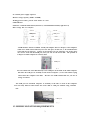
Go to “my computer”, and enter into “removable”, see the picture.
4.
Enter “ PassMan.exe”, empty “inside password”, click “apply” to access, and press
“ EXIT” to quit
5