1
find the driver.
3.
Now, you are ready to use the Great Disk, like copying, modifying or deleting. The
LED indicator will flash quickly when using the Great Disk, and the indicator will
not flash if the reading-writing data is finished.
Removing the Great Disc after use
Do not remove or disconnect the Great Disk from your computer while reading /writing
files, this may cause damage for HDD or loss of data stored in Great Disc.
Please take the following steps:
1.
Windows 98: You may simply take out the Great Disk when the LED indicator is off,
and the driver letter will disappear automatically.
2.
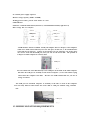
Windows Me/2000/XP: Click on the “Stop USB Storage Device – (G:)” icon on the
right corner, “USB Storage Device can be removed from the system” will appear on
the screen. Click “OK” to close the window, and your can take out the Great Disk
3.5
3.6
4.1.2Mac os 9.x/Mac OS X
. 1. Reboot your Macintosh computer
2.Make sure the connection between USB port and Great Disk is properly done.
“UNTITLED” drive letter (see the picture3.7) will appear on the screen, named Great
Disk Letter.
3. When you want to take out the Great Disc, please dray the disc letter into the trash
can first, otherwise, it may loss all of the data stored in the disk.
3.7
VI. SPECIFICATION
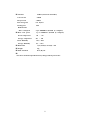
ITEM
DESCRIPTION
Computer required
BIOS
System required
Power supply
Disk capacity
IBM PC with USB available, other compatible computer
USB HDD or USB ZIP support (system boot required)
Windows 98/Me/2000/XP, Mac os 9.x/Mac OS X, Linux 2.4.x
USB cable
16MB/32MB/64MB/96MB/128MB/256MB/384MB/512MB
7