1
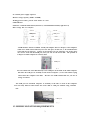
5. After accessing, passman window will be closed in 1second automatically.
Now, you will be ready to use the Great Disk.
3.4 Change Password
Please don’t forget your password, as user must re-format the disk when forget password,
and this will cause to lose all the data.
4.HOW TO USE THE GREAT DISK
1.
2.
Available USB port for computer
Check on USB, go to “control panel”
“system”
“device manager”
Scroll down to check the “ Universal Serial Bus Controllers”
4.1 Windows 98/Me/2000/XP
1.
Make sure the connection between USB port and Great Disk is properly done. (In
this case, the LED indicator of Great Disk will be shine once)
2.
Go to “My Computer”, “Removable” drive letter (eg: G: ) (see the picture3.2) or
“Local” driver letter (see the picture 3.3 for Windows Me/2000/XP) will appear on
the screen, named Great Disk Letter
3.2
3.3
3.4
.
Notes: when using the Great Disk the first time, it must take some time for system to
6