1
TABLE OF CONTENTS
SECTION 1:
Overview
4
6
7
SECTION 2:
Installation
9
10
11
12
13
14
15
16
17
18
19
20
SECTION 3:
Optional
Accessories
21
22
23
24
25
26
27
28
29
30
30
31
32
33
34
39
Important Safety Instructions
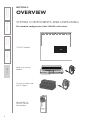
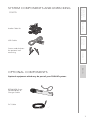
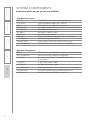
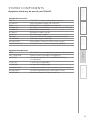
System Components and Unpacking
Optional Components
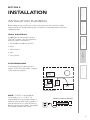
Installation Planning
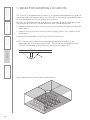
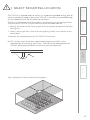
Step 1. Select Mounting Location
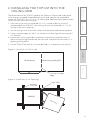
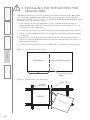
Step 2. Installing the TOPCAT into the Ceiling
Grid
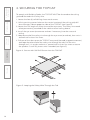
Step 3. Securing the TOPCAT
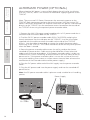
Step 4. Installing and Wiring Electrical Power
Alternate Power
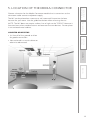
Step 5. Location of the Media Connector
Step 6. Connecting the Power Supply
Step 7. Audio Integration
Step 8. Volume Adjustment for the Media
Connector
Step 9. TOPCAT and Media Connector
Registration
Step 10. Setup and Operation of the
REDMIKE VC and TOPCAT
Tips to Obtain Optimum Audio Performance
Step 11. Charging the REDMIKE VC
Side Panel Controls and Connections
Media Connector Front Panel Controls
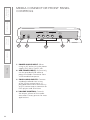
Media Connector Rear Panel Controls
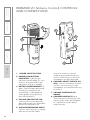
REDMIKE VC Controls and Connections
Cradle Charger Controls and Connections
REDMIKE Share: Controls and Connections
Charging
Initial Set-Up
Optional Pagefirst Interface
Using the REDMIKE VC to Amplify External
Audio Equipment
Output to Assistive Listening Device (ALD)
Optional iR Media Sensor/Receiver (ISR)
Installation
IR Sensor/Receiver Installation
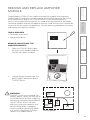
Remove and Replace Amplifier Module